
Content creation tools took massive leaps forward this year. As someone who tracks creative software daily, I watched the landscape shift in ways that genuinely surprised me.
Several updates stood out. Not because they added flashy features, but because they fundamentally changed how creators work. From professional-grade apps going completely free to AI tools that actually understand design context, 2025 delivered real improvements.
Here are the eight updates that made the biggest impact on creative workflows this year.
Affinity Ditched Paid Licenses Entirely
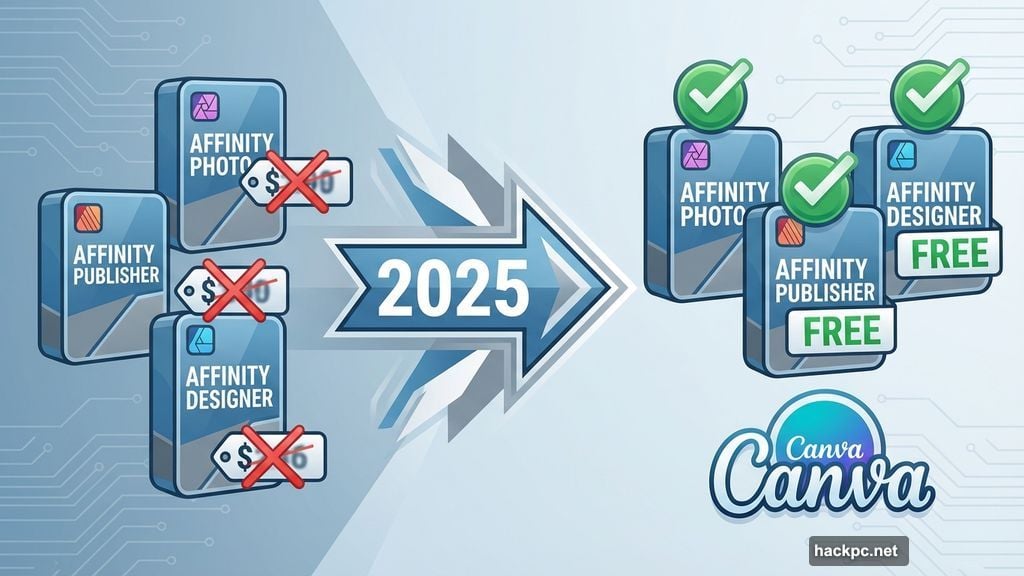
The biggest shock of the year? Affinity made all its apps completely free.
No subscription. No one-time purchase. Just free access to professional-grade photo editing, layout design, and vector graphics tools. Plus, Canva Pro subscribers get additional features bundled in.
Affinity Photo, Publisher, and Designer have long competed with Adobe’s creative suite. They lack some advanced features, but they cover everything most creators need. I’ve tested them extensively, and the quality rivals Adobe’s offerings for standard workflows.
The move stunned the industry. Affinity previously sold lifetime licenses at premium prices. Now those licenses are gone, replaced by free access for everyone. Canva’s acquisition drove this decision, but it’s still remarkable to see professional tools go completely free.
What’s the catch? There isn’t one yet. Affinity CEO Ash Hewson explained the strategy involves building a larger user base within Canva’s ecosystem. Still, it’s hard to believe this level of software costs nothing.
Adobe Premiere Hit Mobile Devices
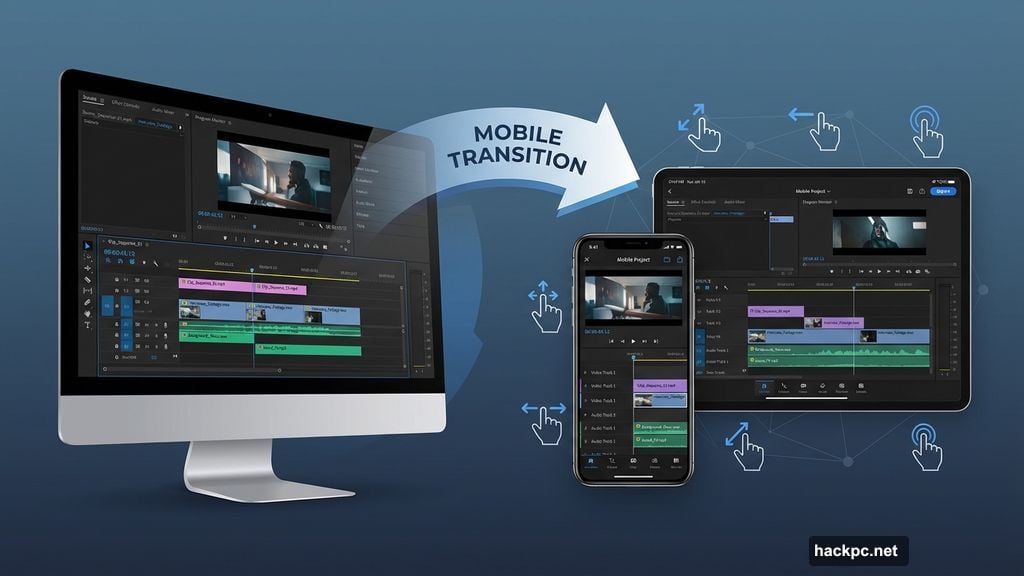
Adobe brought its flagship video editor to iPhone and iPad. Not a watered-down mobile version, but a near-complete editing suite called Adobe Premiere.
The app offers multi-track editing, color correction, and comprehensive audio tools. All packaged for on-the-go creation. Testing revealed it genuinely delivers desktop-class functionality on mobile hardware.
Yes, it’s free to download. However, Adobe locks certain advanced features behind its usual subscription. That pattern repeats across Adobe’s mobile offerings, but the free tier still provides substantial capability.
The Android version promises to arrive soon. Meanwhile, iPhone users already have access to what might be the most powerful mobile video editor available. The interface translates desktop workflows surprisingly well to touchscreens.
For creators who work away from desks, this changes everything. Professional editing on a phone no longer means compromising on quality or capability.
Google Launched Nano Banana Pro for Image Generation
AI image generation matured significantly in 2025. Google’s Nano Banana Pro, built for Gemini 3 Pro users, emerged as the standout tool.
What makes it different? Real-time connection to Google Search’s knowledge base. That means context-rich visuals, dramatically improved text rendering, and better consistency across generated images.
Text accuracy has plagued AI image generators for years. Nano Banana Pro finally gets text mostly right. Plus, the blending and composition quality reaches near-professional standards.
The tool integrates seamlessly with existing creative workflows. Rather than operating as a standalone generator, it plugs directly into design processes. That integration matters more than raw generation quality for most professional use cases.
Canva Unveiled Its Creative Operating System
Canva transformed from a simple graphic design tool into something far more ambitious: a complete Creative Operating System.
The platform now handles design, collaboration, and publishing in one unified space. The Visual Suite received a major redesign. Video editing tools got significantly more powerful. Plus, the AI understands design complexity rather than just generating generic content.
Anna Wood, Product Marketing Lead at Canva, explained the vision: “This isn’t just a tool to make a single graphic anymore. We’re building something much bigger. We like to see it as this all-in-one platform that enables the entire creative journey.”
That means ideation through to performance tracking happens in one place. Whether designing solo, collaborating with teams, or running campaigns, everything lives in the same ecosystem.
The shift represents Canva’s evolution from design tool to comprehensive creative platform. For teams tired of juggling multiple disconnected apps, this integration solves real workflow pain points.
Adobe Tools Integrated Into ChatGPT
Adobe apps landed inside ChatGPT. Users can now access Photoshop, Express, and Acrobat PDF editor directly through the chat interface.
The implementation uses natural language processing. Describe the edit you want in plain English, and ChatGPT executes it using Adobe’s tools. No need to know keyboard shortcuts or menu locations.
I watched a demo of this integration. Drag an image into ChatGPT’s prompt bar, describe the desired changes, and the AI handles everything. Built-in sliders let you refine results after the initial generation.
For non-designers who occasionally need professional editing, this removes the learning curve entirely. Just explain what you want like you’re talking to a colleague.
YouTube Shorts Editing Arrived in Adobe Premiere
Adobe Premiere’s first major update after launch targeted YouTube Shorts specifically. The mobile app now includes dedicated tools for vertical video creation.
Transitions were conspicuously absent from Premiere’s initial release. This update fixes that gap while adding exclusive effects, title presets, and customizable templates. Plus, direct sharing to YouTube from within the app.
The YouTube integration makes sense given Shorts’ massive growth. Creators need tools optimized for vertical format, quick cuts, and mobile-first workflows. Premiere now delivers all of that natively.
For content creators producing regular Shorts, this eliminates the need to export and switch platforms. Everything from editing to publishing happens in one app.
Figma Massively Expanded Its Creative Toolkit
Figma‘s annual conference revealed aggressive expansion beyond its core design tool roots. The company launched multiple new products targeting different creative needs.
Figma Make handles content ideation. Figma Sites builds websites using AI. Figma Draw tackles vector illustration. Figma Buzz creates social media assets. Each tool integrates with the existing Figma platform.
Then, at year’s end, Figma acquired node-based editing tool Weavy and rebranded it as Figma Weave. That addition brings advanced image, video, animation, and motion design capabilities into the platform.
The strategy is clear: transform Figma from a UI design tool into an all-encompassing creative platform. Teams can handle more workflows without leaving Figma’s ecosystem.
For designers already using Figma, these additions significantly reduce app-switching and improve workflow continuity.
Freepik Spaces Created Collaborative AI Canvases
Freepik launched Spaces, a browser-based infinite canvas for AI-powered creative collaboration. The tool emphasizes accessibility alongside power.
Node-based workflows sound complex, but Freepik designed Spaces for non-designers. Teams can generate AI images and videos suitable for business use without extensive training.
The collaborative element matters most here. Multiple team members work simultaneously on the same canvas, iterating on AI-generated content together. That real-time collaboration removes bottlenecks in creative approval processes.
For business teams that need professional visual content but lack in-house designers, Spaces democratizes creation. The AI generates quality output while the interface stays approachable.
Content Creation Tools Keep Evolving
These eight updates share a common thread: they lower barriers while raising quality ceilings. Professional-grade tools become free. Complex editing happens through simple text prompts. Collaboration gets seamlessly built in.
The shift toward AI integration accelerated dramatically this year. But the best implementations don’t just add AI for its own sake. They use it to genuinely simplify workflows and democratize capability.
What strikes me most is how these tools now serve both professional creators and casual users effectively. That wasn’t true even two years ago. The gap between consumer and professional creative software continues narrowing.
Looking ahead to 2026, I expect this trend to accelerate. More AI integration, tighter platform ecosystems, and continued pressure on traditional paid software models. The creative tools landscape is transforming faster than I’ve ever seen in my years covering this space.




Comments (0)