
AI image generators are powerful. But editing what they create? That’s been a nightmare.
Anyone who’s tried to fix a small detail in an AI-generated image knows the frustration. You can’t just swap out the background or tweak the text. Instead, you have to rewrite your prompt and regenerate the whole thing, hoping the next version gets it right. Canva’s newest feature takes a genuinely different approach to that problem.
The Editing Problem Nobody Solved Until Now
Here’s what makes AI images so tricky to work with. When an image generator creates a picture, it produces a flat file. Every pixel is baked together into one layer. There’s no background you can swap. No text you can highlight and retype. No individual elements you can move around.
That’s fine for casual use. But for professionals creating dozens of variations of the same design, it’s a massive bottleneck. Regenerating images over and over to get small details right burns time and produces inconsistent results.
So far, nobody had a great answer to this.
What Magic Layers Does
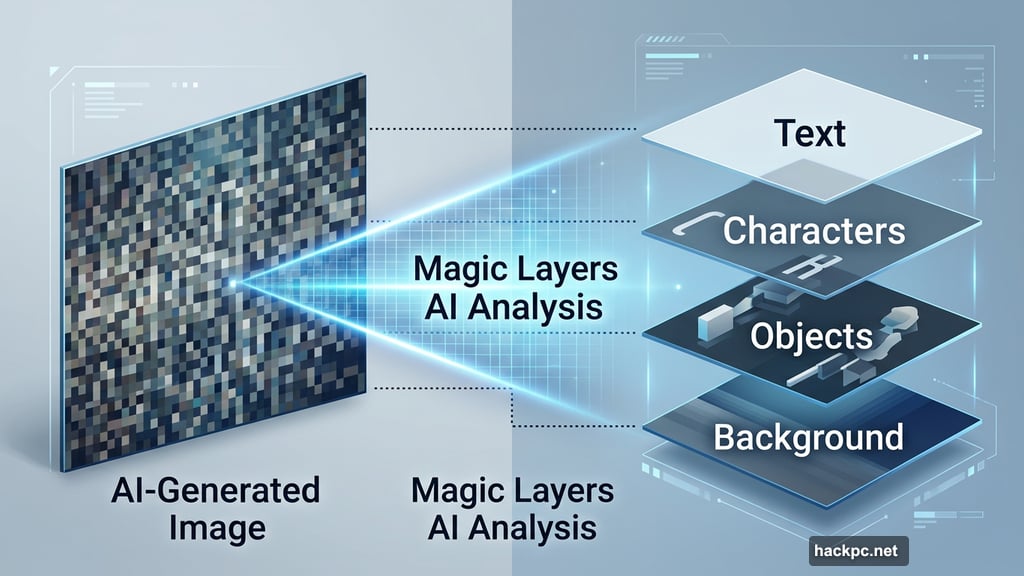
Canva’s new Magic Layers feature analyzes a flat AI image and breaks it apart into editable components, much like the layered file structure designers work with every day.
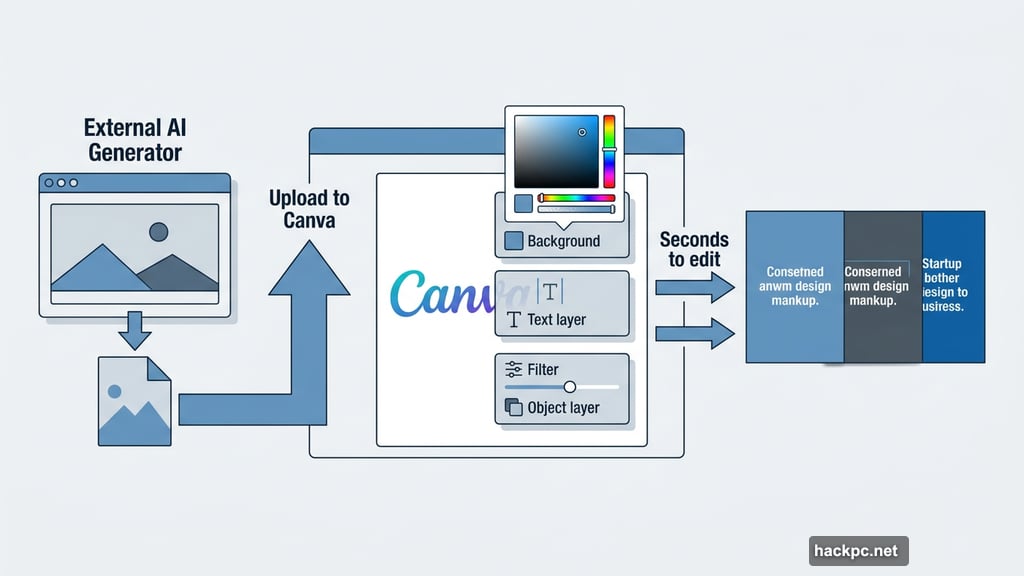
You upload any AI image, whether you created it in Canva or somewhere else entirely. The AI then scans the image and identifies the individual elements: the background, characters, text, objects, and so on. Within about a minute, it converts that flat image into a structured Canva project you can edit normally.
The tech doing this work is more sophisticated than it sounds. It has to recognize which pixels belong to which element, separate them cleanly, and use contextual awareness to fill in gaps where one element was covering another. Anna Wood, head of product marketing at Canva, describes it as bridging the gap between flat AI output and fully structured, editable design.
Once the layers exist, you can change the background color, apply filters, swap out text, or adjust individual elements without touching anything else. These are edits that take seconds in a traditional design tool but are nearly impossible to replicate consistently by prompting an AI generator.
A Real-World Scenario
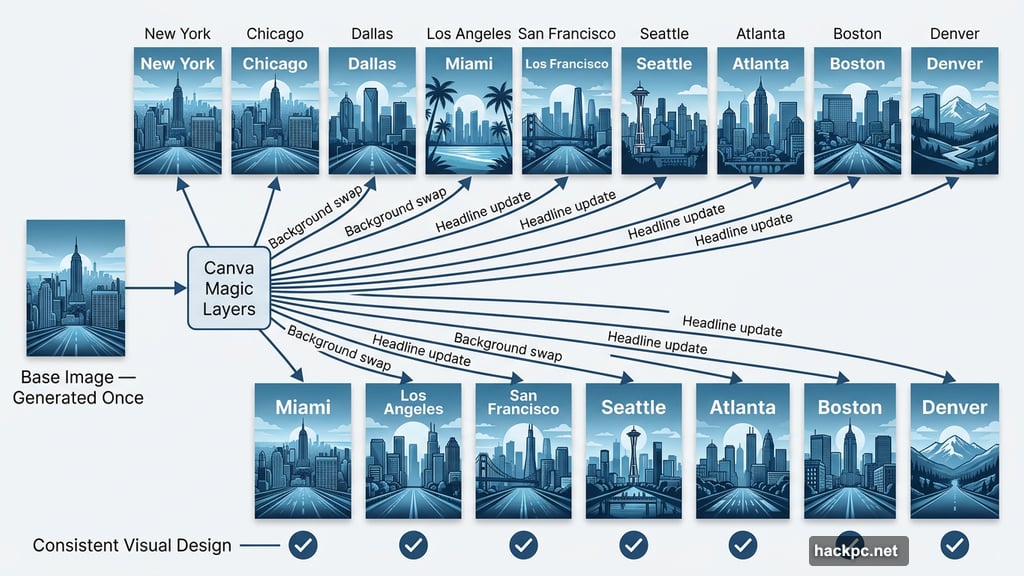
Think about a marketing agency managing a regional campaign. They need 10 versions of the same poster, each customized for a different city. Maybe the background changes, or the location name in the headline needs updating.
Without Magic Layers, that means 10 separate generation attempts, each with uncertain results, no guarantee of visual consistency, and a lot of time spent prompting and reprompting.
With Magic Layers, you generate one solid base image, upload it to Canva, let the AI pull it apart into layers, and then make your city-specific edits in seconds. The underlying design stays consistent. Only what needs to change actually changes.
Why This Shift Matters for Creative AI
Canva has spent years integrating AI tools into its platform, following a path similar to Adobe and other creative software companies. Both Canva and AI image generators pitch themselves on the same basic idea: you don’t need to be a technical expert to create professional-looking work.
But creative AI and Canva have landed in very different places with their communities. Canva built genuine loyalty with its approachable editing tools. AI image generation remains far more divisive among designers and creators, largely because it takes control away from the person making the work.
Magic Layers moves in the opposite direction from where much of the AI industry is heading. Other AI companies are pushing people to hand off more tasks to autonomous AI agents. Creators, by contrast, want more hands-on control, not less.
That distinction matters. Earlier AI tools asked creators to master prompting, tweak model settings, and learn workarounds just to get usable results. Magic Layers shifts that dynamic. Now creators can take an AI image and make it their own with direct, familiar editing tools.
Who Can Use It
Magic Layers is available to all Canva users starting now. You don’t need a paid subscription to access it, and you’re not limited to images created inside Canva. Any AI-generated image you’ve made elsewhere works too.
For individual creators, freelancers, and businesses producing lots of visual content, this is the kind of practical upgrade that changes daily workflows rather than just adding another feature to a menu.
Creative AI is still evolving fast. But the tools that actually stick around tend to be the ones that give people more control over their work, not less. Canva seems to understand that, and Magic Layers is a strong sign they’re building in the right direction.




Comments (0)