
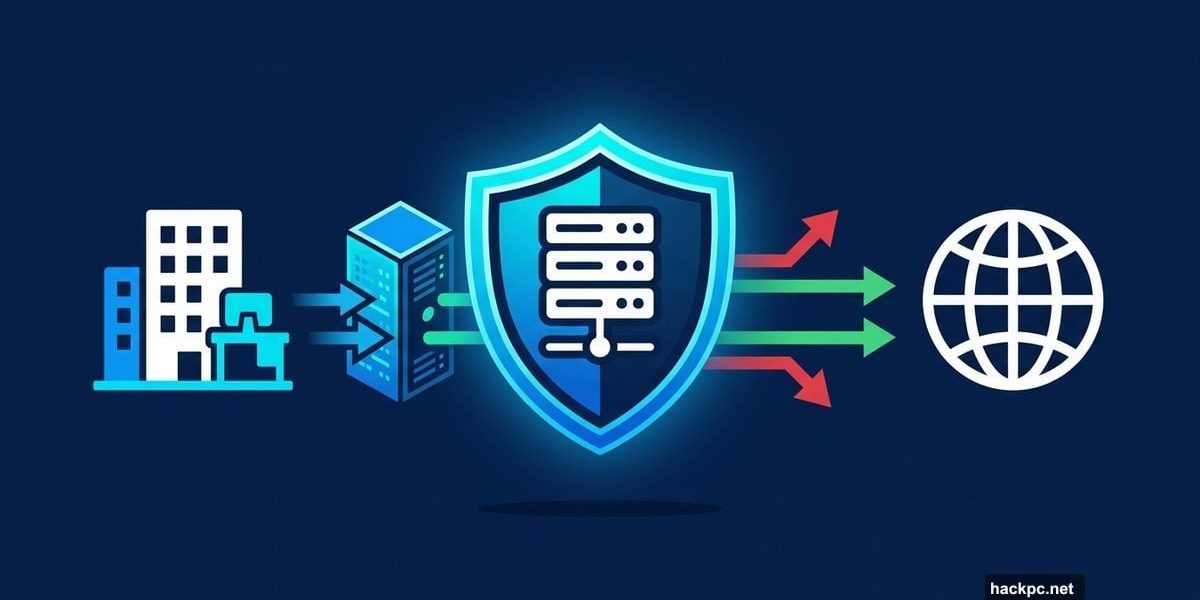
Proxy servers have been around almost as long as the internet itself. But they’ve come a long way from their early days as simple caching tools.
Today, businesses use proxy servers for everything from blocking cyberattacks to quietly researching competitor pricing. And having recently tested and reviewed the best proxy servers available, I can tell you the differences between them matter more than most people realize. So if you’re wondering whether a proxy server makes sense for your business, here’s an honest breakdown of what they actually do.
Cybersecurity: Hiding Your Network from Attackers
One of the biggest reasons businesses buy proxy servers is simple protection. A proxy acts as a buffer between your company and the outside world.
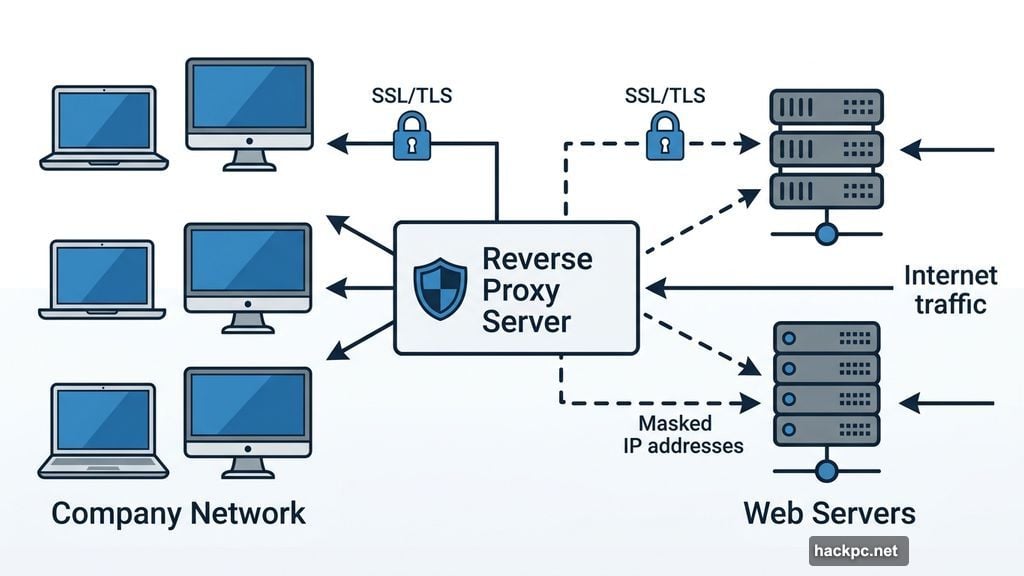
Most people think of proxies as tools that hide your IP on the way out. But reverse proxy servers work the opposite way. They sit in front of your web servers and manage traffic coming in.
“Corporate environments that have websites don’t want those IP addresses exposed, so they’ll have a reverse proxy at the front end,” said Erik Avakian, a technical counselor at Info-Tech Research Group and former chief information security officer for the Commonwealth of Pennsylvania. “The source that’s trying to get to those servers is not going to see the server address.”
Beyond hiding server addresses, reverse proxies also handle SSL/TLS encryption and decryption. Doing that work on individual servers gets expensive fast. So offloading it onto the proxy itself saves both money and processing power.
Performance Boost Through Caching and Load Balancing
Proxy servers don’t just protect your network. They can also make it noticeably faster.
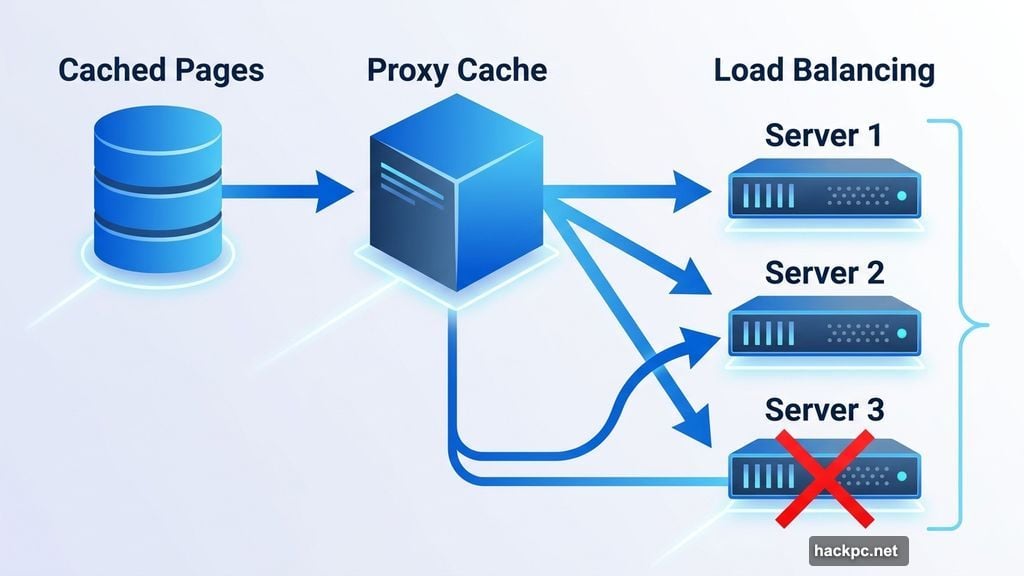
When a proxy caches frequently accessed web pages and files locally, employees load those resources without reaching back to the original source every time. For companies with large teams constantly hitting the same resources, that means lower latency, faster load times, and less bandwidth consumption overall.
Load balancing is another major win here. Instead of routing all traffic through one backend server, a proxy distributes the load across multiple servers. Plus, if one server goes down during an outage or attack, traffic automatically reroutes to another. That kind of automatic failover keeps your network running when things go sideways.
Employee Management and Content Filtering
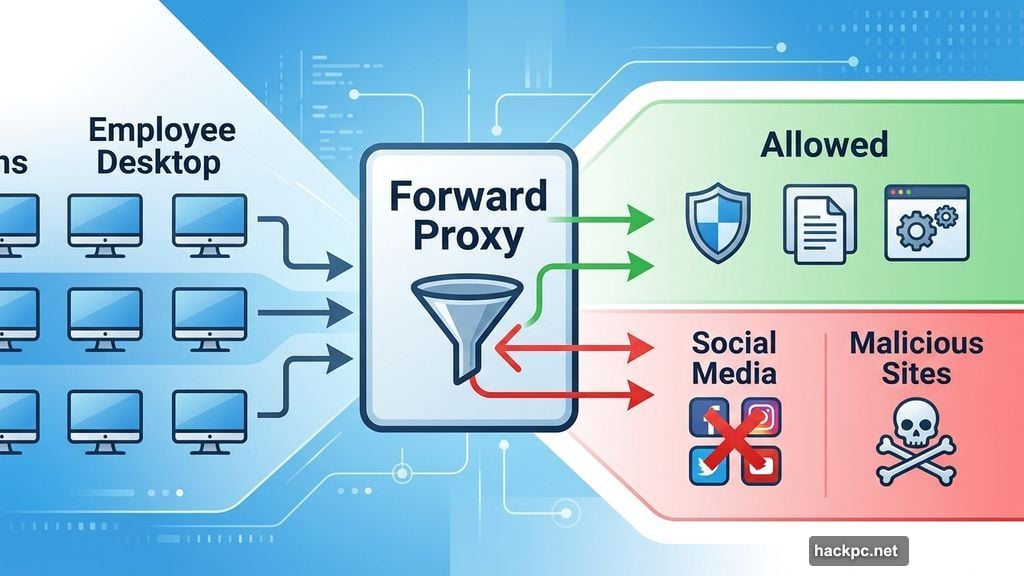
Proxy servers protect businesses from both directions. They control what comes in and what goes out.
On the inbound side, companies use proxies to restrict which websites employees can access from the company network. “Corporations may want to block certain types of websites,” Avakian said. That means social media distractions, malicious sites, or anything else that violates company policy.
On the outbound side, proxies mask employee IP addresses when browsing. So even if someone accidentally visits a harmful site, the proxy limits how much information the attacker can grab. “Traffic doesn’t look like it’s coming from your computer. It’s coming from the proxy,” Avakian said. “Corporations don’t want people over the internet to see their IP addresses.”
Social Media Management at Scale
Most social media platforms allow about five accounts per IP address. Exceed that, and platforms like Instagram, Facebook, or TikTok may flag or ban the account entirely.
Proxy servers solve this by spreading activity across multiple IP addresses. “A lot of folks are using proxies to manage 30 different social media accounts,” Avakian said. “If you use proxies, you’re able to do that.”
Beyond managing multiple accounts, proxies also help with market research on social platforms. Location-based marketing is huge right now. Proxies let businesses change their apparent location to see region-specific content, run competitor analysis, and conduct large-scale social media data collection.
During my testing, I was particularly impressed with Decodo, which comes with pre-built scraping templates that make social media data collection significantly easier.
Web Scraping and Competitive Intelligence
Web scraping is actually the most common business use case for proxy servers. And it’s easy to see why.
Many websites automatically block requests from a single IP address making repeated queries. Proxy servers route those requests through rotating IPs, making them look like normal traffic. “Let’s say you’re trying to scrape pricing data from a competitor’s site,” Avakian explained. “You don’t want it to look like you’re scraping all of that from one source, because it’s probably going to be blocked.”
Proxies also let businesses target specific locations for localized data. Take internet service providers as an example. Many ISPs vary their pricing by ZIP code. With a good proxy, you can check competitor pricing across the entire country, down to the neighborhood level.
One product that stood out in my testing was Oxylabs, specifically for its advanced web scraping tools. It handles bulk data collection without triggering blocks, which is a genuine challenge at scale.
That said, web scraping comes with legal complications worth taking seriously. Many websites prohibit scraping in their terms of service. The legality varies significantly depending on what data you’re collecting and how. The Quinn Emanuel law firm puts it plainly: “Web scrapers and those who host or rely on scraped personal data also should be aware of all applicable privacy regulations governing their activity and seek legal advice.”
When in doubt, talk to a lawyer before you start scraping.
Reasons to Skip a Proxy Server
Not every business needs one. Proxy servers come with real downsides worth considering before you sign up.
Cost and complexity are the first hurdles. Many proxy services start around $4 per gigabyte, and that adds up quickly at scale. Setup also requires some technical knowledge. Without a dedicated IT person, there’s a learning curve that might not be worth it for smaller teams.
Performance bottlenecks are a real risk too. While caching speeds things up for repeated requests, routing all traffic through a separate server adds latency for everything else. The net result depends heavily on your usage patterns.
Single point of failure is a serious concern for security-focused setups. If your entire network’s content filtering runs through one proxy and it goes down, your whole operation can grind to a halt. Using multiple proxies with automatic failover mitigates this, but it also adds complexity and cost.
Privacy concerns with third-party providers matter as well. When you route traffic through an external proxy service, that provider can see your data. For sensitive business operations, that’s a risk worth weighing carefully.
Whether a proxy server makes sense for your business comes down to one question: what specific problem are you trying to solve? For companies dealing with cybersecurity threats, managing multiple social media accounts, or gathering competitive pricing data, proxies deliver genuine value. For smaller businesses without dedicated IT support and without a clear use case, the cost and complexity might outweigh the benefits entirely.
If you do decide to move forward, start by identifying exactly how many IP addresses you’ll need, which use cases matter most, and whether the tools offered by specific providers match your workflow. Getting those answers first will save you a lot of frustration later.




Comments (0)