
Blackmagic Design just threw down the gauntlet against Adobe. And this time, it’s not just video editors they’re coming for.
The Australian company unveiled DaVinci Resolve 21 in beta at NAB 2026, and the headline feature is a brand new Photo page built specifically for still image editing. Add a suite of impressive AI video tools on top of that, and Resolve 21 is shaping up to be one of the most ambitious updates the software has ever seen.
A Dedicated Photo Page Changes Everything
For years, DaVinci Resolve technically let you work with photos. But you had to treat them like video clips on a timeline, which felt clunky. Now, the new Photo page gives still images a proper home.
You can import and manage photos directly, including RAW files from Canon, Fujifilm, Nikon, and Sony. From there, you adjust them using Resolve’s famous node-based Color page. Think of nodes like layers you can stack or run side by side. It gives you fine control that Lightroom’s simpler slider approach can’t quite match.
The Color page brings over everything photographers need: primary color correction, curves, qualifiers, power windows, noise reduction, and sharpening. But the real power comes from Resolve’s node workflow. You can build a complex grade on one image, save it, then apply that exact look to an entire album in seconds.
LightBox View Keeps Your Albums Organized
Blackmagic added something called LightBox view, and it works exactly like it sounds. You see your entire album laid out at once, with all your color grades applied live.
Select any image and edit it while watching the changes ripple across your whole collection in real time. You can filter by graded or ungraded status, star rating, flag, and clip color. It’s a genuinely smart workflow for batch editing.
Albums work similarly to Lightroom’s collection system. Build a group of photos, and that album also appears as a timeline in the Cut, Edit, and Color pages. So if you work across both photo and video projects, everything stays connected and accessible.
Tethered Shooting for Studio Photographers
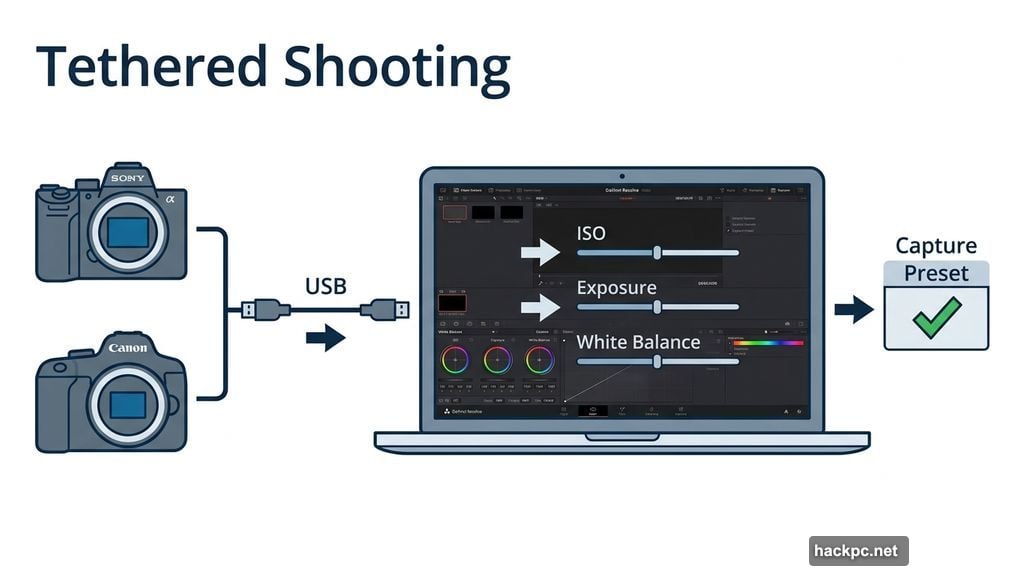
Professional photographers working in studios will appreciate one particularly interesting addition. The Color page now includes camera controls that let you tether a Sony or Canon camera directly to Resolve for live image capture.
While shooting, you can adjust ISO, exposure, and white balance right inside the software. You can also save capture presets to lock in a consistent look before a shoot even begins. That’s a workflow that used to require dedicated tethering software, so having it baked into Resolve is a big deal.
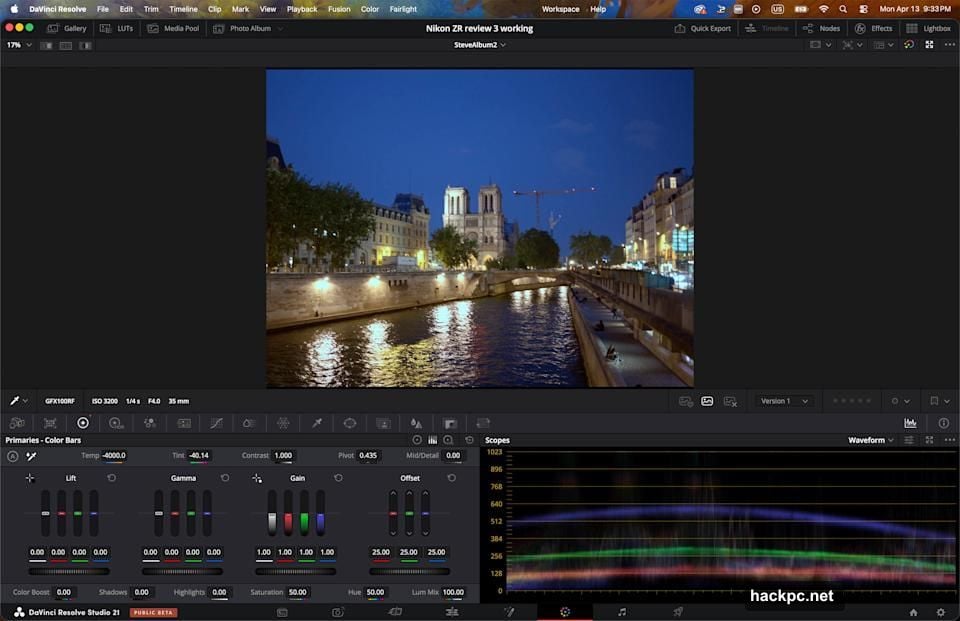
Plus, Resolve’s other powerful tools all work seamlessly with the Photo page. The AI Magic Mask lets you select a person or object with a single click. You can run advanced visual effects on still photos using the Fusion page. And you can slap OpenFX or FusionFX filters directly onto images right from the Photo page.
How It Holds Up Against Lightroom
I got a brief hands-on with the Photo and Color tools, and as someone who uses DaVinci Resolve regularly, I found the learning curve surprisingly gentle.
Importing and organizing images felt easier than Lightroom, honestly. The Color page matched Lightroom’s Develop panel for most adjustments I threw at it. And applying edits across multiple images was actually more intuitive thanks to the node system.
That said, one thing I genuinely missed was Lightroom’s Clarity slider. It’s one of those deceptively simple tools that makes portraits and landscapes pop. Resolve doesn’t have a direct equivalent yet, and that absence was noticeable.
Whether Resolve 21 is enough for me to cancel my Photoshop and Lightroom subscriptions? I’m genuinely not sure yet. But it’s closer than I expected.
AI Video Tools That Push Boundaries
Beyond photos, Resolve 21 introduces several AI-powered video tools that are worth talking about. Some of them are genuinely impressive. Others will probably spark some debate.
The AI Face Age Transformer analyzes a face, takes your input on the subject’s actual age, then lets you dial in an age offset to add wrinkles, change facial fullness, and alter their apparent age. The AI Face Reshaper goes further, letting you adjust eyes, nose, mouth, eyebrows, and overall face shape. And AI Blemish Removal smooths out skin imperfections like acne and discoloration while keeping the skin’s natural texture intact.
These are powerful tools. Used responsibly on productions that have proper consent, they can save significant time in post-production. But they also represent the kind of capability that raises legitimate questions about digital manipulation.
Sharpening, Deblur, and Rescue Footage
On the more straightforwardly useful side, AI UltraSharpen can upscale video and salvage footage that was previously too soft to use at higher resolutions. It can also help fix slight focus errors that would have otherwise sent a clip to the trash.
AI Motion Deblur tackles another common headache: footage with slight motion blur. It’s particularly useful for slow motion clips and freeze frames where blur becomes obvious. Between these two tools, Resolve 21 gives editors a genuine shot at saving footage they might have written off.
VFX and Collaboration Get Upgrades Too
Blackmagic didn’t stop at photos and AI face tools. Resolve 21 also lets you edit Fusion effects directly from the Cut and Edit pages, which means less jumping back and forth between workspaces. The new Krokodove library adds a substantial collection of compositing tools for VFX work.
For creators working in immersive formats, new VR tools handle delivery to platforms like Meta Quest and YouTube VR. And team collaboration is possible through Blackmagic Cloud, though that feature requires a paid subscription.
Free vs. Paid: What You Actually Get
Here’s the part that makes DaVinci Resolve genuinely hard to compete with. Most of what’s in Resolve 21 is completely free.
The main exceptions are AI Magic Mask and the Film Look Creator, which require the paid DaVinci Resolve Studio version at $295. That’s a one-time purchase, not a subscription. Compare that to Adobe’s Creative Cloud, which runs around $600 a year for Photoshop and Lightroom together, and the value case for Resolve becomes very compelling very fast.
DaVinci Resolve 21 isn’t perfect, and Lightroom has years of refinement that show in the small details. But Blackmagic Design is clearly serious about taking on Adobe’s photo editing dominance, and with this update, they’ve built something that deserves a real look from photographers and video editors alike.




Comments (0)