

McAfee‘s flagship security suite wants to be your all-in-one online protection. One subscription covers antivirus, VPN, password manager, identity monitoring, and even financial fraud protection.
Sounds perfect, right? Well, the reality is messier. After extensive testing, I found a product that’s comprehensive on paper but frustratingly unpolished in practice. Plus, those heavy scans can noticeably slow down mid-range PCs.
Let’s break down what actually works and what doesn’t.
Strong Antivirus Core with Real-World Flaws
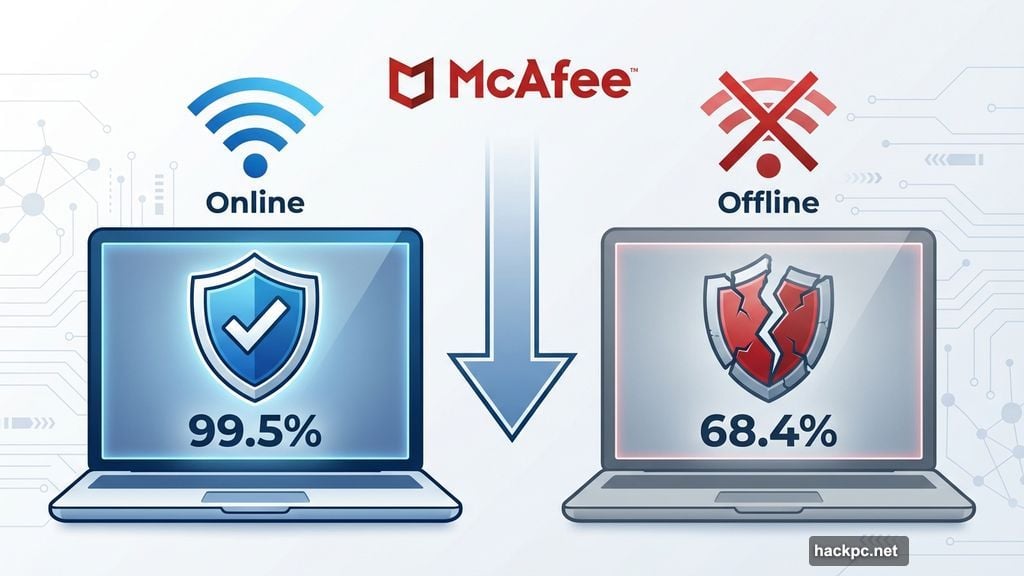
McAfee’s malware detection performs solidly when your PC stays online. AV-Test results from November and December 2024 show it caught 99.5 percent of zero-day malware samples and 100 percent of widespread threats.
That’s reassuring. But here’s the catch.
Take your laptop offline, and McAfee’s protection drops dramatically. AV-Comparatives’ September 2024 test revealed only a 68.4 percent offline detection rate. Compare that to top performers hitting 94 percent or higher, and the gap becomes obvious.
So McAfee relies heavily on cloud-based threat intelligence. No internet connection means weaker protection. That’s a problem for travelers or anyone working in spotty connectivity zones.
Moreover, the software lacks transparency. You can’t customize ransomware folder protection, adjust email scanning settings, or even see how external drives are handled. It’s either on or off—that’s your only choice.
Performance Impact You’ll Actually Notice
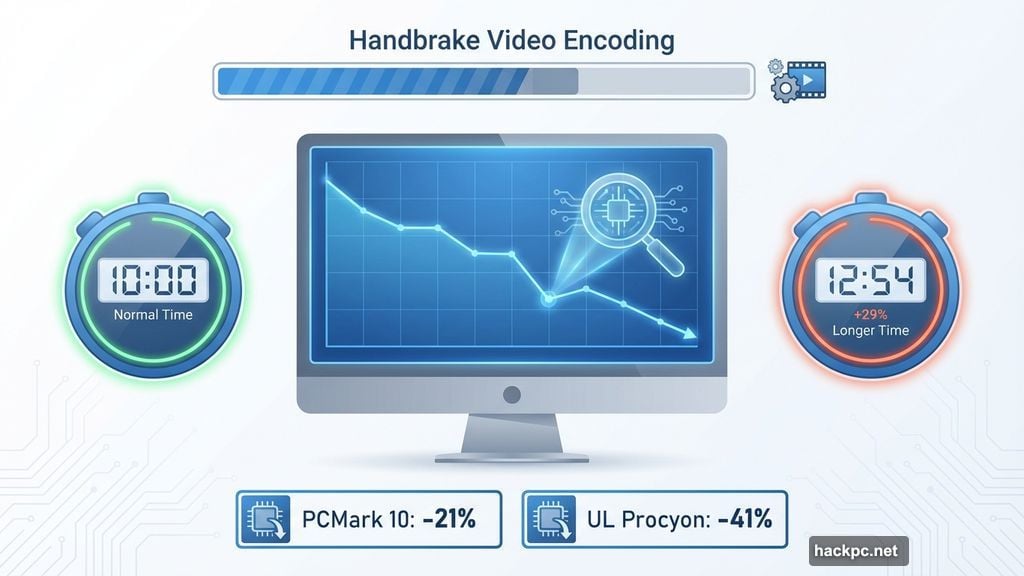
Full system scans hit performance harder than expected on modest hardware. During continuous scanning, PCMark 10 scores dropped 21 percent. Worse, UL Procyon scores—which simulate Microsoft Office workloads—plummeted 41 percent.
Video encoding in Handbrake took 29 percent longer with a scan running. That’s the difference between finishing a project before lunch or after it.
However, there’s nuance here. Background monitoring barely affects performance. Plus, after the initial thorough scan, subsequent ones only check new or modified files. So if you don’t constantly move large amounts of data around, impact decreases significantly.
Still, McAfee schedules full scans for overnight by default. Smart move, since most people won’t be using their PCs then anyway.
Scattered Interface Makes Features Hard to Find
McAfee’s apps look clean and modern. But actually using them reveals frustrating design choices.
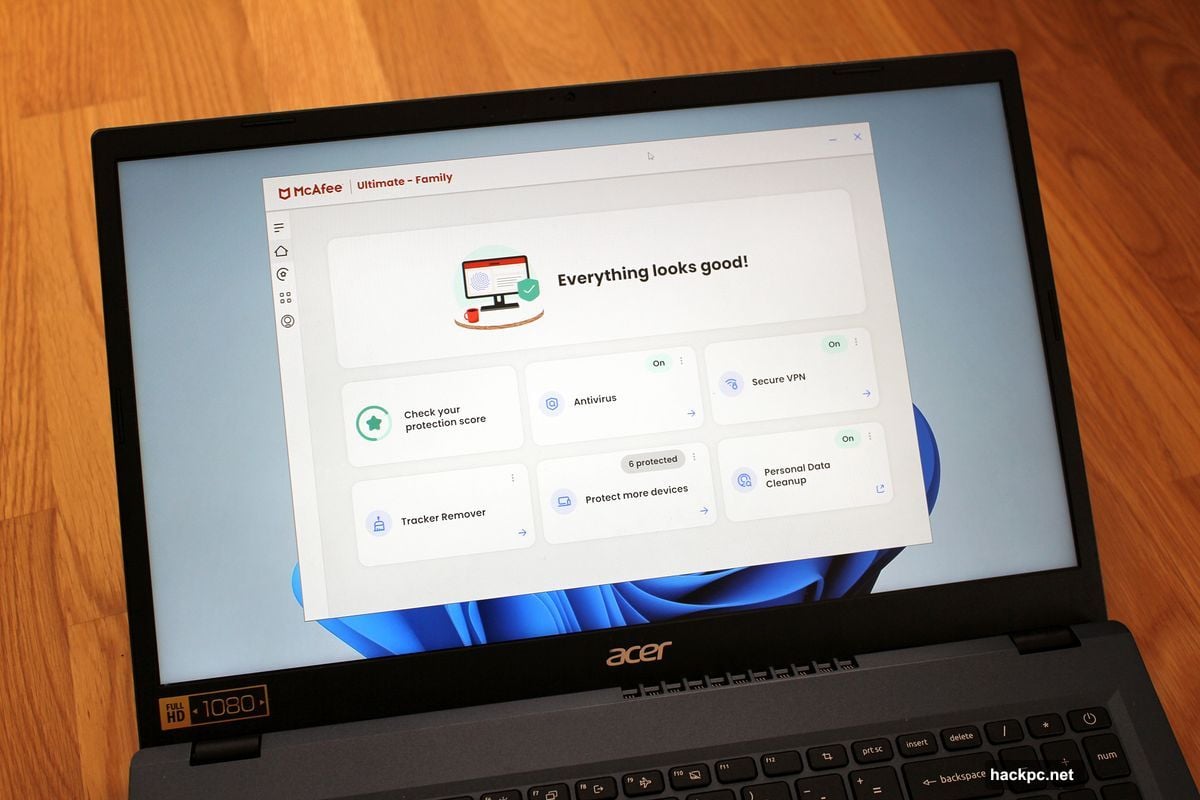
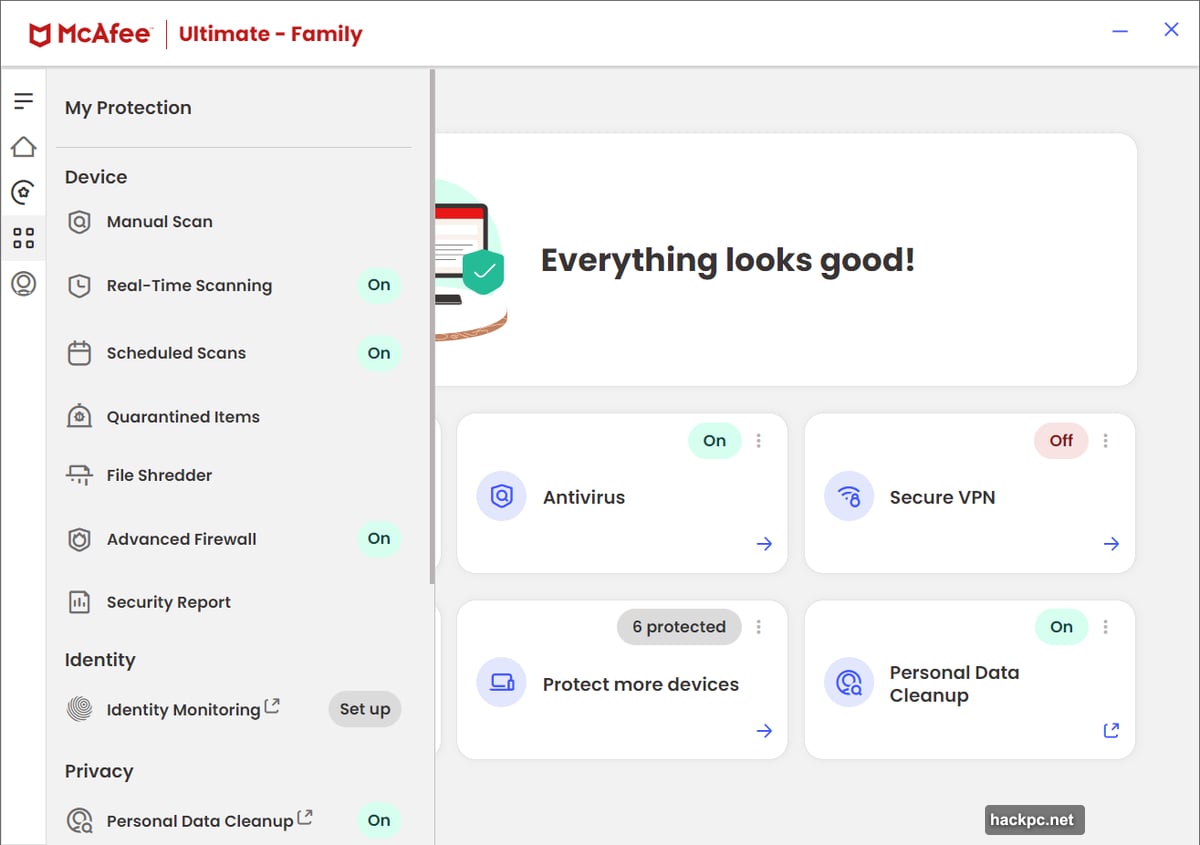
The main app only shows four feature shortcuts on the home screen—antivirus, VPN, Tracker Remover, and Personal Data Cleanup. Everything else hides in a slide-out menu triggered by clicking four squares in the left navigation bar.
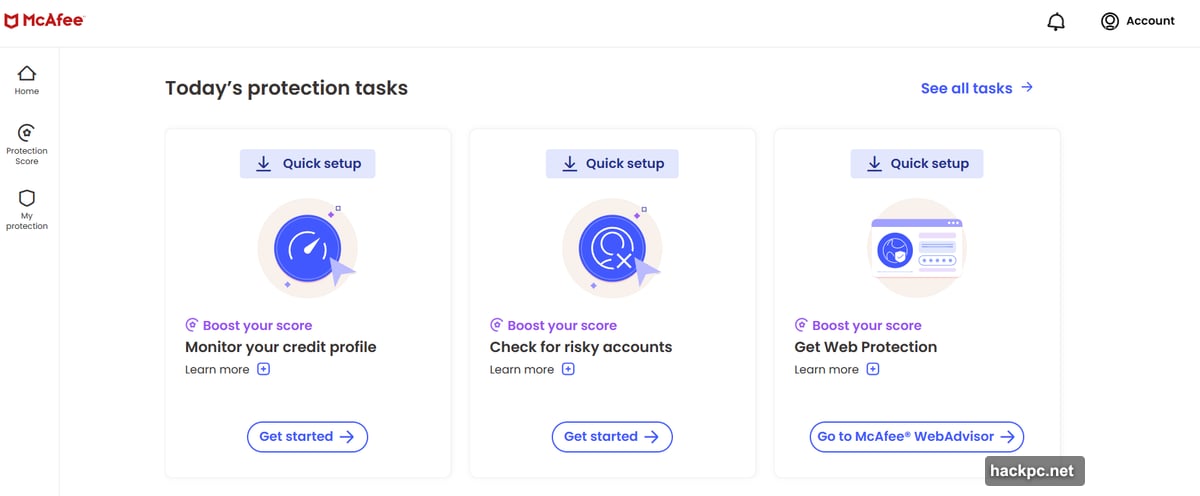
Want the premium identity and financial protections you paid for? Those aren’t in the app at all. You must visit the McAfee Protection Center website instead. Parental controls require yet another separate app called Safe Family.
So you’re juggling the main McAfee app, multiple websites, browser extensions, and standalone programs. Remembering where each feature lives takes genuine effort.
Plus, the apps don’t always behave predictably. Adding a second email to Identity Monitoring triggered new breach results, but they wouldn’t display until I manually refreshed the page. Nothing broke, but the experience lacked the polish you’d expect from a $280-per-year subscription.
Password Manager Feels Unreliable
True Key covers basic password management but little else. And its limitations create genuine security concerns.
Two-factor authentication options are minimal—no OTP codes from authenticator apps, no hardware keys. Just email verification or facial recognition through your device camera.
That email verification causes problems. McAfee sends a confirmation link when you log in from a new device. Sounds reasonable. Except the email often arrives too late—sometimes 10 minutes after the login request expires (which happens after about 60 seconds).
I nearly gave up during setup. The system worked briefly, I completed the process, and then the issue returned. McAfee’s forums show complaints about this dating back years. Still not fixed.
You also can’t access True Key through a website login—only browser extensions and mobile apps work. So if you’re stuck using a public computer or locked out of your devices, tough luck.
Honestly, you’re better off using a dedicated password manager. Even good free options outperform True Key by a significant margin.
VPN Works but Shows Some Bugs
Safe Connect VPN offers servers in 47 countries with a five-device simultaneous connection limit. That’s decent coverage for most users.
The actual connection speeds are fine. But the software itself has quirks that hurt reliability.
After first installation, I couldn’t disconnect from the VPN—it required a full reboot to fix. Starting Safe Connect before my Wi-Fi finished connecting triggered persistent upgrade prompts that wouldn’t clear. Again, force-quitting and restarting resolved it.
These aren’t dealbreakers. But they’re annoying enough to make the VPN feel less trustworthy than it should.
Identity and Financial Protections Show Promise
Here’s where McAfee+ Ultimate tries to justify its premium price. Identity Monitoring scans breach data for your personal details—email addresses, credit cards, social security number, and more.
The coverage is comprehensive. But the results lack helpful context. Several breaches in my report didn’t name the compromised service or explain what data leaked. That makes it harder to know which accounts need immediate attention.
Personal Data Cleanup helps remove your information from data broker sites. McAfee handles the removal requests, though results take 30 to 45 days. Some brokers still require manual follow-up.
Financial monitoring through Envestnet Yodlee centralizes transaction alerts from your banks and credit cards. Plus, McAfee gives daily credit score access and helps place security freezes.
The identity theft coverage is substantial—$2 million for losses and restoration expenses, plus $25,000 for ransomware damages. Family plans provide coverage for each adult account, totaling $4 million and $50,000 respectively.
Identity theft restoration specialists offer direct assistance, handling the paperwork after you grant limited power of attorney. McAfee even replaces lost wallet contents—IDs, credit cards, debit cards.
These protections are genuinely valuable. They just need better integration and clearer guidance to reach their full potential.
Parental Controls Feel Dated but Functional
Safe Family handles content filtering, screen time limits, and location tracking. The interface looks older than the rest of McAfee’s software, but it gets the job done.
Default rules adjust based on your child’s stated age. My hypothetical 13-year-old couldn’t access dating, gambling, or explicit sites, but could use search engines and streaming services. You can customize these settings extensively.
Screen time rules come in two flavors—weekday and weekend. That’s simpler than some competitors offer, but it’s enough for most families.
Location tracking on phones works, though I had inconsistent results on Android. It’s there if you need it, just don’t rely on it completely.
Features Scattered Across Multiple Tools
Beyond the core protections, McAfee includes several smaller utilities that feel underbaked.
Social Privacy Manager scans Instagram, Facebook, YouTube, X/Twitter, LinkedIn, and Google accounts for weak privacy settings. The suggestions are solid. But asking it to automatically apply changes doesn’t always work. Manual updates ran into confusing interface issues.
Scam Protection uses AI to screen text messages for fraudulent links. It requires installing separate mobile apps—McAfee Security & Wi-Fi Privacy on iOS or McAfee Security: VPN Antivirus on Android. Flagged messages appear in your filtered inbox on iOS or within McAfee’s app on Android.
Online Account Cleanup scans one email address for dormant online accounts, then helps delete vulnerable ones. McAfee attempts deletion on your behalf, but like other privacy tools, it doesn’t eliminate as much manual work as promised.
File Shredder permanently erases files using Department of Defense standards. But it only works properly on hard disk drives—using it on solid-state drives (found in most modern laptops) can shorten their lifespan and doesn’t guarantee secure deletion anyway.
These tools point you in the right direction. Just expect to finish the job yourself more often than you’d like.
Windows Compatibility Issues Persist
Here’s a significant problem—McAfee+ Ultimate can conflict with Windows in annoying ways.
During my evaluation, a Windows error notification started popping up repeatedly: “mc-wns-client.exe – This application could not be started.” It appeared frequently enough to genuinely irritate.
Following McAfee’s troubleshooting steps didn’t help. Updating the Windows App SDK, reinstalling the software, manually downloading the latest Windows App Runtime package—none of it solved the issue.
When I contacted McAfee about it, they said they were working with Microsoft and expected a resolution “in early 2024.” That timeframe has clearly passed. For a premium security suite charging hundreds of dollars annually, this kind of persistent bug is unacceptable.
Customer Support Has Outdated Information
McAfee offers support through their knowledge base, community forums, social media, and direct contact via chat or phone. You can reach them 24/7, which is convenient.
But there’s a catch. Many help files are outdated. Screenshots don’t match the current interface. Feature descriptions reference settings that no longer exist or are located elsewhere.
This makes troubleshooting harder than it should be. You’re left guessing whether a feature was removed, renamed, or just moved to a different location.
Pricing Feels Steep for the Experience
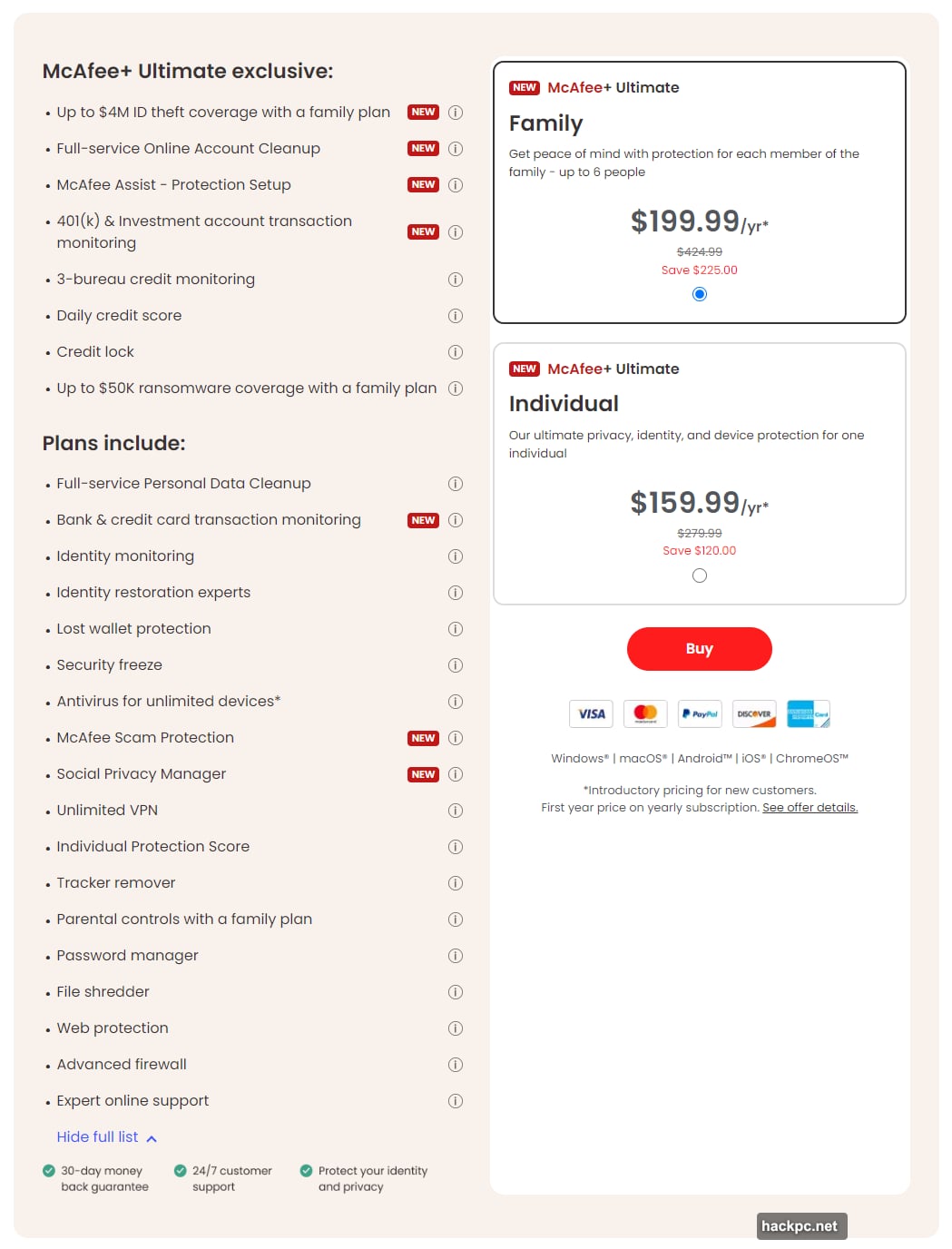
McAfee+ Ultimate costs $200 for the first year individually, then jumps to $280 annually. Family plans start at $250, then go to $425 per year.
That’s a significant investment. And McAfee enrolls you in auto-renewal by default, charging for the next year 30 days before your current subscription ends.
Both plans protect unlimited devices across Windows, macOS, ChromeOS, iOS, and Android. Family subscriptions support six seats—two adult accounts and four child accounts. Only adult accounts get the premium financial protections.
You also can’t find better pricing through third-party retailers. McAfee only sells Ultimate plans directly. There’s a 30-day money-back guarantee, but that’s your only option for savings.
Privacy Concerns with Centralized Data
McAfee asks for extensive personal information—social security number, birthdate, addresses, bank accounts, credit cards. Having all that data in one place creates obvious privacy concerns.
McAfee says it uses AES-256 encryption and stores only hashed values for monitoring. The engine never sees your actual details, just encrypted versions. Plaintext data only appears when you view reports, and only on backend servers never exposed to the front end.
They partner with TransUnion for identity theft matters and Yodlee for transaction monitoring. These are established companies with their own security protocols.
Still, you’re centralizing your most sensitive information with one provider. You’ll have to decide your comfort level with that arrangement.
Skip This Until McAfee Fixes the Bugs
McAfee+ Ultimate offers genuinely comprehensive protection. The antivirus works well, identity monitoring covers extensive ground, and the financial protections provide real value.
But the execution falls short of what you’d expect from a premium product. The interface scatters features across multiple apps and websites. Tools and services feel unfinished. Performance impact on mid-range PCs is noticeable. And persistent Windows compatibility issues create daily annoyances.
Most frustrating is the password manager. It’s so unreliable that you’re better off ignoring it completely and using a different service.
At full price—$280 annually for individuals or $425 for families—McAfee+ Ultimate is hard to recommend. The comprehensive feature set appeals, but the lack of polish makes competing products more attractive right now.
Wait for McAfee to fix the bugs and refine the user experience. Then this suite might justify its premium pricing. Until then, other security packages offer better value and fewer headaches.




Comments (0)