

I was one of those users. Mint tracked all my accounts in one place, monitored my credit score, and helped me manage spending goals. Then it vanished. So I spent months testing replacements to find something that actually works.
Spoiler: Quicken Simplifi wins. But several other solid options exist for different needs.
Quicken Simplifi Gets the Basics Right
Simplifi nails what Mint did best. Clean interface, easy setup, smart expense tracking.
The landing page scrolls through everything you need. Top-line balances, net worth, recent spending, upcoming bills, and savings goals all live in one view. No hunting through menus or toggling dark mode settings.
Plus, it costs less than most competitors. Just $72 per year versus $100 or more elsewhere. That price difference adds up.
Setting up Simplifi took about a day to feel natural. It connected easily to Fidelity, which many budget trackers struggle with. Moreover, you can invite a spouse or financial advisor to co-manage your account. Most apps don’t offer that.
Simplifi estimated my regular income better than competitors. It also lets you mark specific purchases from a merchant as recurring without creating blanket rules. For example, I set my two Amazon Subscribe & Save orders as recurring without tagging every Amazon purchase the same way.
The refund tracker is clever too. When reviewing transactions, you can mark if you expect money back. No other app I tested offered this feature.
However, Simplifi lacks Zillow integration for tracking home values. Competitors like Monarch and Copilot sync with Zillow automatically. With Simplifi, you manually add real estate like any other asset.
Still, these minor gaps don’t outweigh the overall simplicity and value.
Monarch Money Offers Power User Features
Monarch grew on me despite a steep learning curve. The app gives you granular control over budgets, but that complexity can overwhelm at first.
Former Mint product managers founded Monarch. That shows in the detailed balance sheet showing budgets versus actuals for each category. You also get forecasts by year or month.
Recurring expenses can be set by merchant and other parameters. Amazon purchases of $54.18 always mean baby supplies, for instance. The app learns these patterns and auto-categorizes them going forward.
Yet Monarch doesn’t distinguish between bills and other recurring expenses. Weird oversight.
The reporting section lets you create custom graphs based on accounts, categories and tags. This feature lives only in the web app for now. Additionally, Monarch added car value syncing through an aggregator that updates automatically. Combined with Zillow integration, tracking non-liquid assets becomes effortless.
The month-in-review recap is thorough. It covers cash flow, top income and expense categories, cash flow trends, net worth changes, plus detailed breakdowns of assets and liabilities. More detailed than most competitors.
Monarch costs $100 annually or $15 monthly. That’s pricier than Simplifi, but the extra features justify the cost for detail-oriented users.
Copilot Money Looks Gorgeous But Lacks Key Features
Copilot wins the beauty contest. Slick colors, smart emoji usage, and clear graphs make it the best-looking budgeting app I tested.
But it’s iOS and Mac only. No Android or web app yet, though the CEO promises both are coming. Until then, most people should look elsewhere.
Copilot’s AI-powered “Intelligence” learns your spending patterns quickly. Internal search is lightning fast. Type a few characters and it instantly filters your transaction history.
The app offers unique Amazon and Venmo integrations showing transaction details. Zillow integration tracks property values automatically. Plus, it marks new transactions for review, helping catch fraud and encouraging intentional spending.
However, Copilot still catches up on table-stakes features. Cash flow details are sparse. Many promised AI-powered features like forecasting and benchmarking remain in development.
The annual plan costs $95, cheaper than Monarch but more than Simplifi. Yet the iOS-only limitation and missing features make it hard to recommend over fully-featured alternatives.
NerdWallet Works If You Can Tolerate Ads
NerdWallet is completely free. Zero paywalls, zero subscription fees.
The catch? Ads everywhere. Credit card offers blanket every screen. Just like free Mint did before it died.
Despite the ads, NerdWallet offers a clean interface. Both web and mobile apps are easy to understand. It highlights cash flow, net worth and credit score prominently.
Weekly insights break down where you spent the most money and how much you paid in fees. These compare to the previous month automatically. NerdWallet also offers credit score monitoring, which most budget trackers skip.
The app follows the 50/30/20 budgeting rule. Fifty percent goes toward needs, 30% toward wants, 20% into savings or debt repayment. If this works for you, great. But you can’t customize categories to the same degree as paid apps.
Setting up NerdWallet was tedious. Every time I added an account, I completed two-factor authentication just to reach the Plaid screen. That’s before entering credentials at each bank. This security policy isn’t Plaid’s doing but NerdWallet’s choice.
Credit score monitoring requires more personal info during setup. Birthdate, address, phone number, and last four social security digits. Same as Credit Karma.
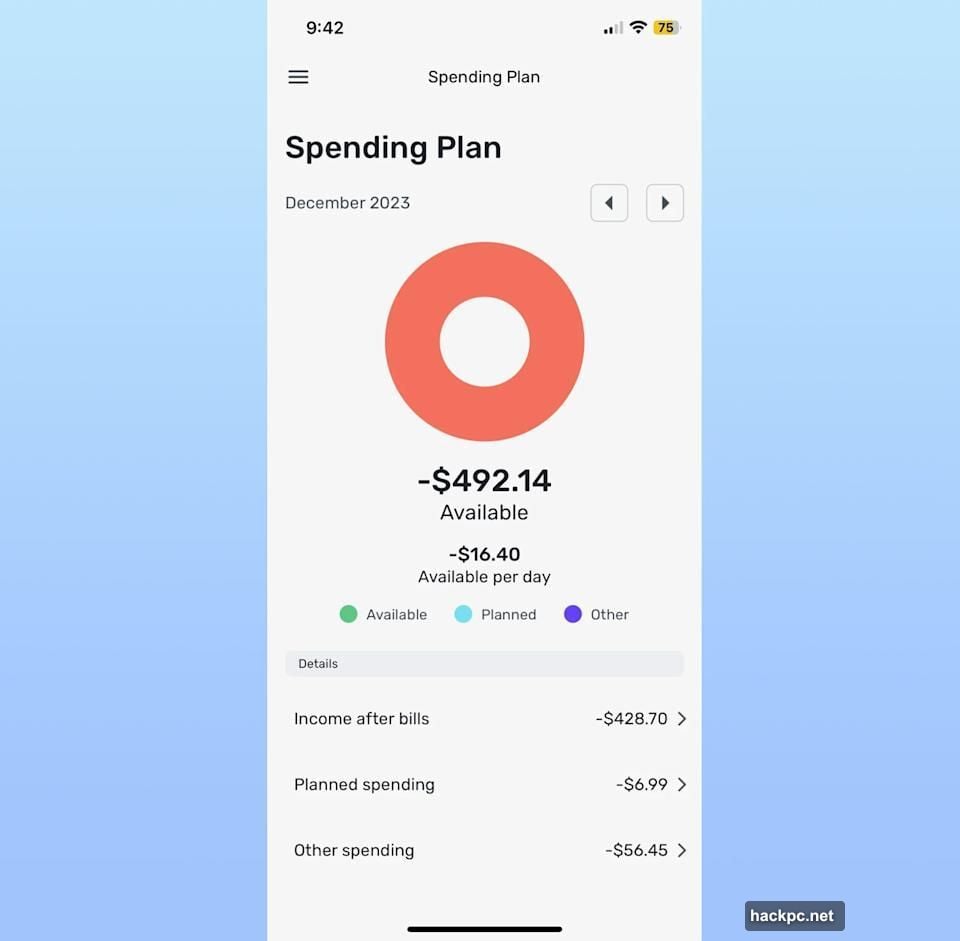
NerdWallet struggled detecting my regular income. It counted a large one-time wire transfer as income. Then I manually entered my actual income using my pay stub.
Still, for free budgeting that covers the basics, NerdWallet delivers.
YNAB Takes a Different Approach
YNAB stands for You Need a Budget. The app promotes zero-based budgeting, forcing you to assign every dollar a purpose.
Think of putting each dollar in an envelope. Rent goes in one, utilities another, car repairs a third. You can move money between envelopes as needed. But every dollar gets assigned somewhere.
YNAB only cares about money you have now. It doesn’t forecast future income or ask for your salary. This approach requires more effort but encourages intentional spending.
The learning curve is steep. YNAB knows this and includes video tutorials inside the app. I never quite got comfortable with the interface, but I appreciated the emphasis on intentionality.
This method works well for people living paycheck to paycheck or trying to curb spending habits. If you order takeout four nights a week and want to stop, YNAB forces you to confront that pattern.
However, for those wanting set-and-forget budgeting, YNAB feels like overkill. It costs $110 annually or $15 monthly. That’s pricier than most alternatives for an approach that demands constant engagement.
How to Actually Move Your Mint Data
Downloading data from Mint isn’t automatic. Any app claiming “Mint import” really just wants you to upload a CSV file.

Here’s how to get that file. Sign into Mint.com and hit Transactions in the left menu. Select an account or all accounts. Scroll down and click “export [number] transactions” in small print. Your CSV file downloads immediately.
Downloading per account seems annoying. But it helps when importing transactions one-for-one into corresponding accounts on your new app.
Most apps I tested use Plaid to connect banks. Plaid works with over 12,000 financial institutions across the US, Canada and Europe. More than 8,000 apps rely on it.
You don’t need a dedicated Plaid app. The technology is baked into budget trackers. When adding an account, you’ll see a menu of common banks or a search field. Enter credentials, complete two-factor authentication, and you’re connected.
Plaid uses encryption and claims it doesn’t sell customer data. However, in 2022 Plaid paid $58 million to settle a class action suit for collecting more data than needed. The company denies allegations but agreed to increase transparency and minimize data collection.
What I Learned Testing Six Budget Apps
I added every single account to every app. Bank accounts, credit cards, investments, everything. Then came hours of two-factor authentication across six different services.
All apps miscategorized some expenses. That’s normal. What matters is how easily you can fix mistakes and create rules for future transactions.
Setup difficulty varied wildly. Simplifi and Copilot were painless. NerdWallet and Monarch demanded more patience. YNAB required a mental shift in how you think about budgeting.

Connections to certain banks caused headaches. Fidelity worked smoothly with Simplifi but struggled elsewhere. American Express gave several apps trouble until recent updates improved things.
None perfectly replicated Mint’s experience. But Simplifi comes closest for most people. Clean interface, solid features, fair price.
Pick Based on Your Actual Needs
Simplifi wins for former Mint users wanting familiar functionality at a lower price. It’s the closest thing to a true Mint replacement available.
Monarch suits power users who want granular control and detailed reporting. The extra cost buys extra features.
Copilot looks fantastic but only makes sense for iOS users comfortable with missing features. Wait for Android and web apps before committing.
NerdWallet works if you can stomach ads and don’t need customization. The completely free price makes compromises acceptable.
YNAB fits people wanting a hands-on budgeting philosophy, not just tracking tools. Be ready to invest time learning the system.
Test a couple options yourself. Most offer free trials or money-back guarantees. The best budgeting app is the one you’ll actually use consistently.




Comments (0)