
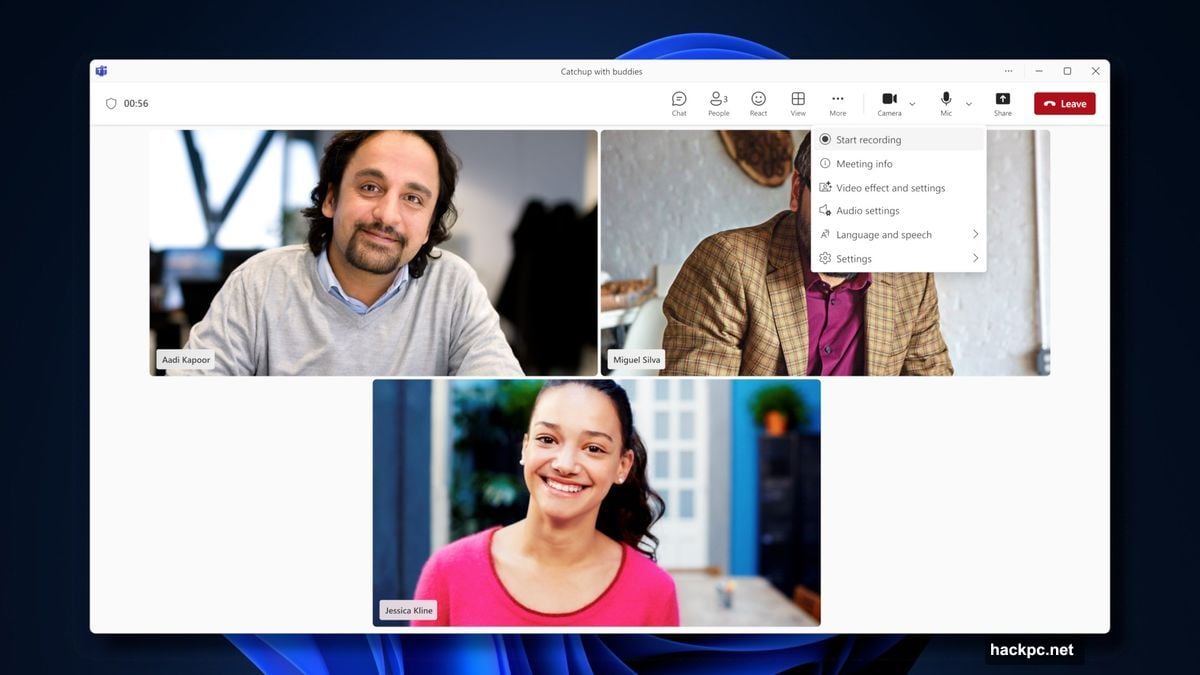
Microsoft Teams finally caught up with reality. Personal users can now record calls and meetings.
This sounds minor. But it’s actually a big deal for anyone using Teams outside of work. The feature existed for business accounts forever. Personal subscribers got locked out until now.
What Changed for Personal Teams Users
Microsoft 360 Personal, Family, and Premium subscribers gained recording capabilities. The announcement came through the Teams Free Blog after repeated user requests.
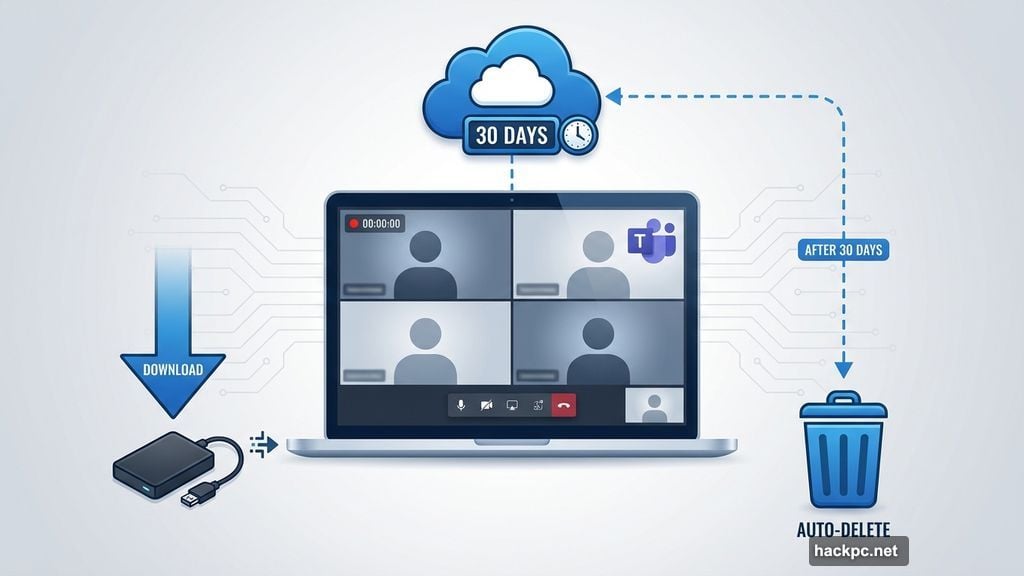
Here’s what you get. Cloud storage keeps recordings for 30 days automatically. Plus, you can download them locally for permanent storage. So you’re not locked into Microsoft’s timeline if you need long-term access.
The company points to remote music teachers and podcast creators as target users. But honestly? Anyone doing video calls benefits from recording capability. Job interviews, family meetings, creative collaborations—they all work better when you can review what happened.
Why This Matters Beyond Business
Teams positioned itself as a work tool first. That made sense during the pandemic when remote work exploded. But people actually use communication apps for way more than business meetings.
Consider these scenarios. A music teacher demonstrates technique during a lesson. The student wants to review later. Or a creator interviews someone interesting for their podcast. They need clean audio without scrambling for third-party recording tools.
Microsoft finally recognized this gap. User feedback drove the decision to expand recording features. That’s refreshing. Companies don’t always listen when customers identify missing functionality.
The 30-Day Storage Catch

Cloud storage lasts only 30 days. That’s the limitation worth noting.
Microsoft probably did this to manage storage costs. Unlimited cloud recording for millions of personal accounts would consume massive server space. So they built in automatic deletion.
But the download option saves you. Grab important recordings within a month and store them locally. External hard drives are cheap. You control retention that way instead of relying on Microsoft’s timeline.
What Still Separates Business from Personal
Personal Teams accounts still lack some business features. The recording gap closed. But other differences remain between subscription tiers.
Business accounts get advanced admin controls. They offer better security management. Plus, integration with enterprise tools runs deeper on the business side.
For most personal users? Those differences don’t matter. Recording capability was the big missing piece. Microsoft finally delivered it.
Microsoft Wants More Feedback
The company specifically asked for additional suggestions to improve Teams. That signals they’re continuing to develop the personal side of the platform.
Smart move. Teams faces serious competition from Zoom, Google Meet, and Discord. Each platform attracts different user bases. Microsoft needs to compete across personal and professional use cases to stay relevant.
If you use Teams personally, now’s the time to request features you want. Microsoft appears to be listening.
Your recording options just got better. Whether you’re teaching remotely, creating content, or just want to remember important conversations, Teams finally supports that need for personal accounts. Download what matters within 30 days and you’re set.




Comments (0)