

Adobe just killed the most frustrating part of AI video generation. The endless cycle of regenerating clips because one detail looked wrong.
Firefly’s new video editor lets you fix specific elements with text prompts. Plus, Adobe added powerhouse third-party models like Black Forest Labs’ FLUX.2 and Topaz Astra. So the platform just became way more flexible.
This matters because until now, Firefly users faced an all-or-nothing problem. Didn’t like the sky? Regenerate the entire video. Camera angle off? Start over. That workflow wasted time and credits. Now you can target edits without rebuilding everything.
Prompt-Based Editing Changes Everything
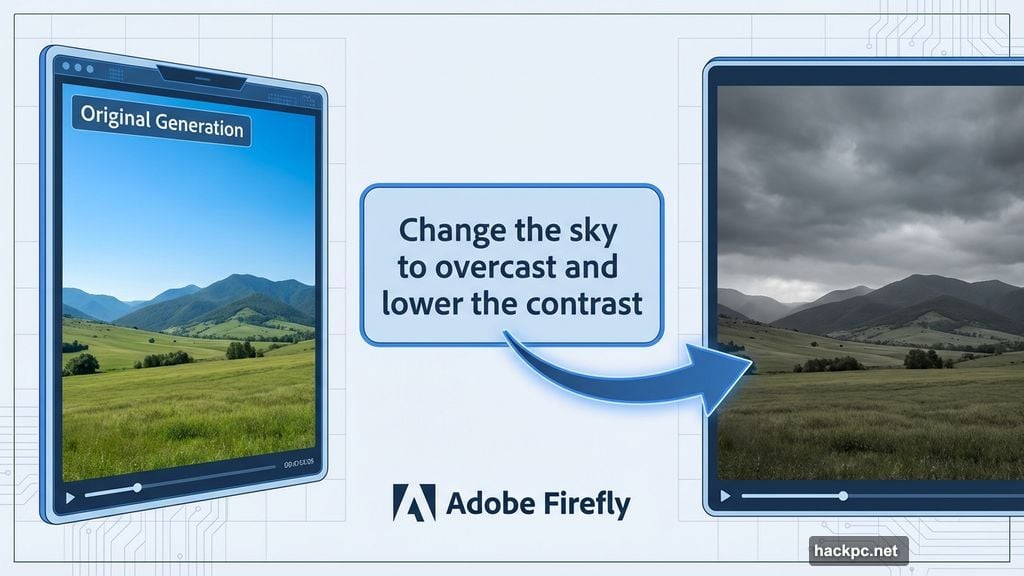
The new editor supports precise text instructions. Think “Change the sky to overcast and lower the contrast” or “Zoom in slightly on the main subject.”
That’s powered by Runway’s Aleph model. But Adobe’s own Firefly Video model adds something clever. You can upload a start frame plus a reference video showing the camera motion you want. Then Firefly recreates that exact camera angle for your project.
Why this matters: Creative work involves iteration. You test ideas, adjust details, refine shots. Previously, Firefly forced you to regenerate entire clips for minor tweaks. Now you can iterate like you would in traditional video editing software.
The interface includes a timeline view too. So you can adjust frames, sounds, and other characteristics with familiar editing controls. That makes Firefly feel less like a black box and more like a real production tool.
Third-Party Models Open New Capabilities
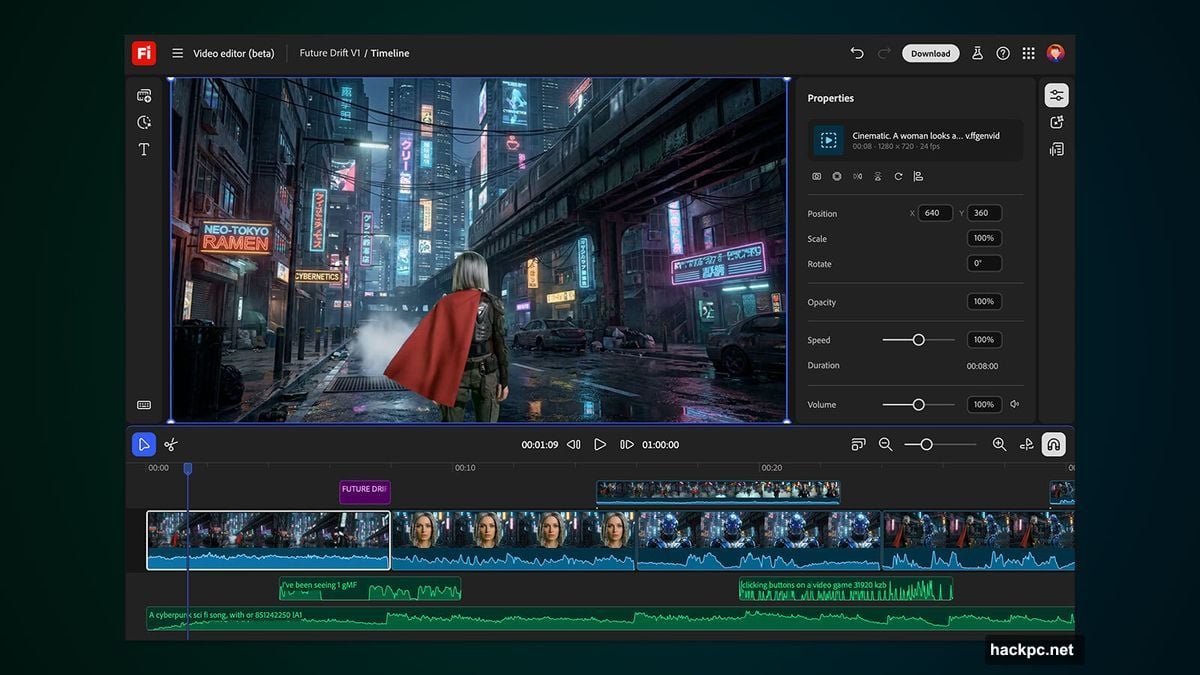
Adobe isn’t betting everything on its own models. Instead, Firefly now supports Black Forest Labs’ FLUX.2 for image generation and Topaz Labs’ Astra for video upscaling.
FLUX.2 launches immediately across Firefly platforms. Adobe Express users get access starting January. Meanwhile, Astra lets you upscale videos to 1080p or 4K, fixing one of AI video’s persistent quality problems.
This multi-model approach makes sense. Different models excel at different tasks. Plus, Adobe avoids the trap of forcing users into a single AI ecosystem that might not fit their needs.
There’s also a new collaborative boards feature coming. Details remain sparse, but it signals Adobe wants Firefly to support team workflows, not just solo creators.
Unlimited Generations for Subscribers
Through January 15, certain Firefly subscribers get unlimited generations. That includes Firefly Pro, Firefly Premium, 7,000-credit, and 50,000-credit plans.
Unlimited access applies to all image models plus Adobe’s Firefly Video Model. But only in the Firefly app itself. So this is clearly a push to drive engagement with the platform.
Smart move by Adobe. Competitors like Runway, Pika, and newer startups keep launching impressive models. Unlimited generations remove the friction of worrying about credit limits while testing the platform’s new capabilities.
For creators evaluating AI video tools, this window offers a chance to stress-test Firefly without budget constraints. See if the quality and editing workflow actually deliver on the promise.

Why Adobe Keeps Expanding Firefly
Adobe launched Firefly subscriptions back in February. Then came the web app, mobile apps, and now multiple third-party model integrations.
The strategy is obvious. Adobe wants Firefly to become the default AI generation platform for creative professionals. Not just another AI toy that generates clips you can’t actually use in real projects.
The video editor directly addresses that credibility gap. Professional workflows demand control and precision. Generate-and-pray doesn’t cut it for paid work. But targeted edits with a timeline interface? That feels like software pros can actually rely on.
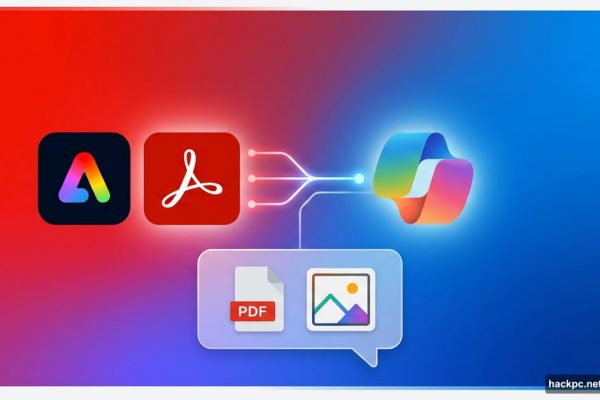
Plus, Adobe owns the creative software ecosystem. Firefly integrates with Photoshop, Premiere Pro, After Effects, and the rest. So once creators adopt Firefly, they’re likely to stick with it for the seamless workflow.
The Real Competition Just Got Fierce
Every AI video platform races to solve the same problems. Quality, controllability, and integration with existing workflows.
Runway pioneered AI video editing. Pika focuses on ease of use. New models from startups drop constantly with impressive demos. Adobe’s advantage? Distribution and integration.
Creative professionals already use Adobe software. Adding AI capabilities directly into those tools removes friction. Plus, Adobe can leverage its Content Credentials system to handle copyright and attribution issues that plague other platforms.
But here’s the catch. Adobe’s models need to actually compete on quality. Third-party model support helps, but if Adobe’s own Firefly Video Model lags behind competitors, professionals will generate elsewhere and import.
The unlimited generations offer suggests Adobe wants users to compare directly. Test Firefly against Runway, Pika, and others. See if the editing controls and integration advantages outweigh any model quality gaps.
What This Means for AI Video Tools
Prompt-based editing represents the next evolution. Pure generation worked for experiments and demos. Production work demands iteration and control.
Adobe isn’t first here. Runway offers editing tools. Others have timeline features. But Adobe brings a massive user base already familiar with video editing concepts.
That matters because AI video adoption depends on lowering the learning curve. If Firefly’s editor looks and works like Premiere Pro’s timeline, adoption accelerates. Creators don’t need to learn entirely new workflows.
The challenge? Balancing simplicity with power. Make it too simple, and pros won’t take it seriously. Make it too complex, and casual users stick with generate-only tools that feel more accessible.
Adobe’s betting that familiar editing metaphors split that difference. Timeline views, frame adjustments, and prompt-based tweaks feel approachable yet powerful.
The next few months will show if that bet pays off. Especially once the unlimited generation period ends and users decide whether Firefly’s editing capabilities justify the subscription cost.


Comments (0)