
Your new PC came loaded with potential. But Microsoft left out the tools that actually make it useful.
Sure, Windows 11 ships with Edge and Paint. Great. But where’s the DVD player? The password manager? The image editor that doesn’t make you want to throw your mouse?
Good news: Free software exists that matches or beats paid alternatives. Here’s what belongs on every PC from day one.
Start With a Better Browser
Microsoft Edge works fine. But if you’ve spent years in Chrome or Firefox, switching feels wrong.
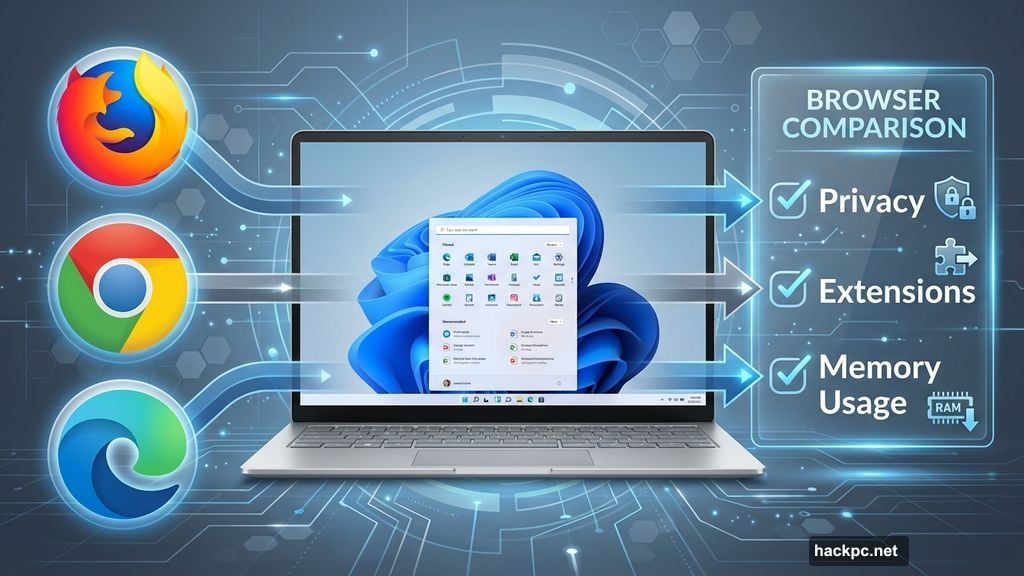
Firefox excels at privacy. Chrome dominates extension libraries. Edge integrates beautifully with Windows. All three are free, so test each for a week before committing.
Here’s the thing though. Edge surprised me this year. Microsoft rebuilt it on Chromium, so it runs Chrome extensions while using less memory. Plus, features like vertical tabs and Collections actually improve productivity.
Still, browser choice remains deeply personal. Pick what feels right.
Ninite Makes Setup Painless
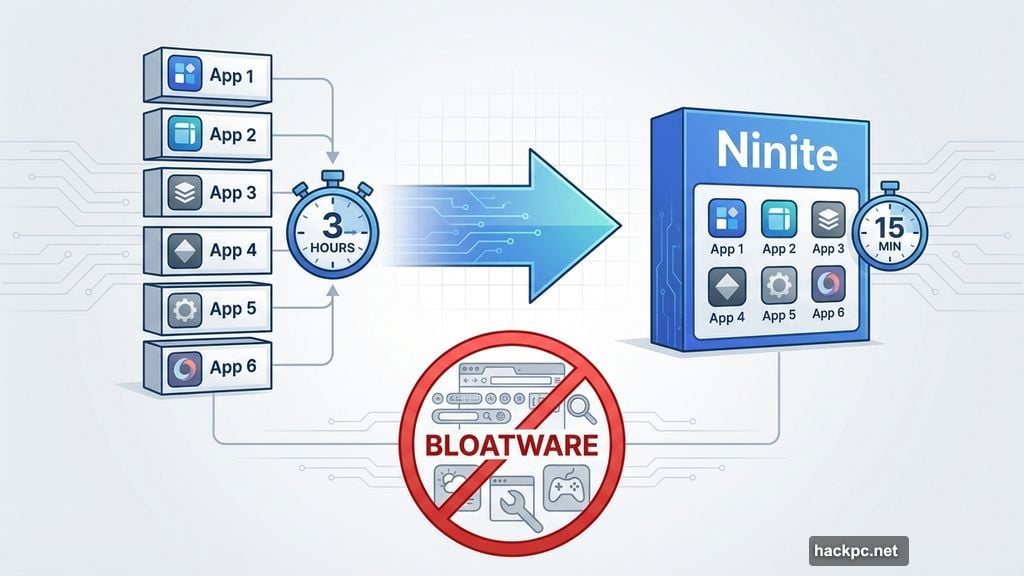
Installing software one app at a time wastes hours. Ninite fixes this beautifully.
Visit the Ninite website. Check boxes for every program you want. Download one installer that handles everything.
Moreover, Ninite automatically declines bundled bloatware. No surprise toolbars. No homepage hijackers. Just clean installs of legitimate software.

The service updates apps too. Run your Ninite installer again months later, and it refreshes everything to current versions. Simple.
Microsoft PowerToys Supercharges Windows
PowerToys started as an enthusiast toolkit. Now it’s essential for everyone.
This free Microsoft utility packs dozens of productivity boosters. FancyZones creates custom window layouts for multitasking. PowerRename batch-renames files instantly. Image Resizer shrinks photos without opening an editor.
My favorite? Always On Top. Right-click any window and pin it above everything else. Perfect for keeping reference documents visible while working.
Plus, PowerToys receives regular updates from Microsoft. New features arrive constantly, all free.
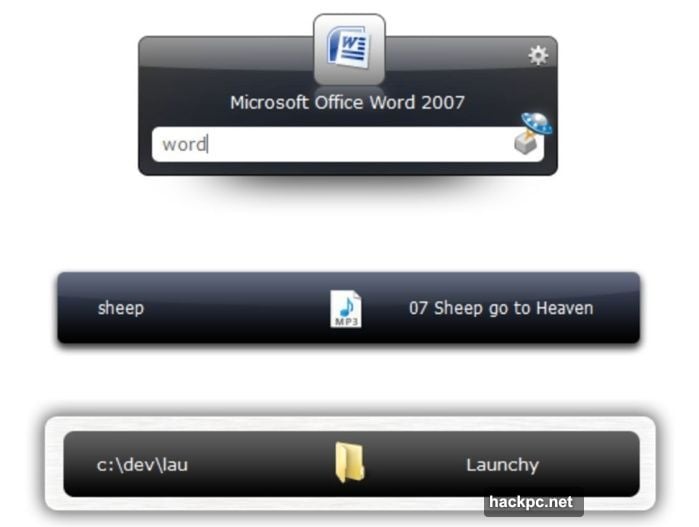
Launchy Beats the Start Menu
Windows search works. Barely. Launchy works brilliantly.
This app launcher activates with Alt+Space, then you type what you want. Apps launch faster than navigating the Start menu. Files open instantly. You can even perform calculations or shut down your PC.
Furthermore, plugins extend functionality. Launch web searches. Open folders. Kill frozen processes. Launchy handles it all from one keyboard shortcut.
Install it once. Wonder how you lived without it.
7-Zip Handles Every Archive
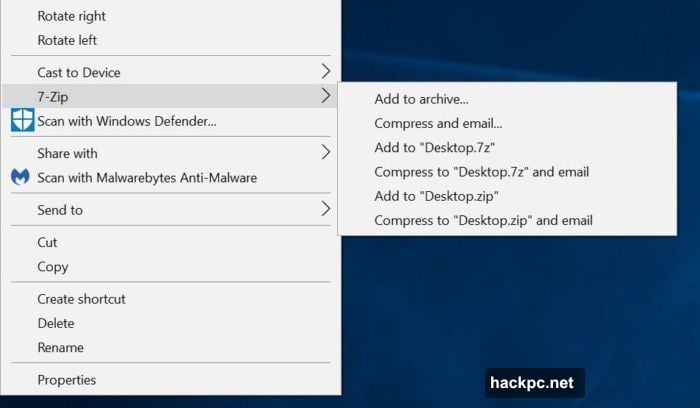
Windows creates ZIP files natively. But RAR, 7Z, TAR, and dozens of other formats need dedicated software.
7-Zip extracts them all for free. Right-click any archive, choose 7-Zip, and you’re done. The open-source tool even creates password-protected archives for secure file sharing.
WinZip and similar paid options exist. None justify their cost when 7-Zip does everything most people need.
VLC Plays Everything (Including DVDs)
Windows 11 removed DVD playback support. Seriously.
VLC media player fills this baffling gap. It plays DVDs, music, podcasts, and nearly every video format ever created. Some Blu-rays work too with minor configuration.
Plus, VLC streams network media and converts between formats. The orange traffic cone icon became synonymous with “it just works” for good reason.
Paint.net Replaces Photoshop for Most Users
Photoshop costs $240 annually. Paint.net costs nothing and handles 90% of what regular users need.
This image editor supports layers, effects, and professional-grade adjustments. Crop photos. Remove backgrounds. Add text. Adjust colors. Paint.net makes it all straightforward.
The interface beats clunky alternatives like GIMP. Yet it offers more power than basic editors. For anyone not earning money from image editing, Paint.net delivers everything necessary.
GIMP remains available for users wanting Photoshop-level complexity free. But that steep learning curve turns off most people.
Audacity Records and Edits Audio
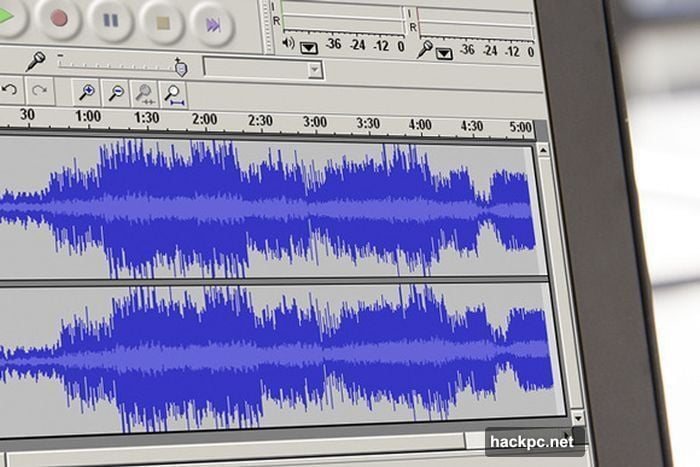
Recording podcasts? Mixing music? Cleaning up voice recordings? Audacity handles it all.
This open-source audio editor intimidates beginners with its button-packed interface. But spend 30 minutes learning the basics, and you’ll wonder how software this powerful costs zero dollars.
Moreover, Audacity supports plugins for advanced effects. The community created thousands of free extensions that rival professional tools.
Revo Uninstaller Actually Removes Programs
Windows uninstaller leaves garbage everywhere. Registry entries. Temp files. Leftover folders scattered across your drive.
Revo Uninstaller wipes programs completely. It scans for remnants after standard uninstallation, then deletes everything. Your PC stays cleaner over time.
The free version covers basic needs. Pro versions add features like forced uninstalls and removing previously-uninstalled program remnants for $20.
SpaceSniffer Finds Storage Hogs
Your 1TB drive filled up. But where did the space go?
SpaceSniffer scans entire drives and displays files as visual blocks. Bigger files appear as bigger boxes. Suddenly, that 80GB game install you forgot about becomes obvious.
WinDirStat works similarly. Both free tools save hours of manually hunting through folders for space-wasting files.
Recuva Recovers Deleted Files
Accidentally deleted important documents? Recuva might save you.
This recovery tool from Piriform scans for deleted files that haven’t been overwritten yet. Success varies, but I’ve recovered critical files more than once.
Just remember: The sooner you try recovery after deletion, the better your odds. Once new data overwrites deleted files, they’re gone forever.
Sumatra PDF Beats Adobe Reader
Adobe Reader is slow, bloated, and constantly targeted by hackers. Sumatra PDF is fast, lightweight, and ignored by malware creators.
Sure, Sumatra lacks annotation features and form-filling capabilities. But for simply reading PDFs—which covers 95% of use cases—it excels.
Load times beat Adobe Reader by seconds. And in a world where PDFs open constantly, those seconds add up.
Spotify Streams Music Free
Building a local music library made sense in 2010. In 2025, streaming dominates.
Spotify offers millions of songs free with ads. Create playlists. Discover new artists. Listen anywhere. The free tier includes nearly everything premium users get, minus offline downloads and higher audio quality.
Apple Music requires a subscription. But iTunes remains free for managing iPhone music libraries and buying individual songs.
For casual listening, Spotify’s free tier satisfies completely.
Bitwarden Manages Passwords
Using “password123” for everything? Stop.
Password managers create strong, unique passwords for every site. Bitwarden does this free across unlimited devices—a rarity since most free password managers restrict device counts.
The service encrypts everything locally before syncing. Even Bitwarden can’t access your passwords. That’s proper security.
Yes, premium options like Dashlane and NordPass offer extra features. But Bitwarden’s free tier covers essential password management beautifully.
LibreOffice Replaces Microsoft Office
Microsoft 365 costs $70 yearly. LibreOffice costs nothing and opens Office documents perfectly.
This open-source suite includes Writer (Word), Calc (Excel), Impress (PowerPoint), and more. The interface looks dated compared to Microsoft’s sleek design. But functionality matches for typical users.
Google Docs works too if you prefer cloud-based editing. Both options beat spending money on Office if you only need basic document creation.
Microsoft 365 makes sense for power users needing advanced features and 1TB OneDrive storage. Everyone else? Save your money.
AutoHotkey Automates Everything
Keyboard shortcuts in Word are great. AutoHotkey brings shortcuts to your entire PC.
This scripting tool creates custom keyboard commands for any action. Launch programs. Type frequently-used phrases. Control windows. The possibilities approach infinite.
Moreover, modern AI tools generate AutoHotkey scripts from plain English descriptions. No programming knowledge required.
The initial setup takes effort. But once configured, AutoHotkey saves hours through automation.
Proton VPN Secures Public Wi-Fi
Free Wi-Fi at cafes is convenient. It’s also dangerous for transmitting sensitive data.
Proton VPN encrypts your connection free. The company behind it operates ProtonMail, known for strong privacy practices. Unlike sketchy free VPNs, Proton doesn’t sell your browsing data.
The free version limits you to one device at a time. But it’s genuinely unlimited otherwise—no bandwidth caps or throttling.
For securing occasional public Wi-Fi use, Proton delivers. If you need multiple devices protected simultaneously, paid VPNs like NordVPN make sense.
Don’t Forget Backups
Backing up PCs for free requires cobbling together Windows utilities and third-party tools. It’s doable but messy.
The process matters more than the method. Ransomware doesn’t care if your backup strategy looks elegant. It only cares whether you can recover your files.
Minimum backup strategy: Copy important files to an external drive monthly. Better strategy: Add cloud backup through OneDrive, Google Drive, or Backblaze.
Paid backup services simplify everything. But free options work if you commit to regular backups.
Free Games Everywhere
Steam and Epic Games Store give away games constantly. Epic literally offers free games weekly.
The quality varies. Some weeks bring indie titles nobody heard of. Other weeks feature major releases like Grand Theft Auto V or Borderlands 3.
Create accounts on both platforms. Check weekly. Your game library will grow without spending a dollar.
Of course, free games only satisfy so long. Eventually you’ll want specific titles. But free games provide endless entertainment while building your collection.
The Real Value of Free Software
These programs prove something important: Free doesn’t mean inferior.
Many paid alternatives exist. Some genuinely offer better features. But for most users doing typical tasks, free software covers every need.
Your new PC doesn’t require hundreds in software purchases. It requires smart choices about which free tools to install. Make those choices, and your PC becomes truly useful from day one.




Comments (0)