
Microsoft just redesigned Edge to look like Copilot. Even if you never touch AI features.
The changes hit settings pages, quick menus, and new tab layouts. Plus, you can’t opt out. Whether you use Copilot or ignore it completely, Edge now mirrors its visual style.
So what’s actually changing? And why is Microsoft pushing this design on everyone?
Copilot’s Look Takes Over Edge
Edge is adopting Copilot’s entire visual language. That means new shapes, colors, and fonts throughout the browser interface.
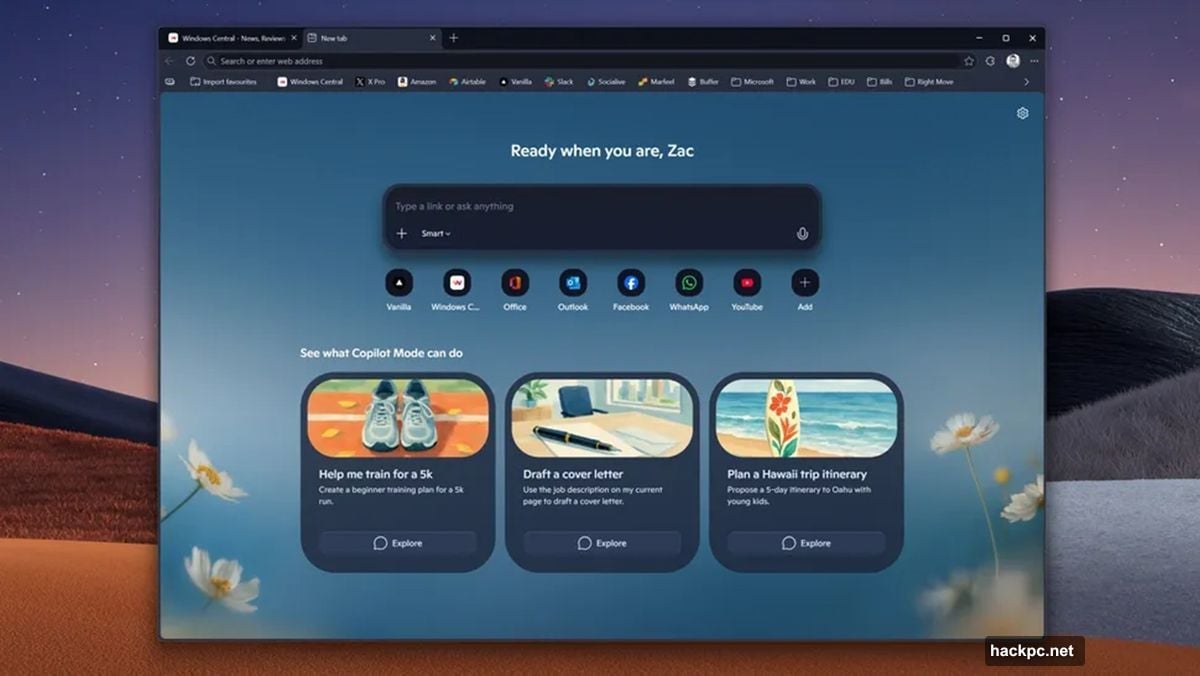
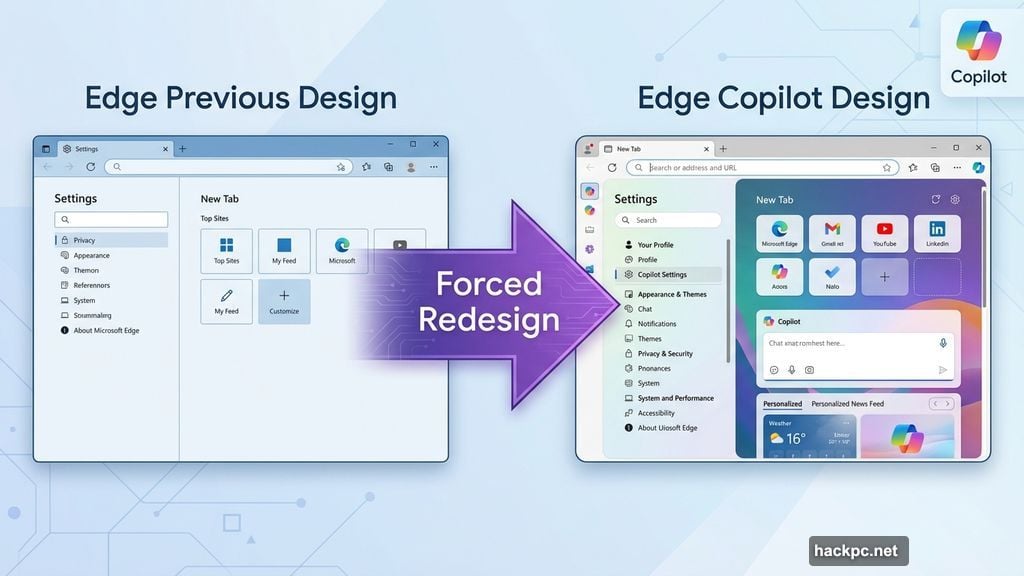
The redesign touches three main areas. First, settings pages got a complete overhaul with Copilot-style layouts. Second, quick menus now use the same design elements. Third, the new tab page mirrors Copilot’s aesthetic exactly.

Windows Central shared screenshots showing the transformation. The differences are immediately obvious. Edge’s previous clean, minimal look is gone. In its place? Copilot’s rounder, more colorful interface.
Here’s what bugs me about this approach. Microsoft tied the visual redesign to Copilot branding, but not to Copilot functionality. So users who deliberately avoid AI features still get an AI-branded interface. That feels backwards.
No AI Required, Design Forced Anyway
The redesign isn’t optional. It applies to all Edge users regardless of their AI settings.
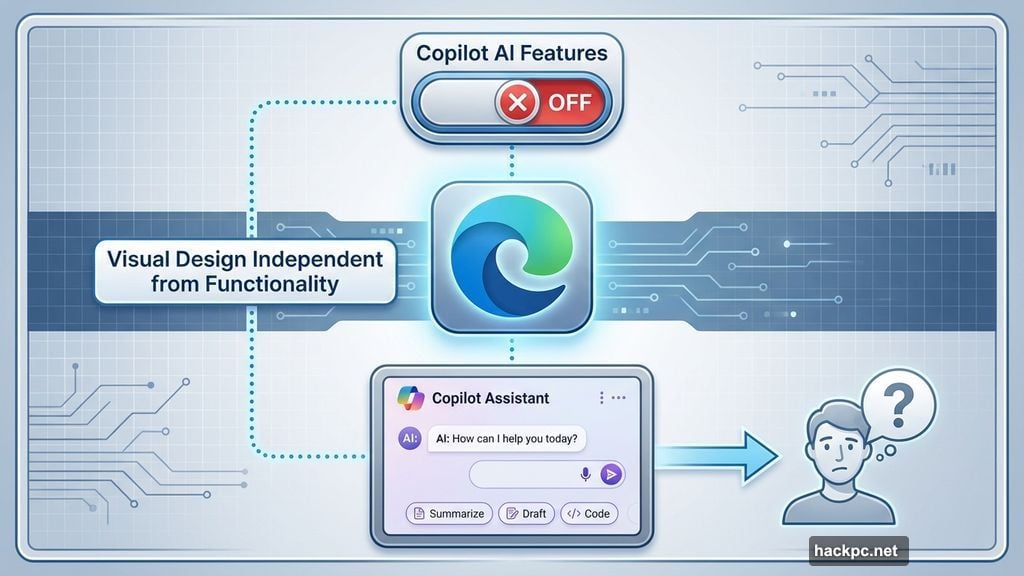
Microsoft confirmed the visual changes work independently from Copilot features. You can completely disable AI functionality and still see the Copilot-inspired interface. That’s an unusual decision.
Most companies tie visual redesigns to feature rollouts. Microsoft chose the opposite approach. They’re changing Edge’s entire visual identity to match an AI product, then making that identity universal.
Why does this matter? Because visual design signals product direction. When a browser suddenly looks like an AI chat app, users reasonably assume AI integration is coming whether they want it or not.
Moreover, this creates unnecessary confusion. New Edge users might think they’re required to use Copilot features based on the interface design. Power users who avoid AI will feel alienated by the AI-centric aesthetic.
Testing Phase Reveals Microsoft’s Direction
The redesign currently runs in Edge Canary and Dev versions. Those are testing channels for experimental features.
Microsoft hasn’t announced a release date for stable Edge. But Canary and Dev typically preview changes coming within weeks or months. So this redesign will likely hit general users soon.
Mustafa Suleyman, Microsoft’s AI CEO, previously stated the company plans to evolve Edge around AI rather than build a separate AI browser. This redesign confirms that strategy.
However, there’s a problem with that approach. Edge built its reputation as a fast, lightweight Chrome alternative. Many users chose it specifically because it wasn’t bloated with extra features. Now Microsoft is pushing AI integration whether users want it or not.
The testing phase also reveals another issue. Microsoft apparently didn’t test whether users actually wanted this design direction. They’re rolling it out based on internal strategy rather than user feedback.
Why This Design Strategy Fails Users
Microsoft’s decision to force Copilot aesthetics on all Edge users creates several problems.
First, it alienates users who deliberately avoid AI features. They chose Edge for specific reasons that likely didn’t include AI branding. Now their browser reflects a product direction they don’t support.
Second, it clutters the interface with AI-styled elements that serve no functional purpose for non-AI users. Visual design should support functionality. Here it does the opposite.
Third, it sets a concerning precedent. If Microsoft can force unwanted AI branding into Edge’s interface, what else might they push? This feels like the first step toward mandatory AI integration.
The better approach? Offer Copilot-styled themes as an option. Let users who embrace AI features opt into the matching visual design. Let everyone else keep the current clean interface. That respects user choice instead of overriding it.
Microsoft’s push to make every product AI-branded is exhausting. Not every user wants AI features. Not every interface needs AI aesthetics. Sometimes the best design choice is giving users actual choices.
Your browser should look how you want it to look. Not how Microsoft’s AI strategy demands it looks.




Comments (0)