

Google just connected the dots across your entire digital life. And honestly? It’s both impressive and a little unsettling.
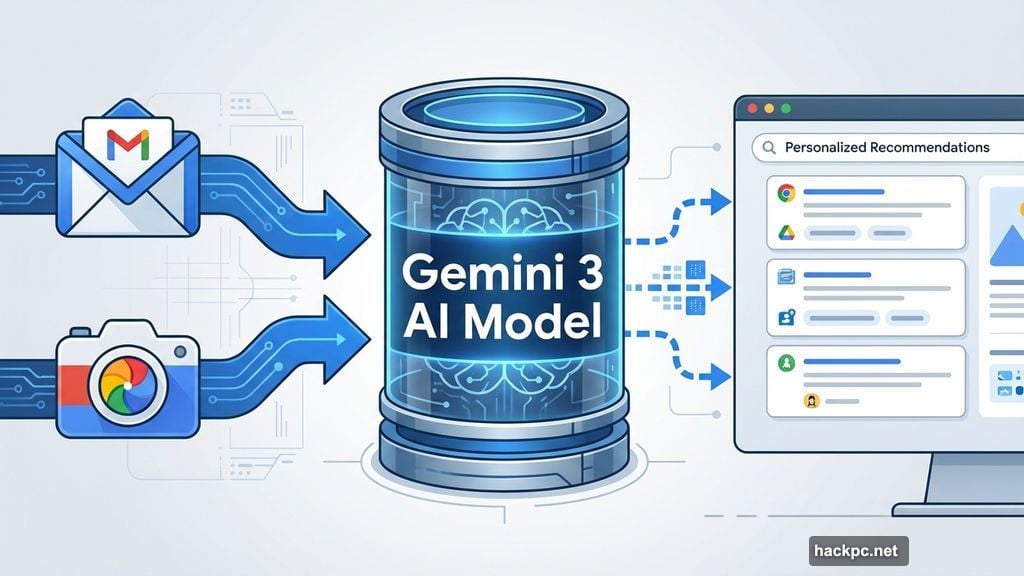
The search giant rolled out “personalized intelligence” for AI Mode in Search. This feature taps into your Gmail and Google Photos to deliver custom-tailored results. So instead of generic search answers, you get recommendations based on your actual life—emails you’ve sent, purchases you’ve made, photos you’ve taken.
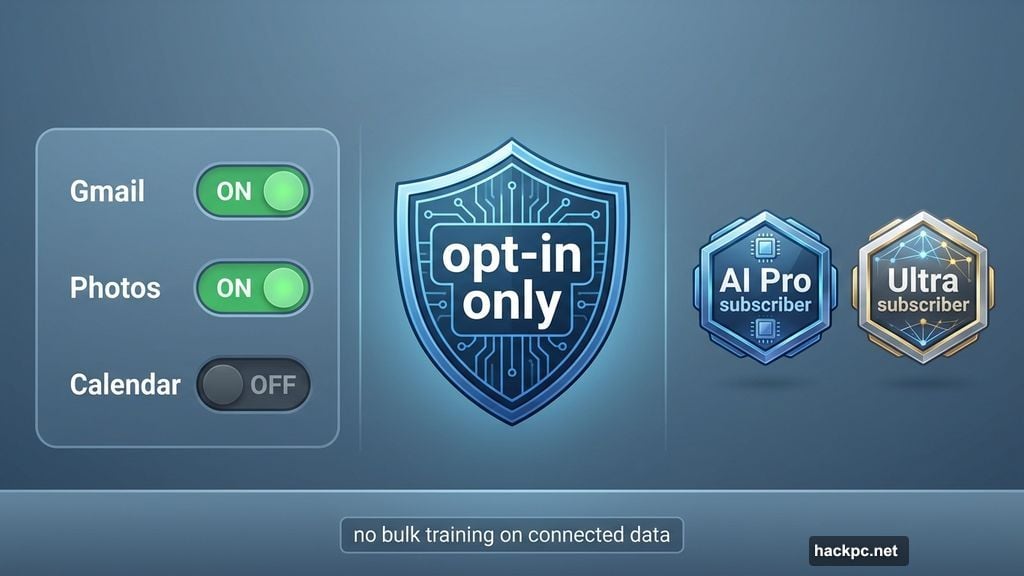
But here’s the catch. It’s opt-in only. Plus, it costs money for now.
What Actually Changed
Google’s AI Mode can now access your personal Google data. Connect your Gmail and Photos, and the AI uses that information to shape search results.
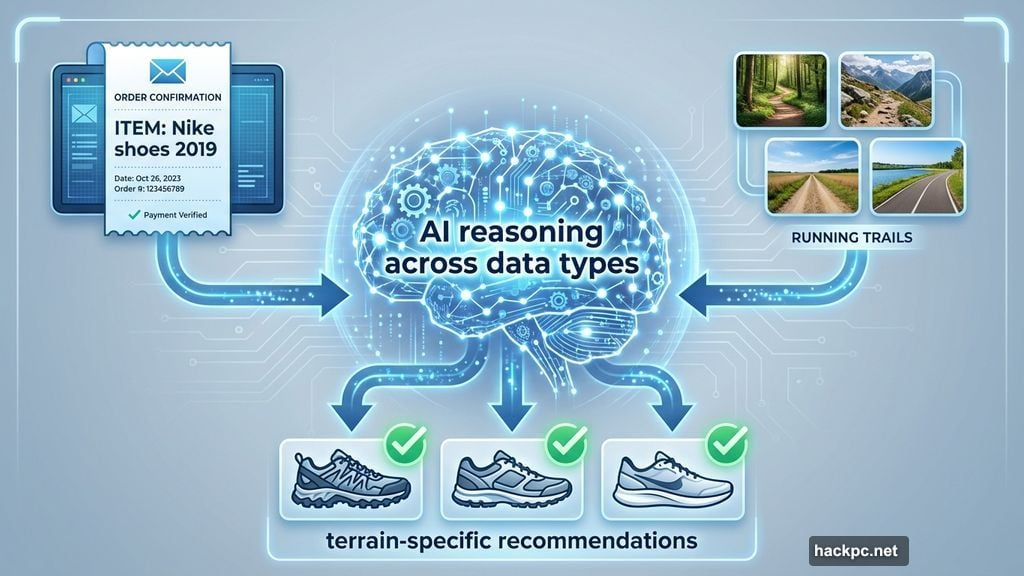
Think about searching for new running shoes. Regular Google shows popular brands and top sellers. Personalized Google remembers you bought Nike last year (from your Gmail receipts) and highlights similar styles. It sees photos of your morning runs and suggests shoes for your terrain.
This isn’t just pulling information. The AI reasons across different data types—text, images, videos—to make smarter recommendations. That’s the key difference from basic search.
The feature launched for Google AI Pro and Ultra subscribers in the US. It works on web browsers, Android, and iOS. Free users and international customers get access “soon,” though Google didn’t specify when.
Why Your Data Makes Search Better (and Weirder)
Personalized intelligence works because your digital life contains patterns. You’re not just searching for “tires.” You’re searching for tires that fit your 2019 Subaru Outback that you take camping every month.
Google’s Josh Woodward shared a real example. He asked Gemini for tire recommendations. Regular Gemini listed standard options. Personalized Gemini noticed his calendar full of camping trips and photos from off-road trails. So it recommended all-terrain tires specifically.
That’s genuinely useful. But it also means Google’s AI is constantly analyzing your life. Every email. Every photo. Every calendar entry. Then using that analysis to predict what you want.
The feature runs on Gemini 3, Google’s latest model. This version handles nuanced reasoning better than previous models. It connects information across formats—PDFs, emails, images, videos—rather than treating each data type separately.
What Google Can and Can’t Do With Your Info
Let’s talk privacy. Because connecting your Gmail to AI search sounds invasive.
First, it’s completely optional. The feature starts turned off. You manually choose which Google apps to connect. Want to link Photos but not Gmail? That works. Want to connect Calendar but nothing else? Also fine.
Second, Google promises not to train AI models on the bulk of your connected data. However—and this matters—the company can “train on limited info, like specific prompts in Gemini and the model’s responses, to improve functionality over time.”
Translation? Your actual emails and photos stay private. But the questions you ask and how the AI answers can become training data. That’s vague enough to make privacy advocates nervous.
Third, this only works with personal Google accounts. Workplace and Enterprise accounts can’t enable personalization. So your boss can’t accidentally train Google’s AI on company emails.
The Bigger Picture Nobody’s Discussing
This feature isn’t just about better search results. It’s about Google turning your entire digital existence into a recommendation engine.
Remember when Google search was just a list of blue links? Then came personalized ads based on search history. Then AI overviews summarizing results. Now AI that reasons across your email, photos, and calendar to predict what you need.
Each step feels incremental. But together, they represent a fundamental shift. Google isn’t just organizing information anymore. It’s interpreting your life to anticipate your needs before you fully articulate them.
That’s powerful. It’s also why some people will love this and others will hate it.
For people who trust Google and want convenience, personalized intelligence saves time. No more sorting through generic results. The AI already filtered for what matters to you personally.
For people worried about data privacy and AI overreach, this feels like another step toward algorithmic control. Your search results literally depend on how much of your digital life you’re willing to share.
Should You Turn This On?
Depends on your priorities.
Turn it on if:
- You’re already comfortable with Google having your data
- You want search results that reflect your actual preferences and habits
- You’re paying for Google AI Pro or Ultra anyway
- You trust Google’s privacy promises
Keep it off if:
- You prefer generic, unbiased search results
- You’re uncomfortable with AI analyzing your emails and photos
- You don’t want your search queries becoming training data
- You’re skeptical about how “limited” training really is
Remember, you can always change your mind. Enable it to test the results. Disable it if it feels too invasive. Google makes toggling the feature straightforward.
One more consideration. This feature will probably become standard eventually. Right now it’s experimental and paid. But Google rarely builds features for a tiny subscriber base. Expect this to roll out widely once they work out the bugs.
So your choice today isn’t forever. But it does let you test personalized search before everyone else has access.
Google wants search to feel like a personal assistant who knows your entire life. For some users, that’s exactly what they want. For others, it’s exactly what they fear. Either way, the technology is here now. And it’s only going to get more sophisticated from here.




Comments (0)