
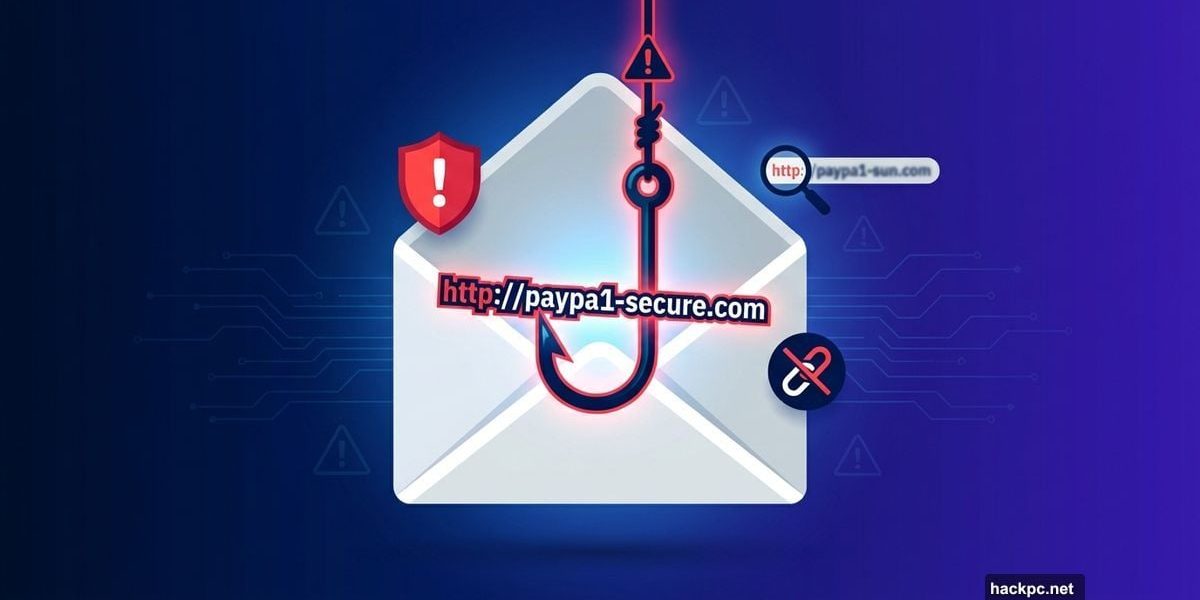
Scammers stole $70 million during the 2024 holidays through phishing links alone. That number keeps climbing because these digital con artists got scary good at their craft.
Your inbox, texts, and social feeds now overflow with links designed to steal your money or personal data. Plus, AI made these scams harder to detect than ever before. So how do you know which links are safe to click?
Let’s break down the red flags that separate legitimate messages from elaborate traps.
URLs Hide the Biggest Clues
The web address tells you everything. But scammers know this, so they disguise malicious URLs to look legitimate.
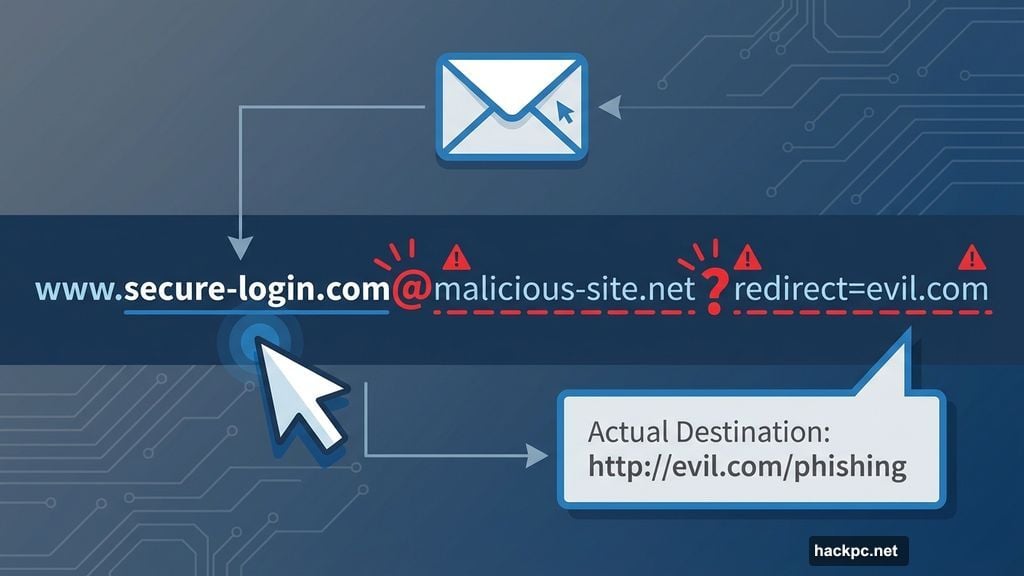
Watch for sneaky tricks in the link itself. An “@” symbol in the URL means trouble. So does finding two URLs “glued together” with a question mark, especially if the first one looks like Google.com or Apple.com.
Hover over any suspicious link before clicking. Your browser will reveal where it actually leads. This simple step stops most phishing attempts dead.
Then there’s typo-squatting. Scammers register domains that look almost identical to real companies. They’ll use “PayPa1” instead of “PayPal” or “Chase-Banking-App.com” instead of “Chase.com.” That tiny difference costs victims thousands.
Your Memory Beats Fake Domains
Memorize the URLs you visit regularly. Banks and major retailers rarely change their domain names.
Real Chase Bank uses Chase.com. Period. Not Chase-Secure.com, not Chase-Banking.com, not anything else. If a link deviates from the standard URL you know, delete the message immediately.
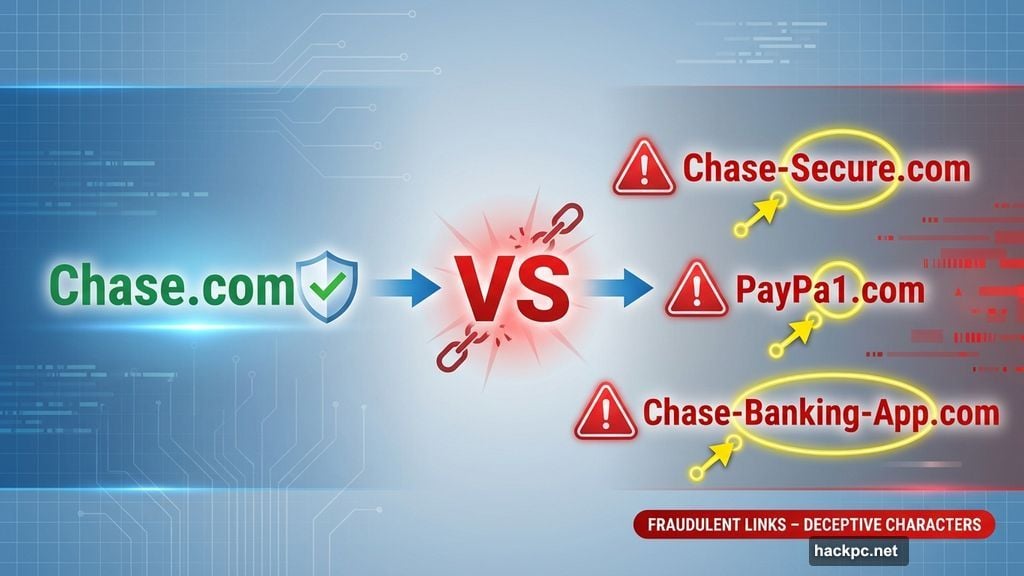
This applies to every service you use. Amazon, PayPal, your utility companies – they all stick to consistent domain naming. Any variation signals a scam.
Short Links Are Scammer Gold
Those bit.ly and shorturl links? They’re a nightmare for security.
There’s no safe way to check where a shortened URL actually leads. Scammers love them because the destination stays hidden until you click. Even worse, these links often include standard “https://” encryption, making them appear trustworthy.
The best defense? Don’t click shortened links in unexpected messages. Read the message itself instead. Threatening language or pressure to act immediately usually reveals the scam.
QR Codes Aren’t Always Innocent
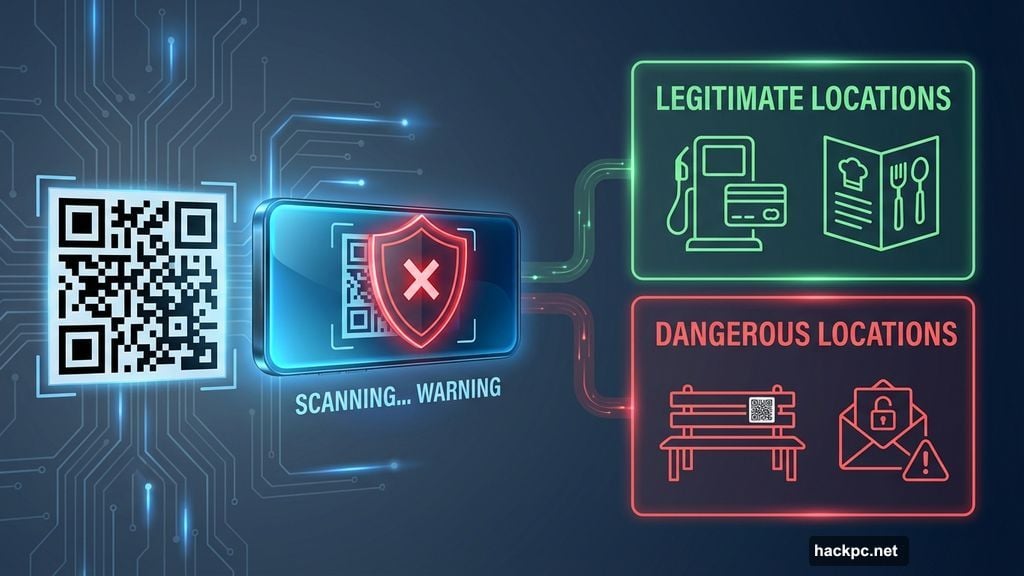
QR codes became scammer weapons in 2024. Criminals stick fake codes over real ones in public places or embed them in phishing emails.
Before scanning any QR code, ask yourself if it makes sense. A code on a gas pump? Probably safe. A code on a random park bench or in an email from someone you don’t know? Skip it.
Restaurant menus and parking meters are common QR code locations. But scammers also target these spots, knowing people scan without thinking. Take two seconds to verify the code looks official before pulling out your phone.
Text Scams Don’t Need Links
Ironically, some of the most effective text scams skip website links entirely. Instead, they trick you into calling a fake phone number.
These messages claim to be from your bank, the IRS, or other authorities. They create urgency, demanding you call immediately to resolve a problem. Then once you’re on the phone, they pressure you into surrendering personal information.
Never call a number from an unexpected text. Instead, look up the organization’s official number yourself and call that. Yes, it takes longer. But it prevents identity theft.
Social Media Attacks Use Familiar Faces
Your uncle doesn’t want to tell you about an amazing investment opportunity. His account got compromised by scammers.
Criminals hijack social media accounts, then send direct messages to everyone on the victim’s contact list. These messages sound urgent and personal, leveraging your existing trust.
If someone you know sends a weird message with a link, call them first. A 30-second phone call confirms whether they actually sent it. This simple check stops most social media scams.
Email Remains the Biggest Threat
Text scams happen more frequently now. But email scams still cause the largest financial losses.
Before clicking any email link, copy it into a notes app. Then examine it carefully. Does the domain match what you expect? Are there any typos or unusual characters? Does the sender’s email address look legitimate?
Most phishing emails fail these basic tests. The problem is people click before checking. Slowing down prevents most losses.
Already Clicked? Act Fast
If you clicked a suspicious link, don’t panic. But do move quickly.
First, if you don’t have antivirus software, get it now. Free options exist, or you can pay for premium protection. Either way, run a full system scan immediately.
Next, watch for signs of malware on your phone or computer. Slow performance, unexpected pop-ups, or apps you don’t recognize all signal infection. Clear your browser cache, remove suspicious apps, or factory reset your device if needed.
Then contact your bank and credit card companies. Tell them you may have been compromised. They can monitor your accounts for suspicious activity and freeze transactions if necessary.
Finally, report the scam to the Federal Trade Commission. File a police report too. The more authorities know about active scams, the better they can warn others.
Prevention Beats Recovery
Scammers won’t stop. They’re making too much money.
Your best defense combines healthy skepticism with basic security practices. Question unexpected messages. Verify URLs before clicking. Use antivirus software. Enable two-factor authentication on all accounts.
These steps sound simple because they are. But they work. Most phishing scams rely on people clicking first and thinking later.
Flip that script. Think first. Click only after you’re certain.



Comments (0)