
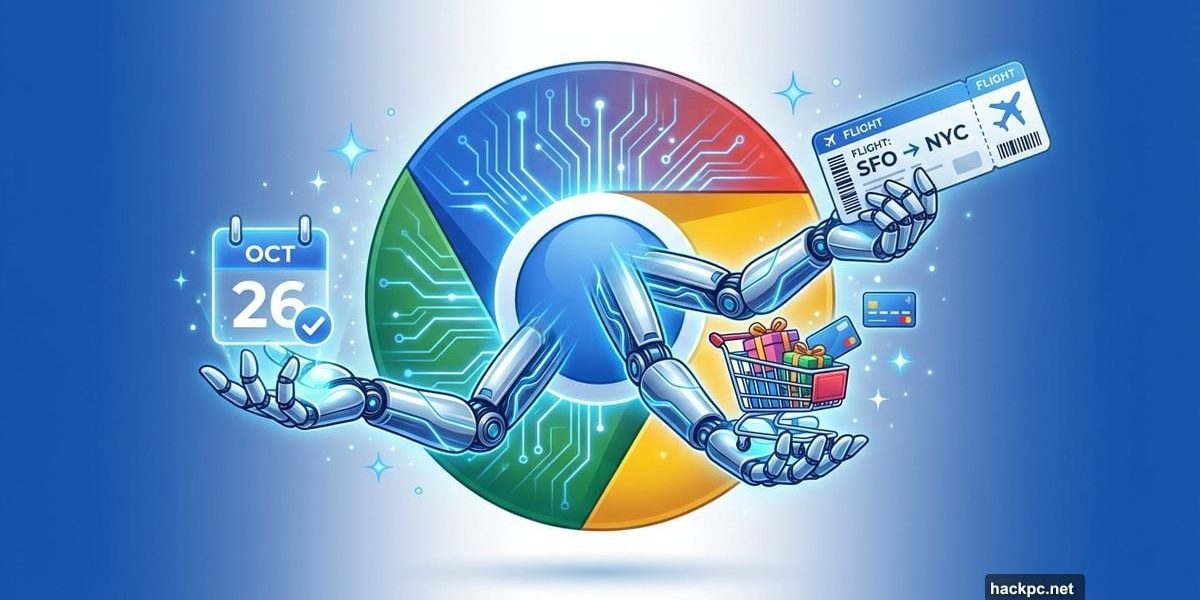
Chrome isn’t just a browser anymore. Google wants it to handle the boring stuff while you focus on what matters.
The company just announced a major update that brings Gemini 3-powered AI directly into Chrome. Now your browser can compare flights, research products, schedule appointments and even navigate websites on your behalf. Plus, everything happens in a side panel without disrupting your workflow.
This marks a significant shift in how we interact with browsers. Instead of managing dozens of tabs and juggling multiple tasks, Chrome aims to become a digital copilot that handles the tedious parts of web browsing.
Auto Browse Does the Heavy Lifting
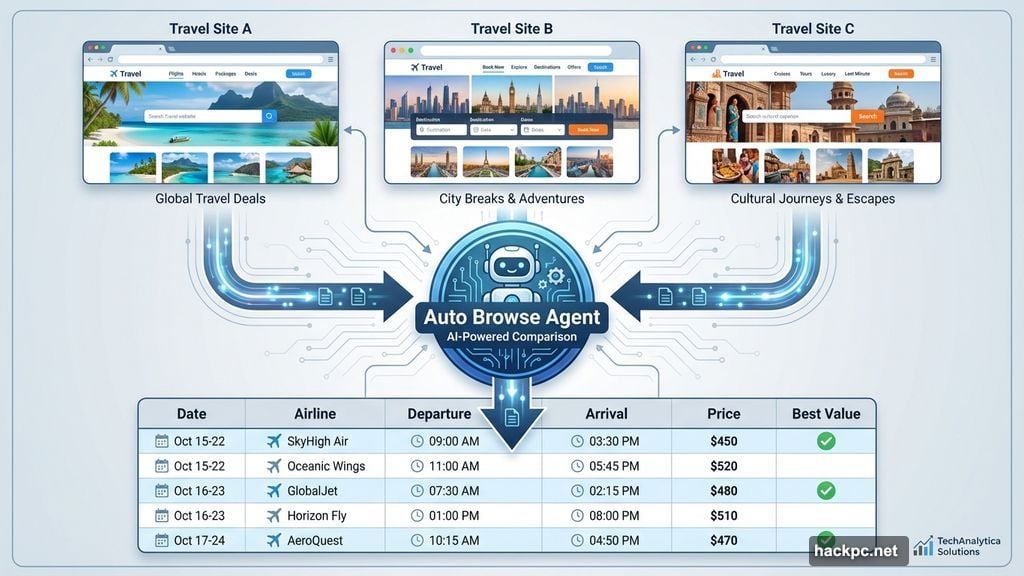
The standout feature is auto browse, a browser agent that completes multi-step tasks without constant supervision. Think of it as having someone else do your research legwork.
Need to compare flight prices across multiple travel sites? Auto browse handles it. Want to check school calendars against vacation dates? Done. Looking to renew your driver’s license or file expense reports? Chrome can navigate those bureaucratic mazes for you.
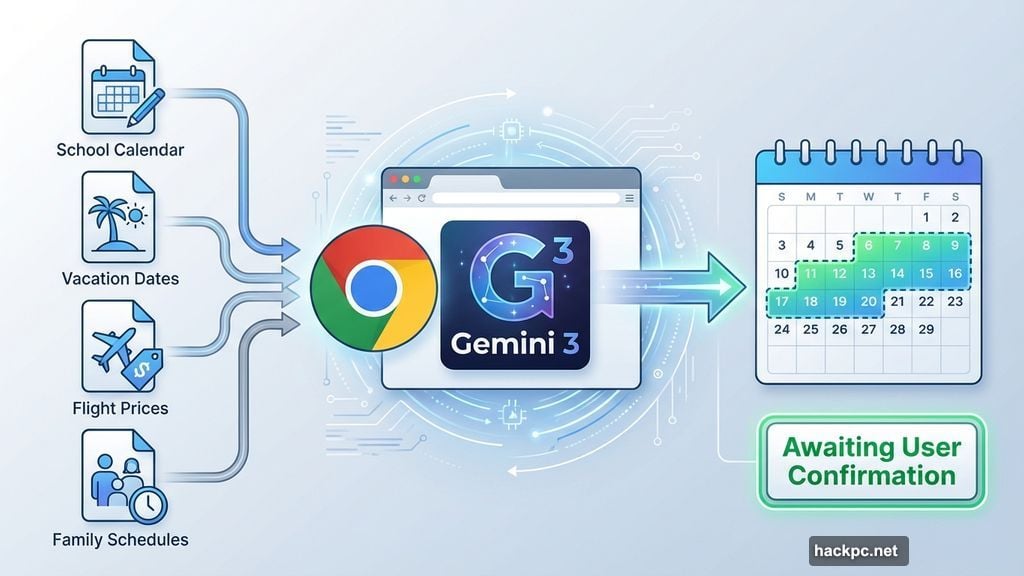
Google demonstrated this during a live demo. Product Lead Charmaine D’Silva used auto browse to plan a family vacation. The AI compared destinations and prices across different travel sites, checked when her kids were off school and aligned everyone’s schedules to find workable travel windows.
But here’s the crucial part. When it came time to actually book, D’Silva made the final decision herself. Google designed auto browse to pause for your confirmation on key actions like purchases, bookings or social media posts.
That’s smart. Nobody wants an AI accidentally spending money or posting embarrassing content without permission. So auto browse handles the research and preparation, then hands control back to you for the important decisions.
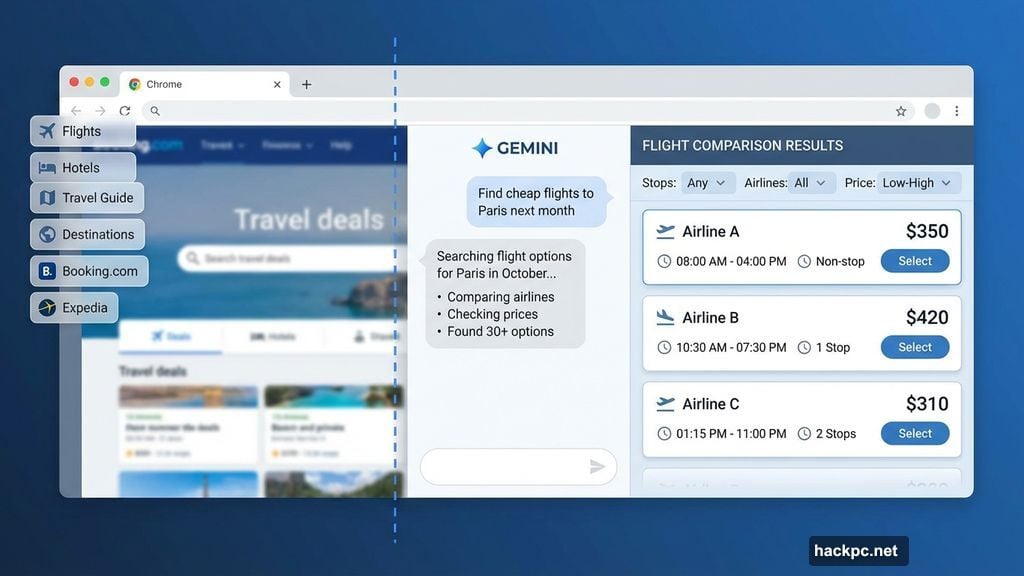
The feature is rolling out now to AI Pro and Ultra subscribers in the US. This signals Google’s broader push toward agentic AI that takes meaningful action on your behalf.
Side Panel Keeps Gemini Accessible
Google redesigned how Gemini appears in Chrome. Instead of opening a separate tab, the AI assistant now lives in a side panel that stays visible while you work.
This matters more than it sounds. Previously, using Gemini meant switching between tabs, losing your place and breaking your concentration. Now it sits alongside whatever you’re doing.
Early testers used the side panel to summarize product reviews across multiple sites, compare shopping options and manage packed calendars while keeping their main task front and center. The side panel works across MacOS, Windows and Chromebook Plus.
Moreover, this design makes multitasking actually manageable. You can ask Gemini questions or request research without abandoning your current webpage. That’s a genuine improvement over tab-hopping between your work and an AI chat interface.
Image Editing Comes to Chrome
Google integrated Nano Banana, its AI image editing tool, directly into the browser. Now you can edit and reimagine images you find online without downloading files or switching apps.
Want to mock up a living room redesign? Nano Banana can help. Need to turn raw data into an infographic for work? Done. The tool handles both practical edits and creative generation.
This removes friction from creative workflows. Previously, you’d find an image, download it, open an editing app, make changes and then upload or share the result. Now the entire process happens inside Chrome.
However, Google hasn’t shared details about image quality, editing capabilities or how Nano Banana compares to dedicated tools like Photoshop or Canva. Those details will matter for anyone doing serious image work.
Deeper Google App Integration
Gemini in Chrome now connects with Gmail, Calendar, Maps, YouTube, Google Flights and Shopping. These integrations let the assistant pull relevant context and take action across apps.
Planning a trip becomes simpler. Gemini can reference an old email with trip details, check flight options, cross-reference your calendar and draft a follow-up email to travel companions. All in one conversation.
This ecosystem play gives Google an advantage over standalone AI assistants. ChatGPT or Claude don’t have native access to your email, calendar or search history. Google does, assuming you grant permission.
But that advantage comes with privacy implications. Giving an AI access to your emails, calendar and browsing history requires trust. Google says it gives users control over what data is connected and when, though specific privacy controls weren’t detailed in the announcement.
Personal Intelligence Coming Soon
Google teased that personal intelligence features will arrive in Chrome over the coming months. With user opt-in, Gemini will remember context from past interactions to deliver more tailored, proactive help.
This sounds useful in theory. An AI that remembers you’re planning a vacation could proactively surface flight deals or hotel options without being asked. One that knows your work projects could automatically organize relevant research or draft status updates.
Yet personal intelligence also raises questions. How long does Chrome remember context? What happens to that data? Can you delete specific memories? Google hasn’t provided those details yet.
Still, the opt-in approach suggests Google learned from past privacy concerns. Making these features explicitly optional gives users choice rather than defaulting everyone into AI memory.
The Bigger Picture
These updates represent Google’s vision for the future of browsing. Instead of you searching, clicking, reading and deciding, Chrome wants to handle the searching and preliminary clicking while you make the final decisions.
That’s a fundamental shift. For years, browsers were passive tools that displayed whatever you requested. Now Chrome aims to be an active participant that anticipates needs, completes tasks and surfaces relevant information proactively.
Whether this improves productivity or creates new frustrations depends on execution. If auto browse works reliably, it could save hours each week. If it makes mistakes or requires constant supervision, it becomes another tool to manage rather than a genuine assistant.
Google is betting that agentic AI belongs directly in the browser rather than as a separate app or extension. That makes sense given how much time people spend in Chrome. But it also means Google is inserting AI into one of the most fundamental tools people use daily.
The real test comes when these features roll out broadly. Early demos always look polished. What matters is how auto browse handles real-world edge cases, how often the side panel actually helps versus distracts and whether Nano Banana can compete with dedicated creative tools.
Chrome is evolving from a window to the internet into something that actively shapes your internet experience. That’s exciting for productivity enthusiasts and concerning for anyone who prefers minimal AI intervention. Fortunately, most features appear to be opt-in rather than forced on all users.
The browser wars just got interesting again. Now the competition isn’t just about speed or features, but about which browser offers the most useful AI assistance without overstepping user control.




Comments (0)