

Mozilla just announced Firefox 148 drops February 24. But here’s the twist: you can turn off every AI feature from day one.
Firefox heard the backlash. While competitors shove AI down your throat, Mozilla built toggles for everything. That’s rare in 2026.
What AI Features Are Coming
Firefox 148 bundles several AI tools into the desktop browser. Most sound helpful on paper. But implementation matters more than promises.
The AI additions include:
- Sidebar chatbot with ChatGPT, Copilot, and Gemini access
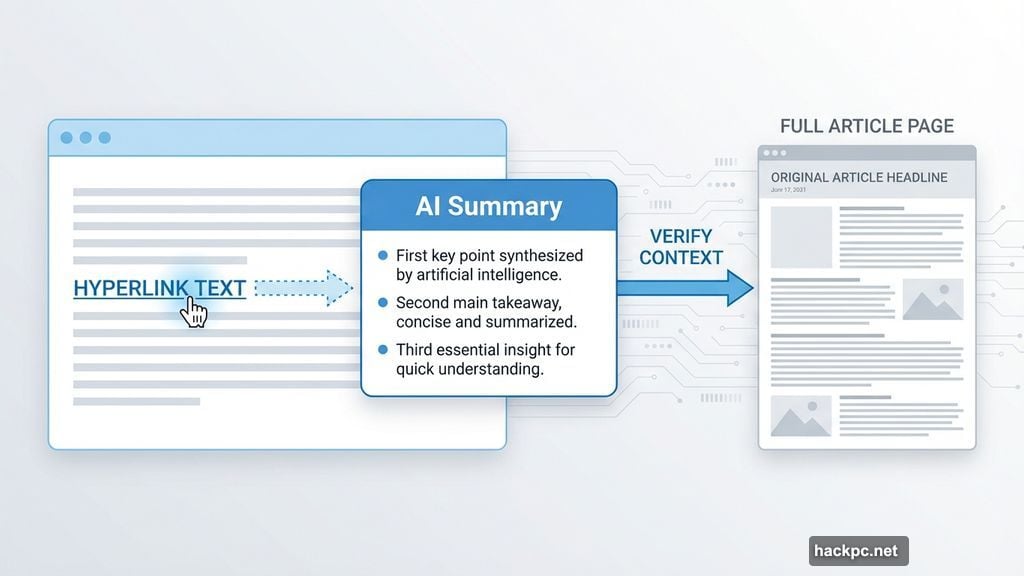
- Auto-generated link preview summaries
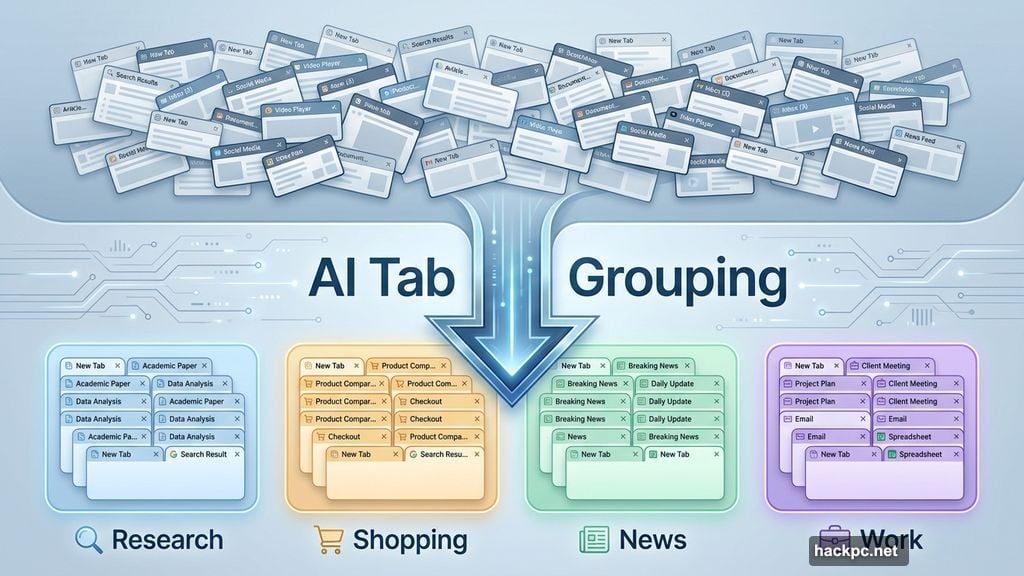
- AI-powered tab grouping suggestions
- PDF alt text generation for accessibility
- Built-in language translation
So far, this rollout targets desktop only. Mozilla didn’t commit to mobile timing. They’re watching early feedback first before expanding further.
That’s smart. Testing on desktop gives them room to fix issues before mobile users get involved.
Privacy Controls Actually Matter Here
Firefox built its reputation on privacy. Now they’re betting users want privacy-first AI instead of AI-first everything.
Head of Firefox Ajit Varma put it simply: “AI is changing the web, and people want very different things from it.” So Mozilla built controls.
Every AI feature gets its own toggle in settings. You can cherry-pick which tools to enable. Or disable everything with one master switch.
Plus, Mozilla promises privacy-preserving AI in their product roadmap. That means processing data locally when possible. No unnecessary cloud uploads.
Other browsers force AI features with no opt-out. Firefox takes the opposite approach. You decide what runs in your browser.
The Sidebar Chatbot Feels Redundant
Firefox’s new sidebar chatbot lets you pick between ChatGPT, Microsoft Copilot, or Google Gemini. But here’s my problem with it: you can already access all these tools directly.
Opening a sidebar chatbot saves maybe two seconds versus opening a new tab. That’s not a compelling feature.
Moreover, the chatbot sidebar takes up screen space. On smaller laptops, that matters. You’re sacrificing horizontal viewing area for a tool you probably won’t use constantly.

The auto-generated summaries might prove more useful. Hover over links to preview content without clicking. That could save time when researching topics with dozens of sources.
Yet AI summaries sometimes miss context or misrepresent nuanced arguments. So you’ll still need to read full articles for anything important.
Tab Grouping Suggestions Sound Promising
One feature caught my attention: AI-powered tab grouping. Anyone who keeps 50+ tabs open knows organization becomes chaos fast.
If Firefox can intelligently group related tabs, that solves a real problem. Research sessions generate dozens of tabs. AI could cluster them by topic automatically.
However, Mozilla hasn’t shown how well this works yet. Tab management extensions already exist. The AI version needs to work noticeably better to justify its existence.
Translation tools and PDF alt text generation target accessibility. Those features add genuine value for users who need them. So it’s good Mozilla included toggles instead of forced activation.
Firefox Nightly Lets You Test Now
Impatient to try these features? Firefox Nightly runs the bleeding-edge development version. It updates daily with the latest changes.
Fair warning: Nightly is unstable by design. Bugs happen frequently. Don’t use it for mission-critical work.
But if you want to evaluate Firefox’s AI implementation early, Nightly provides access. Test the features. Decide which ones you’d actually use. Then disable the rest when Firefox 148 launches February 24.
Mozilla’s transparency here stands out. They’re not hiding AI features in obscure settings. Everything lives in a dedicated AI menu with clear controls.
Other Browsers Went All-In on AI
Safari and Edge already ship with AI features. Neither offers Firefox’s level of control.
Microsoft integrated Copilot deeply into Edge. It pops up constantly with suggestions. Many users find it intrusive. Disabling it requires digging through multiple settings menus.
Apple took a lighter approach with Safari. But iOS 18.2 added AI throughout the system. Opting out completely is nearly impossible now.
Firefox’s approach feels refreshingly honest. They’re adding AI because it’s 2026 and users expect it. But they’re not forcing adoption.
That respects user choice in a way most tech companies don’t bother with anymore.
The Bigger Picture on AI Browsers
Every major browser now includes AI features. The web is changing whether we like it or not.
Firefox has around 200 million monthly users. That makes it the largest nonprofit-backed browser by far. Mozilla’s mission prioritizes user privacy over profit maximization.
So their AI implementation matters. If Firefox proves you can build useful AI tools while respecting privacy and choice, other browsers might follow.
But if Firefox’s features flop, it validates the forced-AI approach competitors are taking. That would be bad for user control long-term.
The stakes here go beyond just another browser update. This tests whether privacy-focused AI can compete with data-hungry alternatives.
Will Anyone Actually Use These Features
Here’s my honest take: most people won’t enable these AI tools.
Firefox users skew toward privacy-conscious tech enthusiasts. That demographic tends to be skeptical of AI hype. They chose Firefox specifically because it doesn’t track them aggressively.
Adding AI features risks alienating core users. Mozilla clearly knows this. That’s why they built comprehensive opt-out controls.
The sidebar chatbot and link summaries might see limited adoption. Tab grouping could catch on if it works well. Translation and accessibility features will help specific use cases.
But mainstream Firefox users? They’ll probably toggle everything off and keep browsing like nothing changed.




Comments (0)