
Your internet provider watches everything you do on Android. Every app you open. Every site you visit. Every video you stream on the train.
That changes with a VPN. Your traffic gets encrypted and routed through secure servers, so your carrier can’t spy on you anymore. Plus, streaming services can’t detect your real location, which means you can finally watch that show that’s locked to another country.
But picking the right Android VPN feels impossible. Hundreds of apps promise privacy, yet most just slow down your phone and sell your data anyway. So we tested the top contenders across 250+ speed tests, streaming hours of Netflix and Disney Plus, and checking for privacy leaks.
Here’s what actually works on Android in 2026.
ExpressVPN Wins on Privacy and Polish
ExpressVPN delivers the smoothest Android experience. The app feels fast, looks clean, and never gets in your way.
Privacy nerds will appreciate ExpressVPN’s commitment to transparency. The company has completed 23 independent security audits since 2018. That’s more than any competitor. They also added quantum-resistant encryption to their Lightway protocol, protecting against future threats from quantum computers.
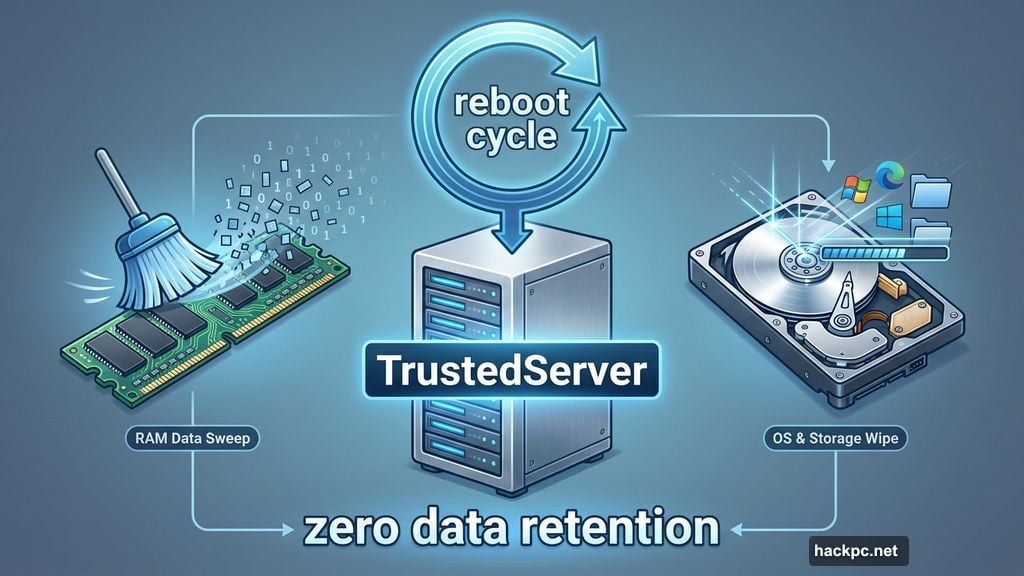
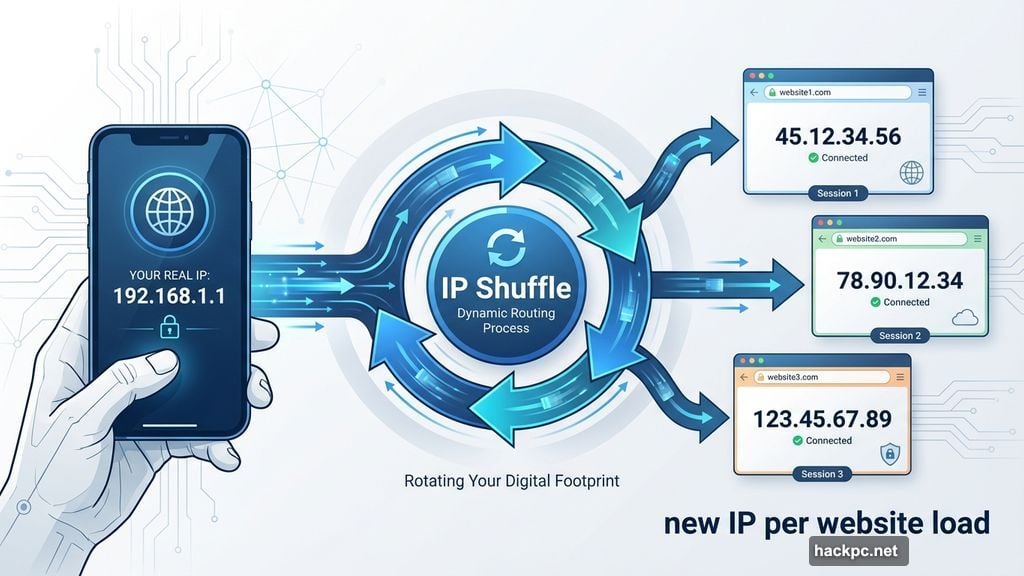
IP Shuffle is another clever feature. It changes your IP address every time you load a website, making tracking nearly impossible. Plus, ExpressVPN’s TrustedServer technology wipes all data with every server reboot – not just the RAM, but the entire operating system.
Streaming performance impressed us. Netflix, Disney Plus, Hulu, Max and Amazon Prime Video all worked flawlessly on Android. No buffering. No detection errors. Just smooth playback.
The catch? ExpressVPN costs $13 per month, or $75 for your first 15 months (renewing at $100 yearly). That’s premium pricing. But if privacy matters to you, the investment pays off.
Surfshark Costs Less Without Cutting Corners
Want ExpressVPN’s features at half the price? Surfshark delivers.
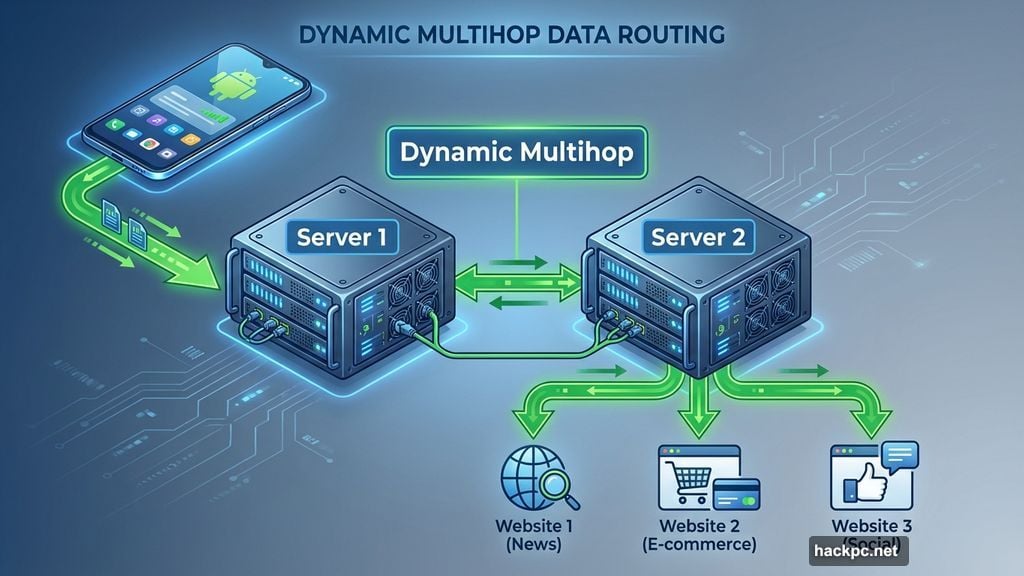
The Android app includes Dynamic Multihop, which routes your traffic through two server locations instead of one. Rotating IP switches your address every few minutes. And Alternative ID generates a fake identity – complete with name, birthdate and email – that you can use online.
Here’s something unique: Surfshark lets you override GPS location on Android. That helps unblock sports streams and local broadcasts that check your GPS coordinates. Most VPNs can’t do that.
Surfshark also allows unlimited simultaneous connections. Most competitors cap you at 10 devices. So if you’ve got phones, tablets, laptops and smart TVs, Surfshark covers everything on one subscription.
We measured a 21% average speed loss during testing. That’s slightly slower than last year, but still fast enough for smooth streaming and gaming on Android.
Pricing starts at $15 monthly, but drops to $48 for your first 15 months (renewing at $79 yearly). That renewal price jumped this year. Still, it remains significantly cheaper than ExpressVPN or NordVPN.
NordVPN Dominates Speed Tests
NordVPN posted the fastest speeds we measured. Just 3% average speed loss across our tests.
That matters for Android users streaming 4K video, playing mobile games or joining Zoom calls on the go. Faster speeds mean less buffering, lower latency and smoother overall performance.
NordVPN recently added scam call protection to its Android app. The feature identifies and blocks suspicious calls before they reach you. It’s a small touch, but genuinely useful on mobile devices.
The VPN’s server network spans 7,800+ locations across 126 countries. That’s more international coverage than most competitors. So whether you’re traveling for work or accessing geo-restricted content, you’ll find a nearby server.
Meshnet is another standout feature. It creates a virtual network between your devices for secure file transfers. Moving files from your Android phone to your laptop becomes simple and private.
NordVPN costs $13 monthly, $70 for your first 15 months, or $81 for your first 27 months. But here’s the problem: annual plans renew at $140 per year. That’s nearly double what Surfshark charges.
The high renewal price stings. Yet NordVPN’s blazing speeds and solid feature set make it worth considering, especially if speed is your top priority on Android.
Three VPNs That Didn’t Make the Cut
Proton VPN offers excellent privacy and a legitimate free tier. The Swiss-based provider is staunchly committed to protecting user data. Plus, you can change the app icon on Android to look like Weather or Notes, hiding the fact you’re using a VPN.
But Proton’s free version restricts you to servers in eight countries. You also miss premium features like Tor over VPN and Secure Core servers. The paid version costs $48 for your first year (renewing at $80 annually).
IPVanish delivered the worst speed results we measured. A 44% average speed loss puts it far behind competitors. The VPN costs $40 for your first year, but jumps to $90 annually after that. At those renewal prices, the sluggish speeds become impossible to justify.
We won’t recommend free VPNs beyond Proton. Most free services make money by selling your browsing data to advertisers. Some are literally spyware apps disguised as VPNs. The “free” price tag could cost you identity theft or worse.
What Actually Matters in Android VPNs
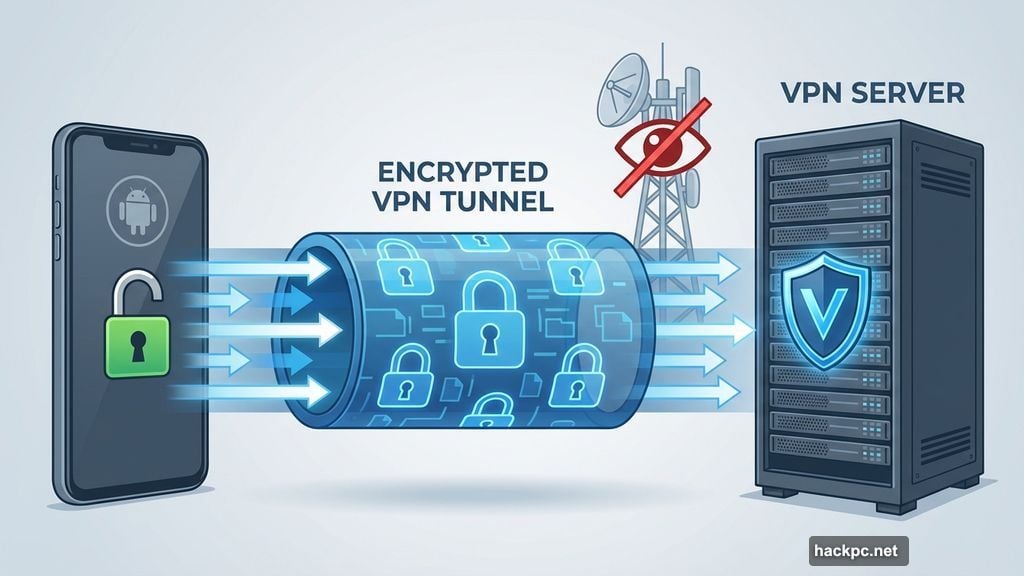
Privacy features separate good VPNs from junk. Look for AES-256 encryption over OpenVPN or WireGuard protocols. You need a kill switch that stops all internet traffic if your VPN connection drops. And DNS leak protection keeps your real IP address hidden.
Independent security audits matter too. Anyone can claim they don’t log your data. But audited no-logs policies provide actual proof.
Speed impacts everything on Android. Streaming. Gaming. Video calls. Browsing. A good VPN should drop your internet speeds by 25% or less. Anything higher becomes noticeable and annoying.
The Android app needs to be simple. Features should be easy to find and use. And the VPN should offer live support directly from the app, so you can get help while you’re on the go.
Server networks make a difference. More servers in more countries means better speeds and more streaming options. ExpressVPN covers 105 countries. Surfshark reaches 100. NordVPN spans 126.
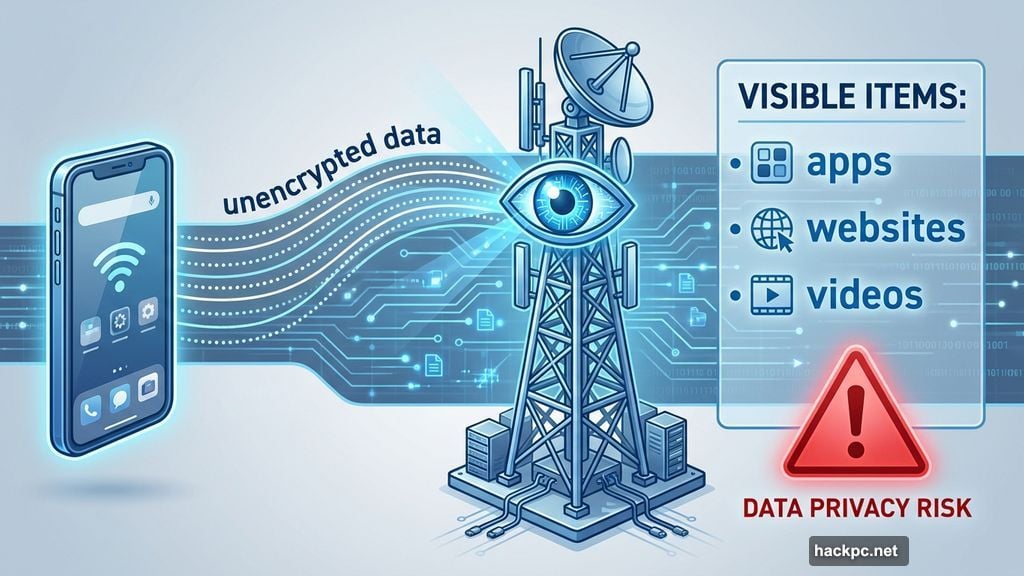
Your ISP Sees Everything Without a VPN
Your mobile carrier tracks every website you visit, every app you use, and how long you spend doing it. They collect this data, analyze it, and often sell insights to advertisers.
A VPN encrypts your traffic before it leaves your phone. Your carrier still sees that you’re connected to a VPN server. But they can’t tell what you’re doing online anymore.
Apps and websites can’t track you either. They see the VPN server’s IP address instead of yours. That makes it much harder to build a profile of your behavior across the internet.
VPNs Don’t Make You Anonymous
Here’s what bugs me: VPN marketing often promises “complete anonymity online.” That’s misleading at best, dishonest at worst.
VPNs protect your privacy. They encrypt your traffic and hide your IP address. But true anonymity requires much more. Your digital footprint includes social media accounts, email addresses, payment methods, and browsing patterns across years.
No VPN can erase all that. Even with perfect VPN usage, websites can still fingerprint your device, track you through cookies, or identify you through your login credentials.
So use VPNs to protect privacy. Just don’t expect them to make you invisible.
The Free VPN Trap on Android
Google Play Store overflows with “free VPN” apps. Most are garbage. Some are actively dangerous.
Free VPNs need to make money somehow. Many inject ads into your browsing. Others sell your internet traffic to third parties. The worst cases are malware apps harvesting your passwords and banking details.
Proton VPN is the only free option we trust. It doesn’t cap bandwidth or inject ads. You just get fewer server locations and miss out on premium features.
Every other free VPN either compromises your privacy or delivers terrible performance. The money you “save” isn’t worth the risk.
Testing Android VPNs Takes Weeks
We don’t just download apps and call it done. Each VPN gets tested for weeks across multiple Android devices.
Speed tests run on different protocols, connecting to servers worldwide. We measure how much each VPN slows down your regular internet connection. Then we calculate average speed loss across 250+ individual tests per provider.
Streaming performance gets evaluated on Netflix, Disney Plus, Hulu, Max, Amazon Prime Video, BBC iPlayer and regional services. We note which VPNs successfully unblock content and which get detected.
Privacy testing checks for DNS leaks, IP leaks and kill switch functionality. We verify that your real IP address never gets exposed, even when connections drop unexpectedly.
The Android app interface gets scrutinized for usability. How easy is it to connect? Can you quickly find specific servers? Does the app feel smooth or clunky?
Finally, we read through privacy policies, check for independent audits, and evaluate each company’s track record on transparency.
Your Best Android VPN Depends on Your Priorities
Pick ExpressVPN if privacy matters most. The company leads on transparency, security audits and innovative privacy features. Plus, the Android app is beautifully simple.
Choose Surfshark if budget constraints factor in. You get nearly everything ExpressVPN offers at significantly lower prices. The unlimited simultaneous connections are perfect for households with lots of devices.
Go with NordVPN if speed is critical. Whether you’re streaming 4K video or gaming on your Android phone, NordVPN’s blazing performance won’t slow you down.
All three offer 30-day money-back guarantees. So you can test before fully committing. But realistically? Your mobile carrier is tracking you right now. Any of these three VPNs fixes that problem today.




Comments (0)