
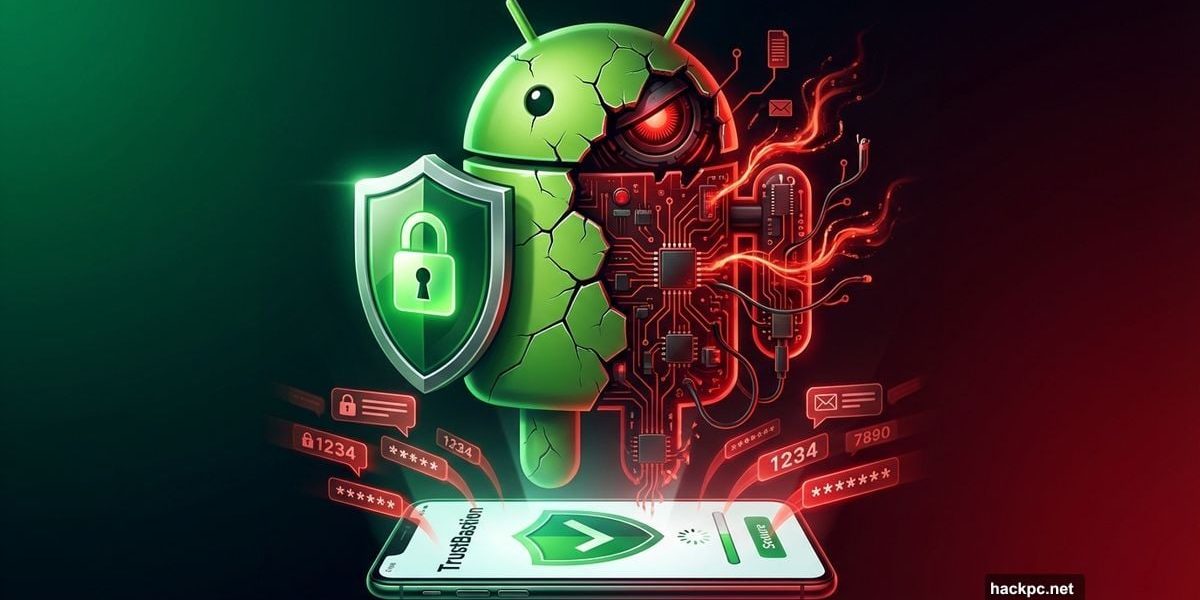
Your phone’s security app might be the biggest threat on your device.
Researchers just exposed a sophisticated Android malware campaign that tricks users into installing fake security software. The app claims to protect your phone. Instead, it captures every password, PIN, and message you type.
Here’s what makes this attack particularly dangerous: the malware disguises itself as legitimate protection software while exploiting trusted developer platforms to avoid detection.
TrustBastion Promises Security, Delivers Spyware
Bitdefender security researchers discovered the campaign centered around an app called “TrustBastion.” The infection starts with alarming pop-ups and ads warning that your smartphone is infected with malware, phishing attempts, or scam texts.
The fake alerts pressure you to install TrustBastion immediately. The app looks professional. It uses security-focused branding. Plus, it mimics the visual style of legitimate Android security tools.
But TrustBastion is what security experts call a “dropper.” The initial app contains no malicious code. That’s intentional. It passes basic security scans and gets installed without triggering warnings.
The attack begins after installation.
Fake Update Downloads Real Malware
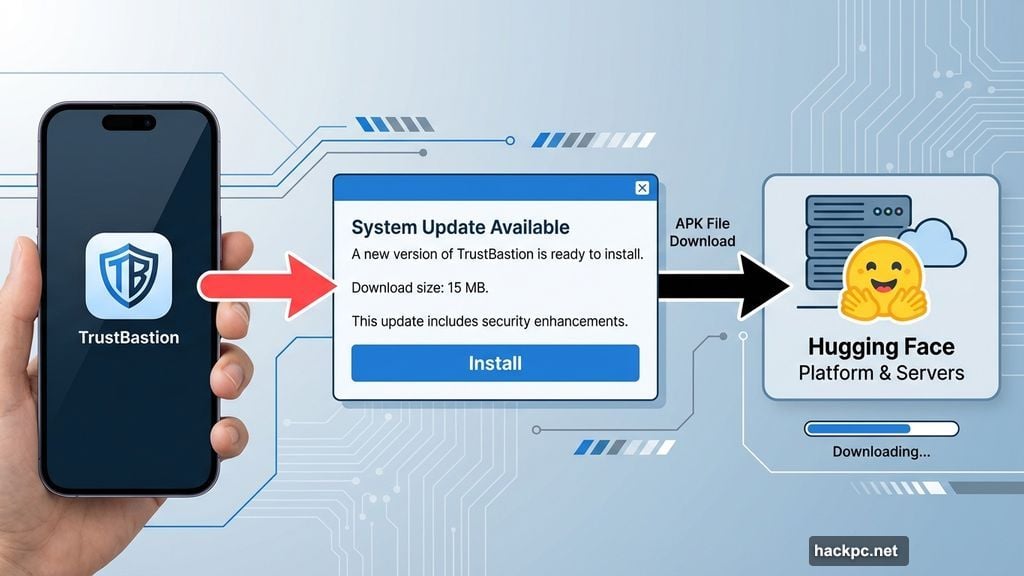
Immediately after you install TrustBastion, a system update notification appears. The dialog box looks identical to official Android or Google Play update screens.
Most users trust these familiar update prompts. So they tap “Install” without hesitation.
That’s when the real malware downloads. Behind the scenes, TrustBaston fetches a manipulated APK file. However, this download doesn’t come from shady underground servers that security tools might flag.
Instead, it downloads from Hugging Face. That’s a respected platform used by developers and AI researchers worldwide. Security software trusts connections to Hugging Face. So the malicious download happens without raising any alarms.
The attackers deliberately chose this platform for its clean reputation.
Accessibility Features Become Weapons
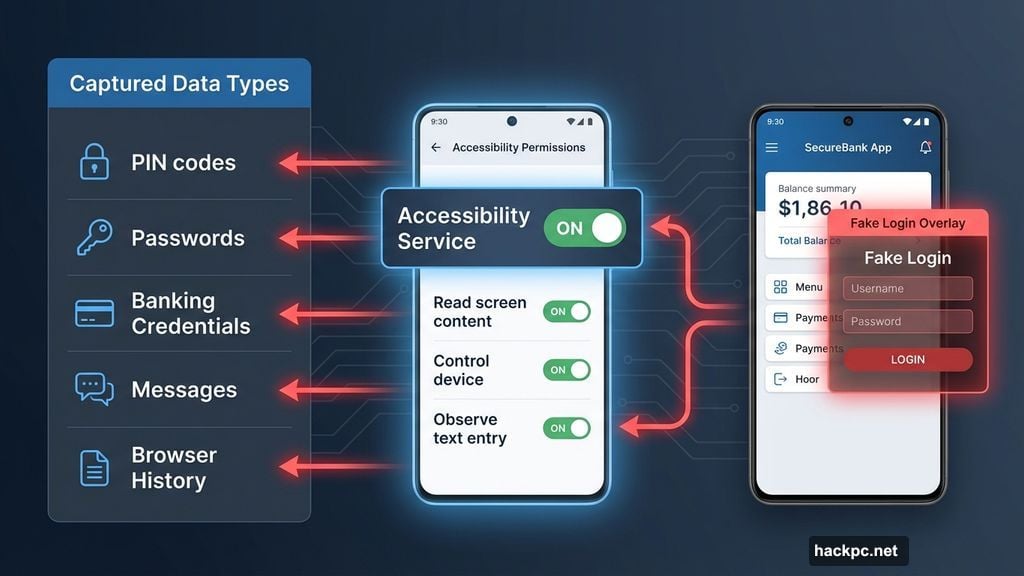
After the fake update completes, the actual malware requests Android accessibility permissions. It identifies itself as “Phone Security”—a name that sounds like a legitimate system component.
Accessibility features exist to help users with disabilities navigate their devices. Apps can read screen content, monitor inputs, and overlay interfaces on other applications.
These permissions are incredibly powerful. In the wrong hands, they become surveillance tools.
Once granted, the malware immediately starts capturing everything:
Every PIN you enter to unlock your phone gets recorded. All password inputs across every app are logged. Banking app credentials are stolen. Messaging app conversations are monitored. Payment service login details are intercepted.
Moreover, the malware can display fake login screens on top of legitimate apps. Users think they’re entering credentials into their banking app. Actually, they’re typing directly into the malware’s fake interface.

All captured data transmits to the attackers’ control server. From there, they can send new commands and updates to infected devices.
6,000 Variants Per Month Evade Detection
Traditional antivirus software relies on signature-based detection. Security tools maintain databases of known malware signatures. When they scan files, they compare signatures against their database.
The TrustBastion attackers found a clever workaround. They use “server-side polymorphism” to generate new malware variants approximately every 15 minutes.
Each variant contains identical functionality with tiny, meaningless changes. The code does the same thing. But the signature looks different.
Bitdefender researchers counted over 6,000 different variants in a single month. That’s 200 new versions daily. Classic antivirus scanners can’t keep up with this pace.
When Google Play or security companies remove one variant, the attackers simply generate a new one with a different name and icon. The campaign continues without interruption.
How to Protect Your Android Device
The good news? You can avoid this threat with smart security practices.
First, stick to Google Play Store exclusively. Never enable installation from unknown sources. While Google Play isn’t perfect, it has security screening that catches most malware. Third-party app stores and direct APK downloads bypass these protections entirely.
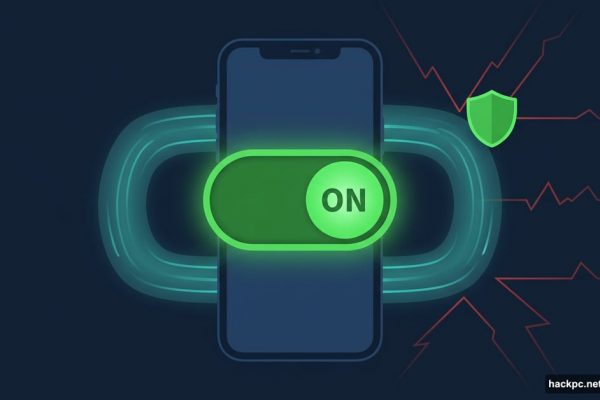
Second, activate Google Play Protect immediately. This built-in Android security feature scans apps before installation and monitors installed apps for suspicious behavior. Find it in Settings > Security > Google Play Protect. Enable both “Scan apps with Play Protect” and “Improve harmful app detection.”
Third, scrutinize permission requests carefully. No legitimate security app needs accessibility permissions. Banking apps don’t need to read your text messages. Weather apps don’t need access to your contacts.
When an app requests permissions that seem excessive for its stated purpose, decline and uninstall immediately.
Fourth, question urgent security warnings. Legitimate security threats don’t appear as pop-up ads. Android doesn’t show aggressive alerts demanding immediate app installation. These pressure tactics are classic scam techniques.
If you see warnings about infections or security threats, ignore the pop-up. Instead, open your device’s official security settings directly.
Fifth, understand what accessibility features do. These permissions grant extensive control over your device. Only enable accessibility for apps you absolutely trust and clearly understand. Screen readers, password managers from reputable companies, and assistive technology tools have legitimate needs. Random security apps do not.
Already Installed Suspicious Apps?
If you’ve installed anything that might be TrustBaston or similar malware, act immediately.
Delete the suspicious app first. Then scan your device with a reputable mobile security tool. Bitdefender Mobile Security, Norton Mobile Security, and Malwarebytes for Android can detect threats that Google Play Protect misses.
Check what accessibility services are currently active. Go to Settings > Accessibility and review every enabled service. Disable anything you don’t recognize or didn’t intentionally activate.
Review installed apps carefully. Look for apps with names like “Phone Security,” “System Update,” or similar generic security-sounding titles that you don’t remember installing.
When in doubt, factory reset your device. Yes, it’s inconvenient. But it’s the only guaranteed way to remove sophisticated malware that may have embedded itself deeply in your system.
After resetting, restore data from a backup created before you installed the suspicious app. Don’t restore from a backup that might contain the malware.
Trust Is the Real Vulnerability
What makes TrustBaston particularly nasty isn’t technical sophistication. It’s psychological manipulation.
The malware exploits our trust in security software. We’re trained to respond to virus warnings. We’ve learned that legitimate apps request updates. Plus, we see familiar platforms like Hugging Face and assume content hosted there must be safe.
Attackers understand these assumptions. They weaponize our security awareness against us.
The campaign also reveals a troubling trend: malware authors increasingly abuse legitimate infrastructure. Reputable platforms become unwitting accomplices in malware distribution. This makes detection harder and gives attacks an air of legitimacy.
Similar campaigns will follow. Attackers will continue exploiting trusted platforms and mimicking security software. The tactics work too well to abandon.
Your best defense remains skepticism. Question urgent warnings. Verify before you install. Limit permissions ruthlessly. Trust platforms and apps only after confirming their legitimacy through official sources.
Security software should protect you. When it becomes the threat, everything gets more complicated. Stay alert. Your data depends on it.



Comments (0)