
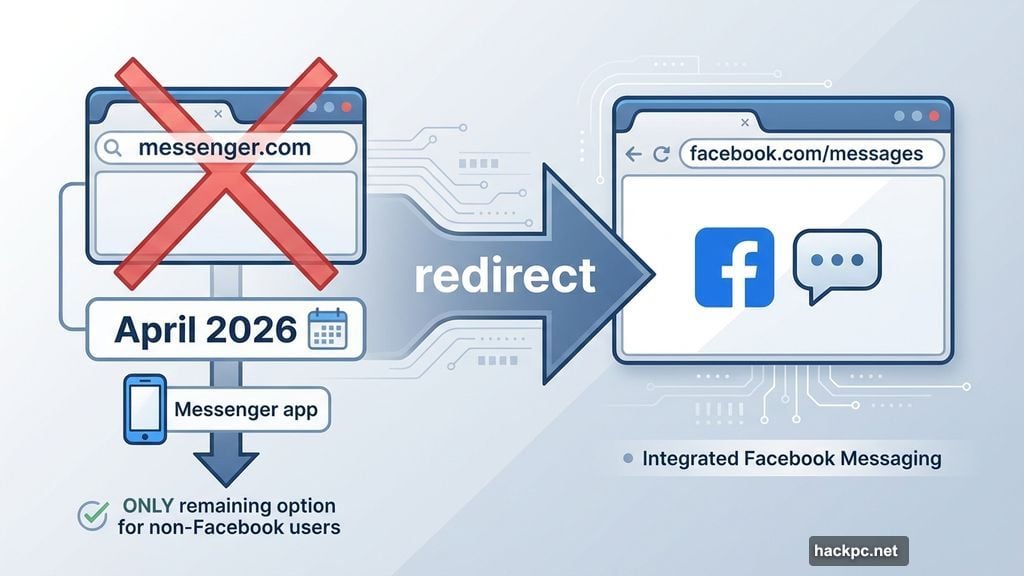
If you’ve been chatting through messenger.com on your laptop, get ready for a change. Meta is pulling the plug on its standalone Messenger website starting April 2026.
The move affects anyone who uses Messenger on a computer browser. And for people who ditched Facebook but kept using Messenger? Things get a little more complicated.
Messenger.com Is Going Away in April 2026
Meta confirmed the shutdown quietly through a help page, with a pop-up notification rolling out to Messenger website and app users. The message is straightforward: messenger.com is closing, and you’ll need to find another way to chat on desktop.
If you still have a Facebook account, the transition is relatively painless. Meta will automatically redirect you to facebook.com/messages when you try to visit messenger.com. Your conversations stay intact, and you can pick up right where you left off.
But if you’ve been using Messenger without a Facebook account, your options shrink considerably. After April, the Messenger mobile app becomes your only option for staying connected.
The Facebook Reintegration Nobody Asked For
Here’s some context that makes this less surprising. Meta already shut down Messenger’s standalone desktop apps for Windows and Mac just a few months ago. At the time, the company started redirecting desktop app users to the Facebook website rather than the dedicated Messenger site. The website closure feels like the logical next step.
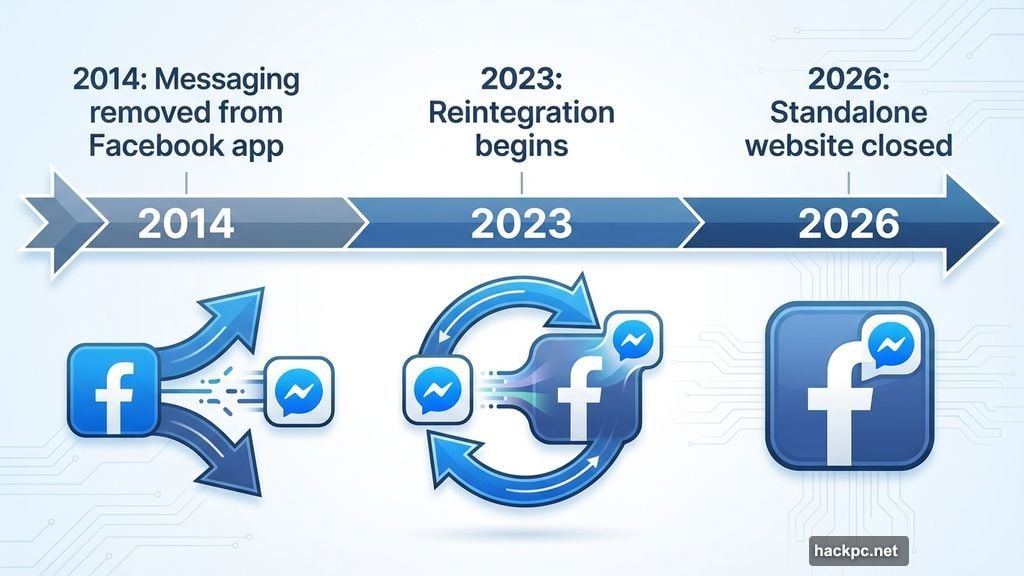
Zoom out further and a clear pattern emerges. Meta spent years pushing Messenger as its own independent platform. Back in 2014, Facebook actually removed messaging from its main mobile app entirely to force people onto the Messenger app. The idea was to build Messenger into something bigger than a Facebook feature.
Then 2023 happened. Meta reversed course and began merging Messenger back into the Facebook app. The standalone website closing in 2026 fits perfectly into that strategy. Messenger as an independent service is effectively being walked back.
Your Chat History Isn’t Going Anywhere
One thing worth knowing: your conversations aren’t lost in any of this. You can restore your chat history on any platform using the PIN you set up when you first created a backup on Messenger. Forgot your PIN? Meta says you can reset it.
So the data is safe. It’s just the access points that keep shrinking.
Why Users Are Frustrated
People have already taken to social media to vent, and honestly, the frustration makes sense. Many users deliberately avoided logging into Facebook while still using Messenger as a separate communication tool. That separation gave them a bit of distance from Facebook’s main feed and algorithm.
Now that option disappears. Want to message someone on a computer? You need to be logged into Facebook. For the many people who deactivated their Facebook accounts but kept Messenger active, this is a genuine problem.
From Meta’s perspective, though, fewer platforms means lower maintenance costs. Running separate apps and websites for Windows, Mac, and the web requires ongoing engineering work. Consolidating everything under Facebook.com makes financial sense for the company, even if it frustrates users who preferred the standalone experience.
What You Should Do Before April
If you’re a regular messenger.com user, start adjusting your habits now rather than scrambling in April. Download the Messenger mobile app if you haven’t already, especially if you don’t have a Facebook account. If you do have Facebook, log in on your browser and bookmark facebook.com/messages so the switch feels seamless.
Also make sure your chat backup PIN is somewhere you can actually remember. Losing access to old conversations on top of losing your preferred platform would be a double hit.
Meta didn’t build Messenger into a standalone powerhouse after all. It built it into a detour that’s now looping back to Facebook. Whether that bothers you depends entirely on how much distance you wanted from the main platform in the first place.




Comments (0)