
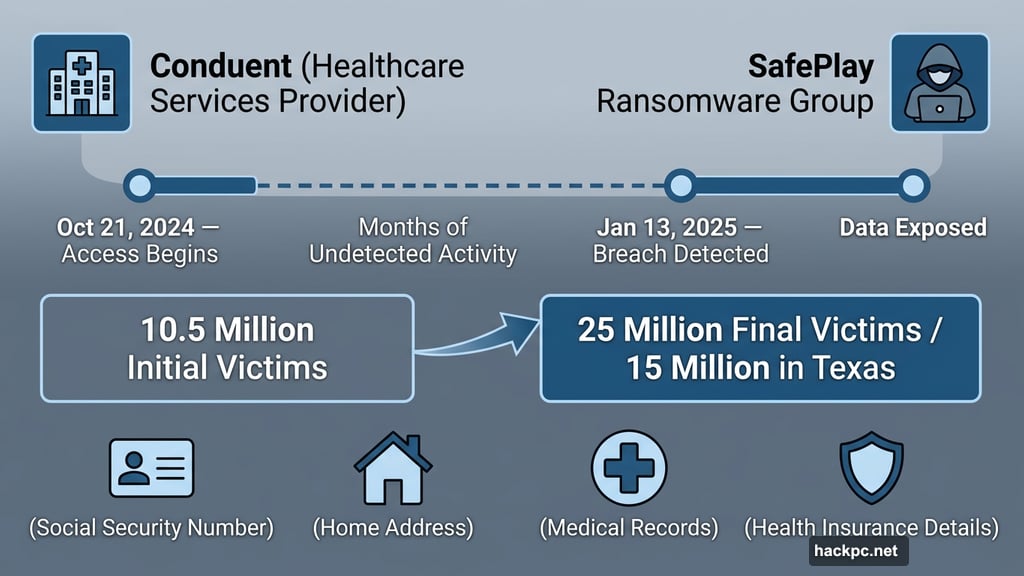
A ransomware attack that started as a 10.5 million-person breach quietly grew into something far worse. Now security experts believe up to 25 million Americans may have had their most sensitive personal data exposed — and 15 million of those victims are in Texas alone.
The company at the center of it all is Conduent, a business services provider in the healthcare space. An unauthorized third party accessed Conduent’s systems from October 21, 2024, all the way until January 13, 2025, when someone finally noticed. A ransomware group called SafePlay claimed responsibility. The stolen data includes full legal names, home addresses, Social Security numbers, health insurance details, and medical records — basically everything an identity thief would need.
And Conduent isn’t an isolated case. Check Point researchers reported a 160% year-over-year surge in credential theft in 2025. Attackers don’t always strike immediately, either. Sometimes they sit on stolen data for months, waiting for people to stop paying attention.
So if your information was caught up in this breach — or any breach — here’s what to actually do about it.
Your Email Account Is the Master Key
Think about what your email controls. Banking apps. Social media. Health portals. Cloud storage. Pretty much everything in your digital life connects back to one email address.
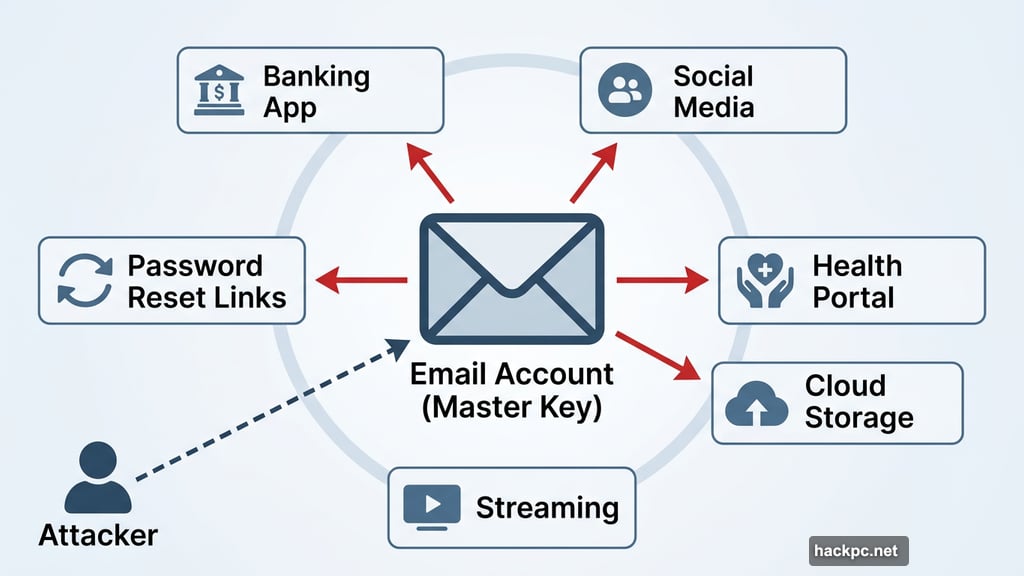
If an attacker gets into your email, they don’t need your other passwords. They just hit “forgot my password” on every service, and the reset links land right in their inbox. It’s that simple.
Start here. Change your email password immediately using something long and unique — nothing you’ve used anywhere else. Then turn on two-factor authentication (2FA). Most major email providers support it.
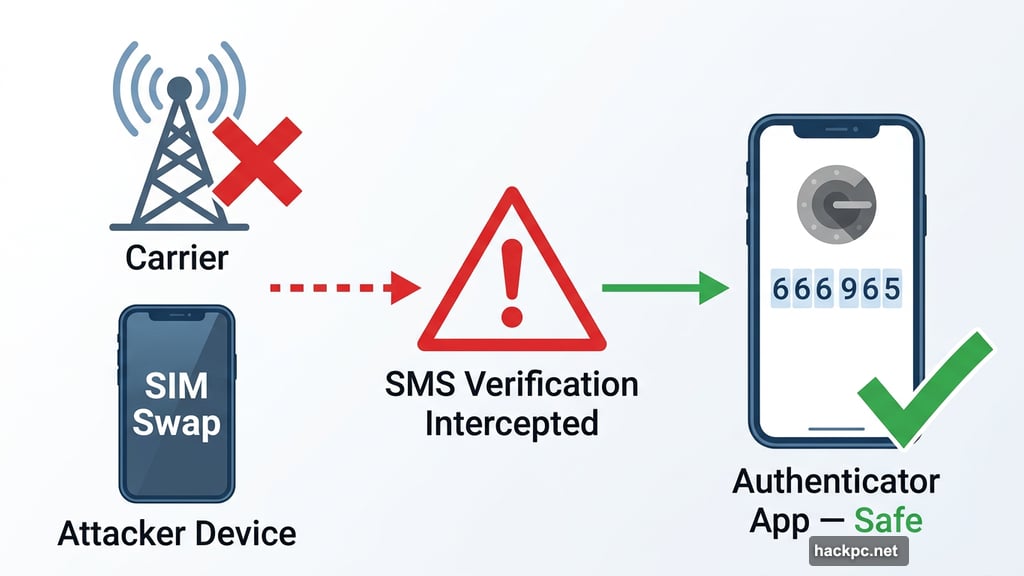
But here’s a critical detail: skip SMS verification if you can. Text messages can be intercepted, and attackers sometimes hijack phone numbers through a technique called SIM swapping, where they convince a carrier to transfer your number to their device. Authenticator apps like Google Authenticator or Duo generate codes directly on your phone, cutting out that risk entirely.
Also check your recent sign-in activity. Most email services show exactly where and when your account was last accessed. Anything unfamiliar? Sign out of all active sessions right away, and revoke access to any connected apps you don’t recognize.
Reused Passwords Are a Gift to Attackers
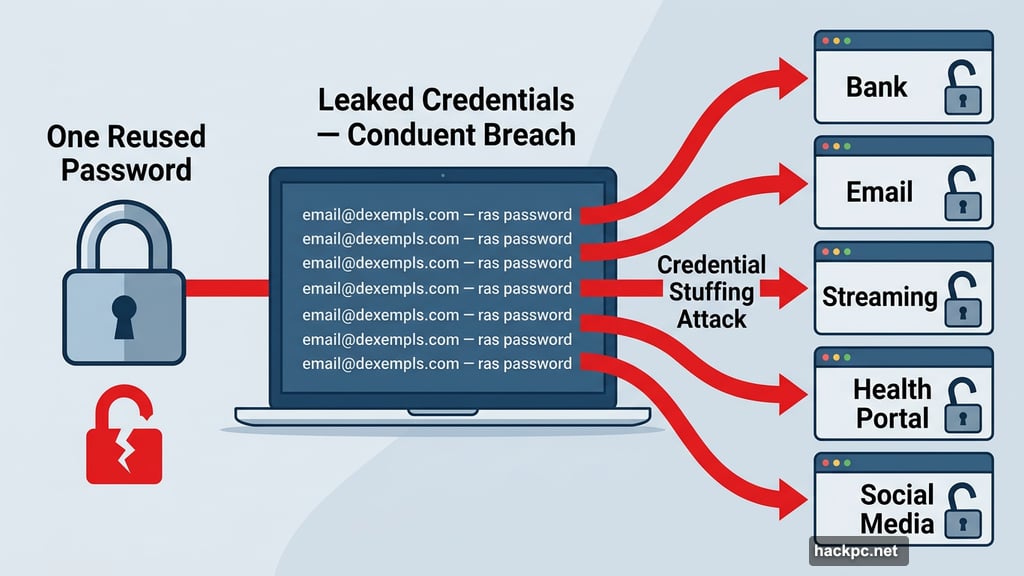
Here’s how a single breach becomes five breaches: attackers take the leaked email and password combinations and run them automatically across hundreds of popular websites. If you used the same password on your email, your bank, and your streaming accounts, they just unlocked all three with one stolen credential.
Every account needs its own unique password. Ideally something long and randomly generated, like v8$Qm!2ZrP9@kLwX with at least 14 characters. Apple-style passwords work well too — think ajwQ7-alxup-haytz, which is 20 characters and genuinely hard to crack.
Yes, they’re annoying to manage. That’s exactly why password managers exist. Tools like 1Password or Bitwarden generate and store unique passwords for every site, so you only need to remember one master password. If you’d rather not pay for one, both iOS and Android come with free built-in options. iCloud Keychain handles it for iPhone users, while Google Password Manager does the same on Android.
Some services now support passkeys, which go a step further. Passkeys replace traditional passwords with device-based authentication that can’t be phished or reused if another site gets breached. Worth enabling wherever you see it as an option.
Two-Factor Authentication Beats Almost Everything
Beyond passwords, 2FA adds a second layer that stops most account takeover attempts cold. Even if an attacker has your username and password, they still need that second factor — a temporary code, a biometric scan, or a hardware key — to get in.
Turn it on for every account that supports it, especially those holding financial or medical data. App-based authenticators and physical hardware keys like YubiKey are the most secure options. But honestly, even SMS-based 2FA is better than nothing, so don’t skip it just because it’s not the gold standard.
Once you’ve set up 2FA, save your recovery codes somewhere secure. These backup codes are often the only way back into your account if you lose your phone or security key. Store them somewhere offline or in a dedicated secure notes app.
Check Whether Someone’s Already Inside
Securing your credentials matters, but so does checking whether damage has already been done. Go through your recent login history and transaction records on important accounts. Look for password reset emails you didn’t request, new email forwarding rules you didn’t set up, or profile changes you don’t recognize.
For financial accounts, turn on transaction alerts if you haven’t already. Even small, unusual charges can signal someone testing a stolen card before making bigger moves.
If you find anything suspicious, contact the service directly and follow their account recovery process. Don’t wait.
Old App Connections Become Security Holes
Over time, accounts collect digital clutter — third-party apps you connected once and forgot, browser extensions with broad permissions, old devices still logged in. After a breach, these become potential entry points.
Go through your connected apps and devices on major accounts and remove anything unfamiliar or outdated. Logging out of all active sessions at once is also a smart move. If an attacker is currently signed in somewhere, that step kicks them out immediately.
Stay Alert Well After the Breach
Locking things down once isn’t enough. Some attackers deliberately wait months before using stolen credentials, betting that people will have relaxed by then.
Consider signing up for breach monitoring through a password manager or a dedicated identity monitoring service. Enable security notifications on your most important accounts so you get alerted the moment a new login attempt or account change happens. Staying informed is genuinely your best long-term defense.
Data breaches feel overwhelming, but the response doesn’t have to be. Start with your email, update your passwords, add two-factor authentication, and keep watching your accounts in the weeks ahead. A few hours of effort now can prevent months of headaches later — and with breaches becoming a routine part of digital life, building these habits is worth it well beyond this particular incident.




Comments (0)