
If you’ve ever felt stuck between a free PDF viewer and a feature-packed professional suite, Adobe Acrobat Standard pitches itself as the sweet spot. But does the middle ground actually deliver enough value to justify the price?
After putting it through its paces, the answer is a qualified yes — with some notable caveats worth knowing before you commit.
What Acrobat Standard Actually Offers
Acrobat Standard sits in the middle of Adobe’s PDF lineup. It’s a step above the free Acrobat Reader and a step below the full-featured Acrobat Pro.
That means you get a solid set of everyday tools. You can edit text and images, rearrange pages, convert files to and from PDF, fill and sign forms, request e-signatures, and add password protection. Commenting, review tools, fillable forms, and image export round out the package nicely.
Plus, because it’s a subscription product, you get automatic updates as long as you keep paying. So the software stays current without any extra effort.
The Interface Feels Genuinely Polished
One thing Acrobat Standard gets right is its design. The interface uses the same broad layout as Acrobat Pro, with a home view for recent and cloud files, a tabbed document workspace, and tool panels that keep common actions within easy reach.
Compared to many cheaper PDF editors, this matters more than you’d think. A lot of lower-cost alternatives feel cluttered or visually dated. Standard, by contrast, feels like a mature, well-organized product.
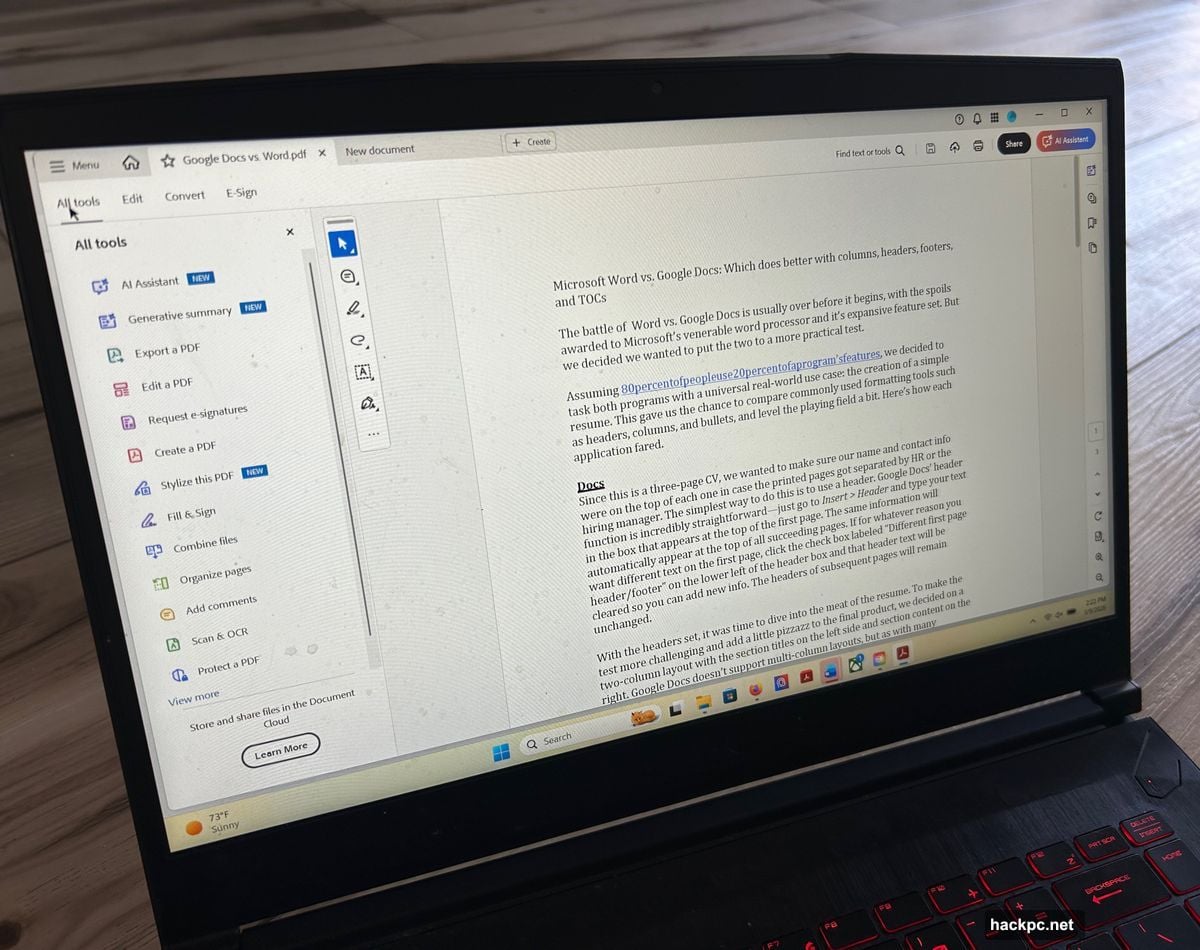
If you’ve used any Adobe subscription software before, you’ll feel at home immediately. The learning curve is minimal.
Core Performance: Reliable and Consistent
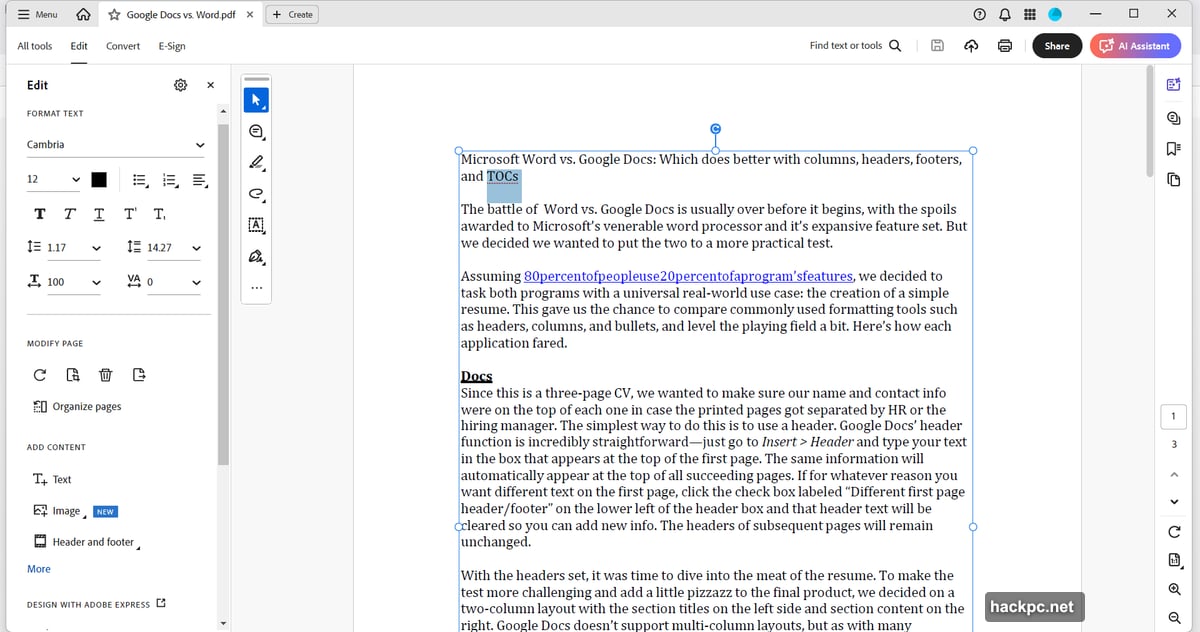
In testing, the fundamental tools worked exactly as advertised. Basic text edits were straightforward and clean. File conversions — turning PDFs into Word docs, Excel sheets, and other common formats — completed without obvious errors or formatting disasters.
The form and signing tools were particularly easy to use. You can fill out forms, add your signature, and request signatures from others without digging through confusing menus. For routine document workflows, that consistency is genuinely valuable.
Adobe’s platform maturity shows here. Standard doesn’t feel experimental or buggy. It just works.
The Missing Features Are Hard to Ignore
Here’s where things get complicated. Adobe withholds enough useful tools from Standard that the “entry-level” label starts to sting.
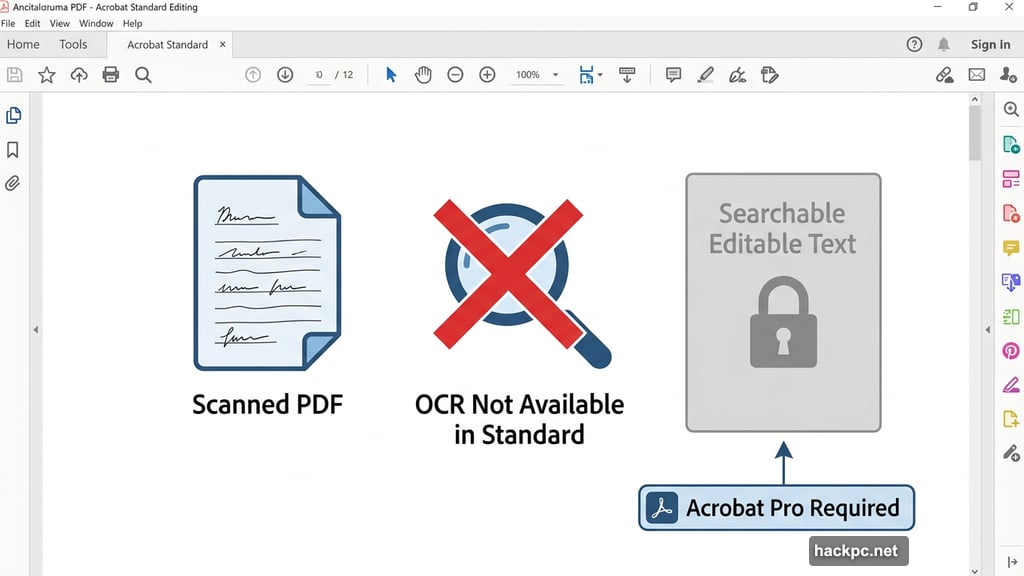
The biggest gap is OCR — optical character recognition. That means you cannot turn scanned paper documents into searchable, editable text in Acrobat Standard. You’d need to upgrade to Acrobat Pro for that. For anyone who regularly deals with scanned contracts, receipts, or archival documents, this is a dealbreaker.
Redaction tools are also missing. So if you need to permanently black out sensitive information before sharing a document, Standard won’t help. Similarly, there’s no side-by-side document comparison, which is surprisingly useful when reviewing multiple versions of contracts or reports.
Adobe’s AI Assistant — which can summarize documents, answer questions about their contents, and generate draft text — costs extra on top of the subscription. It runs $4.99 per month or $59.88 per year.
How Much Does Acrobat Standard Cost?
The pricing breaks down like this:
- Month-to-month: $24.99 per month
- Annual plan, billed monthly: $14.99 per month
- Annual plan, paid upfront: $179.88 per year
Those prices put it in direct competition with alternatives like Foxit PDF Editor and PDFelement. Both of those offer comparable or broader feature sets at lower costs. That competitive pressure matters when Standard is already a feature-limited tier within Adobe’s own lineup.
Who Should Actually Buy This?
Acrobat Standard makes the most sense for people with straightforward PDF needs who already trust Adobe’s ecosystem and want a polished, reliable experience.
If your workflow involves editing, conversion, forms, signing, and basic password protection, Standard handles all of it well. The interface is clean, the tools behave predictably, and the cross-platform availability — it runs on both Windows and macOS — adds flexibility.
But if scanned documents, sensitive file redaction, or version comparison are regular parts of your work, you’ll hit Standard’s ceiling fast. At that point, Acrobat Pro becomes the more honest recommendation, even though it costs more.
The frustrating part isn’t what Standard does. It’s how precisely Adobe calibrated what Standard doesn’t do to nudge you toward a pricier plan. That’s a reasonable business strategy, but it means the lower price is less of a bargain than it first appears.
If you want a capable, no-fuss PDF editor and your needs stay within Standard’s scope, it delivers. Just go in knowing exactly where those limits are.


Comments (0)