

Adobe dropped something big at MAX 2024. Forget one-off AI tricks that generate a single image or apply a quick filter. The company built AI assistants that actually understand your entire creative workflow.
These aren’t chatbots throwing out random suggestions. They’re context-aware teammates that learn your style, anticipate what you need next, and handle the tedious stuff so you can focus on the work that matters.
Let’s break down what Adobe’s doing differently and why it could change how you create.
Conversational Interfaces That Actually Get Creativity
Most AI tools work in isolation. You ask for an image, you get an image. Done. But real creative work doesn’t happen in single steps.
Adobe’s building AI assistants directly into the apps you already use every day. These assistants carry context between tasks, remember your preferences, and adapt to how you work. They blend natural conversation with precise manual control, so you’re never locked into one approach.
Want to organize your content library through conversation? The assistant handles it. Need pixel-perfect adjustments? Switch to hands-on editing instantly. The interface flexes to match your needs at each stage.
This hybrid design matters because creativity demands both exploration and precision. Sometimes you want to brainstorm freely. Other times you need exact control over every detail. Adobe’s assistants support both modes seamlessly.
AI Assistant in Express: Beyond-the-Template Content
Adobe Express just launched AI Assistant in public beta today. It helps anyone create polished, professional content simply by describing what they want.
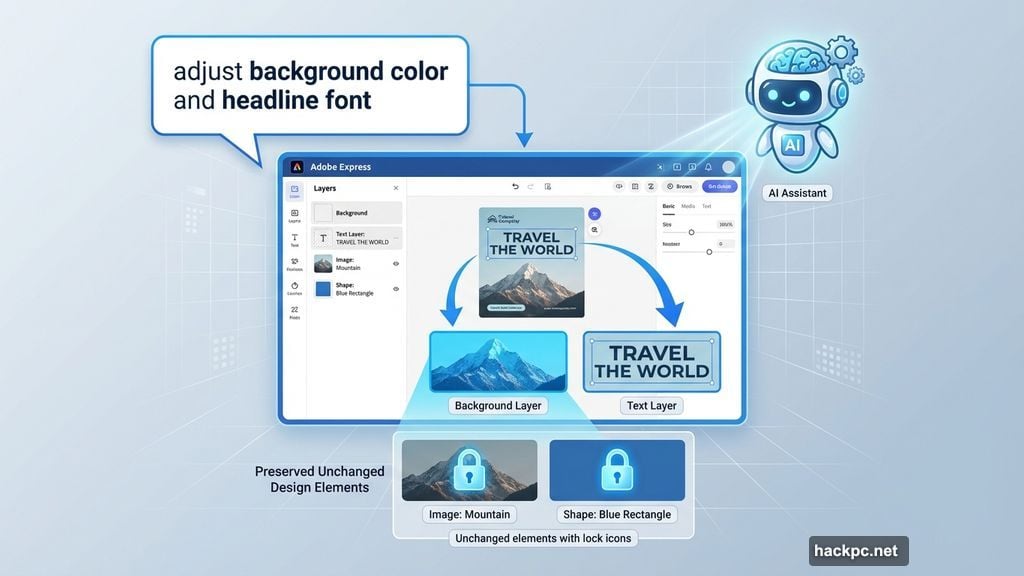
Here’s what makes it different. Most editing tools force you to start over when you want changes. Adobe’s assistant lets you iterate on individual elements or layers without losing the parts you already love.
Say you design a social post but want to adjust just the background color and headline font. The assistant makes those specific changes while preserving everything else. No template limitations. No starting from scratch.
This approach democratizes design. You don’t need expert-level skills to produce content that reflects your unique brand and style. Just explain your vision in plain language and refine as you go.
AI Assistant in Photoshop: Your Creative Copilot
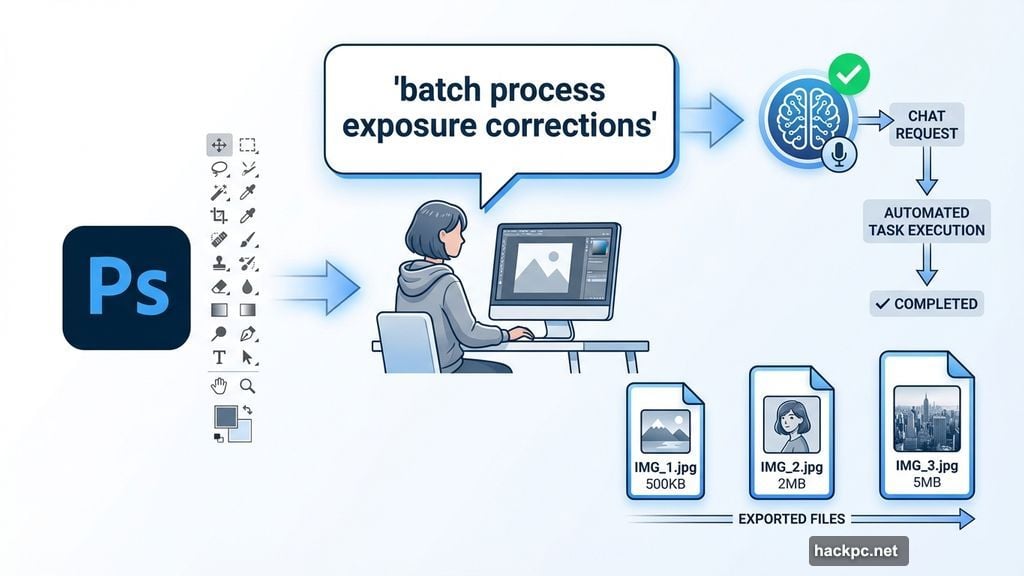
Photoshop‘s AI Assistant (now in private beta on the web) goes deeper for professional creators. It handles complex multi-step workflows, offers personalized recommendations, and guides you through advanced techniques.
The seamless switching matters most. You chat with the assistant to accomplish a series of tasks, then flip to manual tools when you need precise control. No friction. No context loss.
Imagine preparing images for a client presentation. You ask the assistant to batch process exposure corrections, apply your signature color grade, and export in three different sizes. It executes the workflow while you focus on the creative decisions that make the work yours.
For professionals managing dozens of projects, this kind of automation saves hours every week without sacrificing creative control.
Project Moonlight: The Orchestration Layer
Adobe’s real innovation shows up in Project Moonlight, now entering private beta. Think of it as a conductor coordinating an entire orchestra of specialized AI assistants.
Each Adobe app has its own expert assistant. Photoshop excels at image editing. Premiere handles video. Lightroom masters photography workflows. Project Moonlight brings them all together.
Just tell Moonlight what you need, and it orchestrates the right combination of assistants to bring your vision to life. It’s like having a creative team that collaborates automatically.
Three Core Capabilities
Context-aware creative intelligence: Moonlight connects to your Creative Cloud libraries and social accounts to understand your style, past projects, and existing assets. It surfaces personalized ideas that feel authentically yours, not generic templates.
Conversational creation: As you exchange ideas with Moonlight, it generates images, videos, and social posts aligned to your direction. You move effortlessly from brainstorming to execution without switching between apps manually.
Data-driven strategy: Link your social channels so Moonlight can analyze performance, identify what’s working, and craft content strategies that grow your audience. It turns analytics into actionable creative direction.
Adobe’s starting with ideation and creation — the earliest stages where creators told them they want AI collaboration most. More capabilities are coming as the beta expands.
Beyond Adobe’s Apps: Meeting You Where You Work
Adobe knows creativity doesn’t stay contained in one ecosystem. So they’re bringing these conversational experiences to popular chatbot platforms too.
Imagine designing a flyer for an event directly in your favorite chatbot. You describe what you want, customize it through conversation, then jump into Adobe Express for final refinement and cross-channel scheduling.
This multi-surface approach removes friction from creative workflows. You’re not locked into using Adobe’s apps exclusively. The tools meet you wherever you’re already working.
Why This Approach Matters
Most companies bolt AI onto existing products as a gimmick. Adobe’s building it as a fundamental rethinking of creative workflows.
The conversational interface isn’t just easier to use. It changes what’s possible. You can accomplish complex multi-app workflows that previously required expert knowledge. The assistants handle the orchestration while you focus on creative decisions.
Plus, the context-awareness means these tools get better over time. They learn your style, anticipate your needs, and adapt to how you work. That’s the difference between a one-off AI trick and a true creative partner.
What Creators Should Watch For
Adobe’s opening Project Moonlight to beta testers who want to help shape its future. Your feedback directly influences how these capabilities evolve across Adobe’s ecosystem.
Sign up for the waitlist if you want early access. The company’s prioritizing creators who will actually use these tools daily and provide substantive input.
This is just the beginning. Adobe’s roadmap extends these conversational assistants across the entire creative process — from ideation through publishing and performance analysis. The vision is comprehensive creative support that adapts to your needs at every stage.
Whether you’re a solo creator managing multiple platforms or a professional juggling client projects, these AI assistants promise to handle the tedious work so you can focus on craft. That’s a shift worth paying attention to.


Comments (0)