
Apple dropped something big this week. Xcode 26.3 now lets AI agents from OpenAI and Anthropic write entire chunks of your code automatically.
This isn’t just autocomplete on steroids. These agents explore your project, understand what you’re building, write code, run tests, and fix their own mistakes. All while you watch it happen in real time.
So what does this mean for developers? Let’s break down what actually changed and whether you should care.
AI Agents Can Now Control Xcode’s Tools
Previous Xcode updates added ChatGPT and Claude as chat assistants. Helpful, sure. But they couldn’t touch your actual project files or run builds.
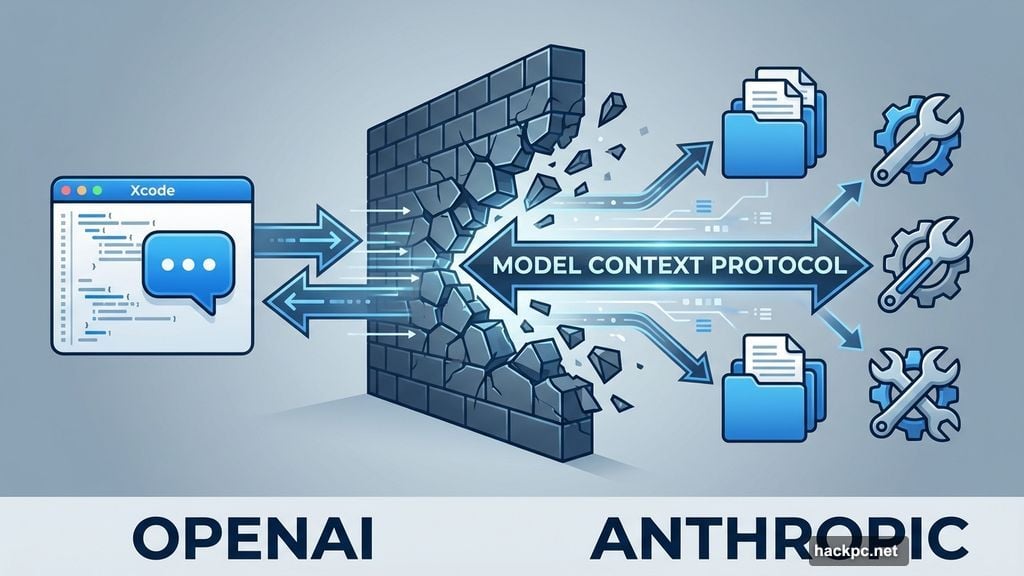
That barrier just disappeared. With Xcode 26.3, AI agents get direct access to Apple’s development tools through something called Model Context Protocol (MCP). Now they can navigate your codebase, modify files, build projects, and run tests without needing you to copy-paste everything back and forth.
Here’s what the agents can do:
- Explore project structure and understand your app’s architecture
- Make changes across multiple files simultaneously
- Build your project to check for compilation errors
- Run automated tests and analyze results
- Access Apple’s latest API documentation automatically
- Fix bugs they discover during testing
Apple worked directly with Anthropic and OpenAI to optimize how these agents use tokens and call tools. Translation: the agents run efficiently instead of burning through your API credits on pointless tasks.
You Tell It What to Build In Plain English
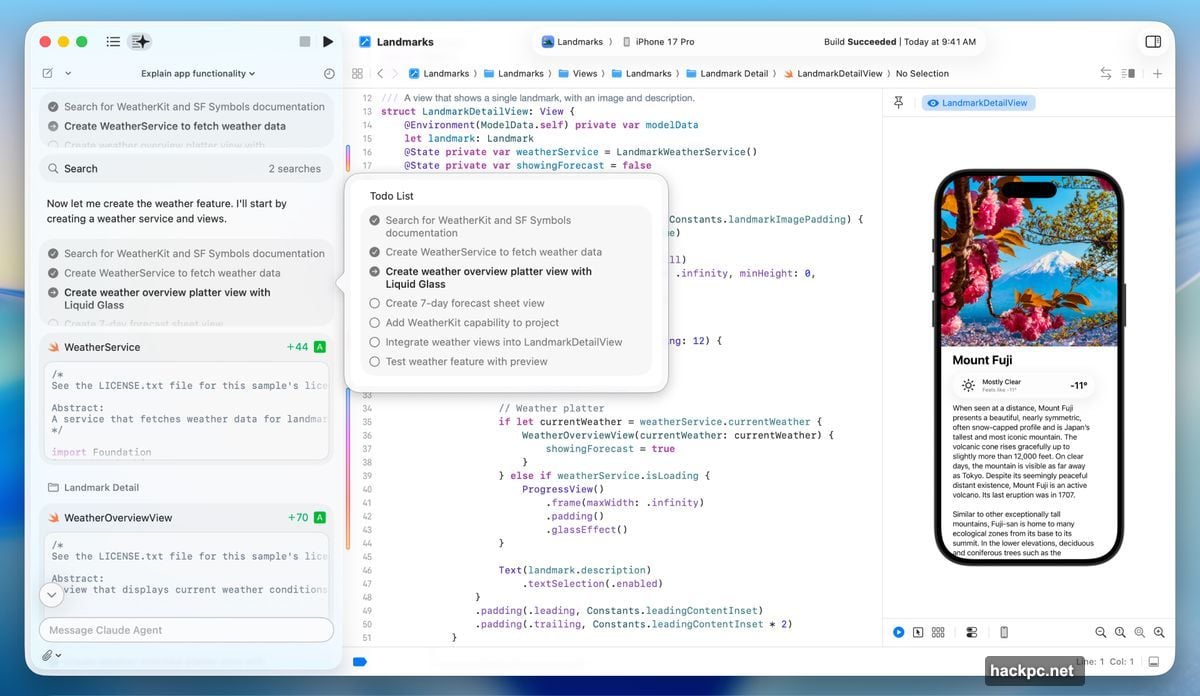
The interface feels almost too simple. There’s a prompt box on the left side of your Xcode window. You type what you want in normal language.
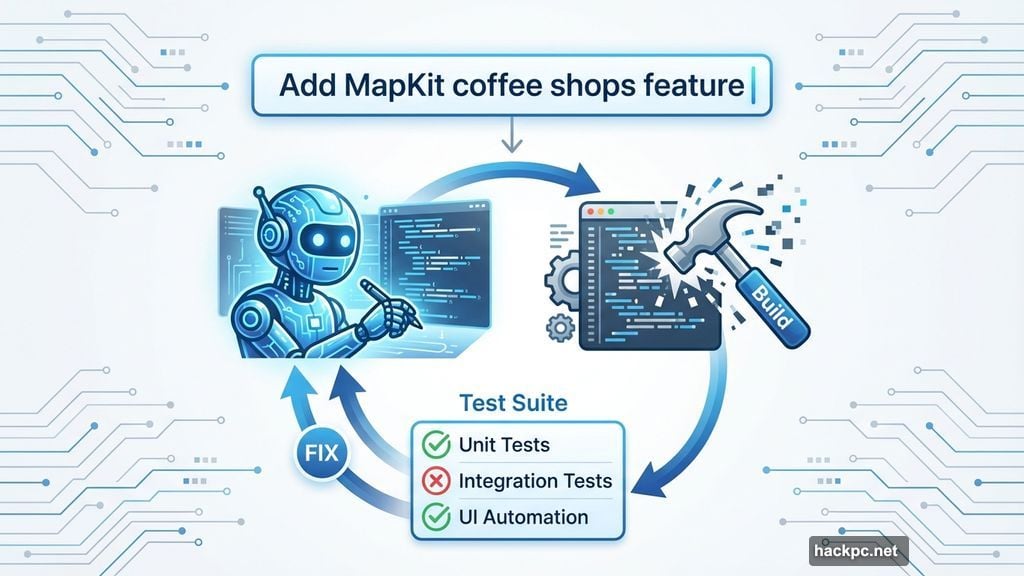
For example: “Add a feature that uses MapKit to show nearby coffee shops with a custom annotation style.”
The agent breaks that request into smaller steps. It searches Apple’s documentation for MapKit best practices. Then it starts writing code while showing you exactly what it’s doing.
Every change gets highlighted visually in your code editor. Plus, a transcript panel on the side explains the agent’s reasoning at each step. You’re not watching a black box. You can see the entire decision-making process unfold.
Meanwhile, Xcode creates automatic milestones every time the agent modifies something. Don’t like where things are heading? Revert to any previous state with one click.
The Testing Loop Actually Works
Most AI coding tools stop after generating code. They assume it compiles. They hope it works. But they don’t verify anything.
These Xcode agents close that loop. After writing code, they build the project to catch syntax errors. Then they run your test suite to check if the new feature breaks existing functionality.
When tests fail, the agent reads the error messages and tries to fix the problems. Sometimes it works on the first attempt. Other times it iterates several times before getting things right.
Apple suggests one useful trick: ask the agent to explain its plan before writing any code. That forces the AI to think through the architecture first instead of diving straight into implementation. Results tend to improve when you do this.
New Developers Might Learn Faster This Way
Here’s an unexpected benefit. Watching an AI agent build features step-by-step could teach coding concepts faster than traditional tutorials.
You see how experienced developers structure projects. You observe debugging strategies in action. You learn which Apple frameworks solve which problems. All without sitting through hours of video courses or reading documentation that puts you to sleep.
Apple clearly thinks this matters. They’re hosting a live “code-along” workshop Thursday where developers can watch experts use agentic coding tools and try the same tasks in their own Xcode setup.
Whether this actually helps beginners or just makes them dependent on AI assistance remains to be seen. But the transparency is there. You’re not just getting finished code. You’re watching the entire construction process.
Not Just Limited To Apple’s Preferred AI Companies
Xcode 26.3 supports any MCP-compatible agent. So while Apple launched with Anthropic’s Claude Agent and OpenAI’s Codex, developers can connect other AI tools that follow the Model Context Protocol standard.
You download agents through Xcode’s settings. Then connect your accounts either by signing in or adding API keys. A dropdown menu lets you switch between different model versions, like comparing GPT-5.2-Codex against GPT-5.1 mini.
This openness matters. Apple’s not locking developers into one AI provider. Competition between AI companies should improve these tools over time while potentially keeping costs reasonable.
What This Means For Professional Developers
Junior developers will love this. It helps them build features they couldn’t create alone yet. It teaches patterns and practices while shipping actual code.
Senior developers might feel conflicted. These agents handle boilerplate and repetitive tasks brilliantly. That’s useful. But complex architecture decisions still need human judgment. AI agents sometimes make weird choices when the requirements get subtle or the trade-offs aren’t obvious.
Plus, there’s the uncomfortable question. If AI agents can build straightforward features autonomously, what happens to entry-level coding jobs? That concern isn’t theoretical anymore. It’s happening now with these exact tools.
Apple’s Bigger Play Here
This update positions Xcode as the center of an AI-assisted development workflow. Not just a code editor. Not just a build system. But an environment where human developers collaborate with AI agents to ship apps faster.
Microsoft already pushed hard into AI-assisted coding with GitHub Copilot. Google has similar tools. Apple was lagging behind. This update closes that gap and possibly leaps ahead by integrating agents directly into the official IDE for Apple platforms.
Developers building iOS, macOS, watchOS, or visionOS apps now have AI agents that understand Apple’s frameworks, follow Apple’s guidelines, and reference Apple’s documentation automatically. That tight integration matters more than people might expect.
Should You Try It Right Now?
The Xcode 26.3 Release Candidate launched Tuesday on Apple’s developer website. It’ll hit the App Store soon for everyone else.
Whether you should dive in depends on your situation. If you’re learning to code or building side projects, absolutely try it. The worst case scenario is you revert the changes and lose a few minutes. The best case is you ship features you couldn’t build before.
If you’re working on production code for a real business, approach carefully. Test the agents on non-critical features first. Verify everything they generate. Trust but verify should be your motto here.
These tools will get better fast. AI coding agents are improving monthly, not yearly. What feels experimental today might become standard practice by next quarter.
For now, Apple just handed developers a genuinely useful tool. Not perfect. But useful enough that it’ll change workflows for millions of people building apps.




Comments (0)