
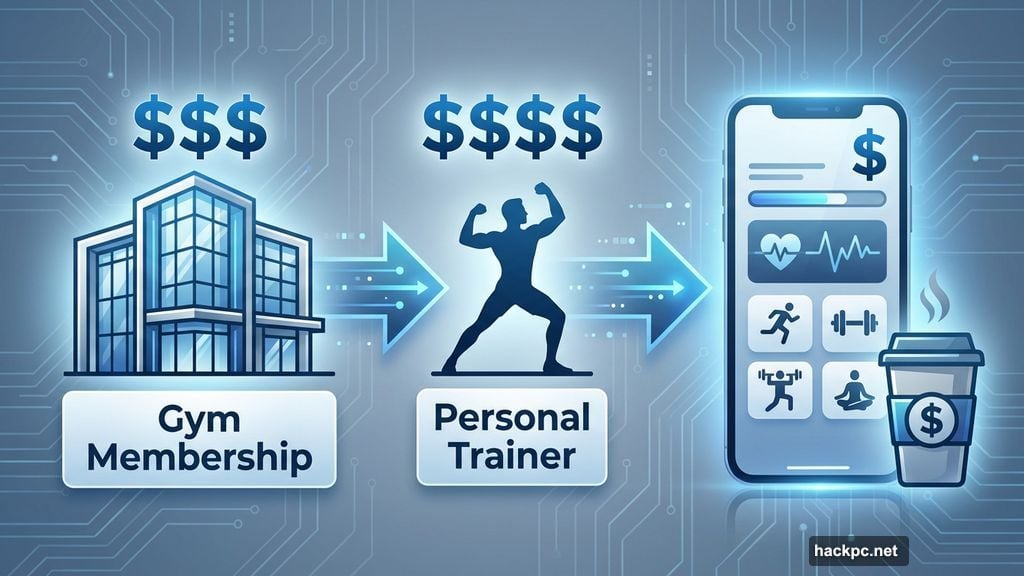
Gym memberships cost a fortune. Personal trainers charge even more. So what if you could get fit from your living room for less than the price of a fancy coffee?
Workout apps promise exactly that. But most fall flat. I tested dozens to find which ones actually help you reach fitness goals without wasting money or time.
The truth? Only a handful are worth downloading. Here’s what separates the winners from the clutter.
Nike Training Club: Still the Free Standard
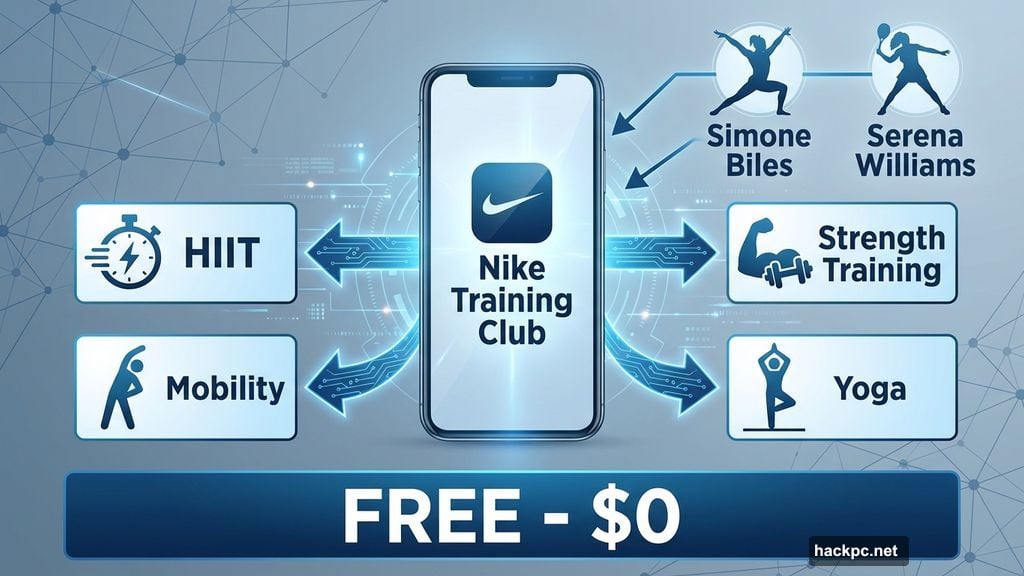
Nike Training Club remains unbeatable for one reason: it’s completely free and doesn’t skimp on quality.
You get HIIT workouts, strength training, mobility sessions, and yoga classes. All at zero cost. Plus, the app lets you follow month-long programs if you want structure instead of random workouts.
What makes Nike stand out? The company recruited famous athletes like Simone Biles and Serena Williams to inspire workout programs. So you’re not getting generic fitness advice from unknown instructors.
The downside? It lacks personalization. You can’t adjust programs to your specific goals or injuries. And unless you own an Apple Watch, you won’t track detailed fitness metrics during workouts.
But for free access to quality fitness content, Nike Training Club beats every competitor. No subscription fees. No hidden costs. Just solid workouts whenever you need them.
Future: Personal Training Gets Affordable
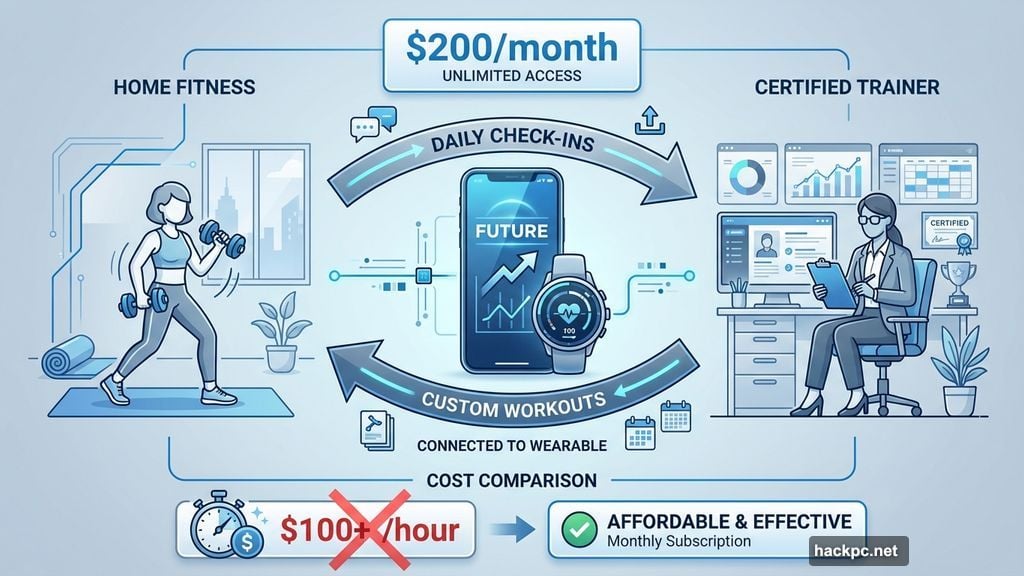
Future costs $200 monthly. That sounds steep until you compare it to traditional personal training sessions that run $100+ per hour.
Here’s what makes Future different. You get matched with an actual certified trainer who creates custom workouts based on your goals, equipment, and fitness level. Your trainer checks in daily, adjusts your program, and holds you accountable.
I’ve used Future for over a year now. Having a real person review my progress and modify workouts makes a huge difference. Plus, the app integrates with Apple Watch and Android wearables, so my trainer sees detailed performance data without me typing reports.
The catch? You need self-motivation. Future doesn’t offer live classes or group energy. It’s just you and your customized workout plan. If you thrive on community vibes, look elsewhere.
But if you want legitimate personal training without leaving home, Future delivers better value than gym-based alternatives.
Peloton App One: Boutique Classes Without the Bike
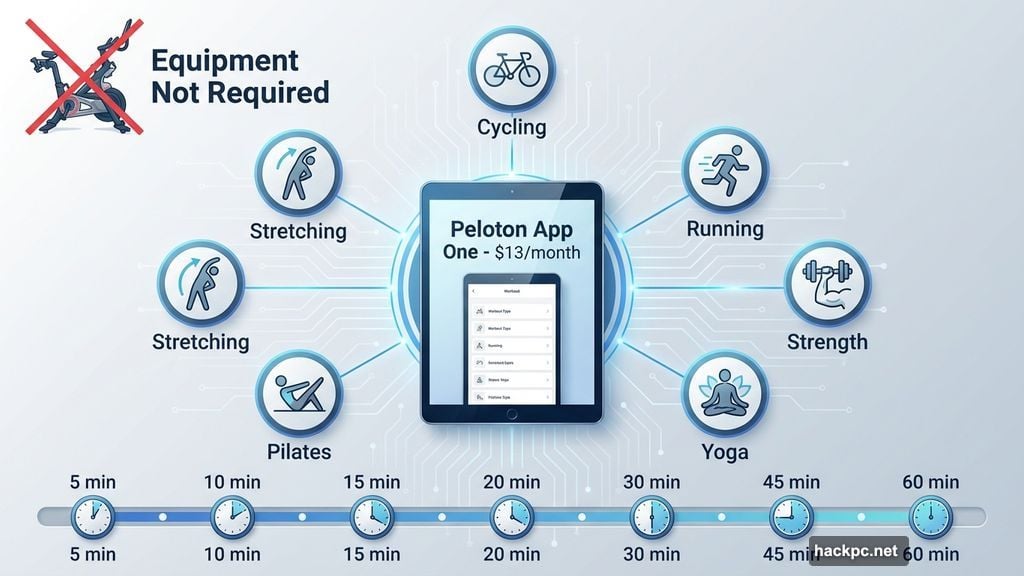
Peloton built its reputation on expensive bikes and treadmills. But their $13 monthly app gives you access to thousands of classes without owning any Peloton equipment.
You get cycling, running, strength training, yoga, Pilates, and stretching classes. All taught by Peloton’s energetic instructors who actually make workouts enjoyable instead of torture sessions.
My husband and I use Peloton regularly because class lengths vary from 5 to 60 minutes. Short on time? Grab a quick core session. Have an hour? Take a full cycling class. The flexibility keeps us consistent.
However, Peloton App One costs $13 monthly while the all-access membership runs $50 monthly. If you own Peloton equipment, the upgrade makes sense. Otherwise, stick with the cheaper option unless you desperately need leaderboard competition.
The first month comes free. Test it before committing. Most people either love Peloton’s instructor energy or find it overwhelming. You’ll know which camp you’re in after a few classes.
Strava: The Runner’s Essential Tool
Strava doesn’t offer workout classes or training programs. Instead, it tracks running and cycling with GPS precision that other apps can’t match.
As an avid runner who’s tested every major running app, Strava remains my top pick. It connects to Apple Watch, Garmin, Fitbit, and Suunto devices. Plus, it links you with friends who cheer on your achievements or comment on posts.
The free version handles everything most runners need. Track mileage, pace, elevation, and routes. Share workouts with friends or keep them private. Simple and effective.
Strava Premium costs $13 monthly or $80 yearly. You get route-building features, detailed performance analytics, and personalized training plans. Worth it if you’re training for races. Overkill for casual joggers.
Strava recently added Beacon safety features. Now you can share real-time location with emergency contacts during runs. Smart addition for runners who train alone or in unfamiliar areas.
But if you’re not a runner or cyclist, skip Strava entirely. It won’t help with strength training, yoga, or general fitness goals.
Sweat: Made by Women, for Women
Australian trainer Kayla Itsines co-founded Sweat, and it shows. The app focuses on women’s fitness goals with programs taught by female trainers.
You get HIIT workouts, strength training, yoga, Pilates, barre, and boxing. All designed specifically for women’s bodies and goals. Plus, Sweat includes meal planning if you want nutrition guidance alongside workouts.
The app costs $25 monthly or $135 yearly. Reasonable compared to boutique fitness class pricing. And you get a seven-day free trial to test before committing.
Downsides exist though. Warm-ups are optional, which seems risky for injury prevention. And the app doesn’t correct form or technique. You’re responsible for learning proper exercise mechanics.
Also, many programs lean heavily into high-intensity interval training. If you have injuries or medical conditions that prevent intense exercise, your options shrink considerably.
Still, Sweat’s active community connects women globally. That social aspect helps many users stay motivated when solo workouts feel isolating.
Ladder: Strength Training Gets Serious
Ladder focuses exclusively on building muscle and strength. No cardio classes. No yoga. Just pure strength programming from expert coaches.
The app matches you with a coach based on your goals, training style, and available equipment. Then you receive weekly workout plans every Sunday night. Each exercise includes video demonstrations and recommended weights.
I tested Ladder’s kettlebell program called Body & Bell. The coach provided detailed guidance on weight selection and form. Plus, I could chat directly with my coach through the app whenever questions came up.
Ladder costs $30 monthly or $180 yearly. Free seven-day trial lets you test the experience first. But here’s the catch: only iPhone users can access Ladder currently. Android users are out of luck.
If you want to lift weights seriously and need structured programming, Ladder delivers. But casual exercisers might find it too specialized and rigid.
Alo Wellness Club: Yoga Takes Center Stage
Alo Wellness Club comes from the popular athleisure brand. The app features extensive yoga classes plus Pilates, barre, meditation, and strength training.
You can choose from hatha, ashtanga, vinyasa, restorative, and prenatal yoga. Classes range from quick 10-minute sessions to hour-long practices. The app also includes skill-building series for advanced poses like handstands.
At $10 monthly (when signing up online), Alo Wellness Club costs less than most yoga studio single classes. You get unlimited access to hundreds of on-demand workouts.
However, Alo only offers on-demand content. No live classes. No instructor interaction. If you thrive on real-time feedback from teachers, you’ll miss that element.
Plus, if yoga isn’t your primary focus, other apps offer more variety. Alo works best for dedicated yoga practitioners who want affordable home practice options.
FitOn: Zero Pressure Fitness
FitOn removes workout intimidation by offering short, varied classes that feel approachable instead of overwhelming.
The basic membership is completely free. You get yoga, dance, Pilates, HIIT, and barre classes. Workouts range from 5 to 45 minutes, making it easy to squeeze exercise into busy schedules.
FitOn Pro costs $30 yearly (or $25 for six months). The upgrade includes nutrition guidance, expert tips, and music integration with Spotify or Apple Music.
Users love that FitOn makes working out feel manageable. One reviewer said the app finally got them moving after years of inactivity. Another praised the freedom to exercise on their own timeline.
But some complaints exist. The app interface occasionally glitches. Smart watch connections fail sometimes. And step counting proves inaccurate compared to dedicated fitness trackers.
Still, FitOn works great for people who dread exercise but know they need to move more. The low-pressure approach helps beginners build consistency without feeling judged.
Apple Fitness Plus: Seamless for iPhone Users
Apple Fitness Plus integrates perfectly with iPhones and Apple Watches. Over 5,000 live and on-demand classes covering yoga, HIIT, strength training, core work, and meditation.
Classes run 5 to 45 minutes, so you’ll find options regardless of schedule constraints. The app lets you schedule workouts in advance, treating exercise like any other calendar appointment.
Apple Watch integration means your metrics display automatically during workouts. Heart rate, calories burned, and movement rings all sync seamlessly. No manual data entry required.
Fitness Plus costs $10 monthly or $80 yearly. You get a three-month free trial with new device purchases. Plus, family sharing lets up to five people access the subscription.
The limitation? Only iPhone users can experience Apple Fitness Plus. Android owners are completely excluded. And despite the vast class library, the app doesn’t offer personalized training like Future.
But for iPhone users who want intuitive fitness content with automatic health tracking, Apple Fitness Plus makes perfect sense.
The Equipment Question Nobody Answers
Most workout app reviews skip this critical detail: what equipment do you actually need?
Nike Training Club requires nothing. Bodyweight exercises dominate the program library. Perfect for apartment dwellers or travelers.
Future adapts to whatever equipment you own. Got dumbbells? Your trainer designs dumbbell workouts. Only resistance bands? You’ll get band-focused programs.
Peloton works best with at least basic equipment like dumbbells or resistance bands. Many classes assume you have weights available, though bodyweight options exist.
Ladder absolutely requires strength training equipment. Kettlebells, barbells, or dumbbells are essential. You can’t complete programs with bodyweight exercises alone.
Check equipment requirements before subscribing. Otherwise, you’ll face surprise costs buying gear to use the app you just paid for.
Live Classes vs On-Demand: Which Matters?
Live classes create accountability and energy. You show up at scheduled times. Instructors call out encouragement. Other participants motivate you through shared struggle.
On-demand classes offer flexibility. Work out at 5 AM or 11 PM. Doesn’t matter. Access any class whenever it fits your schedule.
Peloton, FitOn, and Apple Fitness Plus offer both options. Nike Training Club and Alo Wellness Club stick with on-demand only. Future and Ladder provide neither since they focus on personalized programming instead of classes.
Most people think they want live classes. Then real life happens. Kids get sick. Work runs late. Suddenly, that live class time doesn’t work.
Honestly? On-demand flexibility wins for most people. Live classes feel exciting initially but become scheduling nightmares long-term.
The Real Cost of Free Apps
Free apps sound perfect until you realize their limitations. Nike Training Club offers excellent content but zero personalization. FitOn provides variety but technical glitches frustrate users.
Free apps make money through upgrades, ads, or data collection. Nike uses its app to sell shoes and apparel. FitOn pushes Pro subscriptions. Strava’s free version withholds advanced features.
Nothing wrong with free options. Just understand what you’re trading. Usually, it’s personalization, advanced features, or ad-free experiences.
Paid apps range from $10 monthly (Alo, Apple) to $200 monthly (Future). Middle-ground options like Peloton ($13) and Ladder ($30) balance cost with features.
Ask yourself: what’s preventing you from exercising consistently right now? If lack of personalized guidance is the issue, spending more on Future makes sense. If you just need variety to stay interested, cheaper options like Peloton or Apple work fine.
Which App Actually Fits Your Life?
The “best” workout app doesn’t exist. It depends entirely on your situation, goals, and preferences.
Choose Nike Training Club if you’re new to fitness, want zero financial commitment, and enjoy trying different workout styles. It’s free, varied, and quality content that welcomes beginners.
Pick Future if you struggle with consistency, have specific strength or fitness goals, and can afford $200 monthly. Real personal trainers make the difference between random workouts and actual progress.
Go with Peloton if you love group fitness energy, want live class options, and need workout variety. The instructor quality justifies the $13 monthly cost for most users.
Select Strava if running or cycling dominates your fitness routine. The GPS tracking and social features help runners stay motivated and track progress accurately.
Try Sweat if you prefer women-focused fitness content and want programs designed specifically for female goals. The community aspect helps many women stay consistent.
Use Ladder if building strength is your primary goal and you have access to weight training equipment. The specialized programming beats generic strength classes.
Choose Alo Wellness Club if yoga forms the foundation of your fitness practice. The $10 monthly cost beats yoga studio pricing dramatically.
Pick FitOn if you hate working out but know you need to move more. The low-pressure approach and short classes reduce exercise anxiety.
Go with Apple Fitness Plus if you own an iPhone and want seamless integration with your existing Apple ecosystem. The automatic tracking removes friction from fitness routines.
Test free trials before committing. Most apps offer at least seven days free. That’s enough time to determine if the app’s style matches your preferences and actually motivates you to work out.
The best workout app is whichever one you’ll actually use consistently. Features don’t matter if the app sits unused on your phone while you skip workouts.
Choose based on what eliminates your personal barriers to exercise. Then commit for at least eight weeks. That’s enough time to build habits and see if the app truly fits your life.




Comments (0)