
Staring at a blank page, trying to sell yourself in two pages or less? Yeah, that’s torture.
But here’s the thing. Most resumes never reach human eyes anyway. Automated screening tools filter them first. So unless your resume speaks the language of both bots and recruiters, you’re invisible.
I decided to test if ChatGPT could actually help. Not write the whole thing—that’s a terrible idea—but handle the grunt work. Turns out, AI’s pretty good at organizing information. You just need to know how to ask.
Why Your Generic Resume Gets Ignored
One-size-fits-all resumes die in applicant tracking systems. These systems scan for keywords, specific formatting, and role-relevant experience. Miss any of those? Straight to digital trash.
Plus, today’s job market is brutal. Mass layoffs mean hundreds of candidates compete for single positions. Your resume needs to be razor-sharp just to get noticed.
That’s where AI comes in. It won’t replace your judgment, but it can structure your experience in ways that pass automated filters. Then you add the human touch that makes recruiters actually want to meet you.
How ChatGPT Handles Resume Building
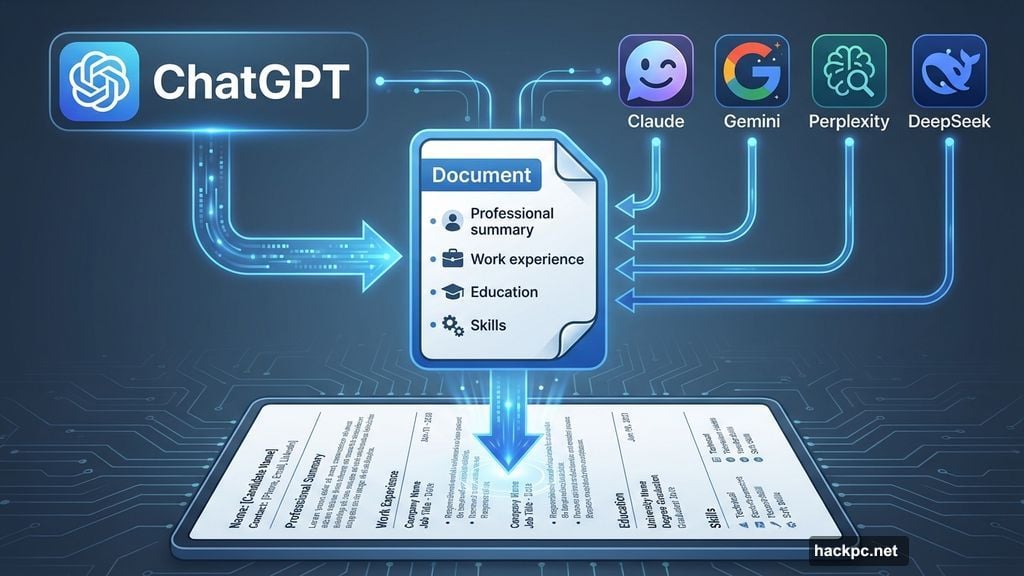
I tested ChatGPT specifically, but the same approach works with Claude, Gemini, Perplexity, or DeepSeek. All offer free versions that handle basic resume work.
However, there’s a catch. AI needs context. Feed it vague instructions and you get generic garbage. Sometimes it even invents qualifications you don’t have. So preparation matters.
Before opening ChatGPT, I gathered my information. Past job descriptions, education details, notable achievements, and a resume template I liked. Then I asked ChatGPT what it needed.
The chatbot responded with a clear list:
- Professional summary
- Work experience with dates
- Education background
- Skills to highlight
- Preferred format
So I pasted everything, organized like this:
“Here is my professional summary: [details]
Here is my work experience: [details]
Here are my major clients: [details]
Here is my education: [details]
Please generate a skills list based on my experience and format everything like this template: [pasted example]”
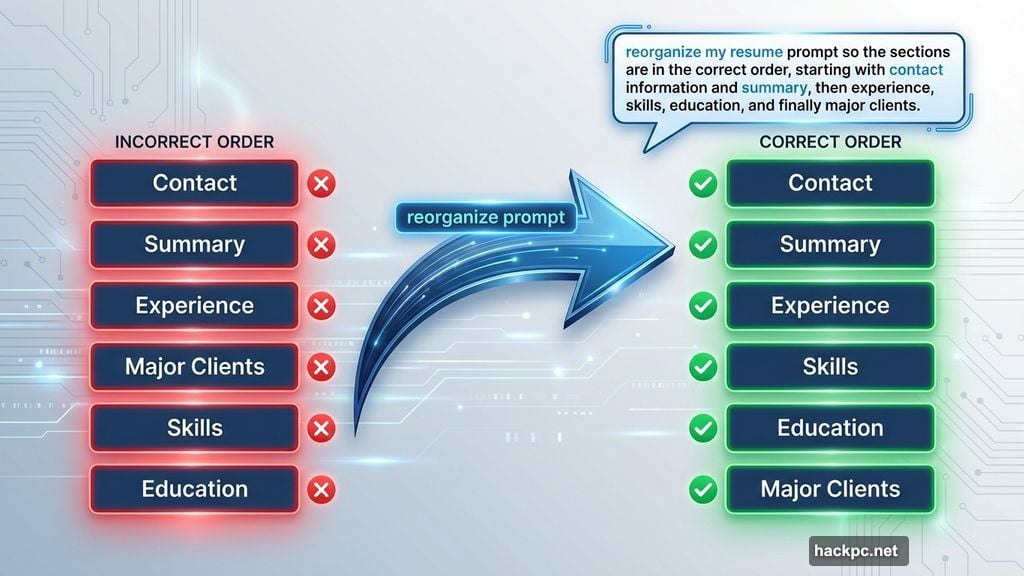
ChatGPT organized it all within seconds. But the structure felt off—it put education before experience, making me look entry-level despite 10 years of freelance work.
Fixing AI’s Organizational Mistakes
One quick prompt fixed the structure issue:
“Please reorganize sections in this order: Contact Details, Summary, Experience, Major Clients, Skills, Education.”
Better. But I noticed two problems right away.
First, my freelance decade needed more detail. I’d lumped everything under “Freelance Reporter and Writer” without showing the scope of work. So I prompted ChatGPT to add two major contract roles with specific responsibilities.
Second, the skills list ran way too long. I asked it to arrange skills in two columns instead.
ChatGPT tried. And failed. It created a table with borders, which looked awful. I asked again—two columns, no table, no borders. Still failed.
After three attempts, I gave up and did it myself in five minutes. Some things are faster to fix manually than to keep prompting.
Keeping Your Private Information Safe
Notice I didn’t give ChatGPT my contact details? That was intentional.
AI models can experience data breaches. Plus, there’s no reason to feed sensitive information into a system that stores and learns from inputs. I added my email, phone number, and address myself in the final document.
Same goes for any truly personal information. Let AI structure and organize. You handle the sensitive stuff.
What ChatGPT Gets Wrong About Resumes
Before finalizing, I asked ChatGPT for improvement suggestions. Its advice included:
- Highlight achievements
- Quantify results with metrics
- Tailor resume to specific jobs
- Add industry keywords
- Make professional summary more concise
Some of that’s solid. Starting bullet points with action verbs? Yes. Adding metrics to achievements? Absolutely.
But “make your summary more concise” didn’t fit my needs. I’m applying for writing jobs. My summary demonstrates narrative ability, which is exactly what employers want to see. Cutting it would hide my strongest skill.
That’s the lesson. AI gives general advice. You know your field better. Trust your human instinct over generic suggestions.
The Real Risk Nobody Warns You About
Employers can detect AI-written text. Not perfectly, but well enough that fully automated resumes get flagged.
So here’s the rule: Never let AI write your entire resume. Use it to organize information, suggest phrasing, and structure sections. Then rewrite everything in your own voice.
Also, check for hallucinations. AI sometimes invents skills or experience you don’t have. If that slips through, you’re lying on a job application. That’s grounds for immediate rejection or even termination later.
Review every single line. If you didn’t do it, remove it. If AI made it sound better than reality, tone it down. Accuracy beats impressive-sounding lies every time.
My Final Resume Reality Check
After ChatGPT’s initial draft, I made several manual edits:
- Added my logo and byline hyperlinks
- Reorganized skills into two clean columns
- Expanded notable projects section
- Cut from four pages to three
- Double-checked every claim for accuracy
The result? A resume that passes automated screening and shows my actual abilities. It took maybe 90 minutes total, including all the back-and-forth with ChatGPT.
Compare that to the usual day-long struggle of formatting, writing, and second-guessing every word. AI didn’t write my resume, but it made the process dramatically faster.
Just remember—ChatGPT is a tool, not a ghostwriter. You’re still responsible for what’s on that page.




Comments (0)