

OpenAI dropped $3 billion on Windsurf weeks ago. Their biggest acquisition ever. That tells you something about where AI coding tools are heading.
But here’s the thing. Windsurf isn’t the only game in town. Cursor‘s been quietly building a loyal following among developers who refuse to leave VS Code. So which one actually helps you ship code faster?
Let’s break down what matters. No fluff. Just what these tools do differently and which one fits your workflow.
What Makes These Tools Different
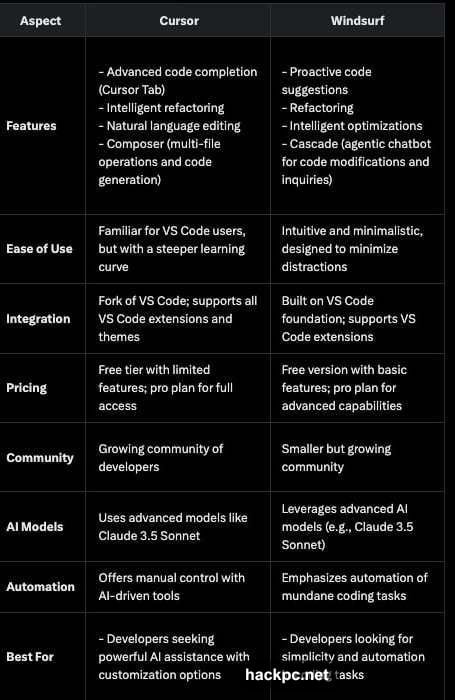
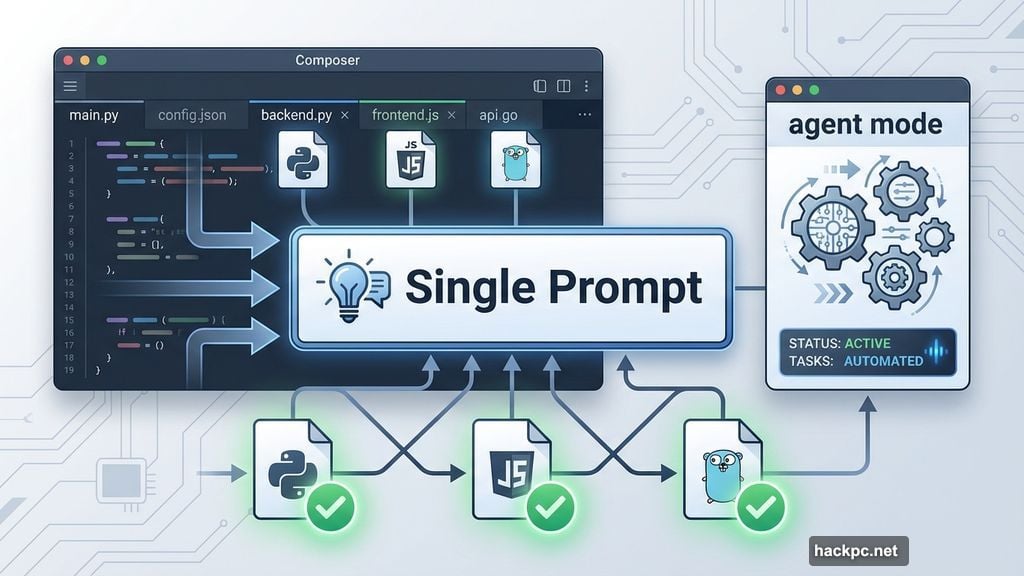
Cursor rebuilt VS Code with AI baked deep into every feature. Think autocomplete that predicts entire functions. An agent mode that rewrites multiple files from one prompt. All inside an editor that feels exactly like VS Code because it basically is.
Plus, you get Copilot++ for smarter suggestions and Composer for codebase-wide edits. The learning curve exists but it’s shallow if you’ve touched VS Code before.
Windsurf took a different path. Instead of modifying an existing editor, they built a fresh IDE from scratch. Their big ideas are Cascade and Supercomplete—features designed to keep you in flow without jumping between windows or hunting for context.
The interface feels cleaner. Less cluttered. More focused on what you’re building right now instead of managing fifty open tabs.
Speed vs Control: The Real Tradeoff
Cursor gives you precision. Its agent mode executes multi-file tasks with surgical accuracy when you feed it clear instructions. Developers rave about Composer’s ability to refactor entire codebases without breaking things.
But that power demands setup. You need decent hardware. You’ll spend time configuring .cursorrules files to get the best results. And sometimes the AI tries to do too much, especially when your prompt lacks context.
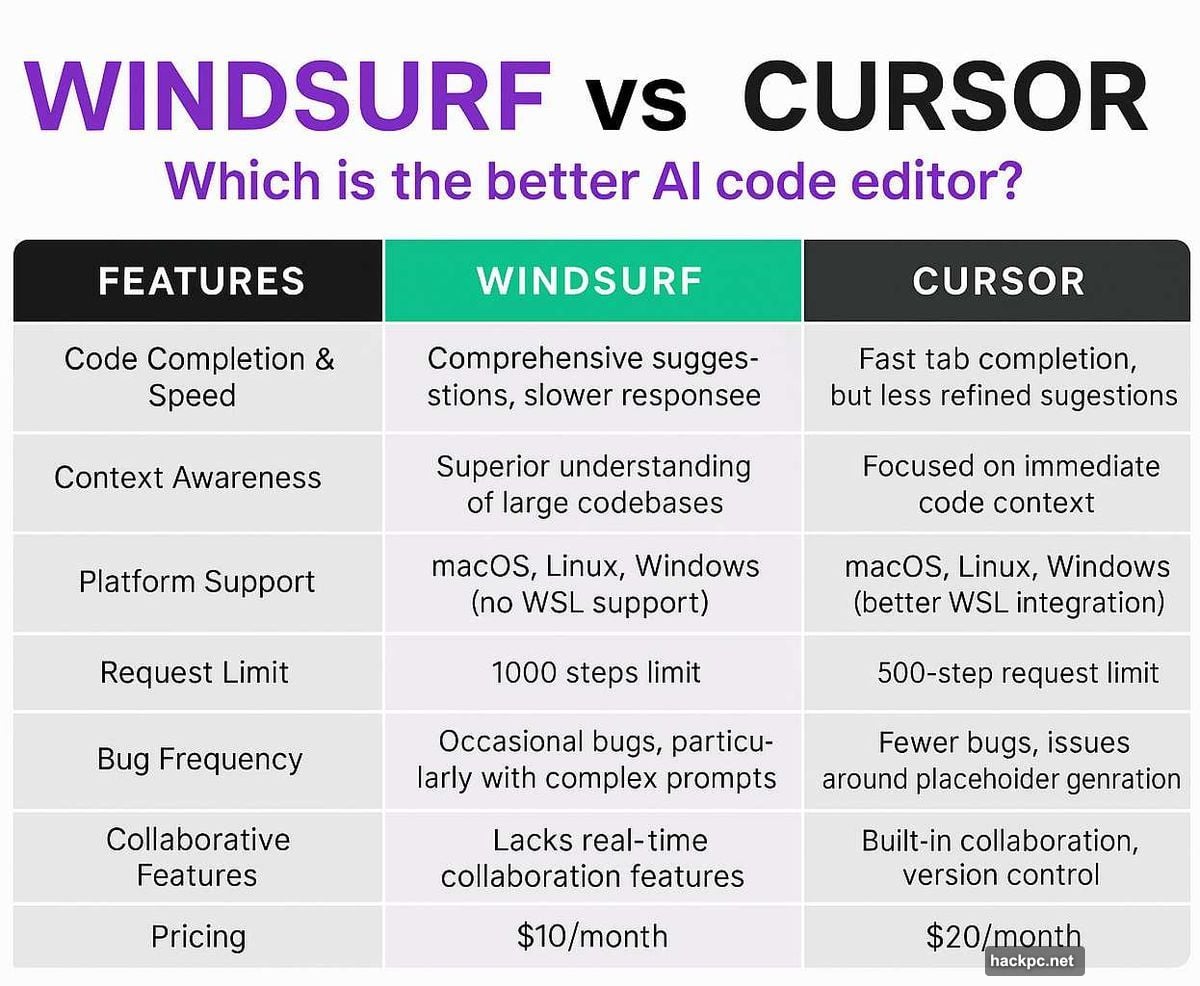
Windsurf prioritizes getting out of your way. Cascade handles multi-step coding tasks smoothly. Command Mode accepts plain English like “add user authentication” and figures out the rest. Supercomplete adapts based on where your cursor sits and what file you’re editing.
However, it sacrifices some control. Developers working on massive, highly customized codebases report it occasionally misses nuances that Cursor catches.
Who Actually Uses Which Tool
Cursor dominates among experienced developers. Backend engineers love it for complex refactoring work. Full-stack teams use it to coordinate changes across frontend and API layers simultaneously.
One developer told us Cursor’s agent mode rewrote three files with a single prompt. That’s not magic—it’s context-aware automation done right.
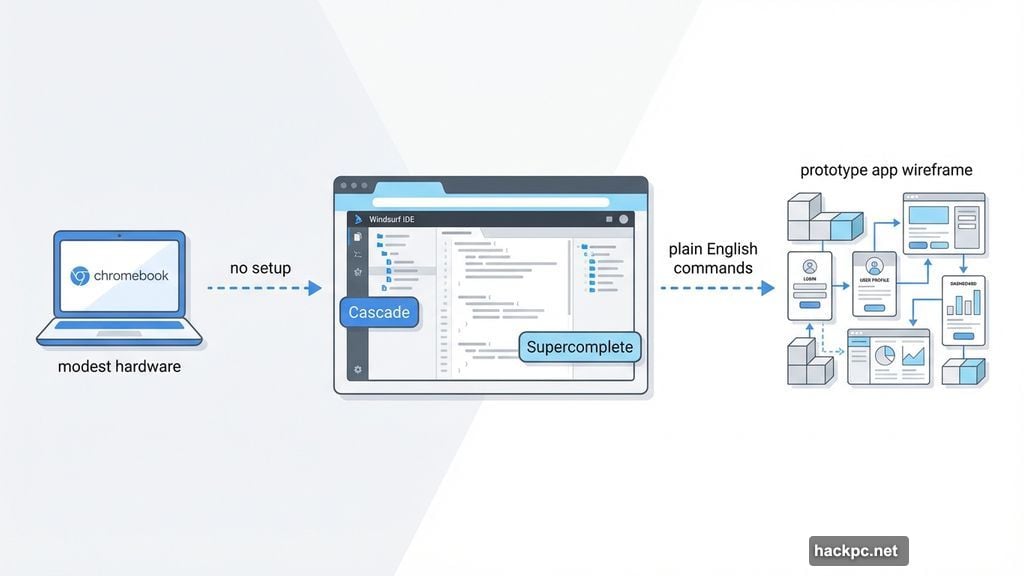
Windsurf attracts a different crowd. Startup founders building MVPs. Solo developers prototyping new ideas. Anyone who wants to code on modest hardware without installing extensions or managing configurations.
A founder working from a Chromebook said Windsurf let them spin up a working prototype without any setup. Just open it and start building.
The Price Gap That Actually Matters
Cursor costs $20 per month per seat. Windsurf charges $15 and offers a generous free tier.
That $5 difference multiplies fast. A five-person team pays $100 monthly for Cursor versus $75 for Windsurf. Over a year? That’s $300 saved.
Moreover, Windsurf’s free tier gives you enough to evaluate it properly. Cursor’s free version has tighter limits that push you toward paid plans faster.
Performance on Real Projects
Cursor shines on large codebases if you configure it properly. Use .cursorignore files to exclude unnecessary directories and it stays responsive even on projects with thousands of files. But it demands decent hardware—older laptops struggle.
Windsurf runs lighter. Even modest machines handle it smoothly because it offloads processing differently. Yet developers report it sometimes loses thread on very large or architecturally complex projects.
So Cursor scales better for massive applications. Windsurf keeps things snappy for everything else.
The Features That Actually Help You Ship
Cursor’s Copilot++ predicts multiple lines ahead with scary accuracy. Composer edits across your entire project while maintaining consistency. Agent mode executes complete features from natural language descriptions.
The downside? It can delete code if context is unclear. Always review what it changes before committing.
Windsurf’s Supercomplete adapts to your coding style and current context faster than you’d expect. Cascade automates boring multi-step edits so you focus on logic instead of boilerplate. Command Mode feels like talking to a junior developer who actually listens.
The limitation? Less precise on edge cases or legacy code with unusual patterns.
What Developers Actually Say
Browse developer forums and you’ll find clear patterns. Cursor users praise its power but admit the learning curve exists. They love having VS Code extensions and themes working exactly as expected.
Windsurf users emphasize speed to first commit. The simplified interface means less time configuring and more time building. Several mentioned using it specifically for prototypes and side projects where setup friction kills momentum.
Neither tool handles real-time collaboration well. Both rely on external platforms like Vercel or Netlify for deployment. So if you need those features, look elsewhere.
Making the Choice
Pick Cursor if you already live in VS Code and need AI that handles complex, multi-file operations without supervision. It’s built for developers who value control and don’t mind investing time in configuration.
Choose Windsurf if you want to start coding immediately without dealing with setup steps. It works great for early-stage projects, rapid prototyping, or situations where you’re not working from a powerful desktop machine.
Here’s the honest take. Cursor gives you a more powerful tool that requires more skill to use effectively. Windsurf gets you productive faster but sacrifices some advanced capabilities.
Neither choice is wrong. It depends entirely on what you’re building and how you prefer to work. Cursor for depth. Windsurf for speed. Both will help you ship better code than writing everything manually.




Comments (0)