

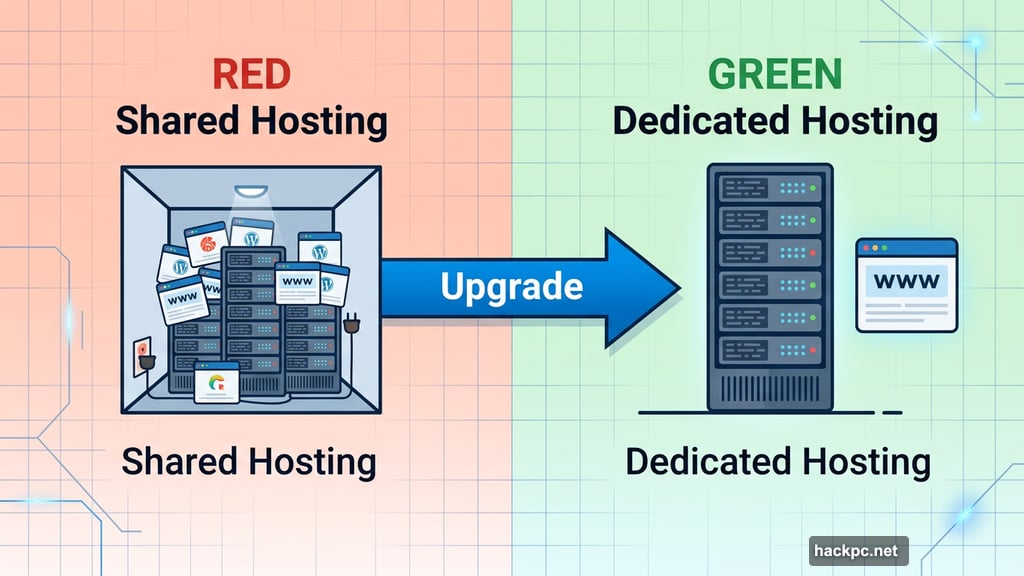
Running a high-traffic website on shared hosting is like trying to host a stadium concert in your living room. At some point, you need a bigger space entirely.
That’s where dedicated hosting comes in. You get an entire physical server to yourself — all the storage, bandwidth, and processing power yours alone. No neighbors hogging resources, no performance slowdowns from other sites on the same machine.
But not all dedicated hosting is worth your money. After spending the past year researching and testing popular hosting companies, here’s what actually stands out.
Managed vs. Unmanaged: Pick the Right Type First
Before comparing any specific providers, you need to understand this distinction. It changes everything.
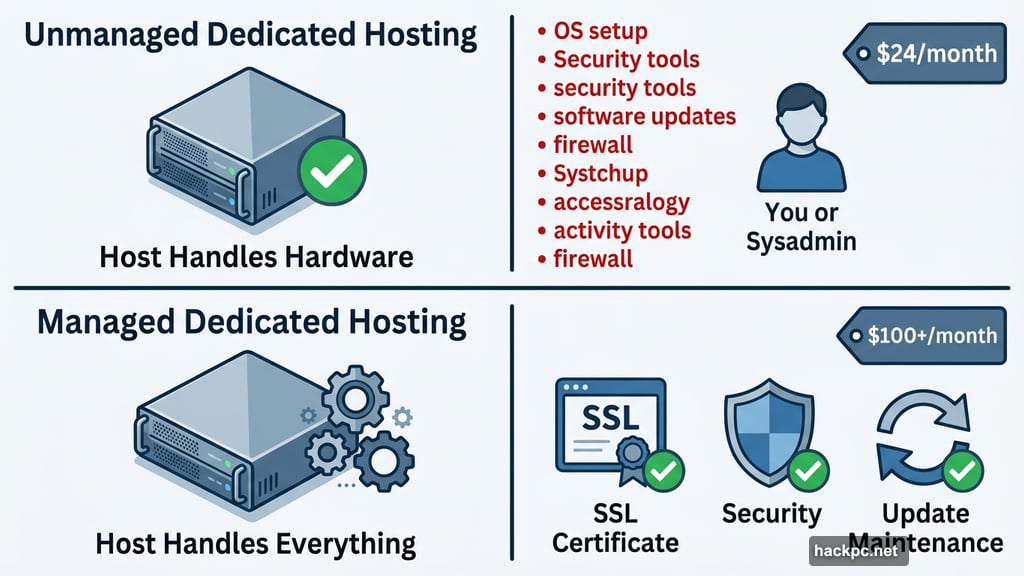
With unmanaged dedicated hosting, the host handles the physical server hardware. You handle everything else — the operating system, security tools, software updates, all of it. Plans can start as low as $24 a month, but that price tag is misleading. You’ll either need serious technical skills or a system administrator on payroll. Both options cost real money.
Managed dedicated hosting flips that equation. The hosting company handles all digital server configuration and maintenance for you. That includes installing updates, setting up security tools, and keeping software running smoothly. These plans typically run $100 or more per month. But here’s the thing — when you factor in the time or hiring costs saved, managed hosting often ends up cheaper in the long run.
Most people building complex sites are better off with managed hosting. Save unmanaged for developers who genuinely want full root access and have the expertise to use it.
Hostwinds: Best Overall Pick
Hostwinds earns the top spot for one simple reason: it gives you more control than anyone else, while still handling all the heavy lifting for you.
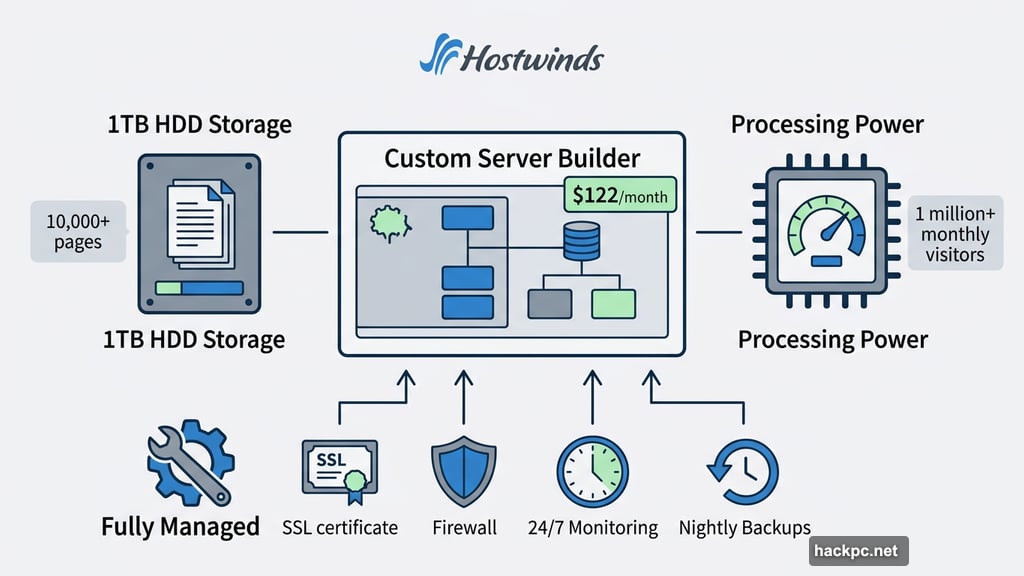
Every Hostwinds plan is fully managed. That means SSL certification, firewall protection, and 24/7 server monitoring and repair are all included. Nightly backups add extra peace of mind — if something goes sideways, you won’t lose recent changes. Plus, their hardware replacement guarantee promises to swap out faulty components within one hour.
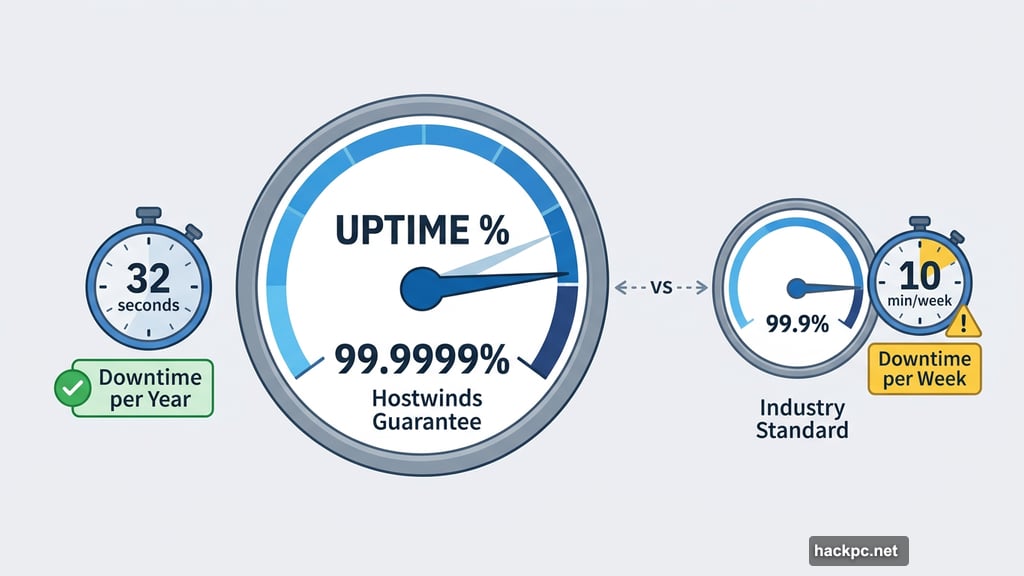
The uptime guarantee is also genuinely impressive. Hostwinds promises 99.9999% uptime, which works out to roughly 32 seconds of downtime per year. That’s significantly better than the industry-standard 99.9% (about 10 minutes per week).
Plans and pricing
Hostwinds lets you build your own server rather than picking from preset packages. The default starting build runs $122 a month and includes 1TB of HDD storage — enough for at least 10,000 pages — plus processing power to handle over one million monthly visitors. However, HDD storage is slower than SSD.
If you want SSD performance, the cheapest SSD option without extra fees only includes 120GB. That covers somewhere between 1,200 and 12,000 pages depending on page size. Upgrading to 1TB of SSD storage adds $30 a month. For enterprise operations needing storage for over one million pages and unlimited visitor capacity, the top-tier build runs $1,630 a month.
Customer support is available 24/7 via live chat, email, support ticket, and phone. Hostwinds even publishes a clear breakdown of which contact method to use for different issues — a small but genuinely thoughtful touch.
The one real downside? Building your own server from scratch can feel overwhelming if you’ve never done it before.
Hosting.com (formerly A2 Hosting): Best for WordPress Sites
If your site runs on WordPress, Hosting.com deserves serious consideration. The security features alone are worth a close look.
Every plan includes SSL certification, KernelCare updates, a firewall, DDoS protection, brute force protection, virus scanning, and 24/7 security monitoring. That’s one of the most comprehensive security setups in the dedicated hosting space. Malicious actors trying to steal data, break your site, or lock you out of your own server face multiple layers of defense.
WordPress users get specialized tools that genuinely simplify management. A guided setup process generates essential pages for you right from the start. From there, a dedicated dashboard handles WordPress settings and updates. One-click WooCommerce setup makes launching an online store straightforward.
Speed is another strong point. Hosting.com uses Turbo server technology instead of the standard Apache server, claiming page loads up to 20 times faster. LiteSpeed caching and a PHP accelerator round out the performance stack.
Plans and pricing
Hosting.com offers two dedicated hosting paths. Virtual dedicated servers are pre-built and fully managed, starting at $124.50 per month for 800GB of storage (enough for at least 8,000 pages), unlimited bandwidth, and processing power for multiple complex apps running simultaneously. Note that renewal pricing jumps to $249 per month.
Custom dedicated servers are physical machines where you choose your own RAM, CPUs, and storage specs. You’ll need to contact customer support directly to configure and price these. During that conversation, you’ll also decide between managed and unmanaged hosting.
Phone and email support can be slow, based on testing. But live chat was prompt and the support agents were consistently helpful.
The main limitation is flexibility. Only three preset virtual plans exist, with no middle-ground customization options outside the custom server route.
Ionos: Best Budget Dedicated Hosting
Dedicated hosting doesn’t have to drain your budget. Ionos proves that with a surprisingly capable lineup of self-managed servers.
Every Ionos dedicated server includes SSL certification and advanced firewalls covering both standard malware and DDoS protection. All plans also promise unlimited traffic, which removes one of the most stressful variables in running a high-volume site.
Customer support impressed during testing. Both live chat and phone support connected quickly with knowledgeable agents. Ionos also assigns personal consultants to accounts, available Monday through Friday between 8 a.m. and 6 p.m. Dedicated hosting customers likely get more hands-on access to that consultant than shared hosting users do.
Plans and pricing
Ionos offers self-managed servers across AMD, Intel, and ARM processor types — a broader hardware selection than most competitors offer. SSD storage is strongly recommended over HDD for speed and reliability.
AMD servers with SSD storage start at $64 per month (based on a two-year contract), jumping to $75 at renewal. That covers storage for at least 4,800 pages with unlimited bandwidth. Intel SSD servers start at $85 per month on a two-year commitment, renewing at $100 monthly — with storage for at least 5,120 pages and unlimited bandwidth.
ARM servers run higher: the entry plan starts at $242 per month on a two-year contract ($285 at renewal), with storage for over two million pages and enough processing power for millions of simultaneous viewers.
Ionos also runs a Server Deals page with even more affordable options. Some of these use a hybrid HDD and SSD setup — store pages on the HDD, applications on the SSD — delivering a reasonable balance of cost and performance. Those combo plans start at $42 a month on a two-year contract.
The biggest catch? Ionos offers no uptime guarantee on self-managed servers. Your site’s reliability depends entirely on how well you manage the server yourself. That’s a real risk if you’re not technically confident.
Liquid Web: Best Server Management Flexibility
Liquid Web built its reputation on cloud hosting and VPS hosting, and its dedicated server offering brings that same attention to developer needs.
The standout feature is control panel choice. Most hosts force you into cPanel. Liquid Web lets you pick between InterWorx, cPanel, and Plesk. That flexibility matters more than it sounds — developers who’ve built workflows around a specific control panel save significant migration headaches. Full root access and self-managed plan options add even more control for technical teams.
Security comes standard with SSL certification, firewall protection, DDoS protection, and a mirrored SSD drive to minimize downtime. The uptime guarantee sits at 99.99%, translating to less than four minutes of server-related downtime per month.
Also worth noting: you can choose between Apache and LiteSpeed server configurations. LiteSpeed generally delivers faster page loads, while Apache offers broader compatibility with certain software.
Plans and pricing
Unmanaged dedicated hosting starts at $44 per month for the first three months, then rises to $88 monthly. That entry plan handles up to 10 million monthly visitors and stores at least 4,800 pages. Adding server management costs an extra $27.50 per month on any plan.
Managed dedicated hosting starts at $111.50 per month for three months, jumping to $223 monthly afterward. This plan covers at least 9,600 pages of storage with the same 10 million visitor capacity. Custom server builds are also available through direct consultation.
Two drawbacks are worth flagging. The default backup solution only covers 500GB — if your full 960GB storage needs backing up, you’ll pay extra. And Liquid Web doesn’t offer Windows-based servers, which rules it out for teams with Windows-specific software requirements.
What Actually Matters When Choosing a Plan
Beyond brand names, a few specs deserve your attention before signing any contract.
Storage type matters more than total size. A 1TB HDD drive sounds impressive, but SSD storage performs faster and more reliably. NVMe storage pushes performance even further. For applications, SSD or NVMe is worth the extra cost. Static data like archived files can get away with HDD.
Bandwidth is about monthly visitors, not raw numbers. The general rule: 1GB of bandwidth supports about 1,000 visitors per month, assuming average-sized pages. Most dedicated plans start at 1TB or more, covering millions of monthly visitors. If you’re migrating an existing site, calculate your actual bandwidth needs using your current page sizes and traffic numbers.
CPU cores and RAM directly affect speed. The CPU handles task processing — more cores means more simultaneous operations. RAM feeds data to the CPU faster than standard storage. For complex sites running multiple plugins, apps, or concurrent users, both numbers matter significantly.
Watch renewal pricing carefully. Introductory discounts of 50% or more are common across dedicated hosting providers. The renewal price is often double or more. Always calculate total two-year costs before committing, not just the first month.
Uptime guarantees vary more than you’d expect. Industry standard is 99.9%, roughly 10 minutes of potential downtime per week. Hostwinds offers 99.9999%. Ionos offers nothing for self-managed plans. That gap has real consequences for businesses where downtime costs money.
Who Actually Needs Dedicated Hosting
Dedicated hosting makes sense for three types of operations: sites handling millions of monthly visitors, businesses storing sensitive data like payment details or medical records, and teams needing custom server configurations that shared or VPS hosting can’t accommodate.
If you’re running a smaller site or just starting out, shared or VPS hosting is almost certainly enough. Dedicated hosting is powerful — but paying $100 or more a month for resources you’re not using helps nobody.
For the sites that genuinely need it though, the difference in performance, security, and reliability is substantial. The right dedicated host turns a potential bottleneck into a competitive advantage.
Post Title: Dedicated Hosting for Big Websites: The 4 Best Services Tested
SEO Title: Best Dedicated Web Hosting 2026: Top 4 Providers Tested
Meta Description: Running a high-traffic website on shared hosting is like trying to host a stadium concert in your living room. At some point, you need a bigger space entirely.




Comments (0)