
Chrome still can’t take screenshots natively. Wild, right?
Meanwhile, Edge, Firefox, and Brave all figured this out years ago. So now I’m doing something I never expected: choosing Edge over Chrome for daily browsing.
The reason is stupidly simple. But it matters more than you’d think.
Windows Screenshots Create a Privacy Problem
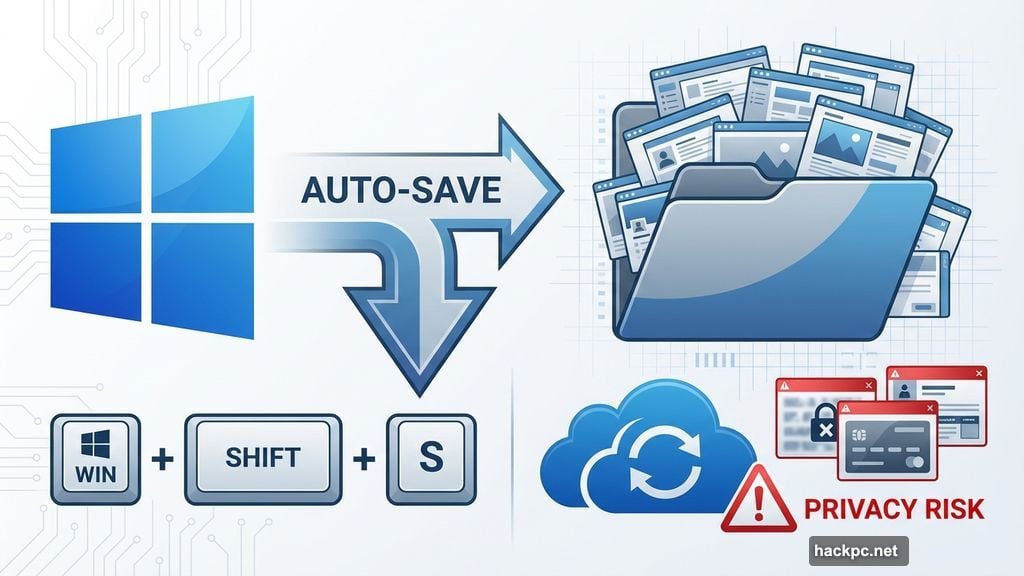
Windows 11 makes grabbing screenshots easy. Press WIN + SHIFT + S and you’re done. Clean interface, quick selection, works great.
But there’s a catch. Windows saves every single screenshot automatically. Every. Single. One.
That creates two problems. First, your screenshot folder fills with junk. Random captures pile up fast. Plus, you have to remember to clean them out periodically.
Second, privacy becomes a concern. Those screenshots might contain sensitive information. Bank details, personal messages, work documents. If you use OneDrive backup, all those images sync to the cloud. Or if someone gains access to your PC, they can browse your entire screenshot history.
So now you’re stuck doing digital housekeeping. Deleting old screenshots, checking for sensitive content, managing storage. It’s a small drain on time and mental energy.
There’s a better way.
Edge’s Screenshot Shortcut Changes Everything
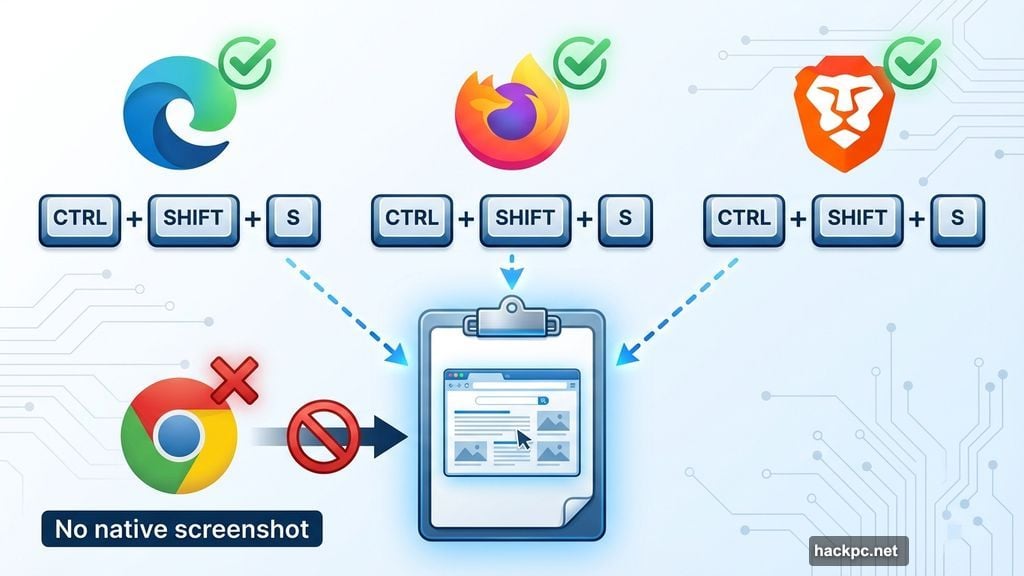
Edge, Firefox, and Brave all support CTRL + SHIFT + S. This keyboard combo grabs a screenshot that doesn’t automatically save.
You select exactly what you want to capture. The image stays in your clipboard. Drop it into a chat, email, or document. Then it’s gone when you copy something else.
No automatic saving. No screenshot folder clutter. No privacy worries about old images sitting around.
The shortcut is nearly identical to Windows’ native tool. Just swap WIN. So muscle memory transfers instantly between temporary screenshots (browser) and permanent ones (Windows). for CTRL
Why Chrome Still Doesn’t Have This
ChromeOS got native screenshot functionality years ago. But desktop Chrome? Nothing.
Google could easily add this feature. The technology exists. Rival browsers implemented it without breaking a sweat. Yet Chrome continues to ignore user requests.
Maybe Google assumes everyone uses extensions. Or perhaps screenshot functionality seems too basic for the world’s most popular browser. Whatever the reason, the absence is increasingly noticeable.
And it’s pushing users toward alternatives.
The Real Impact on Browser Choice
Features like this shouldn’t determine browser preference. But they do. Small conveniences add up over time.
I find myself opening Edge more often now. Not because of revolutionary features or massive performance gains. Just because it respects my workflow and privacy a bit better.
Chrome still dominates for good reasons. Extensions, sync, developer tools. But competitors are closing the gap. And Google’s inattention to basic quality-of-life features creates opportunities for rivals.
Edge benefits most from this oversight. Microsoft built it on Chromium, so it maintains compatibility with Chrome extensions. Plus, it adds thoughtful features like screenshot shortcuts that actually improve daily use.
One More Privacy Win
Here’s a bonus tip. After using temporary screenshots, clear your clipboard to remove lingering sensitive data.
Press WIN + V to open clipboard history. Click the three dots next to any item and select “Delete” or “Clear all” at the top. Takes two seconds. Removes any screenshots or copied text from memory.
Now your temporary captures stay truly temporary.
Chrome Needs to Catch Up
This isn’t about Edge being revolutionary. It’s about Chrome falling behind on basics.
Browser competition improves products for everyone. When Edge, Firefox, and Brave add convenient features, Chrome should respond. Users benefit from that innovation cycle.
Instead, Chrome sits on its market share while ignoring obvious improvements. That’s how dominant products lose ground over time. Not from sudden failures, but from accumulating small disadvantages.
So yeah. I’m using Edge more. Never thought I’d say that. But here we are.
Google, fix your screenshot situation. It’s embarrassing at this point.




Comments (0)