

ESET renamed its antivirus suite. Sort of. The app still calls itself Smart Security Premium inside, even though the box says Home Security Premium now.
That tells you everything about this software. It’s technically sound but occasionally confusing. Plus, it demands more hands-on attention than rivals.
However, the fundamentals work well. Malware protection scores high in independent testing. System impact stays minimal. And if you love diving into advanced settings, ESET delivers more control than most competitors.
Just don’t expect perfect parental controls or hand-holding features.
The Core Protection Works as Advertised
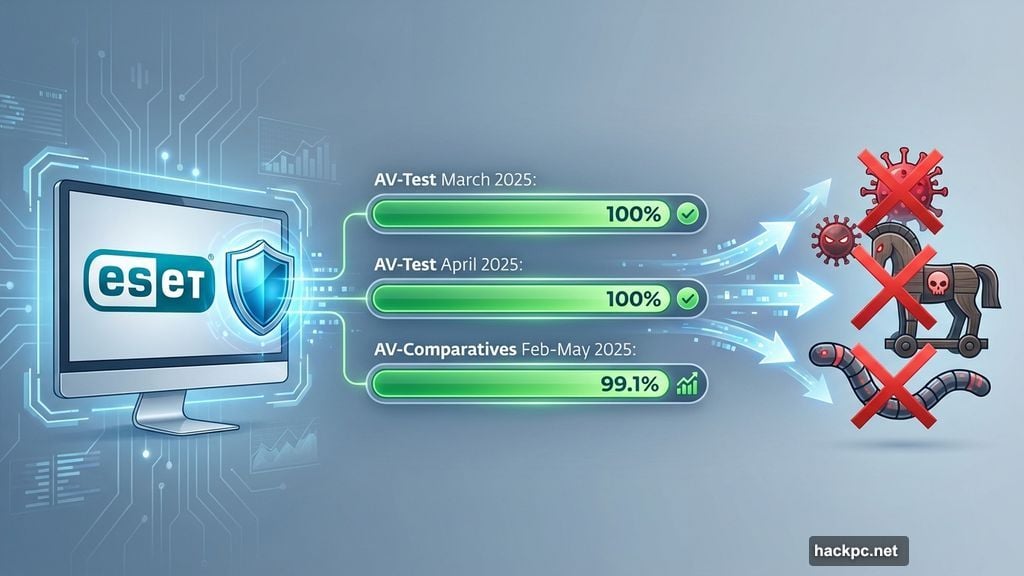
ESET’s antivirus engine performs consistently well in real-world tests. AV-Test gave it perfect scores in March and April 2025. It caught 100 percent of zero-day malware samples and all widespread threats.
AV-Comparatives’ testing shows similar results. Between February and May 2025, ESET blocked 99.1 percent of real-world threats. That includes drive-by downloads, malicious websites, and direct malware links.
The firewall replaces Windows‘ built-in protection. It screens all inbound and outbound traffic automatically. For most users, the default settings work fine. But power users can create granular custom rules if needed.
Real-time scanning runs constantly in the background. It checks local files, removable media, and email attachments. Web browsing gets screened for phishing attempts and dangerous downloads too.
However, ESET lacks some protections found in similarly priced rivals. You can’t restrict specific apps from accessing the internet or certain files. Those features require manual configuration or aren’t available at all.
The Interface Feels Like Two Different Apps
ESET’s dashboard opens to a dark theme by default. You can switch to light mode or match system settings. So far, so good.
Then things get weird. The overview tab lacks a button to start scans. You’ll find that option hidden under a separate tab instead.
Parental controls live buried in Setup > Internet protection. They’re disabled by default. That’s an odd choice for a family-focused security suite.
Some tabs stay simple. Computer Scan offers just three options. Others, like Tools and Setup, pack features into dense text lists instead of friendly tiles.
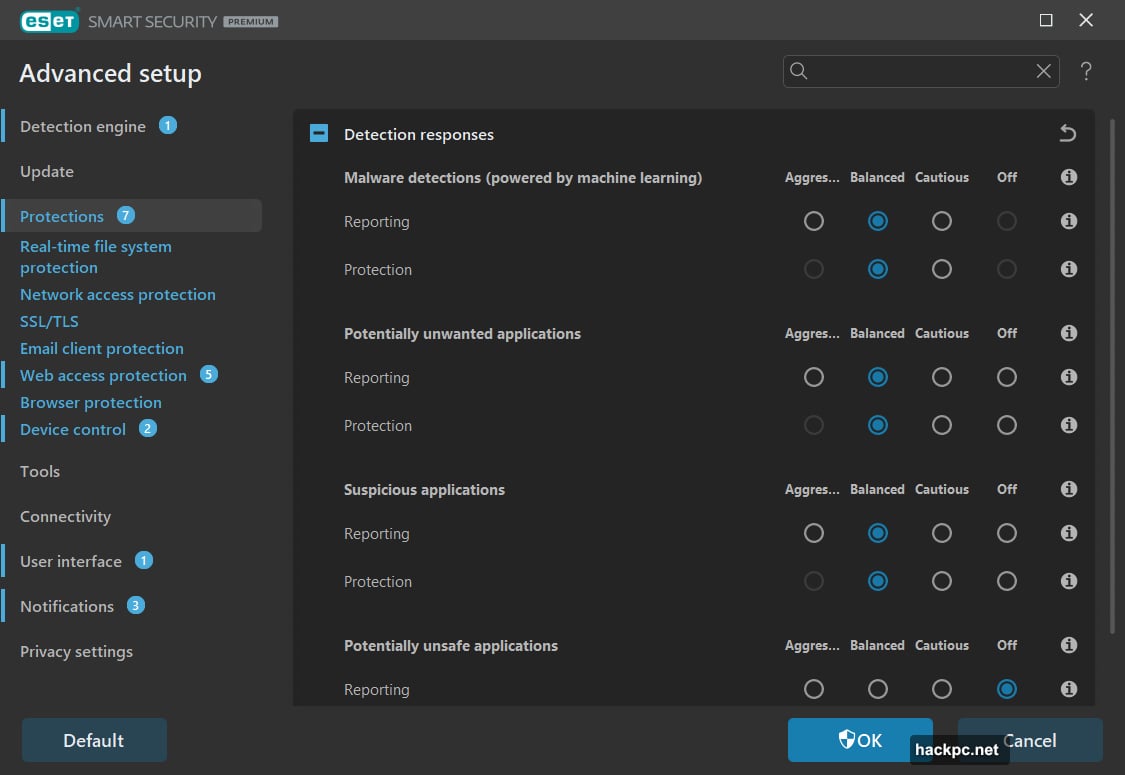
Advanced settings become a maze of toggle switches. Power users will love the granular control. Everyone else might feel lost despite helpful tooltips.
The web portal handles account management separately. Anti-theft tools and parental control logs live there instead of in the desktop app.
It works once you learn the layout. But ESET assumes you’re willing to click around and figure things out yourself.
Password Manager Nails the Basics
ESET Password Manager handles the fundamentals well. The browser extension recognizes login forms instantly. It captures new passwords without prompting and generates strong replacements for weak ones.
You can store accounts, identities, credit cards, and secure notes. The vault accepts two-factor authentication codes too. That’s not the most secure approach, but it beats skipping 2FA entirely.
One handy feature lets you kill all active sessions instantly. Click one button and you’re logged out everywhere. It can also clear cookies, browsing history, and downloads.
However, some default settings need immediate changes. Autofill activates as soon as you load a page. Your credentials populate the login form without clicking anything. That creates unnecessary security risks.
Copied passwords won’t auto-clear from your clipboard either. You must manually wipe them in Windows settings.
Plus, ESET shows a splash screen every single time you open the password manager. That adds needless friction when you just want quick access.
Despite these quirks, it’s a solid starter password manager. Just spend five minutes adjusting settings after installation.
Parental Controls Miss the Mark
Website filtering works almost too well. During testing, allowed exceptions within blocked categories wouldn’t load. The opposite works fine though. You can ban specific sites when the overall category stays open.
Age-based presets simplify initial setup. Under 12, 12 to 17, and 18+ groups each get different restrictions. You can further customize which website types get blocked.
Some categories lack clear explanations. ESET confirmed that “Dynamic” means sites that redirect to other pages. But the help documentation should explain that upfront.
Geolocation tracking failed consistently. An Android phone’s location rarely showed properly. In a separate test account, it never appeared at all.
Activity logs capture browsing history well enough. But other parental control suites offer more robust monitoring tools. If that’s your priority, look elsewhere.
PC Utilities Actually Prove Useful
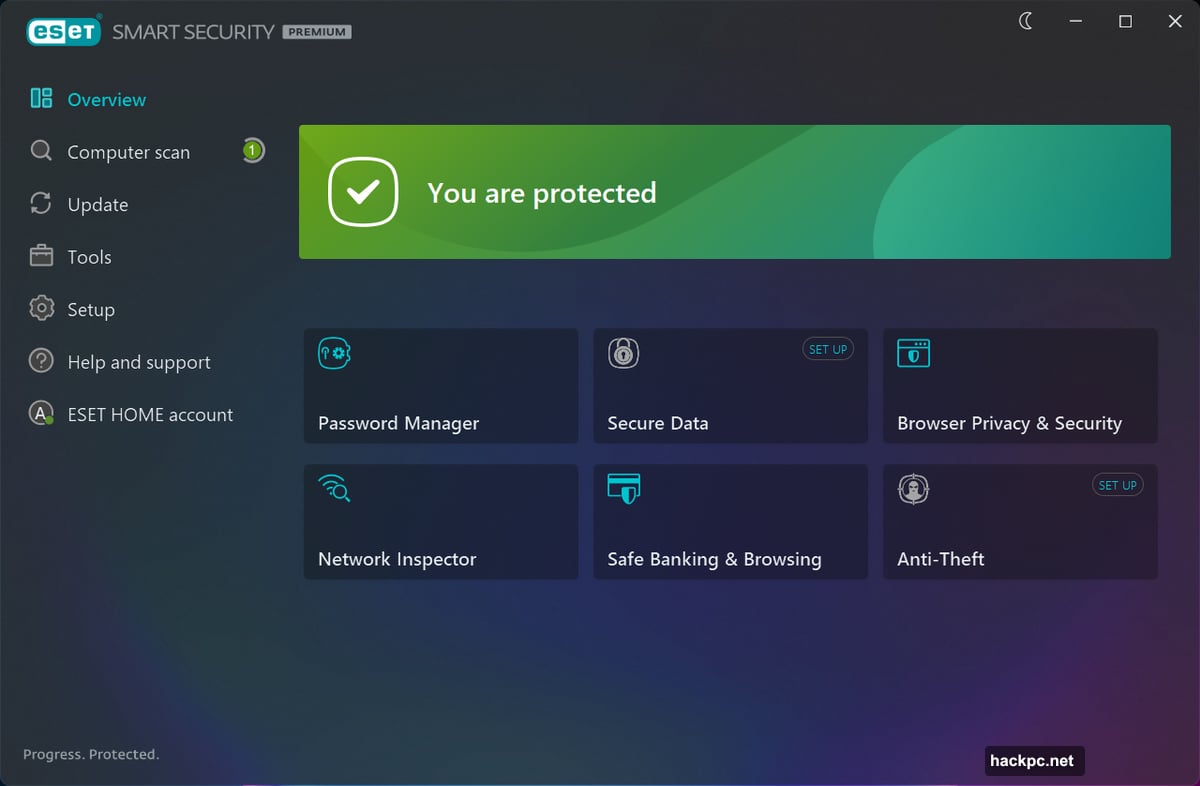
System Cleaner flags changes to default Windows settings. It’s handy for troubleshooting, though suggested fixes don’t always work properly. Red-flagged appearance changes seem especially questionable.
Running Processes and Network Connections show what’s active on your PC. You’ll see which apps currently use your internet connection too.
Network Inspector lists devices connected to your router. However, some routers already do this more accurately. ESET’s scan sometimes misses devices entirely.
SysInspector identifies system issues like outdated drivers and broken registry entries. It’s genuinely helpful for maintenance tasks.
Secure Data creates encrypted virtual drives using 256-bit AES encryption. You can also add encrypted folders to removable media. Both features worked flawlessly during testing.
Device Control lets you restrict access to attached hardware. Need to prevent anyone from using USB drives or printers? This tool handles it.
These utilities lean technical. But if you enjoy understanding what happens behind the scenes with Windows, they’re legitimately useful.
The Anti-Theft Tool Has Obvious Flaws
Mark your device as stolen in ESET’s web portal and it springs into action. The app captures screenshots, takes webcam photos, and logs location data.
You can create a “phantom” Windows account that becomes the only active login. Thieves theoretically can’t access your real files.
Except tape covers webcams easily. The phantom account fails if your Windows accounts lack password protection. And ESET incorrectly flagged my test account as secure despite having a blank password field.
Location tracking via IP address isn’t reliable either. IP addresses don’t always reflect true physical location. During testing, ESET frequently couldn’t even capture the IP address.
This feature might deter casual theft. But anyone tech-savvy will bypass it quickly.
Performance Impact Stays Remarkably Light
PCMark 10’s Extended benchmark showed zero performance difference after installing ESET. That simulates web browsing, video chatting, gaming, and productivity work.
UL Procyon’s Office Productivity test showed a tiny 3 percent slowdown. Most antivirus software hits harder when Microsoft Office apps run.
Handbrake video encoding barely noticed ESET running. Performance dropped less than 2 percent.
Even with a full system scan running, PCMark 10 scores only declined 3 percent. Procyon and Handbrake results fell 12 percent. That’s modest compared to rivals like Norton or McAfee, which can tank scores by up to 41 percent.
Our test PC is a budget laptop. If ESET runs smoothly there, it’ll handle more powerful machines easily.
Schedule full scans during off-hours and you’ll barely notice the software exists.
Pricing Feels Needlessly Complicated
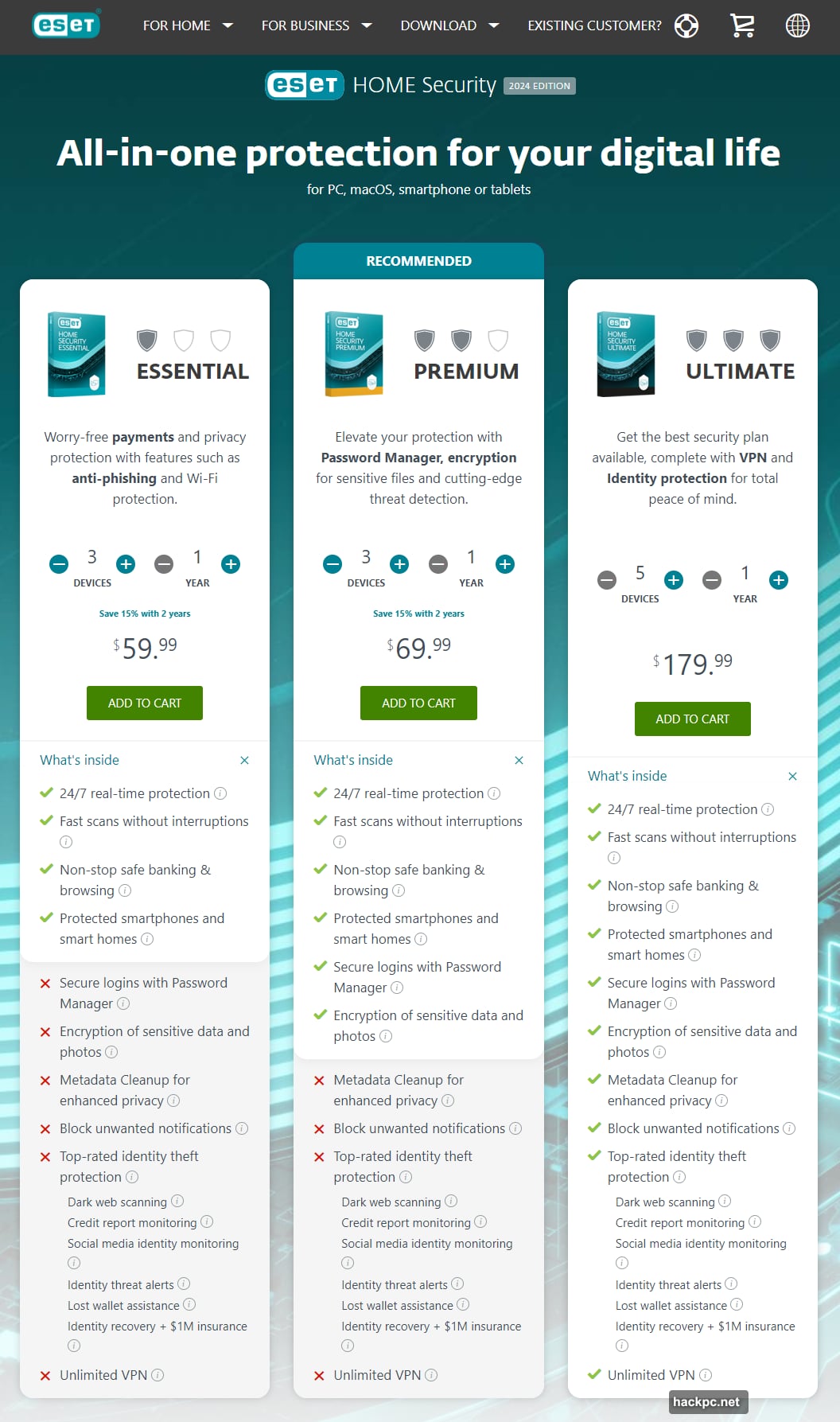
ESET lets you cover exactly the devices you need, from one to ten. Prices start at $60 for a single device and increase in $5 increments.
A three-device plan costs $70 for the first year. Five devices runs $80. Ten devices hits $105.
Those numbers come with a major caveat. ESET only locks rates “for the first term.” You won’t see renewal pricing until 30 days before your subscription ends.
That’s frustrating. Competitors typically show renewal rates upfront. ESET’s approach feels deliberately opaque.
The company currently offers 30 percent off for one-year, two-year, and three-year terms. Plus you get a 30-day free trial and 30-day money-back guarantee.
One limitation matters for some households. ESET supports Windows, macOS, and Android. iOS devices aren’t covered at all.
Two Browser Extension Problems
ESET promotes its free Browser Privacy & Security extension. It adds visual badges for safe search results, cleans browsing history, and strips metadata from uploaded images.
On one test PC, the extension refused to work in Chrome. It couldn’t connect to ESET’s servers. The same extension worked fine in Edge on a different machine.
The likely culprit was a conflict with an existing ad-blocker extension. But ESET didn’t warn about potential compatibility issues during setup.
The extension itself seems fine when it works. Just be prepared for possible hiccups depending on your current browser configuration.
Missing Features at This Price Point
ESET Home Security Premium costs the same as many competitors. But it skips several protections others include.

No identity monitoring exists at this tier. Dark web scanning, credit monitoring, and data breach alerts require upgrading to Ultimate.
You can’t control which apps access the internet or specific files. ESET only automatically screens for suspicious behavior.
VPN protection isn’t included either. Some rival suites bundle VPN access at similar price points.
The feature set leans heavily toward PC utilities and advanced settings. That’s perfect for power users. Families expecting comprehensive monitoring tools might feel shortchanged though.
Who Actually Benefits from This Suite
ESET Home Security Premium excels for specific users. If you enjoy tweaking settings and want granular control, this software delivers.
The minimal performance impact makes it ideal for older or slower PCs. It won’t bog down your system like some alternatives.
People who prioritize strong malware protection over extras should consider ESET. The antivirus engine consistently scores well in independent tests.
However, parents wanting robust monitoring should look elsewhere. The parental controls work for basic website filtering but lack depth.
Less technical users might prefer simpler alternatives too. ESET assumes you’re willing to explore menus and figure out features yourself.
It’s solid protection for the right person. Just make sure that person is you before buying.




Comments (0)