

Mozilla just announced something refreshing. Their browser is adding AI tools, but they’re also adding a big off switch.
Firefox version 148 drops February 24th for desktop users. It brings AI chatbots, auto-translation, and smart summaries. But here’s the twist. You can disable every single AI feature if you want.
That’s a bold move in today’s AI-obsessed tech world. While other browsers push AI whether users want it or not, Firefox is taking a different approach.
Mozilla Heard the Pushback
Not everyone wants AI in their browser. In fact, many people actively avoid it.
Firefox head Ajit Varma acknowledged this reality in a recent blog post. “AI is changing the web, and people want very different things from it,” he wrote. So Mozilla built granular controls instead of forcing features on users.
This decision reflects Mozilla’s nonprofit roots. They don’t answer to shareholders demanding AI integration at any cost. Instead, they listen to their 200 million monthly users who value privacy and choice.
Plus, this approach validates real concerns about AI in browsers. Erik Avakian, technical counselor at Info-Tech Research Group, points out that AI features fundamentally change browsers from a privacy perspective. Mozilla recognizes this early instead of breaking trust first and asking questions later.
What AI Features Are Coming
Firefox 148 includes several AI-powered tools. Each one gets its own toggle in settings.

The chatbot sidebar lets you pick your preferred AI assistant. Choose ChatGPT, Microsoft Copilot, Google Gemini, or skip it entirely. The sidebar sits ready when you need it but stays hidden when you don’t.
Language translation happens on-device for common languages. No data leaves your computer. That’s a privacy win compared to cloud-based translation services that send your text to external servers.
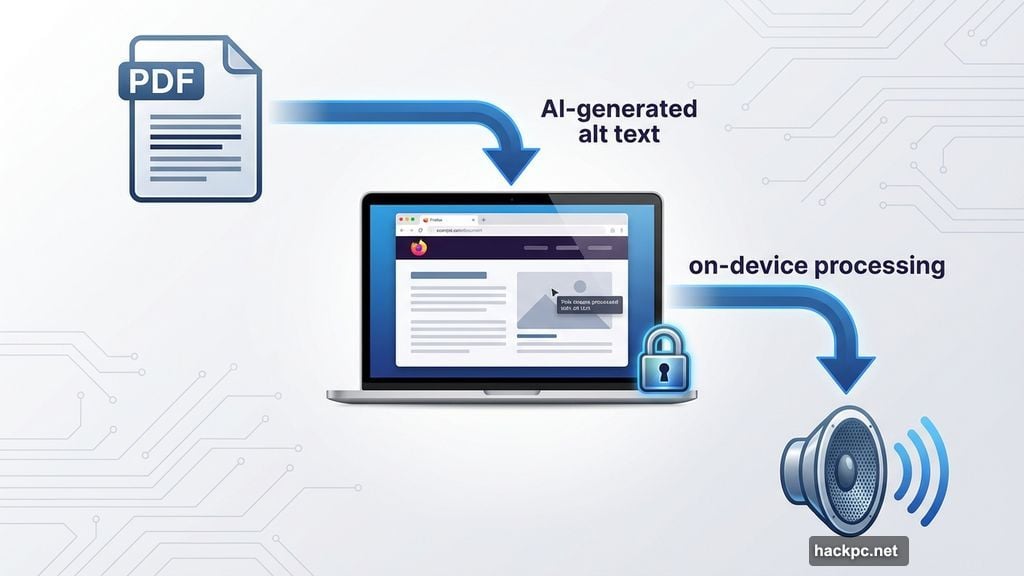
PDF accessibility improves through AI-generated alt text for images. Helpful for screen readers but optional for everyone else. Tab grouping suggestions use AI to organize your chaos of open tabs. Again, completely optional.
Link preview summaries give quick overviews before you click. And document summarization condenses long articles or PDFs. Both features aim to save time, but only if you activate them.
Privacy Remains the Focus
Mozilla AI product leader Jolie Huang spelled out the privacy approach back in July. “Our ongoing commitment to privacy-preserving AI drives us to continuously develop and enhance features that respect and protect your personal information,” she wrote.
That’s not marketing fluff. Mozilla processes many AI features locally on your device instead of sending data to cloud servers. Translation and alt text generation happen right on your computer. No external servers involved.
For features that do require cloud processing, Mozilla gives you control over which AI provider handles your data. Don’t trust OpenAI? Use Google instead. Or disable the feature completely.
This stands in sharp contrast to other browsers that bundle AI features with limited opt-out options. Microsoft Edge pushes Copilot heavily. Apple’s Safari integrates Apple Intelligence across the experience. Firefox says “here are the tools, you decide what to use.”
Desktop Only at Launch
The February 24th release targets desktop users exclusively. Windows, Mac, and Linux all get the update.
Mobile versions of Firefox will wait. A Mozilla spokesperson told CNET they want to “get the experience right before expanding further.” That means collecting feedback from desktop users first, then refining the features before mobile deployment.
If you can’t wait until late February, Firefox Nightly offers early access. This experimental version updates daily with the latest features. Just remember it’s less stable than the regular release. Perfect for testing new capabilities but maybe not ideal for your primary browser.
Why This Matters
Mozilla’s approach reveals a growing divide in how companies implement AI.
Big tech companies often adopt a “ship first, ask later” mentality with AI features. They integrate AI deeply into products, then deal with privacy concerns and user complaints after the fact. That strategy prioritizes speed and market position over user trust.
Mozilla flips this approach. They’re adding AI features users requested while building privacy controls from day one. This takes more time and resources but preserves the trust that makes Firefox different from Chrome or Edge.
Avakian notes this validates that AI features introduce “real privacy, security and compliance considerations.” Mozilla isn’t ignoring these issues. They’re confronting them upfront with transparent controls.
For users who want AI tools, Firefox delivers solid options. For users who don’t, Firefox respects that choice. Both groups win.
That’s increasingly rare in today’s tech landscape where features get forced on users regardless of preference. Mozilla proves you can embrace new technology without abandoning user agency. Other companies should take notes.




Comments (0)