
Remember Freepik? That stock photo site you’d pull images from for quick projects?
It’s not that anymore. The company rebuilt itself into a full creative AI platform. Now it’s betting everything on one controversial idea: professional creators will embrace AI for every single step of their work.
That’s a bold claim. Most creative AI tools position themselves as occasional helpers. Adobe pushes specific use cases. Midjourney focuses on ideation. But Freepik wants to own your entire workflow from concept to final output.
I tested the redesigned platform at CES 2026. The result surprised me. This might be the most comprehensive professional AI creative suite available right now.
What Makes Freepik Different
Most creative AI tools feel like bolt-ons. You generate something, then move to real software for actual work.
Freepik flips that model. It built professional-grade editing tools directly into the AI workflow. You’re not just generating images and hoping they work. You’re controlling outputs with precision tools designed for detail-oriented work.
The platform now includes collaborative workflows called Spaces. Think of it as a visual programming environment for creative projects. You can chain AI operations together, swap inputs, and rerun entire workflows with one click.
Plus, Freepik offers multiple AI models in one place. Sora for video. Google’s Nano Banana Pro for images. ElevenLabs for audio. You pick the right model for each task instead of jumping between platforms.
That matters more than it sounds. Different AI models have distinct personalities and strengths. Freepik lets you mix and match without managing multiple subscriptions or learning separate interfaces.
The Adobe Problem
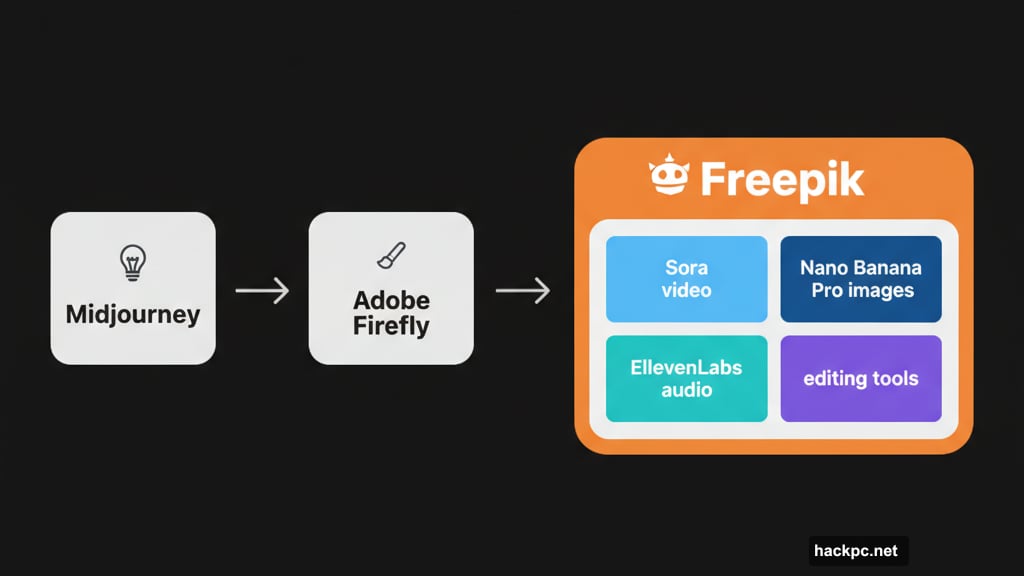
Freepik and Adobe share similar DNA. Both trained AI models on stock catalogs while compensating creators. Both offer professional editing tools alongside AI generation.
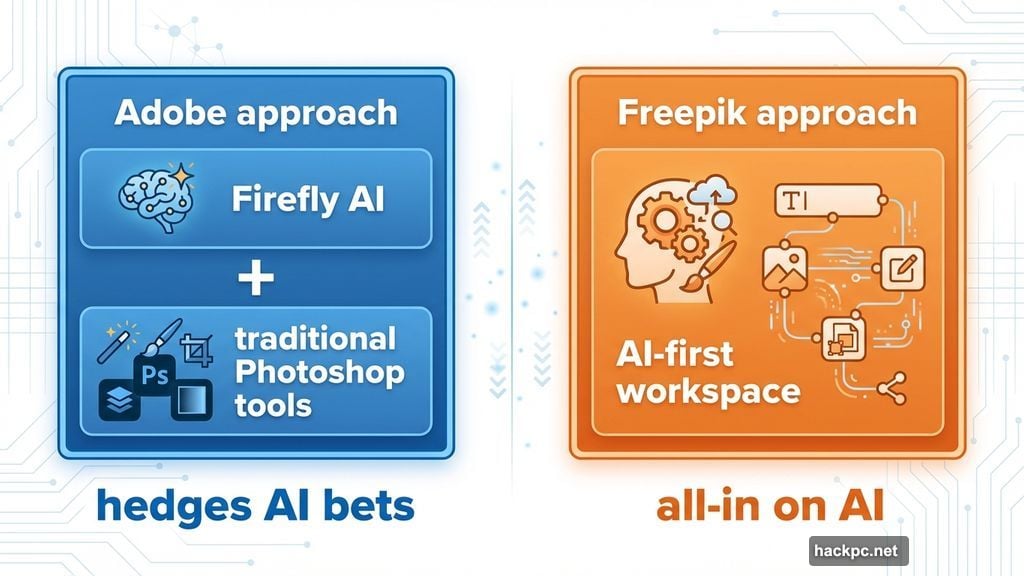
But Adobe hedges its AI bets. Firefly sits alongside traditional Photoshop tools. The message: use AI when helpful, stick to manual tools when needed.
Freepik doesn’t hedge. The entire platform assumes you want AI throughout your workflow. That won’t appeal to every creator. Many professionals remain skeptical of AI’s role in creative work.
However, for creators ready to embrace generative AI, Freepik offers something Adobe doesn’t: a unified, AI-first workspace without legacy tool baggage.
The platform’s terms help too. You own rights to AI-generated work. Freepik promises not to train models on your content. Paid subscribers get limited commercial protections for outputs.
Still, professionals face tricky legal questions. If you work under strict content requirements, verify Freepik meets your standards. Adobe’s enterprise agreements might offer stronger protections for high-stakes commercial work.
Spaces Changes Everything
The Spaces workflow system impressed me most during testing.
Picture an endless digital canvas. You add nodes representing different operations. Upload reference images in one node. Write prompts in the next. Apply specific AI models further down the chain. Link everything together visually.
Here’s where it gets interesting. Change something early in the workflow and rerun the entire chain with one click. Every subsequent step updates automatically based on your change.
Say you’re creating marketing materials. You start with three reference images, combine them with AI, add text overlays, then generate variations for different platforms. Later, your client requests a different color scheme.
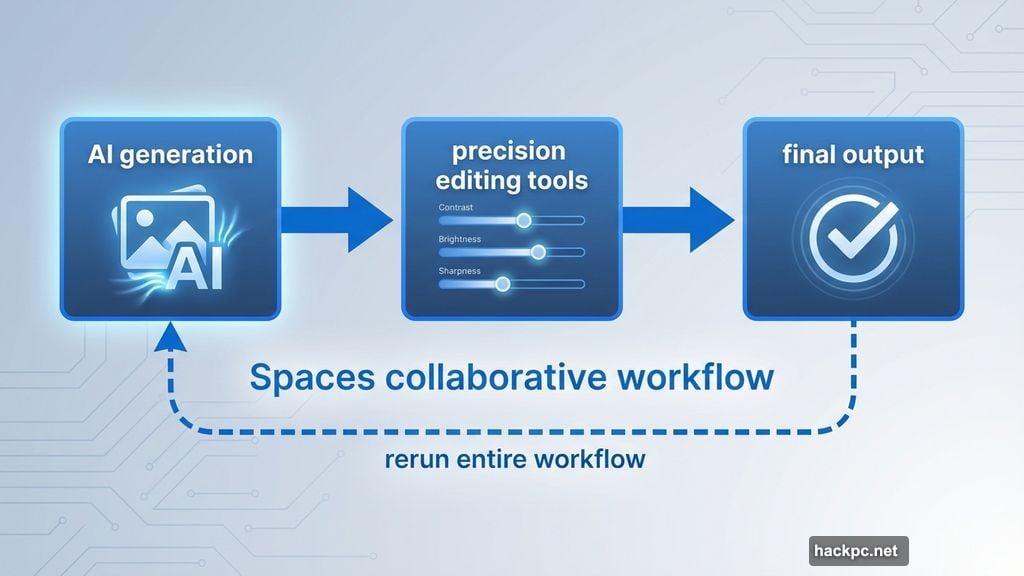
In most tools, you’d manually redo each step. With Spaces, you swap the color reference and rerun. The entire chain updates in minutes instead of hours.
Adobe previewed something similar called Project Graph last fall. But it’s not available yet. Freepik shipped this feature now, giving it a real competitive advantage for team-based creative work.
The Interface Works
I’ve tested most major creative AI platforms. Many feel cobbled together from separate tools that don’t quite mesh.
Freepik feels cohesive. It borrows smart ideas from Midjourney’s community gallery, Figma‘s annotation system, and Adobe’s editing tools. Then it combines them into something that actually makes sense.
The annotation feature particularly stands out. You can add comments to specific image areas, just like in Figma. But here’s the twist: those annotations can trigger AI prompts that modify only the selected object without affecting the rest of the image.
That level of control matters for professional work. You can’t ship client projects with hallucinated fingers or impossible architecture. Freepik’s editing tools help constrain AI outputs to meet professional standards.
The platform also includes a community gallery similar to Midjourney. Browse what other creators made. Grab templates for inspiration. Use existing workflows as starting points instead of building from scratch.
It won’t give you pixel-perfect control like Photoshop’s manual tools. But for AI-generated content, it offers more precision than any other platform I’ve tested.
Who This Actually Helps
Freepik targets a specific creator. You’ve already decided AI belongs in your workflow. You want to move fast. You work on teams that need to collaborate on creative projects.
If you’re an AI skeptic or prefer manual control, stick with Adobe. If you want occasional AI help for specific tasks, Firefly works fine.
But if you’re ready to build AI into every step of your creative process, Freepik offers the most complete solution available. The 100 million monthly users suggest many creators already reached that conclusion.
The platform particularly suits agencies and teams. Spaces makes collaboration visible. Everyone sees the workflow. Anyone can jump in, modify a node, and rerun the process. That beats endless Slack threads about which Midjourney prompt generated Tuesday’s draft.
Freelancers benefit too. Juggling multiple AI tools burns time and money. Freepik consolidates everything into one subscription with one interface to learn.
The Real Battle Ahead
Freepik faces a tough challenge. It’s betting professional creators will embrace comprehensive AI workflows. That’s far from certain.
Many professionals view AI as a threat to creative work, not an enhancement. Others worry about copyright, quality control, and creative authenticity. Convincing these creators to go all-in on AI won’t happen overnight.
Adobe plays it safer. Use AI when helpful. Stick to traditional tools when needed. That message resonates with professionals who want control over their creative process.
Freepik’s success depends on a fundamental shift in how creators work. The platform assumes AI generation becomes standard practice, not an occasional shortcut. That might happen. Or creators might reject wholesale AI adoption in favor of selective, task-specific use.
The technology certainly works. Spaces demonstrates genuine innovation in collaborative AI workflows. The editing suite offers professional-grade control over AI outputs. The platform successfully combines multiple AI models into one coherent workspace.
Whether professional creators embrace it? That’s the billion-dollar question Freepik just bet its future on.




Comments (0)