
Filing taxes shouldn’t feel like defusing a bomb. Yet most tax software hits you with surprise fees right before you click “submit.”
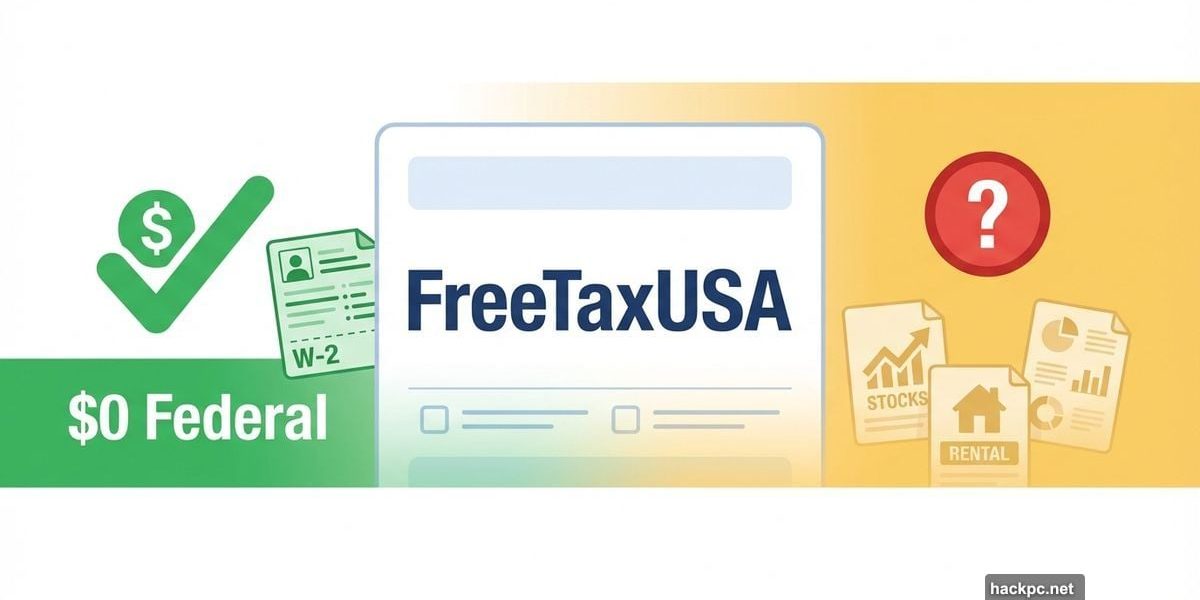
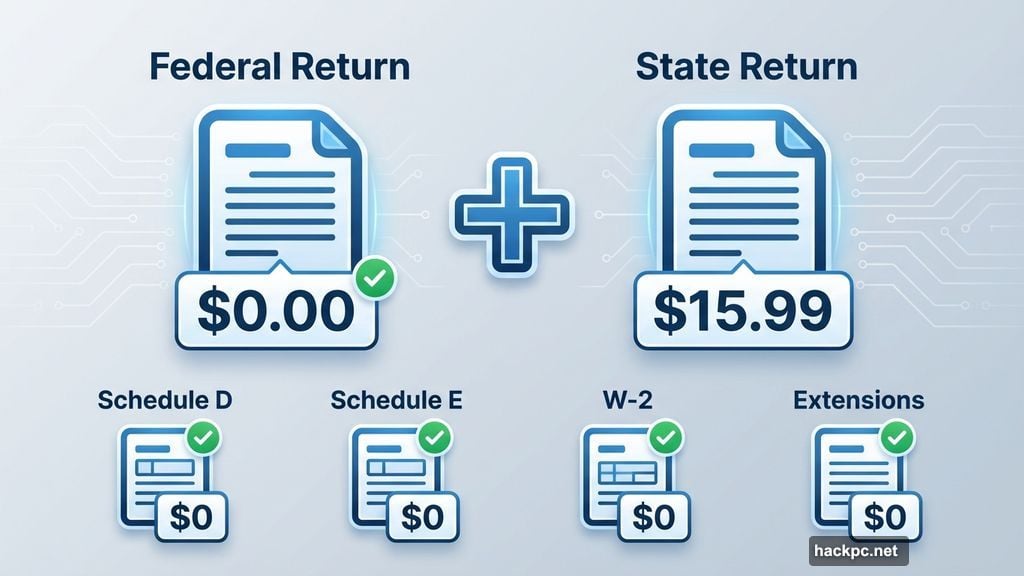
FreeTaxUSA takes a different approach. Federal filing stays free no matter how complex your situation gets. State returns cost $15.99. That’s it. No hidden charges waiting to ambush you.
But free doesn’t always mean better. After testing FreeTaxUSA alongside six other major tax platforms, I found it excels for straightforward filers while falling short for anyone who needs professional guidance.
Federal Filing Costs Zero. Always.
Most “free” tax services push you into paid tiers once your return gets slightly complicated. FreeTaxUSA doesn’t pull that move.
You can itemize deductions, report freelance income, or file Schedule D for investment gains without spending a dime on federal filing. Extensions cost nothing. Even less common forms like Schedule E for rental properties stay free.
The catch? State filing runs $15.99. Still, that’s far below what competitors charge. Plus, FreeTaxUSA shows you the state fee upfront instead of springing it on you after you’ve spent hours on your return.
Three Support Tiers With Clear Pricing
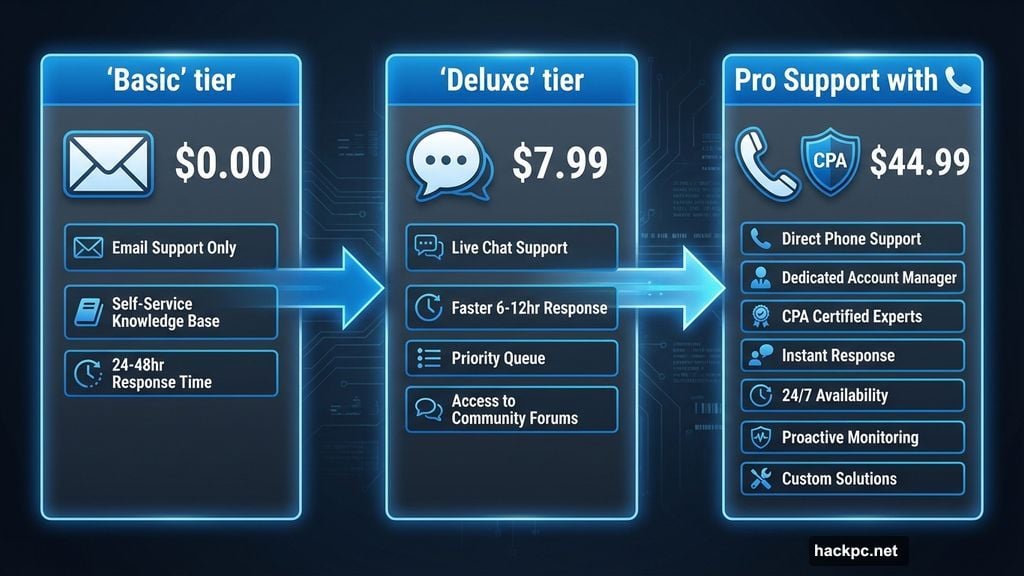
FreeTaxUSA offers three packages. Each one handles the same federal forms. You’re only paying for different support levels.
The Basic tier costs nothing and includes email support plus a searchable help center. Most DIY filers won’t need more.
Deluxe costs $7.99 and adds live chat with priority support. Worth considering if you want faster answers to technical questions.
Pro Support runs $44.99 and gets you phone access to CPAs and enrolled agents. They can’t prepare or file your return for you, but they’ll answer tax questions via phone or live screenshare.
That limitation matters. If you want a professional to handle your entire return, FreeTaxUSA won’t work. Services like H&R Block or TurboTax Live let you hand everything over to a pro.
Simple Returns Feel Effortless
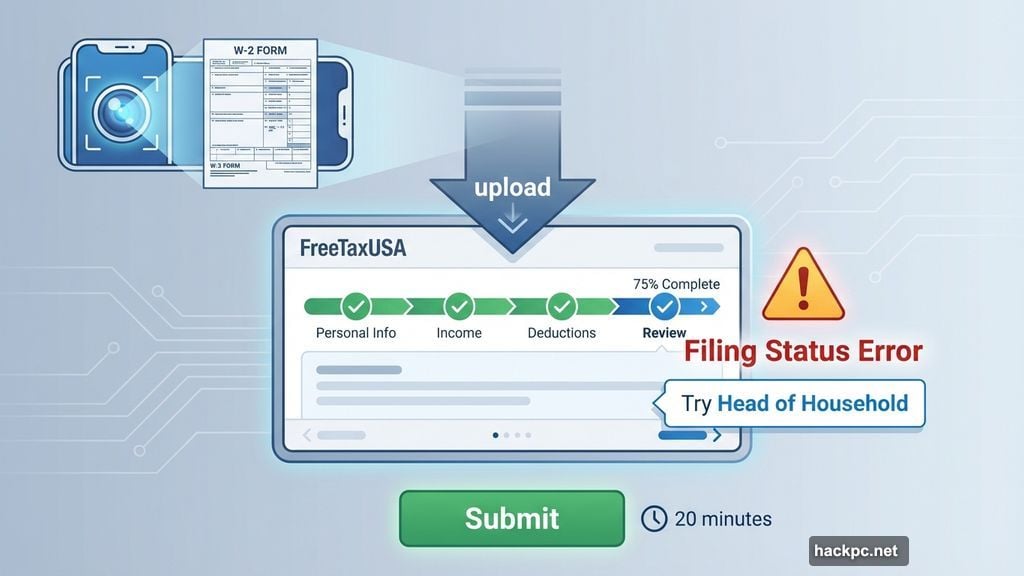
FreeTaxUSA guides you through filing with a step-by-step interview. The interface looks basic but it’s clean and responsive.
I tested the software with a standard W-2 return. The process took about 20 minutes from start to finish. You can upload your W-2 or snap a photo instead of typing everything manually.
The system caught a filing status error when I tried claiming a dependent as single. It suggested head of household instead. Those real-time checks prevent common mistakes.
Navigation stays straightforward. You can jump between sections without losing your progress. And unlike some competitors, FreeTaxUSA doesn’t constantly nag you to upgrade to a paid tier.
Investment Income Gets Trickier
FreeTaxUSA supports Schedule D for capital gains and losses. You can upload 1099-B forms from brokerages instead of entering trades manually.
But here’s the problem. The 1099-B import feature remains in beta as of December 2025. That means you’ll need to verify every detail before filing. One wrong number could trigger an audit.
High-volume traders face extra frustration. If you made dozens of stock or crypto trades, FreeTaxUSA requires more manual work than platforms like TurboTax that import data directly from major brokerages.
Employee stock purchase plans (ESPPs) create another headache. FreeTaxUSA lets you report ESPP sales from your 1099-B. However, it doesn’t support entering ESPP income that’s taxable as ordinary income but missing from your W-2.
Freelancers Get Solid Support
Schedule C filing for freelancers and small business owners works smoothly. The free tier includes everything you need to report self-employment income and track business expenses.
FreeTaxUSA now lets you upload 1099-NEC forms. That’s a huge time-saver if you juggle multiple clients. Just remember the upload feature is still in beta, so double-check the imported data.
The software walks you through common deductions like home office expenses, business mileage, and equipment purchases. It’s thorough enough for straightforward freelance situations.
But complex business structures need more specialized software. If you’re dealing with S-corps, partnerships, or international business income, consider hiring a CPA instead.
Rental Property Features Work Well
Schedule E support lets you track rental income, calculate mortgage interest, and handle depreciation. FreeTaxUSA makes it relatively simple to report income from rental properties or royalties.
The software also handles K-1 income from partnerships. That puts it ahead of many free alternatives that force rental property owners into paid tiers.
Foreign tax credits work if your income appears on a 1099-INT, 1099-DIV, or K-1. However, FreeTaxUSA doesn’t support Form 2555 for foreign earned income. Expats living abroad will need different software.
Educational Support Stays Minimal
FreeTaxUSA offers hover-over tips throughout the filing process. These quick explanations cover basic concepts like standard deductions or dependent requirements.
There’s also a searchable knowledge base for common questions. But the educational resources feel thin compared to competitors like TurboTax, which provides extensive guides and calculators.
If you already understand tax basics, the limited guidance won’t matter. But beginners might feel lost without more hand-holding.
Audit Defense Costs Extra
The base software includes a 100% accuracy guarantee. If FreeTaxUSA’s calculations cause IRS penalties or interest, they’ll reimburse you.
But that guarantee only covers computational errors. If you make a mistake entering your information, you’re on your own.
Audit defense through Protection Plus costs an additional $19.99. This gets you three years of support from CPAs and enrolled agents if the IRS or your state audits you. Not bad for the price, but it’s another add-on to consider.
Who Should Use FreeTaxUSA
FreeTaxUSA works great for straightforward tax situations. Use it if you:
Take the standard deduction with basic W-2 income. Have some freelance income or investment gains but not high-volume trading. Own one or two rental properties without complex depreciation schedules. Feel comfortable preparing your own return without much guidance.
Skip FreeTaxUSA if you need a pro to prepare your entire return, have complicated investment income like ISOs or ESPPs, file foreign earned income forms, or want extensive educational resources and hand-holding.
Better Than Competitors for Most
FreeTaxUSA beats rivals on price without sacrificing features. TurboTax charges up to $69 for state filing. H&R Block runs $37 for state returns on paid plans.
TaxSlayer offers one free state return if you qualify for its Simply Free plan, but complex situations push you into $39.99 territory.
Cash App Taxes provides completely free federal and state filing. However, it requires manual entry for most investment forms and supports fewer tax situations overall.
The transparent pricing alone makes FreeTaxUSA worth considering. You know exactly what you’ll pay before spending hours on your return.
Start Here If Your Taxes Stay Simple
FreeTaxUSA delivers reliable, affordable tax filing for straightforward situations. The free federal filing with transparent state fees beats most alternatives.
Just don’t expect extensive education or professional tax preparation. You’re handling your return yourself with minimal guidance.
For simple W-2 filers, freelancers, and rental property owners who understand tax basics, FreeTaxUSA saves money without cutting corners. That makes it a smart choice for anyone comfortable with DIY filing.




Comments (0)