

Google just dropped something wild. Their experimental browser doesn’t just load websites. It creates custom web apps based on what you’re doing.
Called “Disco,” this browser watches your tabs and chat history. Then it generates interactive tools using Gemini 3 AI. Plus, you don’t write any code. Just describe what you need in plain English.
Sounds futuristic? Let’s break down what actually works and what’s just clever marketing.
What GenTabs Actually Do
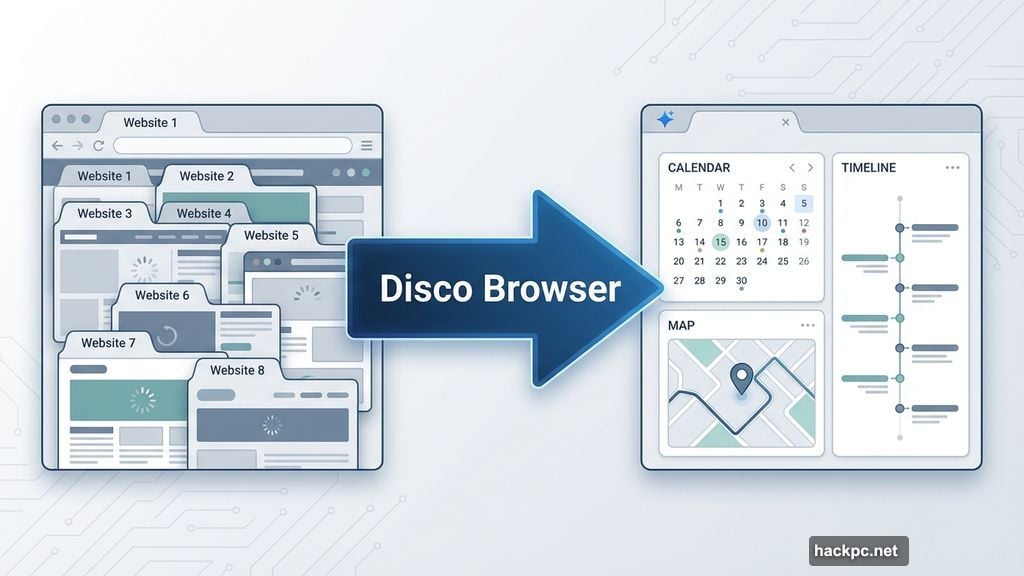
Disco’s headline feature is “GenTabs.” These aren’t regular browser tabs. Instead, they’re AI-generated web applications that respond to your current task.
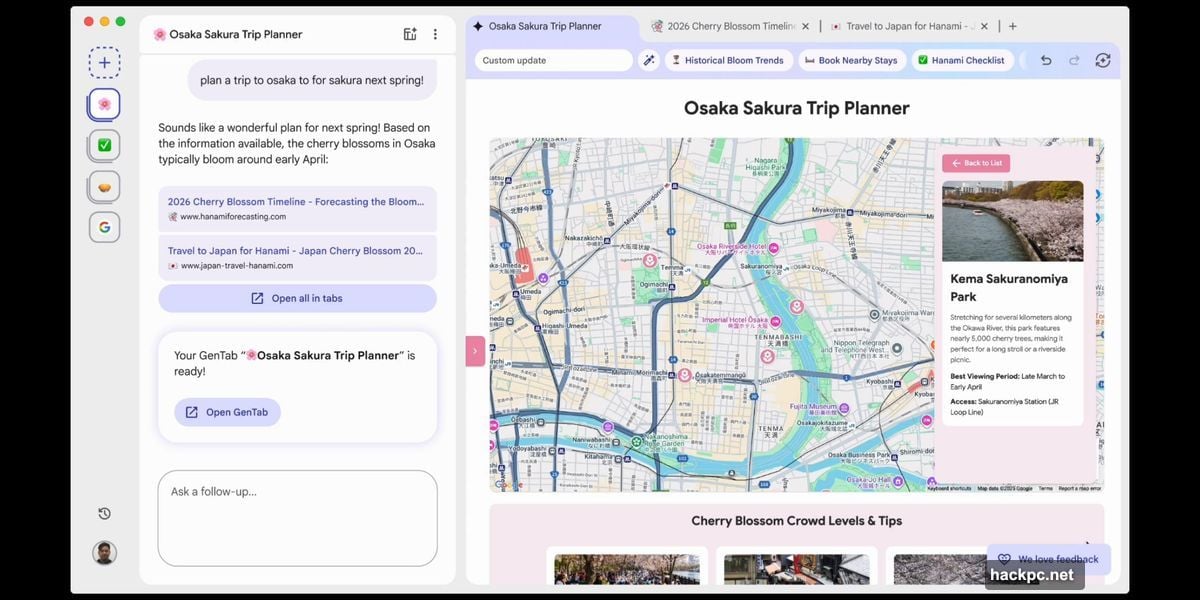
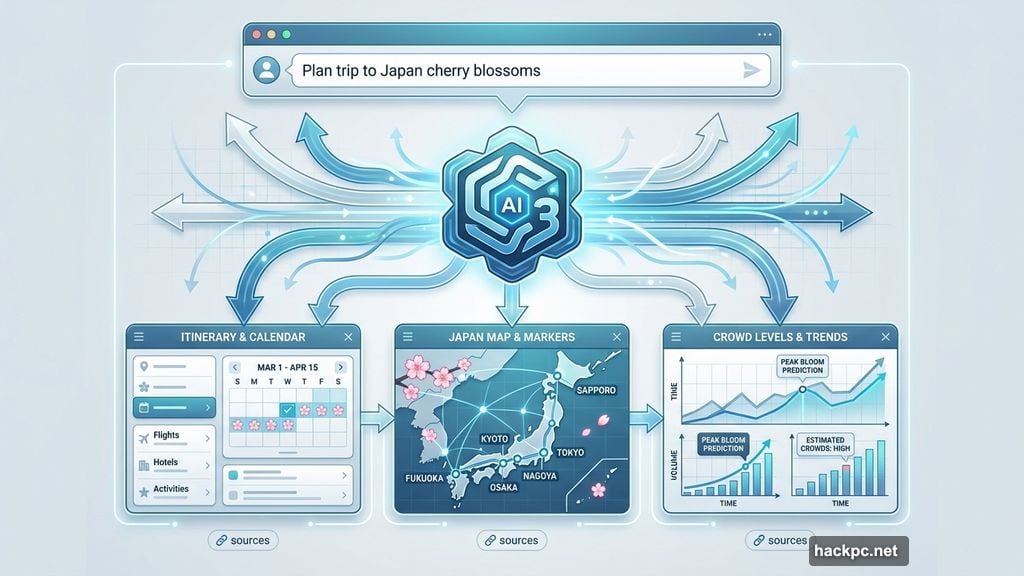
Planning a trip to Japan? Ask Disco about cherry blossom viewing. The browser analyzes your open tabs and creates a trip planner with calendars, timelines, and maps. It shows crowd levels at different cities and suggests booking options.
Each GenTab displays a Gemini spark icon instead of a normal favicon. That tells you it’s AI-generated rather than a traditional website. Moreover, clicking different sections like “Historical Bloom Trends” updates the GenTab with new information.
The chat box doubles as an address bar. So you can still visit regular websites when needed. But for complex tasks, Disco generates custom tools instead of making you juggle dozens of tabs.
Beyond Trip Planning
Google demonstrated several GenTab examples beyond travel. A meal planner generates recipes with rich imagery. A gardening planner suggests plants and layouts. An educational tool creates 3D models of the solar system on request.
Here’s what stands out. These aren’t pre-built templates. Disco generates each app based on your specific prompt. Ask for something different, and you get a different tool.
However, Google emphasizes that “every generative element ties back to the web.” Each GenTab links to original sources. That matters for accuracy and trust. Anyone can verify where information comes from.
The browser even suggests apps you might not have considered. Based on your current task, it offers additional tools that could help. That’s useful when you’re not sure what to ask for.
Built on Chromium, But Different
Disco runs on Chromium, just like Chrome. So it shares Chrome‘s rendering engine and compatibility. You’ll recognize the tab design and basic interface elements.
But Google positions Disco as a “vehicle designed to reimagine browsing and building for the modern web.” That’s corporate speak for “experimental playground where we test ideas that might eventually reach Chrome.”
The traditional address bar only appears when visiting regular websites. Otherwise, the chat interface takes over. That’s a significant shift from how browsers have worked for decades.
Google sees this as addressing web complexity. As they put it, “we’ve all felt the frustration of juggling dozens of open tabs to research a topic or plan a trip.” GenTabs aim to replace tab chaos with purpose-built tools.
The Community Learning Angle
Google frames Disco as a collaborative experiment. They want to “learn faster” by putting it in users’ hands now. Then gather feedback to “help shape the future of browsing.”
Translation: This is beta software collecting data about what people actually want from AI-powered browsers. Not all features will survive. Some might graduate to Chrome eventually.
Google explicitly states that “compelling ideas from Disco may one day make their way into larger Google products.” Chrome is the obvious candidate. But they’re not committing to anything specific yet.
That makes sense. Browsers are complex products with billions of users. You don’t rush major changes into Chrome without extensive testing. Disco provides that testing ground.
Who Can Try It
Right now, nobody. Google opened a waitlist but hasn’t granted access yet. They’re “starting small” with the rollout.
Initial availability is macOS only. No word on Windows, Linux, or mobile versions. That suggests early development stage and limited resources.
The waitlist requires filling out a Google Form. Standard procedure for Labs experiments. Expect weeks or months before access becomes widespread.
This cautious approach makes sense given how experimental Disco is. Better to find issues with thousands of users than millions.
The Bigger Picture
Disco represents Google’s bet that AI can fundamentally change how we use browsers. Instead of navigating between websites, we describe what we need. The browser generates the appropriate tool.
That’s powerful if it works reliably. But several questions remain unanswered. How accurate are these generated apps? Do they handle edge cases well? What happens when Gemini hallucinates or generates incorrect tools?
Plus, there’s the resource question. Generating complex web apps on demand requires significant processing power. Will Disco run smoothly on older Macs? How much bandwidth does it consume?
Google hasn’t addressed performance or accuracy in their announcement. Those details will matter once people actually use Disco.
Should You Care Yet
Maybe. If you constantly juggle research tabs and planning tools, GenTabs could genuinely help. The ability to generate custom apps without coding sounds useful.
But this is very early. Google Labs experiments often die quietly. Remember Google Wave? Buzz? Plus? Labs projects aren’t guaranteed to ship as real products.
For now, Disco is an interesting glimpse at possible browser futures. Whether that future involves GenTabs specifically or just borrows concepts remains unclear.
Worth joining the waitlist if you’re curious about AI experiments. Just don’t expect it to replace Chrome anytime soon. Google explicitly positions this as learning and exploration, not a Chrome replacement.
The web browser category hasn’t seen fundamental innovation in years. Disco at least tries something genuinely new. Whether “new” translates to “better” depends entirely on execution quality we can’t yet evaluate.




Comments (0)