

Vibe coding sounds almost too good to be true. Just tell an AI what you want, and watch it build an app for you. No coding degree required. No late nights fighting documentation.
But here’s the thing nobody talks about: the model you pick matters just as much as the project idea itself. I found this out the hard way after running the same vibe coding project through two different Gemini models and watching them diverge almost immediately.
The results weren’t just different. They were dramatic.
What Is Vibe Coding, Anyway?
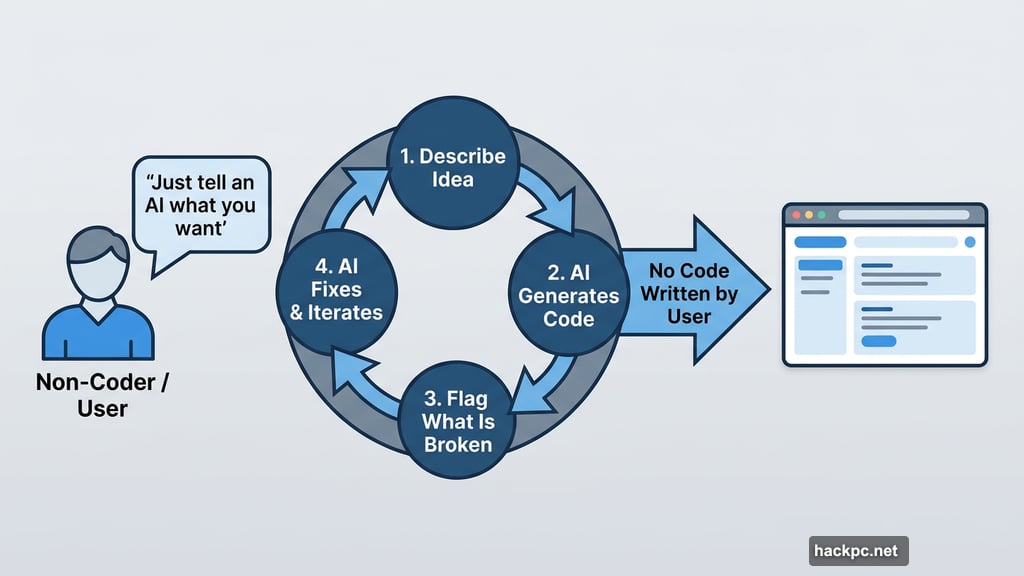
If you’re new to this, here’s the quick version. Vibe coding is the practice of building software by describing what you want to an AI chatbot, then letting it generate the actual code for you.
You don’t need to write a single line yourself. You just guide the conversation, describe what you want, flag what’s broken, and let the AI do the heavy lifting. It’s part creative direction, part debugging session, part patience exercise.
I’ve built several vibe coding projects before, but I’d never tested how the same project plays out across different models. So that became the experiment.
The Project: A Horror Movie Display Case
I wasn’t feeling particularly creative when I started, so I let Gemini help me pick the idea. It suggested a “Trophy Display Case” concept, and I adapted that into something more interesting: a horror movie showcase.
The goal was simple. Display a list of horror movies with their poster images. Click on a title, and a pop-up appears with more details, plus a link to watch the trailer on YouTube.
I gave both models the same general brief and let them handle the creative decisions from there. First up was Gemini 3 Pro, Google’s most powerful reasoning model available to most users. Then I ran the same project through Gemini 2.5 Flash, the faster, lighter alternative.
Same project. Same prompts. Very different journeys.
Fast vs. Thinking Models: What’s Actually Different
Before we get into the results, it helps to understand what separates these two models.
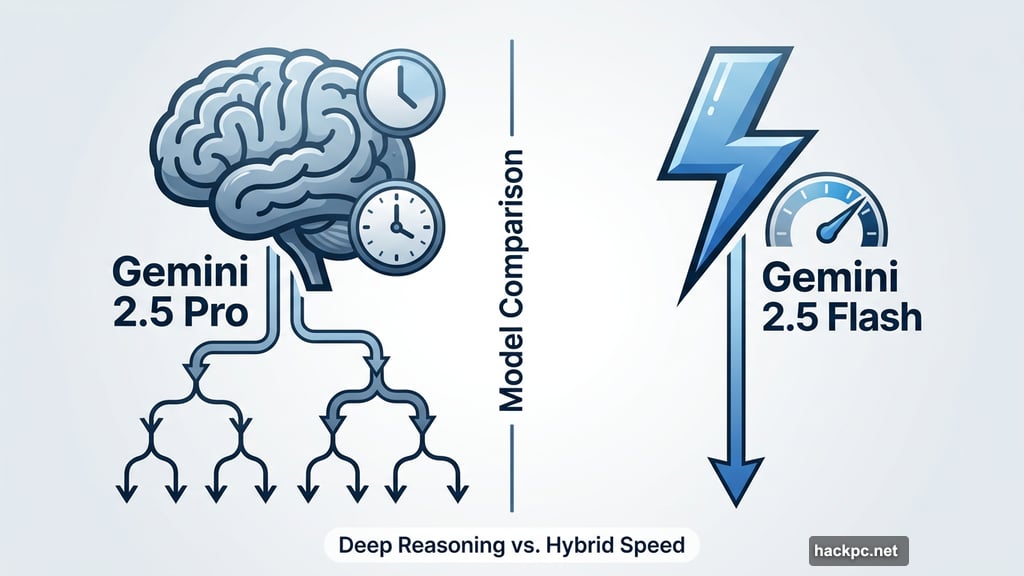
Both Gemini 2.5 Flash and Gemini 3 Pro are large language models with reasoning capabilities. But they approach problems differently. A reasoning model breaks complex tasks into smaller steps before generating an answer, working through an internal chain-of-thought process before responding.
Gemini 3 Pro leans into deep reasoning. It’s slower, but it digs further before answering. Gemini 2.5 Flash takes a hybrid approach, balancing speed with some reasoning capability. Think of it as the difference between a colleague who takes time to think things through versus one who answers fast but sometimes misses the bigger picture.
Google has since released Gemini 3 Flash, a more capable successor to 2.5 Flash. But at the time of this experiment, 2.5 Flash was the most current lightweight option available.
Gemini 3 Pro Took the Wheel
Working with Gemini 3 Pro felt like collaborating with someone who actually cared about the final product.
The model built a landing page that displayed all the horror movies from my list, complete with poster images pulled automatically using an API key from The Movie Database (TMDB). Click on any title, and a detail page opens with additional information and a YouTube link for the trailer.
That wasn’t my idea. Gemini 3 Pro suggested the TMDB integration on its own, without me asking. It recognized I needed a data source and proposed one. That kind of proactive thinking saved me a lot of time and frustration.
The project wasn’t perfect. I originally wanted trailers embedded directly in the page, but Gemini kept hitting errors it couldn’t resolve. After explaining the specific issues in detail, it helped me make the call to scale back to a linked image instead. Annoying? A little. But at least it was transparent about why.
There was also a persistent bug with a pop-up close button that refused to work. I asked Gemini to fix it four times before it finally succeeded on the fourth attempt. Frustrating, but it kept trying and eventually got there.
The biggest surprise came when I asked how to make the app more visually interesting. Gemini 3 Pro suggested adding a 3D wheel effect for browsing movies and a random pick button. I hadn’t thought of either. Both made the final product genuinely better.
The whole project took about 20 iterations, but the result went well beyond my original idea.

Gemini 2.5 Flash Handed Me the Shovel
Working with Gemini 2.5 Flash was faster. It was also considerably more work.
Where Gemini 3 Pro suggested the TMDB API without prompting, Gemini 2.5 Flash told me to “acquire” the poster images and move on. How I acquired them was apparently my business. This kind of vague instruction doesn’t help much when the whole point of vibe coding is to avoid doing things yourself.
When I pushed past the experiment parameters and asked Flash directly about using the TMDB API, it agreed it was a good idea and told me where to add the key. So I gave it the key and asked it to integrate everything.
The result? A grid of movie posters that were almost entirely wrong. Flash acknowledged its own limitations, saying it would “populate the array with as many confirmed IDs as possible,” but the output suggested it barely tried. Any correct movie poster that appeared felt like a lucky coincidence.
In contrast, Gemini 3 Pro had pulled every correct poster on the first attempt.
The Code Handoff Problem
Here’s where the experience gap really showed up in day-to-day use.
Every time Gemini 3 Pro made a change, it rewrote the entire codebase and gave me the complete updated version. I could copy and paste the whole thing without needing to know where any specific change happened.
Gemini 2.5 Flash worked differently. After making updates, it would hand me just the modified section and tell me to swap it into the existing code myself. For someone who knows their way around code, that’s manageable. For a true vibe coder who doesn’t know HTML from CSS, it can stop the whole project cold.
The most memorable moment came when I asked Flash to just rewrite the full code so I wouldn’t have to manually splice anything. Its response: “That’s a huge ask.”
That phrase stuck with me. Gemini 3 Pro never once pushed back like that. It just did the work.
What This Means for Your Next Vibe Coding Project
Neither model produced a flawless project. That’s worth saying clearly.
But Gemini 3 Pro made the process feel like a real collaboration, while Gemini 2.5 Flash often felt like managing someone who heard the instructions but wasn’t thrilled about following them.
If you’re new to vibe coding, Gemini 3 Pro is the safer choice. It anticipates problems, explains its decisions, and rewrites code cleanly so you don’t have to dig through files to find what changed.
Gemini 2.5 Flash can work, but it demands more from you. You need to be specific with every prompt, watch for shortcuts that can quietly break things, and be comfortable piecing code together manually when it hands you partial updates. With experience, you can work around those limitations. Without it, you might hit a wall fast.
The good news is that both models are free to access through Google’s Gemini interface. So if you’re curious, try both on something small. See how each one handles your style of prompting. The best model for vibe coding is ultimately the one that keeps your project moving, not the one that hands you a shovel.




Comments (0)