

Jackson Hewitt dominates physical tax prep with 5,200 locations nationwide. But their online platform? It’s a different story.
I spent days testing seven major tax software platforms. Jackson Hewitt Online stood out for one thing: transparent pricing. Everything else? Pretty bare-bones compared to competitors.
Here’s what you need to know before filing.
The $25 Flat Fee Sounds Great Until You Compare Features
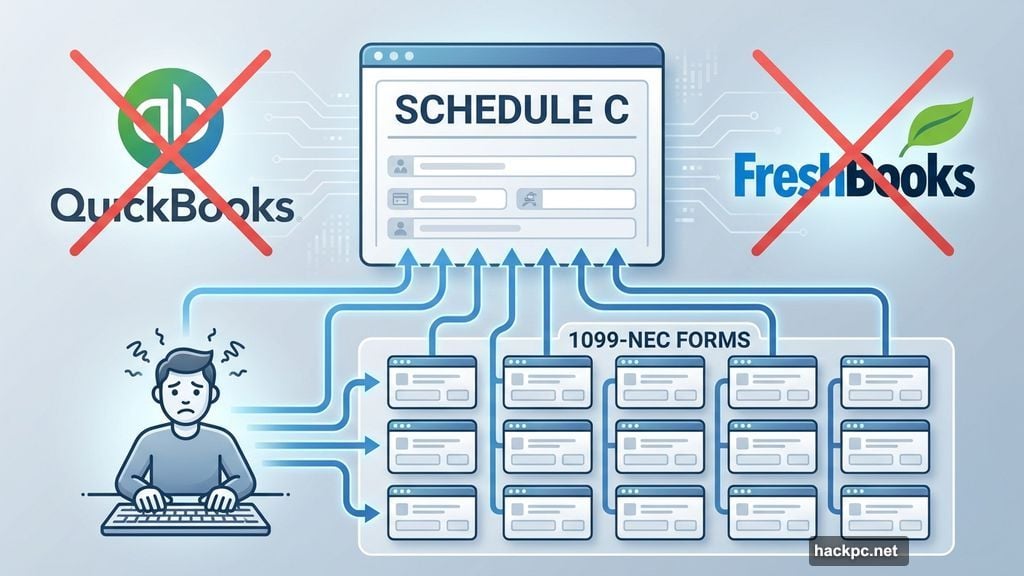
Jackson Hewitt charges $25 total for federal and state returns. No hidden tiers. No surprise upgrades. Plus, that fee covers unlimited state returns if you file in multiple states.
Sounds straightforward, right? It is. But there’s a catch.
Most competitors offer free filing for simple returns. Cash App Taxes charges $0 for federal and state. FreeTaxUSA gives you free federal filing with $15.99 state returns. So if your taxes are dead simple, Jackson Hewitt costs more than necessary.
However, the flat pricing has one advantage. Many filers think they qualify for “free” filing, only to discover mid-process they need a paid tier. With Jackson Hewitt, everyone pays $25 regardless of complexity. No surprises.
Still, that transparent pricing doesn’t make up for missing features.
Import Tools Are Almost Nonexistent
Here’s where Jackson Hewitt really stumbles. The platform barely imports anything.
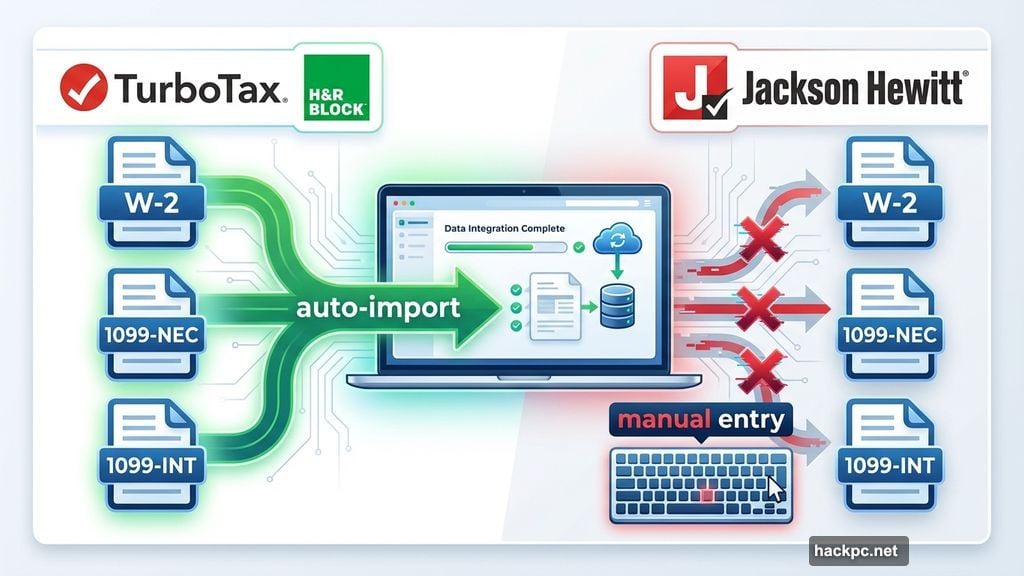
You can upload your W-2. That’s helpful. But beyond that? Manual entry for everything else. Got 1099-NECs from freelance work? Type them in yourself. Investment income from multiple brokerages? Good luck with that data entry.
Compare this to TurboTax or H&R Block. Both automatically import W-2s, 1099s, investment data, and even last year’s return from competitors. Jackson Hewitt only imports prior returns if you filed with Jackson Hewitt before.
First-time users face tedious onboarding. You’ll answer dozens of questions about basic personal info that other platforms auto-populate from last year’s data. It’s frustrating and time-consuming.
The lack of imports also increases error risk. Every manual entry creates opportunity for typos or transposed numbers.
Self-Employed Filers Will Hate This Experience
Jackson Hewitt supports Schedule C for freelancers and small business owners. Technically. But the execution is rough.
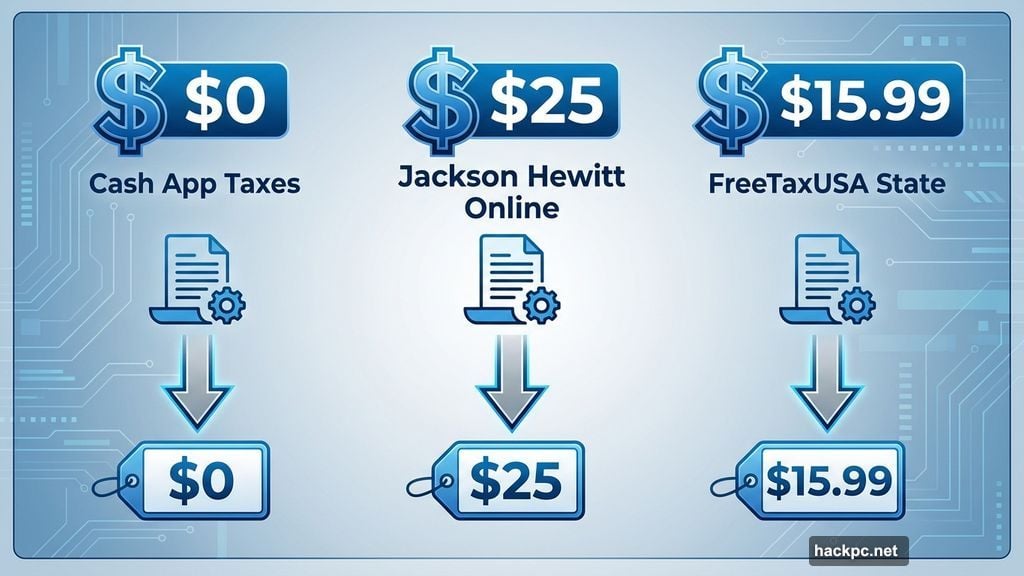
There’s no integration with accounting software like QuickBooks or FreshBooks. You’ll manually enter every business expense. Income from multiple clients? Manual entry for each 1099-NEC.
I’m a freelancer who gets about 12 different 1099-NECs each year. Manually typing all that data would drive me crazy. Plus, one wrong number tanks your accuracy.
The guidance for business deductions is minimal too. Need help with the home office deduction? You’ll find generic IRS information, not personalized advice for your situation. Other platforms walk you through calculations step-by-step.
Moreover, there are no built-in expense tracking tools. You’re on your own to organize receipts and calculate deductions throughout the year.
Investment Income Gets Complicated Fast
Jackson Hewitt handles Schedule D for capital gains and losses. But again, expect lots of manual work.
Sold stocks or crypto in 2024? You’ll type in every transaction from your 1099-B. That’s tedious if you made multiple trades. It also increases error risk significantly.
Things get worse with equity compensation. Restricted stock units (RSUs) or employee stock purchase plans (ESPPs) require cost basis adjustments to avoid double taxation. Jackson Hewitt doesn’t guide you through this. You’ll need to figure it out yourself or risk overpaying.
TurboTax excels here with dedicated workflows for equity comp and automatic cost basis adjustments. If your investment situation goes beyond basic stock sales, Jackson Hewitt isn’t equipped to handle it smoothly.
The AI Assistant Is Basically Useless
Jackson Hewitt added an AI-powered virtual assistant. I tested it extensively. Results? Disappointing.
I asked basic questions like “When does tax season start?” The response: “Sorry, I don’t understand that. I’m still learning.”
Even simpler questions failed. “When is the tax deadline?” Same unhelpful response. The assistant directed me to IRS pages instead of answering directly.
Other platforms integrate AI better. They provide instant answers to common questions or surface relevant help articles. Jackson Hewitt’s AI feels like an afterthought that wasn’t ready for launch.
Educational Resources Are Surprisingly Weak
For a company known for in-person tax expertise, Jackson Hewitt Online offers shockingly little guidance.
There are some basic articles and videos. But click deeper on complex topics and you’ll hit dead ends. Many links simply redirect to IRS pages full of dense tax code language.
Compare this to H&R Block or TaxAct. Both provide plain-English explanations, video tutorials, and contextual help throughout filing. Jackson Hewitt leaves you to decode IRS jargon yourself.
The platform does offer helpful calculators on their website. The EITC calculator and self-employment tax estimator work well. But these are separate tools, not integrated into the filing process.
No Expert Access Unless You Pay Separately
Here’s the biggest disappointment. Jackson Hewitt Online provides zero access to tax professionals.
You get live chat support during tax season. Hours are decent: 9 a.m. to 11 p.m. ET weekdays, shorter hours on weekends. But chat representatives aren’t CPAs or enrolled agents. They help with technical issues, not tax advice.
Need professional guidance? You’ll stop by a physical Jackson Hewitt location and pay their in-person rates, which vary by location. There’s no option to upgrade your online filing for expert review like most competitors offer.
That’s bizarre for a company built on professional tax prep services. TurboTax, H&R Block, and others let you pay extra to have a CPA review your return or answer questions. Jackson Hewitt makes you use a completely different service.
Mobile Filing Works, But Just Barely
Jackson Hewitt Online works on mobile browsers. However, the site isn’t fully optimized for phones. Navigation feels clunky on smaller screens. Plus, there’s no dedicated mobile app.
Most major competitors offer polished mobile apps with camera-based document upload. Jackson Hewitt falls behind here.
If you plan to file on your phone, look elsewhere. The desktop experience is manageable. The mobile experience is frustrating.
Error Checking Is Standard, Nothing Special
Jackson Hewitt does real-time error checking as you file. Potential problems appear highlighted in red or orange. That’s helpful for catching mistakes before submission.
There’s also a final accuracy review before filing. The platform checks for common errors and missing information. These features are solid, though not unique. Every major tax software does similar checks.
Jackson Hewitt offers a 100% accuracy guarantee. If their calculation error causes IRS penalties, they’ll reimburse you. Standard stuff. But the guarantee doesn’t cover your own mistakes during data entry.
There’s also a maximum refund guarantee for federal returns. If another service gets you a bigger refund, Jackson Hewitt refunds your $25 fee. Again, most competitors offer this.
Hidden Costs Aren’t Too Bad
The $25 flat fee is honest for most filers. But watch for these extras.
If you want your filing fee deducted from your refund, you’ll pay an additional $54.95 “Assisted Refund” fee. That’s expensive for what amounts to a short-term loan. Just pay the $25 upfront if possible.
You can also buy “Worry-Free Guarantee Tax Protection” for audit defense and refund protection up to $5,000. The cost varies, but most filers don’t need this. Your chances of audit are low if you file accurately.
Beyond these optional add-ons, Jackson Hewitt is transparent about costs. That’s refreshing compared to services that hit you with unexpected fees mid-filing.
Who Should Actually Use This?
Jackson Hewitt Online works for a narrow group of filers.
You’re a good fit if you have a very simple return. One W-2, standard deduction, maybe some basic credits. The $25 fee is reasonable if you’re not confident about filing completely free elsewhere.
You might also like it if you file in multiple states. The flat fee covers unlimited state returns. Most competitors charge per state return, so this saves money for multi-state filers.
That’s about it. Everyone else should look elsewhere.
Freelancers will hate the manual data entry. Investors with multiple transactions will waste hours typing. Anyone who wants expert help will need to use a different service entirely.
Plus, if you know your taxes are simple, Cash App Taxes offers the same functionality for $0. FreeTaxUSA is cheaper too. The only reason to pay Jackson Hewitt’s $25 is if you’re uncertain about complexity and want to avoid surprise upgrade fees.
Better Alternatives for Most Filers
For simple returns, use Cash App Taxes. Completely free for federal and one state return. The interface is cleaner than Jackson Hewitt’s too.
If you’re self-employed or have investment income, TurboTax is worth the extra cost. The automatic imports and specialized guidance save hours of work. Plus, you can pay to have a CPA review your return if needed.
H&R Block hits a nice middle ground. Better features than Jackson Hewitt, but cheaper than TurboTax. You also get access to tax professionals at reasonable upgrade prices.
FreeTaxUSA is the budget champion. Free federal filing plus $15.99 for state returns. The interface isn’t fancy, but it handles complex returns better than Jackson Hewitt Online.
Jackson Hewitt Online isn’t terrible. It’s just unnecessary. The transparent pricing is nice, but that alone doesn’t justify choosing it over better alternatives. Unless you’re filing in multiple states or specifically want the flat-fee structure, you’ll find better experiences elsewhere.




Comments (0)