

McAfee has been protecting devices since 1987. That’s nearly four decades of cybersecurity experience. But does that history translate into a product worth buying today?
After spending several days testing McAfee’s antivirus software, privacy tools, and identity protection features, I came away with genuinely mixed feelings. Some parts impressed me. Others frustrated me more than I expected. Here’s the honest breakdown.
What McAfee Actually Offers
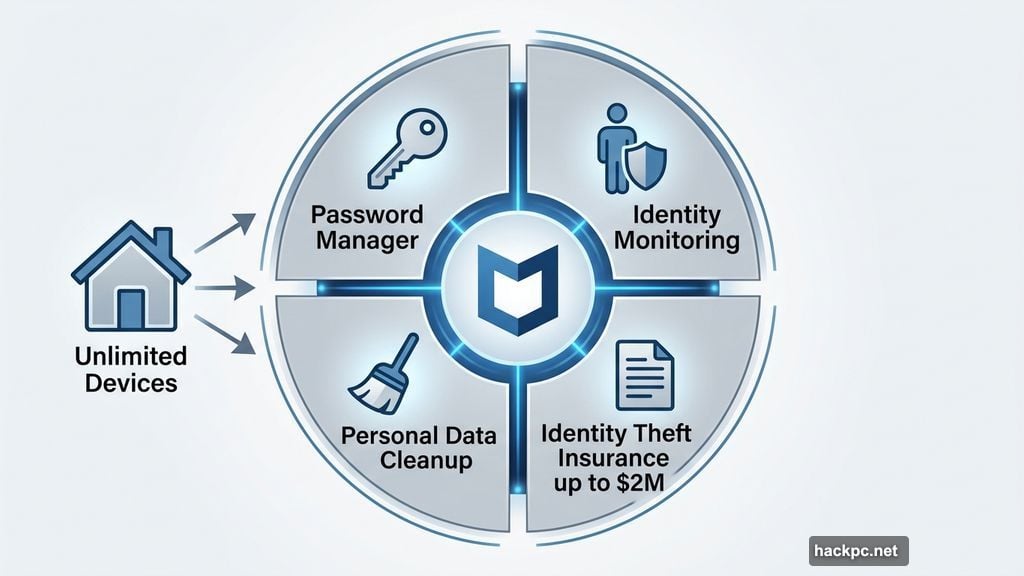
McAfee isn’t just an antivirus anymore. It’s a full cybersecurity suite with tools for password management, personal data cleanup, identity monitoring, and even identity theft insurance for higher-tier plans.
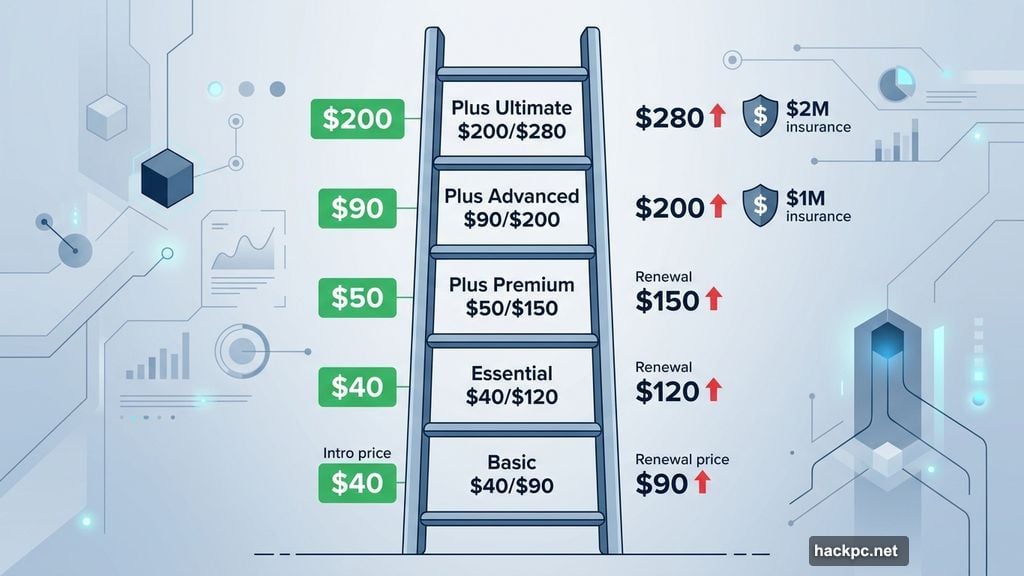
Plans start at $40 for the first year and scale up to $200. Every McAfee Plus plan covers unlimited devices, which is a big deal if your household runs multiple computers, phones, and tablets.
Here’s a quick look at the plan tiers:
- Basic ($40/year intro, $90/year after): Antivirus, scam detection, VPN, identity monitoring — for one device
- Essential ($40/year intro, $120/year after): Same features, covers up to five devices
- Plus Premium ($50/year intro, $150/year after): Adds personal data cleanup and online account management for unlimited devices
- Plus Advanced ($90/year intro, $200/year after): Full-service data removal, credit monitoring, and up to $1 million in identity theft insurance
- Plus Ultimate ($200/year intro, $280/year after): Expands to $2 million theft insurance, plus investment and loan monitoring for those with significant assets
The renewal price hikes are steep. Most plans jump $60 to $100 after year one, which is notably higher than what Bitdefender or Norton charge on renewal.
Setup and Navigation Feel Smooth
Installing McAfee took about two minutes on my Lenovo ThinkPad. The guided setup walked me through activating the VPN and a few other tools before dropping me onto the main dashboard.
Everything is clearly labeled. The sidebar stays minimal without hiding important features. Even someone who’s never used security software before would find their way around without much trouble.
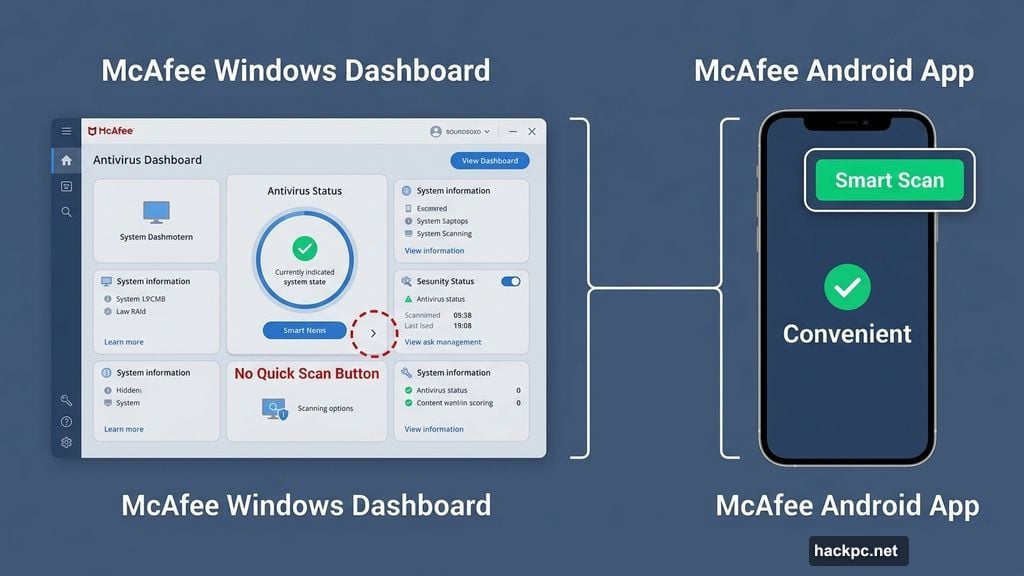
One small annoyance: there’s no quick-scan button on the main screen. You have to click the arrow next to your antivirus status to find scanning options. It’s a minor thing, but it slows down a routine that should feel instant.
The Android app actually handled this better. It puts a Smart Scan button right in the top corner of the dashboard. Much more convenient.
McAfee Scans Eat Your CPU Alive
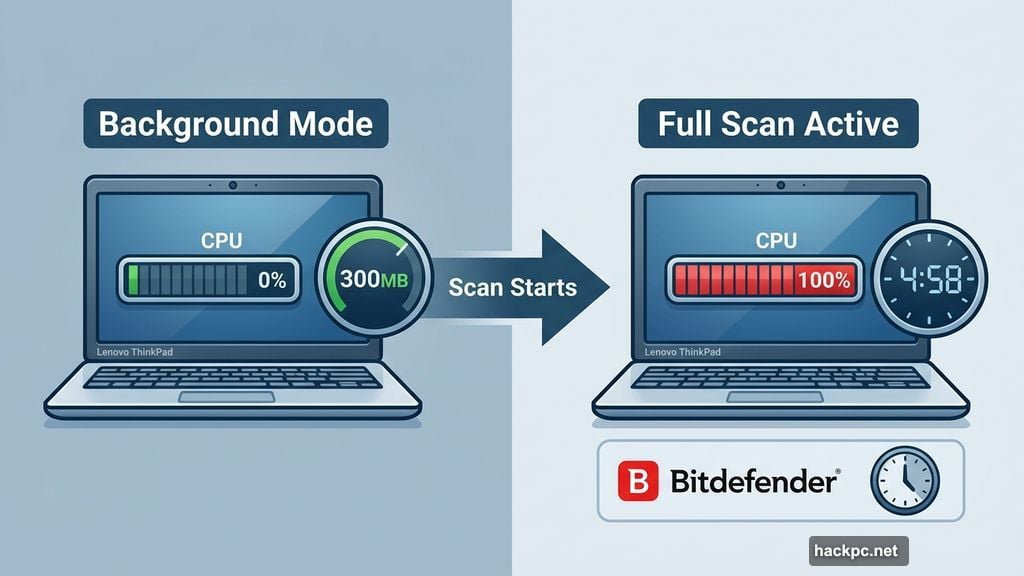
Here’s where things get rough. McAfee’s background performance is actually fine. While running in the background, it used 0% of my CPU and about 300MB of memory. Comparable to Bitdefender and Malwarebytes.
But the moment you run an active scan, the picture changes dramatically.
My first full scan on a brand-new ThinkPad with about 50GB of files took nearly five hours. For context, Bitdefender and Malwarebytes complete initial deep scans in 20 to 35 minutes. That’s not a small gap — that’s a completely different league.
Quick scans weren’t much better. Without the “Fast Scanning” setting enabled, quick scans used 40% to 60% of my CPU. Bitdefender and Malwarebytes used just 5% to 8% during comparable scans.
Enabling the Fast Scanning option pushed CPU usage to 80% to 85%. My computer basically became unusable during those scans.
Follow-up full scans improved but stayed inconsistent. Some took 45 minutes. One took nearly an hour after downloading five small images. Another finished in 20 minutes. The unpredictability made it hard to trust or plan around.
A McAfee contact explained that the first full scan digs into every file and folder deeply. Subsequent scans focus on new files. That explains some of the variance, but it doesn’t make the experience less painful.
Bottom line on performance: Don’t run McAfee scans while gaming, video editing, or doing anything resource-intensive. Schedule them for overnight or when you’re away from your desk.
The Online Account Cleanup Tool Is Genuinely Excellent
This is the feature that separates McAfee from the crowd.
The Online Account Cleanup tool finds every account connected to your email address. You just enter your email and give McAfee permission to scan. Within five minutes, it surfaced 77 results for my account. After an hour of continued scanning, that number jumped to 455.
Sounds alarming? Maybe. But I’ve been using that email for 20 years and signed up for things without thinking twice. The number makes sense in that context.
McAfee organizes results into categories: high-risk accounts, unused or rarely used accounts, and accounts with access to your financial information. Each entry shows what data you likely shared and lets you choose to keep or remove it.
Bitdefender has a similar tool called Digital Footprint, but it doesn’t separate companies you’ve submitted your email to versus sites where you’ve created full accounts. It also skips risk-level indicators entirely. McAfee’s version is meaningfully better.
Personal Data Cleanup and Identity Monitoring Work Well
The Personal Data Cleanup tool scans data broker sites for your personal information. You enter your name, email, birth date, and home address, and McAfee searches automatically. My scan found one potential breach and submitted a removal request within minutes.
The identity monitoring system connected to my primary email and found 49 data breaches in under two minutes. Each breach came with practical advice — mostly reminders about not reusing passwords, which sounds basic but genuinely helps people newer to cybersecurity.
Both tools ran smoothly and provided clear, actionable results. They’re not flashy, but they work.
The VPN and WebAdvisor Are Weak Spots
McAfee’s VPN was a real disappointment. Testing it against several server locations, I saw an overall speed loss of 46%. That’s well above the 30% to 40% slowdown I’ve seen from most antivirus-bundled VPNs, and far worse than the recommended 25% maximum.
Here’s how the numbers looked across different server locations:
| Location | Download (Mbps) | Upload (Mbps) |
|---|---|---|
| Default | 536.88 | 874.92 |
| Optimal VPN | 354.68 | 198.25 |
| US | 278.96 | 62.52 |
| UK | 313.83 | 46.12 |
| Germany | 294.33 | 33.57 |
| Singapore | 222.23 | 13.25 |
Beyond speed, the VPN lacks obfuscated servers and has limited split tunneling support. iOS split tunneling only works at the website level, not the app level. That’s not ideal for anyone with real privacy concerns.
For casual streaming of region-locked content, it might get the job done. But for actual privacy protection, go with a dedicated option like NordVPN, ExpressVPN, Proton VPN, or Mullvad.
The WebAdvisor browser extension was similarly underwhelming. It flagged some suspicious links with question marks during searches, but I never saw it block trackers or ads the way Bitdefender and Malwarebytes extensions do. The amount of data it collects — including URLs of every site you visit — also raised concerns, despite McAfee clarifying that data gets anonymized.
Security Scores Are Actually Strong
Third-party lab results paint a genuinely positive picture. AV-Test has given McAfee a perfect six out of six security rating consistently since mid-2020.
AV-Comparatives found McAfee had a 99.3% online detection rate and a 100% online protection rate in March 2025. That actually edges out Bitdefender’s 98.8% online detection rate in some categories.
The one concern is offline detection. McAfee’s offline detection rate dropped to 87.3%, an 11% gap from its online performance. That’s a bigger drop than most competitors and suggests McAfee may be less reliable when scanning files on USB drives or external hard drives.
Customer Support Is a Genuine Highlight
McAfee’s support impressed me at every touchpoint. The knowledge base is organized and includes step-by-step guides with images. Live chat connected me to a real human in about two minutes after one simple redirect from the AI chatbot. The phone line answered in roughly a minute and the agent followed up with an email containing related resources.
The only gap is email support. I searched thoroughly and couldn’t find a support ticket form or email address anywhere. If you prefer async communication, that’s a meaningful limitation.
Still, for real-time support quality, McAfee stands out.
Privacy Policy Concerns Worth Knowing
McAfee’s privacy policy contains provisions for sharing your data with third parties, including social media companies and government authorities on request. The policy is less transparent than what you’d find from Bitdefender or Malwarebytes, which name specific companies they share data with.
McAfee representatives confirmed that all data is encrypted using TLS 1.3 and AES-256 protocols during transfer and at rest. But encryption protects against hackers — it doesn’t prevent McAfee from sharing your data with marketing partners.
The VPN’s no-logs policy limits what McAfee could theoretically hand over to authorities. The VPN infrastructure (shared with TunnelBear) was audited by Cure53 in both 2024 and late 2025. McAfee confirmed that issues from the 2024 audit were resolved and that some 2025 findings are still being corrected. The audit isn’t publicly available, which makes full verification difficult.
Who Should Actually Buy McAfee
McAfee makes the most sense in two specific situations.
First, if you have a lot of devices. Unlimited device coverage across all McAfee Plus plans is genuinely rare. Malwarebytes defaults to three devices. Bitdefender caps individual plans at five. Norton goes up to ten but doesn’t match McAfee’s identity theft insurance options. If you’re protecting ten or more devices for one person, McAfee’s pricing logic starts to work in your favor.
Second, if the Online Account Cleanup tool resonates with you. If you’ve been online for a long time and want a methodical way to clean up your digital footprint, this tool delivers real value that competitors don’t match.
For everyone else, Bitdefender or Malwarebytes offer better scan performance, lighter resource usage, and competitive privacy tools at similar or lower long-term costs. They’re easier to recommend as everyday antivirus solutions.
McAfee isn’t bad software. It just asks you to accept real trade-offs — slower scans, heavier CPU loads, a sluggish VPN — in exchange for unlimited device coverage and a standout account cleanup tool. Whether those trade-offs work for you depends entirely on your priorities.


Comments (0)