
Microsoft rolled out automatic image captions in Word and PowerPoint. Sounds helpful. But you’ll need specific hardware to use it.
The feature targets accessibility. It generates alt text automatically when you add images to documents. Plus, it works on images already sitting in your files. That’s a genuine time-saver for anyone building accessible documents.
But there’s a hardware wall. Your computer needs a neural processing unit rated at least 40 TOPS. Moreover, you must own a Copilot+ PC and subscribe to Microsoft 365. So this isn’t coming to everyone’s laptop.
How Auto-Generated Captions Work
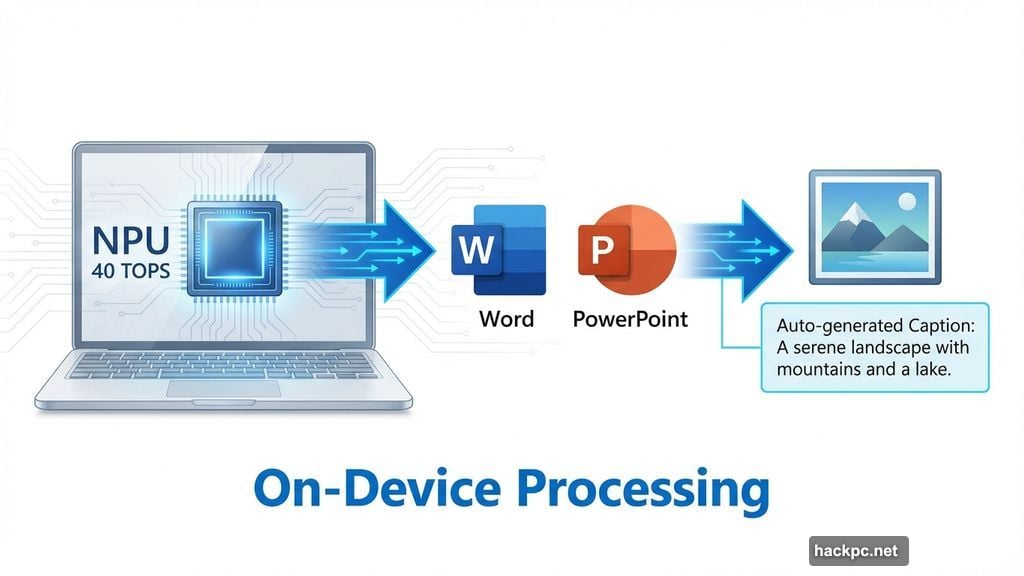
Drop an image into Word or PowerPoint. The Copilot+ PC analyzes it locally using its NPU. Then it suggests a caption describing the image content.
You get two options. Accept the caption as-is, or edit it before applying. This flexibility matters because AI descriptions sometimes miss context or nuance.
The feature also works retroactively. Open an old document with images. The system can generate captions for those existing images too. So you don’t need to rebuild documents from scratch to add accessibility features.
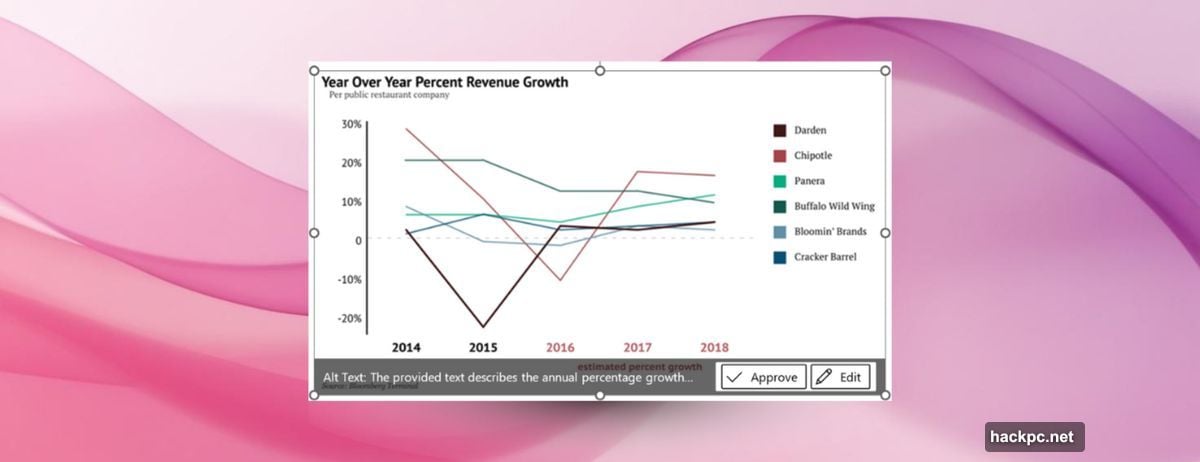
Microsoft processes everything on-device. Your images don’t get sent to cloud servers for analysis. That’s important for privacy and for users handling sensitive documents.
Hardware Requirements Create Barriers
Here’s where things get restrictive. You need Microsoft 365 version 2512 (Build 19530.20006) or newer. That’s the software side.
But hardware matters more. Your computer must have a neural processing unit capable of at least 40 TOPS performance. TOPS stands for trillions of operations per second. It measures how fast the NPU can run AI tasks.
Most Copilot+ PCs meet this requirement. They’re designed with powerful NPUs specifically for on-device AI features. Yet if you’re using an older laptop or desktop, even a fast one, you probably don’t have the necessary NPU.
Moreover, you need an active Microsoft 365 subscription. Free Office users won’t get this feature. Neither will one-time Office license holders. Microsoft positioned this as a premium capability for subscribers only.
Why Accessibility Features Matter
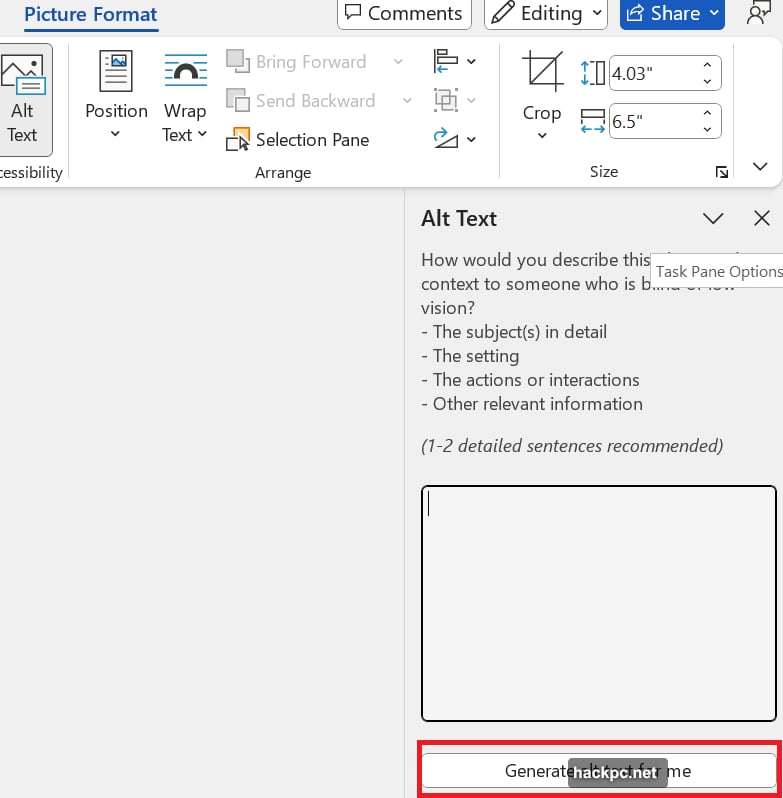
Alt text serves blind and visually impaired users. Screen readers rely on these descriptions to explain image content. Without alt text, images become invisible barriers in documents.
Writing good alt text takes effort. You need to describe the image clearly without being too verbose. Many users skip this step entirely because it’s tedious.
Automatic generation removes that friction. Now documents become accessible by default rather than requiring extra work. That’s genuinely valuable for creating inclusive content.
However, AI-generated descriptions aren’t perfect. They might miss important details or misinterpret context. So users still need to review and edit captions for accuracy. The feature speeds up the process but doesn’t eliminate human judgment.
NPU Requirements Signal Microsoft’s Direction
Microsoft keeps adding features that require neural processing units. Automatic captions join a growing list of NPU-dependent capabilities in Windows 11 and Microsoft 365.
This strategy makes sense from Microsoft’s perspective. They want to push AI computing to the edge. Processing data locally instead of in the cloud offers speed and privacy benefits.
But it creates a two-tier experience. Users with new Copilot+ PCs get cutting-edge AI features. Everyone else gets left behind. That gap will widen as Microsoft adds more NPU-dependent tools.
The 40 TOPS requirement isn’t arbitrary. That performance level enables real-time AI inference while maintaining system responsiveness. Lower-powered NPUs struggle with these tasks.
Rolling Out to Subscribers Now
The feature started appearing for Microsoft 365 subscribers this month. You don’t need to enable anything manually. Once your software updates to version 2512 or later, automatic captions should work automatically.
Check your Microsoft 365 version by opening Word or PowerPoint. Go to File, then Account, and look under Product Information. If you see version 2512 (Build 19530.20006) or higher, you’re running the right version.
If you don’t see automatic caption suggestions when adding images, verify your hardware. Your Copilot+ PC needs that 40 TOPS NPU. Older devices won’t support this feature even with updated software.
Microsoft hasn’t announced plans to bring this capability to non-Copilot+ devices. The NPU requirement appears fundamental to how the feature works.
Practical Value for Document Creation
For users who qualify, automatic captions save real time. Building accessible documents becomes faster and less tedious.
Teachers creating educational materials benefit significantly. They often include numerous images that need descriptions for students using assistive technology. Automatic captions speed up document preparation considerably.
Business users also gain efficiency. Reports, presentations, and training materials often contain images requiring alt text for compliance. Automatic generation helps meet accessibility requirements without extra labor.
Content creators working on marketing materials get similar benefits. Product images, infographics, and screenshots all need descriptions. AI assistance makes that process less painful.
The edit capability matters most. AI suggestions serve as starting points rather than final answers. Users refine descriptions to match their specific needs and context.
Microsoft positioned this as an accessibility feature first. But it’s really a productivity tool disguised as accessibility support. Everyone wins when accessible content becomes easier to create.
Your move depends on your hardware and subscription status. Copilot+ PC owners with Microsoft 365 get immediate value. Everyone else waits for their next computer upgrade.




Comments (0)