
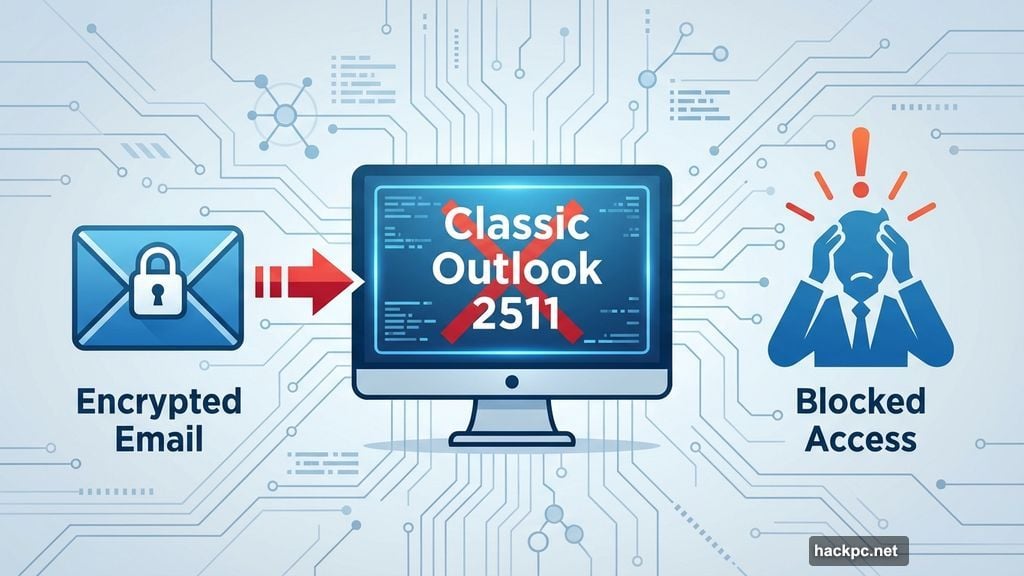
Microsoft just confirmed a nasty bug. Classic Outlook version 2511 breaks encrypted email access completely.
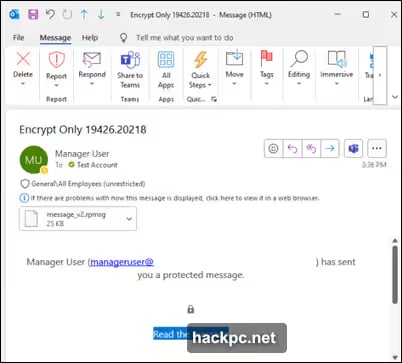
Business users who rely on email encryption for sensitive communications hit a wall. Even after verifying their identity, encrypted messages won’t open. That’s a serious security and productivity problem for organizations handling confidential data.
What’s Actually Breaking
The latest classic Outlook build (version 2511) introduced this encryption failure. Users authenticate successfully but still can’t access encrypted message content.
Microsoft acknowledges the issue on their official support page. However, they haven’t identified the root cause yet. The company promises updates as their investigation continues.

This isn’t the first time classic Outlook struggled with encryption. Previous versions experienced similar problems. But this particular bug affects the current production release that many organizations actively use.
Why This Matters for Business Users
Email encryption protects sensitive business communications. Financial data, legal documents, and confidential client information all depend on this security layer.
When encryption breaks, businesses face tough choices. They can send unencrypted emails and risk data exposure. Or they can delay communications until Microsoft fixes the problem. Neither option works well.
Plus, compliance requirements often mandate email encryption. Healthcare organizations need HIPAA compliance. Financial firms must follow SEC regulations. These aren’t optional security measures—they’re legal obligations.
Two Temporary Fixes That Work
Microsoft suggests two workarounds while they investigate the bug.
First option: Roll back your Outlook version. Older builds of classic Outlook still handle encrypted emails correctly. You can downgrade to a previous version through your Microsoft 365 admin center or local installation files.
This approach works but creates its own problems. Older versions miss recent security patches and feature updates. So you’re trading one security issue for potential vulnerabilities elsewhere.
Second option: Change how you encrypt emails. Instead of using the File menu to encrypt messages, access encryption through the Options tab when composing emails.
This workaround lets you stay on the current version. However, it requires retraining users on a different encryption workflow. That’s frustrating but better than losing encryption entirely.
Classic Outlook vs New Outlook
This bug highlights Microsoft’s ongoing transition challenges. The company wants everyone to move from classic Outlook to the new web-based version.
But many organizations stick with classic Outlook for good reasons. It offers better offline functionality, deeper Windows integration, and more advanced features. The new Outlook still lacks feature parity with its predecessor.
So Microsoft maintains both versions simultaneously. That creates complexity. Bugs like this one often emerge when resources split between old and new platforms.
What Comes Next
Microsoft’s investigation continues with no specific timeline for a permanent fix. Their support page will update when they identify the cause and deploy a patch.
For now, affected organizations need to pick their workaround. Rolling back versions provides immediate relief but sacrifices security updates. Using the Options tab keeps you current but requires workflow changes.
Neither solution is ideal. But they beat the alternative—losing encrypted email access entirely while Microsoft sorts out the problem.
Organizations dependent on email encryption should monitor Microsoft’s support page closely. Subscribe to notifications for updates. And communicate with your IT team about which workaround fits your security policies best.
The broader issue remains troubling. Email encryption is fundamental security infrastructure, not an optional feature. When basic functionality breaks in production releases, it erodes trust in the platform’s reliability for mission-critical communications.




Comments (0)