
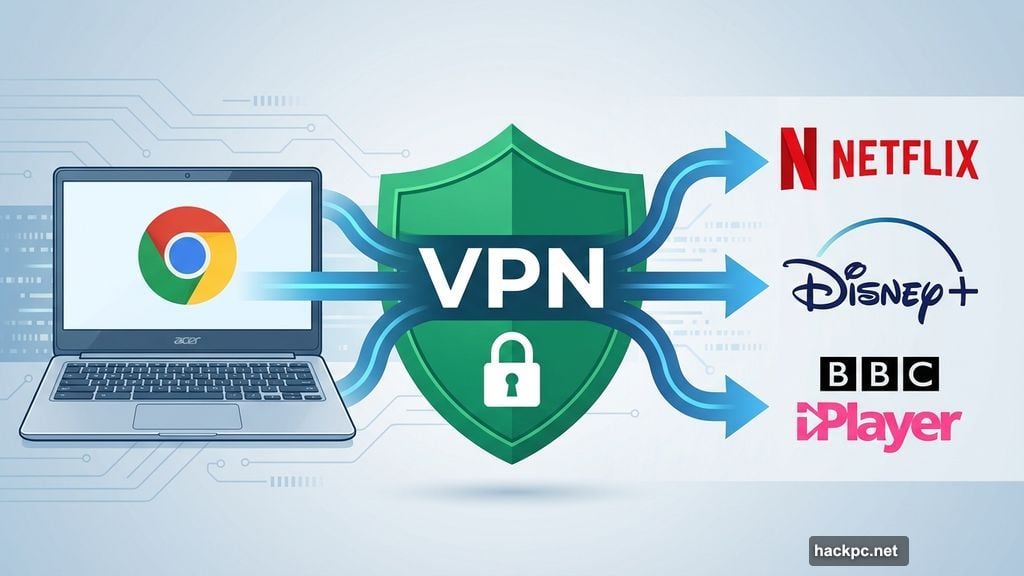
VPNs on Chromebooks solve a simple problem. You want privacy while browsing. Or you need to unblock Netflix shows locked to other countries. Most modern Chromebooks run Android apps, which makes installing VPN software dead simple.
But not all VPNs work equally well on ChromeOS. Some deliver blazing speeds. Others bog down your connection. A few excel at streaming, while many can’t crack Netflix’s defenses.
I tested six VPN providers on my Acer Spin 713 Chromebook. The results surprised me. Price doesn’t always predict performance. Plus, the fastest VPN isn’t necessarily the best for your specific needs.
NordVPN Dominates Speed Tests
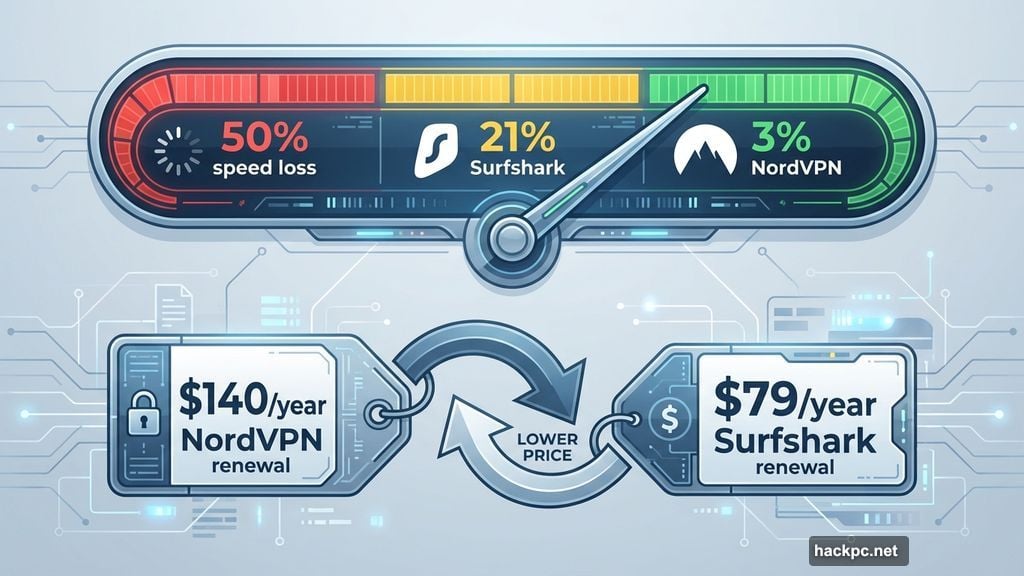
NordVPN crushed the competition in connectivity benchmarks. It dropped internet download speeds by just 3% on average. That’s remarkable.
For context, most VPNs slow your connection by 20% to 50%. Even excellent providers typically cause 15% to 25% speed loss. So Nord’s 3% decrease means you’ll barely notice the difference.
Why does this matter? Fast speeds prevent buffering during 4K streaming. They keep cloud gaming smooth. Video calls stay crisp. If you’re paying for gigabit fiber internet, you actually get to use those speeds.
Nord’s network spans 7,800-plus servers across 126 countries. That’s more global reach than competitors like Proton VPN, Surfshark or ExpressVPN. More servers mean better odds of finding a fast, uncongested connection near you.
However, Nord’s pricing structure frustrates me. The initial cost seems reasonable at $60 for the first year. But it renews at $140 annually. That’s significantly more than Surfshark’s $79 renewal or even ExpressVPN’s $100.
Surfshark Cuts Costs Without Sacrificing Much
Surfshark costs $48 for your first year, then $79 annually after that. That’s nearly half of NordVPN’s renewal price.
Yet Surfshark delivers 21% average speed loss. Not as impressive as Nord’s 3%, but still excellent. Plus, most users won’t notice the practical difference between 3% and 21% slowdowns during everyday tasks.
Surfshark unblocked every streaming service I tested. Foreign Netflix libraries loaded instantly. Disney Plus worked flawlessly. BBC iPlayer never complained. Amazon Prime Video played nice too.
The Surfshark app on my Chromebook felt polished and intuitive. Switching servers took seconds. Finding specific countries was easy. Settings were clearly labeled without overwhelming newcomers.
One standout feature: unlimited simultaneous device connections. Most VPNs cap you at 5 to 10 devices. Nord allows 10. But Surfshark? Connect your entire household’s phones, tablets, laptops and smart TVs without hitting a limit.
Surfshark also includes some unique privacy tools. Dynamic Multihop routes your traffic through two server locations instead of one. Rotating IP changes your IP address every few minutes to make tracking harder. Alternative ID creates a fake online persona complete with fake email and address.
Proton VPN Wins the Free Tier Crown
Most free VPNs are terrible. They sell your data. Plaster ads everywhere. Cap your monthly usage at a few gigabytes. Or slow your connection to unusable speeds.
Proton VPN breaks that mold completely. Its free tier doesn’t sell your data, show ads or impose data caps. You’re restricted to servers in five countries and can only use one device at a time. But it’s genuinely useful, not a trial masquerading as a free plan.
If you upgrade to Proton’s paid plan, you get 14,400-plus servers in 122 countries. That’s helpful for international travel or streaming region-locked content.
Proton’s paid service averaged just 16% speed loss in my testing. That puts it second only to NordVPN. Fast enough for smooth 4K streaming without buffering.
Moreover, Proton unblocked virtually every streaming platform I tried. Even Netflix Egypt, which stumps most VPNs. Only a handful of providers, including ExpressVPN, could also access that library.
Privacy-focused users will appreciate Proton’s unique features. The Android app can disguise itself as a calculator, notes or weather app. That’s useful when traveling to countries where VPN use raises eyebrows.
However, Proton lacks 24/7 live chat support. If you need help at 2am, you’re stuck with email. The company promises to add live chat by year’s end, but until then, it’s a notable gap.
Plus, I discovered a concerning bug in the MacOS kill switch. It failed to properly warn users when their IP address might leak while switching servers. Proton acknowledged the issue and promised a fix, but this highlights why ongoing security audits matter.
ExpressVPN Costs Too Much for Most Users
ExpressVPN works beautifully on Chromebooks. Its minimalist app is dead simple to navigate. The server network spans 105 countries. Privacy and transparency are excellent.
But the price is brutal. You’ll pay $75 for the first year, renewing at $100 annually. Or $98 total for two years, then $100 per year after that.
Compare that to Surfshark’s $48 first year. Even NordVPN’s controversial $140 renewal seems reasonable next to Express’s baseline pricing.
Express does include a password manager and cloud storage with some plans. But those features aren’t best-in-class. Bitwarden and 1Password beat Express’s password manager. Proton Drive and Google Drive offer better cloud storage.
If you want bundled services, NordVPN’s NordPass or Proton VPN’s Proton Pass provide better value. Express feels like you’re paying for brand recognition rather than superior features.
Private Internet Access Saves Money But Sacrifices Speed
PIA costs just $40 for the first year, renewing at $50 annually. Or $79 total for three years. That’s cheaper than Surfshark, making it the most budget-friendly premium VPN on my list.
However, PIA’s speeds disappointed me. I measured a 48% average internet download speed loss. That’s acceptable if you have fast base speeds, like fiber internet. But users with slower connections will notice lag during video calls or streaming.
PIA’s US jurisdiction sits within Five, Nine and 14 Eyes intelligence-sharing alliances. That’s less ideal for privacy compared to providers based in Switzerland or the British Virgin Islands.
Still, PIA maintains solid privacy practices. Its no-logs policy has been audited. The apps are open-source, meaning security researchers can inspect the code for vulnerabilities. The privacy policy is remarkably readable compared to most legal documents.
For casual users who want basic privacy while browsing and don’t need blazing speeds, PIA works fine. But I’d recommend spending a few extra dollars on Surfshark instead.
Android Apps Beat Chrome Extensions
Most modern Chromebooks support Android apps. That means you can install your VPN provider’s Android application directly from the Google Play Store.
This approach works better than Chrome browser extensions. A native Android app encrypts all traffic on your device. That includes your web browser, streaming apps, games and email.
By contrast, a Chrome extension typically only encrypts traffic in your web browser. If you’re watching BBC iPlayer, you’d need to use the website in Chrome rather than the iPlayer Android app.
Split tunneling offers a middle ground. This feature lets you selectively route specific apps through the VPN while others connect normally. For example, stream foreign Netflix libraries while checking email without triggering CAPTCHAs.
The exception is ExpressVPN’s Chrome plugin, which acts as a remote control for the Android app. But most VPN browser extensions operate independently and provide less comprehensive protection.
What Actually Matters When Choosing a Chromebook VPN
Speed determines whether you’ll tolerate using a VPN long-term. If your connection slows to a crawl, you’ll disable the VPN and lose all privacy benefits.
Look for providers with less than 25% average speed loss. Nord, Proton and Surfshark all clear this bar easily. PIA does not.
Server network size matters for travelers and streamers. More countries mean better odds of finding fast servers near you. Plus, more server locations unlock more region-restricted content.
Streaming support varies wildly between providers. Some VPNs can’t crack Netflix’s VPN detection. Others work flawlessly. If unblocking streaming content is your primary goal, verify your chosen provider supports your specific services.
Privacy features should include modern encryption and an audited no-logs policy at minimum. Advanced users might want double VPN servers, Tor over VPN options or obfuscation to hide VPN usage.
Price matters, but don’t assume expensive equals better. ExpressVPN costs nearly double Surfshark’s price but doesn’t deliver double the value. Meanwhile, Nord dominates speed tests despite costing less than Express.
Skip These Common Mistakes
Don’t pay for multiyear subscriptions upfront. The VPN landscape changes fast. Speeds fluctuate. Companies get acquired. Data breaches happen. Stick with annual plans to minimize risk.
Avoid free VPNs except Proton. Most no-cost providers make money by selling your data or injecting ads. That defeats the entire purpose of using a VPN.
Don’t assume a VPN makes you completely anonymous. VPNs hide your IP address from websites and your ISP. But they don’t protect against browser fingerprinting, cookies or malware. They’re privacy tools, not invisibility cloaks.
Don’t connect to random VPN servers. Pick servers near your physical location for best speeds. Connect to specific countries only when you need to unblock region-restricted content.
Never trust a VPN without an audited no-logs policy. Companies can claim anything in marketing materials. Independent audits verify those claims.
My Actual Recommendations
Choose NordVPN if speed matters most to you. Its 3% average speed loss beats every competitor. Plus, streaming support is excellent across all major platforms.
Choose Surfshark if you’re watching your budget. It costs half as much as Nord while delivering solid performance. Unlimited device connections add tremendous value for families.
Choose Proton VPN if you want to start free. Its no-cost tier is genuinely useful, not a bait-and-switch trial. The paid plan upgrades offer excellent speed and privacy.
Skip ExpressVPN unless you specifically need its features and don’t care about cost. Better value exists elsewhere.
Skip PIA unless you have fast base internet speeds and only need basic privacy. Otherwise, spend a few extra dollars on Surfshark.
Your choice ultimately depends on your specific needs. Travelers need extensive server networks. Streamers need excellent unblocking capabilities. Privacy advocates need strong encryption and audited no-logs policies. Budget-conscious users need reasonable prices without sacrificing too much performance.
Test any VPN using its money-back guarantee period. Verify speeds match your expectations. Confirm it unblocks your streaming services. Make sure the app works smoothly on your specific Chromebook model.
VPNs add meaningful privacy to your Chromebook browsing. But only if you actually use them. Choose one that balances speed, features and price in a way that makes you want to keep it enabled.




Comments (0)