

Norton 360 Deluxe throws everything at online threats. Antivirus. Malware protection. VPN. Password manager. Cloud backups. Dark web monitoring. The list keeps going.
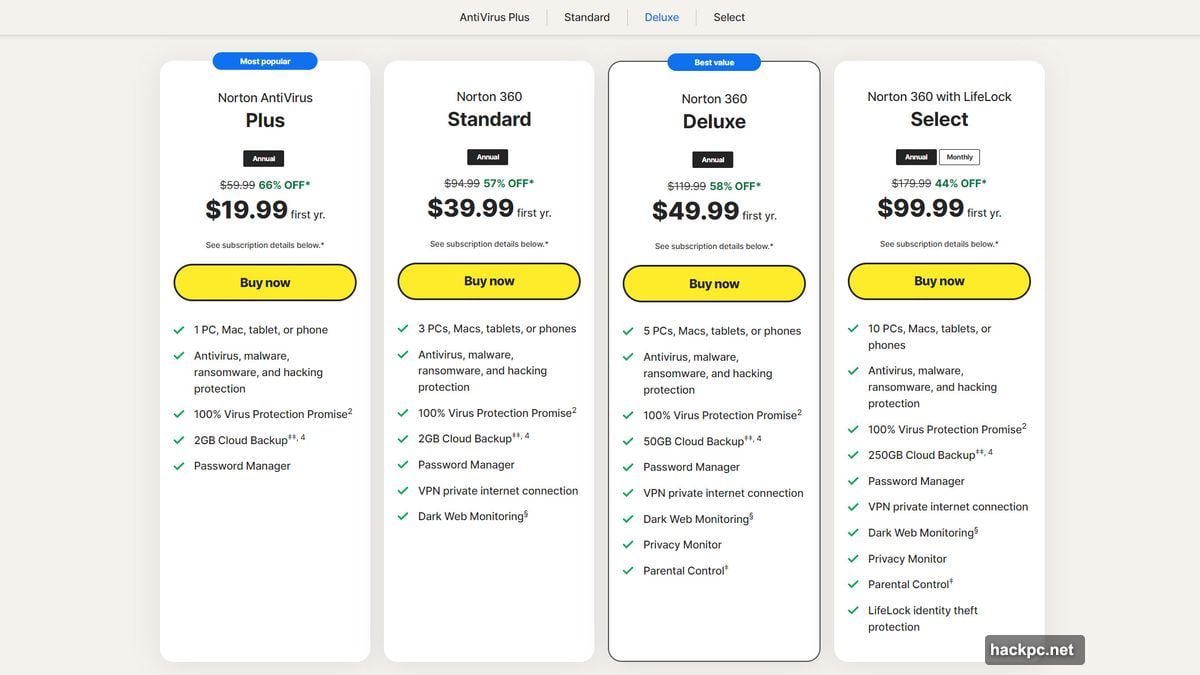
For $50 in your first year, you get comprehensive protection that covers most security basics. Plus, you can spread that coverage across five devices running Windows, macOS, Android, or iOS. That’s solid value.
But here’s the catch. Norton’s interface feels like two different apps duct-taped together. And if your PC has modest hardware, you’ll notice the performance hit during scans. So while the protection is strong, the experience isn’t always smooth.
Strong Protection When It Counts
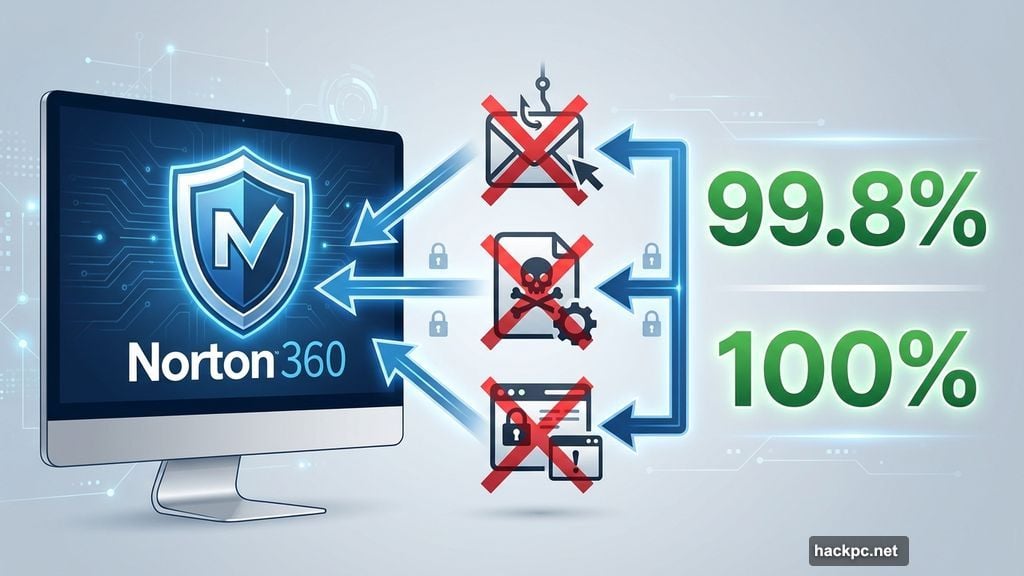
Norton 360 Deluxe blocks threats effectively. According to AV-Test results from late 2024, it caught 99.8% of zero-day attacks and 100% of widespread malware samples. Meanwhile, AV-Comparatives found it blocked 99.6% of real-world threats.
Those numbers match or beat most competitors. So when sketchy websites try to install malware or phishing emails attempt to steal credentials, Norton stops them cold.
However, there’s a wrinkle. Norton’s offline detection rate drops to 79%. That matters if your internet connection goes down. Without access to Norton’s servers, the software misses threats more often than rivals like Bitdefender, which maintains 94% detection offline.
Also, Norton generates more false positives than some competitors. During testing, it flagged 22 legitimate websites as threats. That can get annoying fast when you’re trying to work.
Two Interfaces Create Confusion
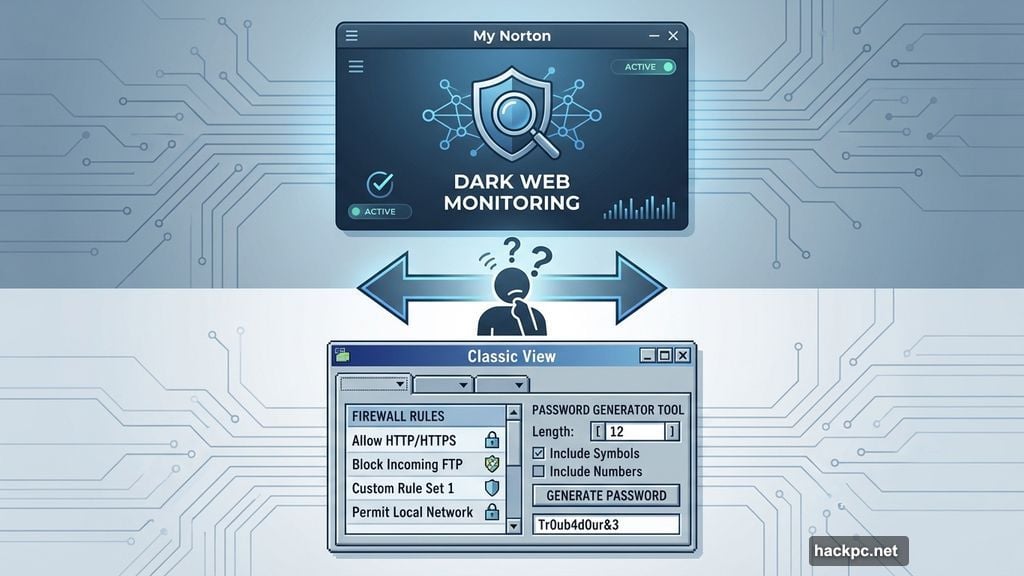
Norton splits its features across two completely different interfaces. The “My Norton” view looks modern and streamlined. But it only gives you access to basic features and limited settings.
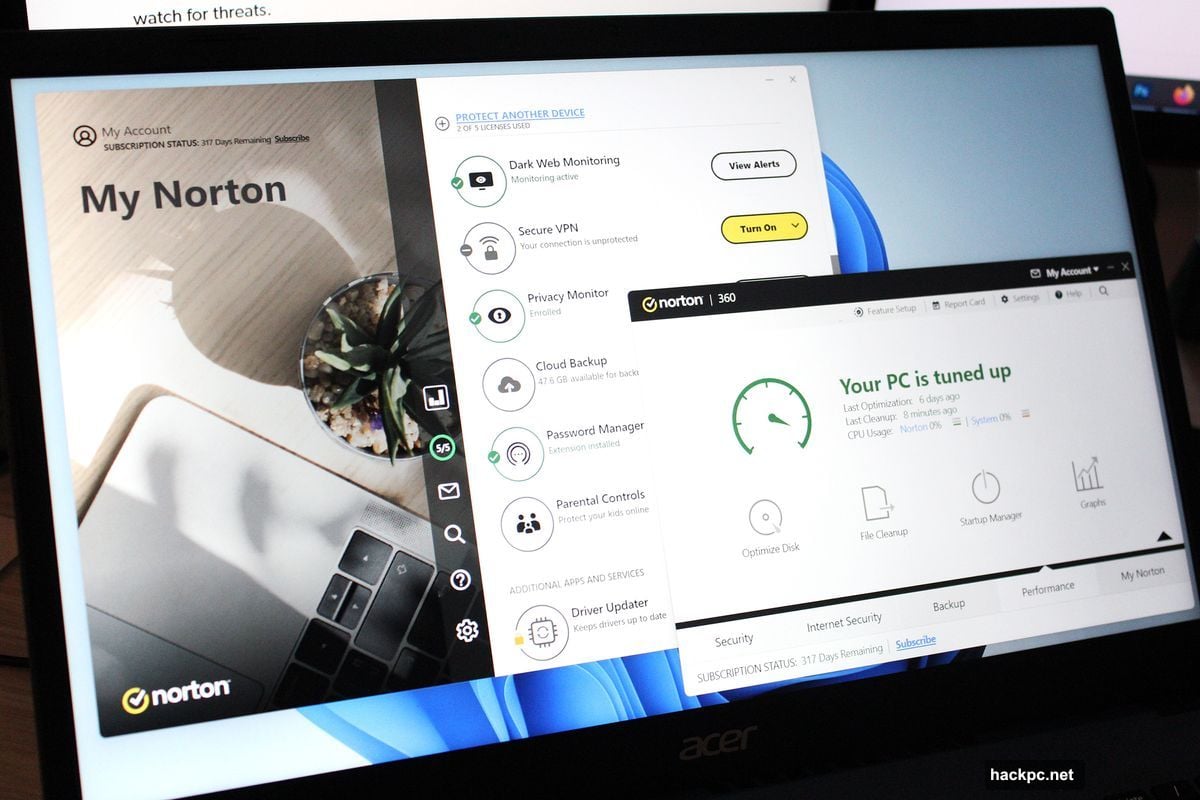
Want to customize how scans work? Adjust firewall rules? Configure webcam protection? You’ll need to switch to the “Classic” view, which looks dated and organizes everything differently.
For example, the password generator only exists in Classic view. Meanwhile, some features like dark web monitoring only appear in My Norton. So you’ll spend time clicking around trying to remember where everything lives.
Norton should consolidate these interfaces. The constant switching disrupts workflow and makes simple tasks more complicated than necessary.
Password Manager Actually Works Well
Norton’s password manager stands out as genuinely useful. Setup takes minutes. You create a separate vault password, download a recovery key, then enable passwordless authentication through the mobile app.
After that, accessing your vault becomes seamless. You can use the browser extension, mobile app, or website. The interface stays clean and intuitive across all platforms.
However, password generation has an odd quirk. Colors distinguish numbers, symbols, and letters while creating passwords, but disappear afterward. Also, you can’t set the clipboard to auto-clear after copying passwords.
Still, for a bundled password manager, this one delivers. It’s far better than similar tools from other antivirus companies.
VPN Speeds Vary Wildly
Norton includes VPN access with 360 Deluxe. The interface keeps things simple—maybe too simple. You can only choose countries, not specific cities. Settings are limited to basic toggles for auto-connect, kill switch, and ad tracker blocking.
But the real problem is inconsistent speeds. Testing revealed download speeds ranging from 88% of normal down to just 29%. That variability makes the VPN unreliable for consistent performance.
If you’re stuck on a slower connection already, those speed drops will hurt. For casual browsing on hotel Wi-Fi, it works fine. For anything requiring sustained bandwidth, you might want a dedicated VPN service instead.
Cloud Backups Have Limitations
Norton provides 50GB of cloud storage for backups. That’s enough for documents, photos, and other important files. Setup lets you choose which folders and file types to back up.
However, the feature only really works for cloud backups. Testing on multiple PCs showed that attempting to save backups to an external drive failed consistently. Norton said it completed the backup, but files never appeared on the drive.
So if you want Norton as your first line of backup defense, you’re limited to the cloud. That’s better than nothing, but not ideal for a comprehensive backup strategy.
Also, video and email files are excluded by default. You can change that, but most people won’t realize they need to adjust the settings.
Performance Hit on Mid-Range Hardware
Norton 360 Deluxe runs quietly in the background during everyday tasks. PCMark 10 tests showed virtually no impact on web browsing, video chatting, or gaming when the software sat idle.
But full scans change the equation. Performance dropped about 6% in general productivity tasks and 10% when using Microsoft Office apps. The biggest hit came during file encoding—a 22% slowdown.
That matters if you regularly work with photos, videos, or other large files. On a budget or mid-range PC, you’ll notice the system feels sluggish during scans.
Norton does try to minimize this. After an initial full scan, subsequent scans only check new or changed files. And scans are scheduled for off-hours by default. But if you handle files constantly, the performance impact becomes harder to ignore.
PC Utilities Feel Redundant
Norton includes several PC maintenance tools. Optimize Disk defragments hard drives. File Cleanup removes temporary files. Startup Manager controls which apps launch with Windows.
Here’s the thing. Windows already does all of this. And honestly, Windows does it better.
Norton’s disk optimizer only works on hard drives, not SSDs. File Cleanup still concerns itself with Internet Explorer files. Startup Manager duplicates functionality built into Windows settings.
The only genuinely interesting tool is Graphs, which shows a history of system use and security events. Everything else just adds an unnecessary third party to tasks Windows handles natively.
Dark Web Monitoring Lacks Depth
Norton’s dark web monitoring scans for leaked information about you. You can provide up to five email addresses, phone numbers, physical addresses, and various financial account details.
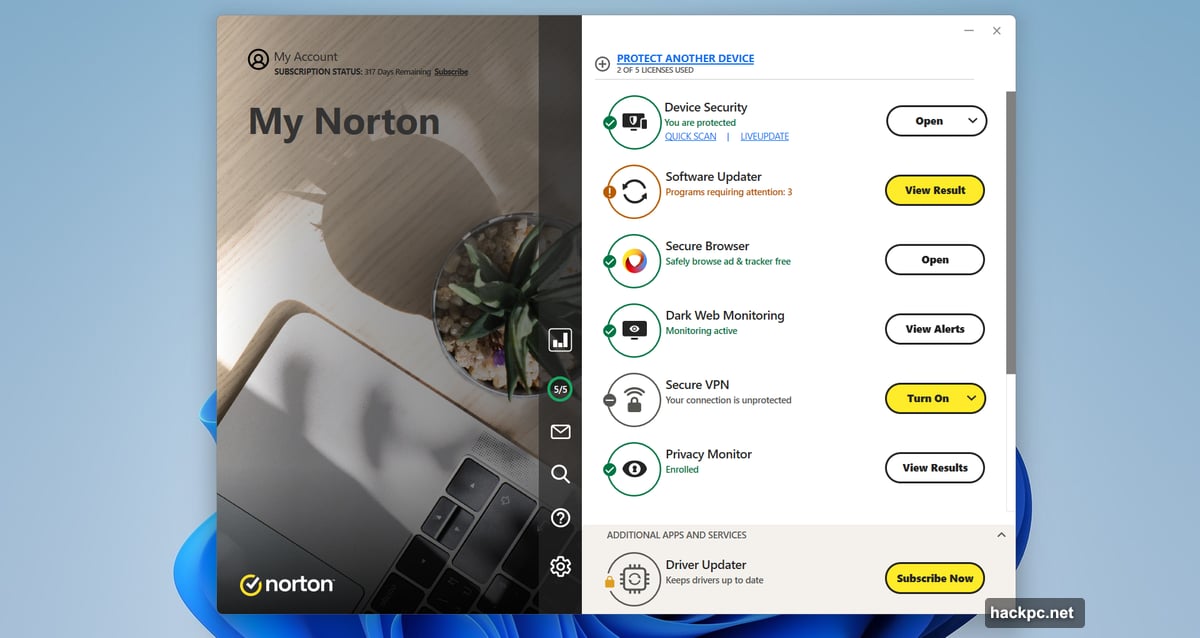
But the results aren’t comprehensive. Testing showed fewer breaches than HaveIBeenPwned.com found using the same email addresses. So consider this an extra layer of monitoring, not your primary alert system.
Also, Norton promotes an upgrade to Privacy Monitor Assistant, which helps remove your information from data broker sites. That’s useful, but it’s another upsell on top of your existing subscription.
Norton Family Works for Basic Monitoring
Parental controls (“Norton Family”) install separately on kids’ devices. Once set up, you can track web browsing, search history, video watching, and app usage. You can also restrict access based on time of day.
The interface makes everything easy to understand and navigate. However, there are limitations. On mobile devices, you can only monitor YouTube and Hulu through Norton’s own browser, not within apps or embedded videos.
For families wanting basic oversight without getting too granular, Norton Family does the job. But power users might want more control.
Customer Support Covers the Basics
Norton offers in-app help, support pages, community forums, and direct assistance through chat, phone, and social media. For simple questions, the built-in resources work well.
More complex troubleshooting might require reaching out to Norton’s support team directly. Response times vary depending on how you contact them.
One nice touch: you get a 60-day money-back guarantee. That’s longer than most competitors offer, giving you more time to decide if Norton fits your needs.
Pricing Gets Messy After Year One
Norton 360 Deluxe costs $50 for the first year. Then it jumps to $120 annually. That’s a significant increase, though still reasonable compared to competitors.
However, Norton automatically enrolls you in auto-renewal at signup. You’ll need to manually disable that if you don’t want to get charged when your subscription expires.
Also, Norton constantly promotes additional paid services throughout the interface. Even though you’ve already paid for protection, you’ll see upsells for identity theft assistance, enhanced privacy monitoring, and other extras.
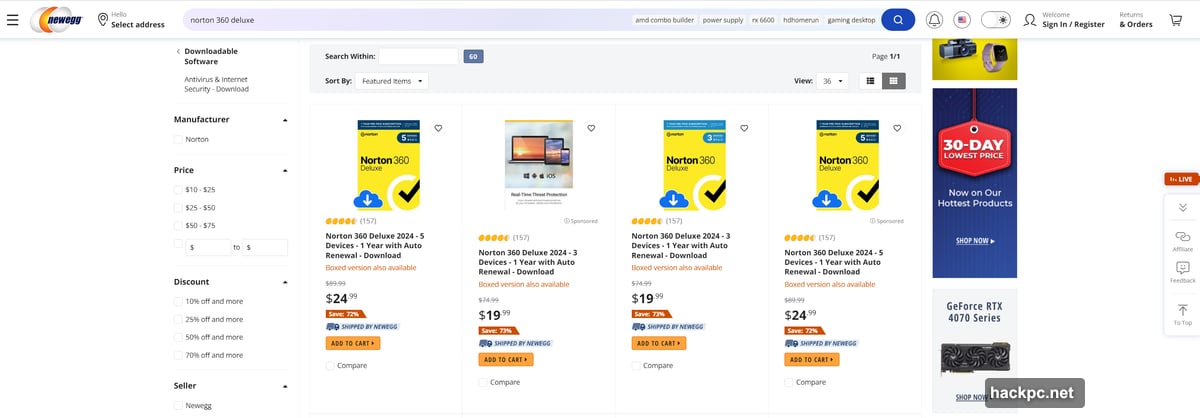
Third-party retailers often offer better deals. Black Friday 2024 saw one-year subscriptions drop to $20. So shopping around pays off.
Norton 360 Premium Offers More Devices
If you need more than five devices, Norton 360 Premium doubles that to 10 for just $5 more in the first year ($55 versus $50). Cloud storage also doubles from 50GB to 100GB.
Strangely, Norton doesn’t prominently advertise Premium on its website. You’ll need to look for it specifically or contact customer support to access that tier.
Given the minimal price difference, Premium makes sense for families with lots of devices or anyone who needs extra cloud storage.
The Upselling Gets Annoying
Even after paying for Norton 360 Deluxe, you’re not done seeing sales pitches. The software regularly promotes additional services and subscription upgrades.
Some of these make sense, like the Privacy Monitor Assistant that actively removes your data from broker sites. Others feel like Norton trying to extract more money from existing customers.
This constant promotion undermines the premium experience. You paid for comprehensive protection. You shouldn’t feel like you’re browsing a software store every time you open the app.
Who Should Buy Norton 360 Deluxe?
Norton 360 Deluxe works best for people who want comprehensive protection without managing separate tools. If you’re more likely to use a password manager when it’s built into your antivirus, Norton makes sense.
Families benefit from the five-device limit and parental controls. And the dark web monitoring plus VPN add extra peace of mind for online activity.
However, if you have a budget PC, be prepared for performance slowdowns during scans. And if you prefer clean, unified interfaces, Norton’s dual-view system will frustrate you.
For $50 in your first year, Norton delivers strong value. Just be aware of the $120 renewal rate and constant upselling. And consider buying through third-party retailers during sales to get better long-term pricing.
Norton 360 Deluxe isn’t perfect. But it does protect your devices effectively while offering a wide range of security features. That makes it a solid choice for most people—despite its quirks.




Comments (0)