

Google just made NotebookLM’s Video Overviews dramatically more impressive. And this time, it’s not a small tweak.
The new Cinematic Video Overviews combine three of Google’s most powerful AI tools into one seamless experience. The result? Rich, animated videos that look nothing like the simple narrated slides we saw when Video Overviews first launched. If you’ve been sleeping on this feature, now’s a good time to wake up.
Video Overviews Have Come a Long Way
When Video Overviews first arrived in July 2025, they were genuinely useful but pretty basic. You’d upload your sources, and NotebookLM would generate a storyboard-style video walking through the key points. Functional? Yes. Cinematic? Not exactly.
Google kept building on it, though. More visual formats arrived over time. Then came Nano Banana integration, which added a welcome boost of visual flair. Later, Google introduced a custom styling option, letting users bring their own creative direction to the mix. That gave the feature seven distinct built-in styles plus full customization.
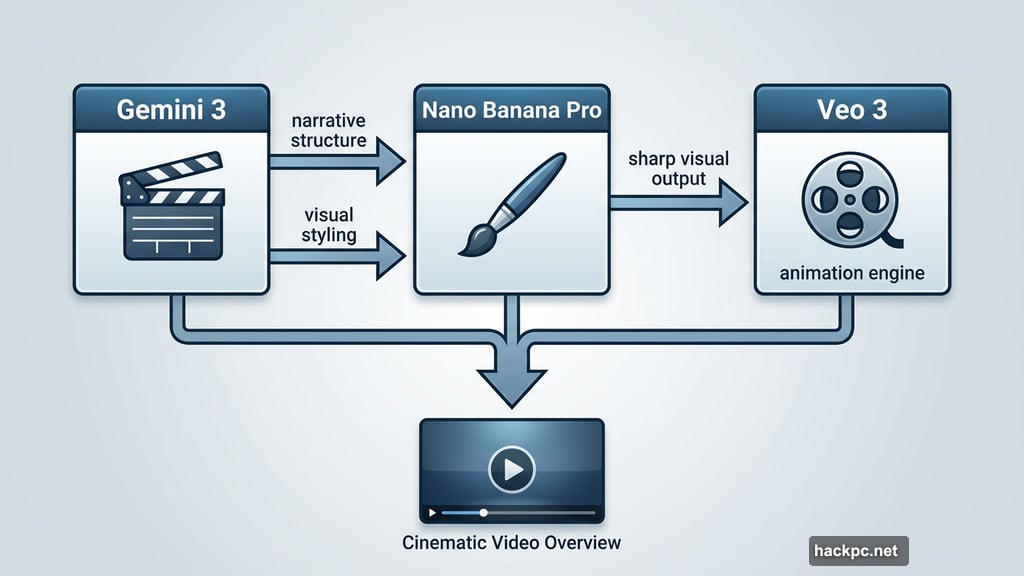
So the foundation was already solid. Cinematic Video Overviews are the next big leap.
Three AI Models, One Polished Video
Here’s where it gets interesting. Cinematic Video Overviews don’t rely on a single AI model. Instead, Google stacked three of its best tools together.
Gemini 3 acts as the creative director. It handles the big-picture decisions: narrative structure, visual styling, and how the whole video flows. Think of it like the producer deciding how a story gets told.
Nano Banana Pro handles the visual heavy lifting. It’s the same technology that brought more flair to earlier Video Overview formats, now upgraded to the Pro version for sharper, more detailed output.
Veo 3 rounds out the trio. Google’s video generation model brings actual animation to the table, replacing static slides with moving visuals that feel alive. That’s the piece that makes these videos genuinely cinematic rather than just polished presentations.
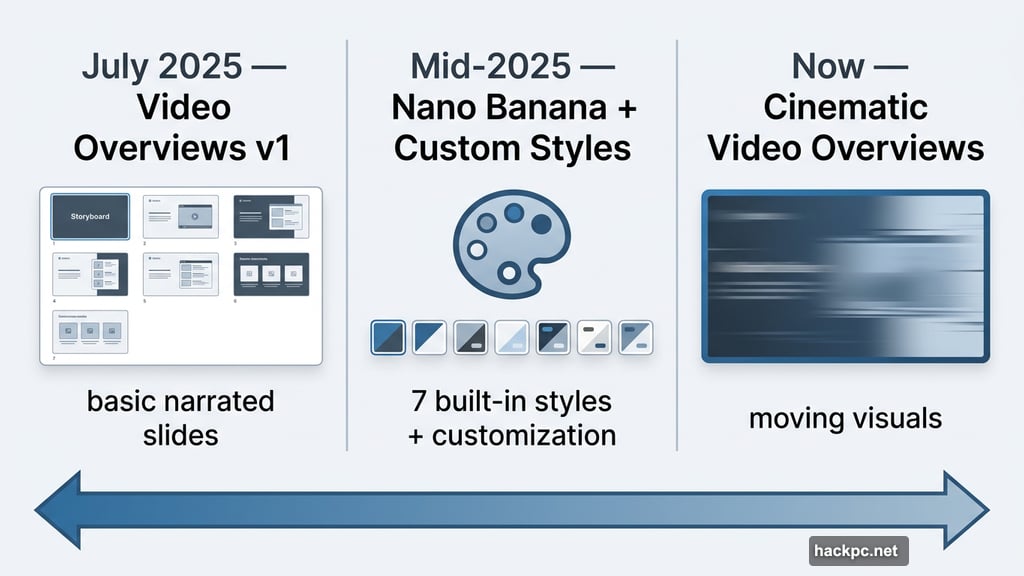
Together, these three models work behind the scenes so you don’t have to do anything extra. You upload your sources the same way you always have. NotebookLM does the rest.
Who Gets Access First
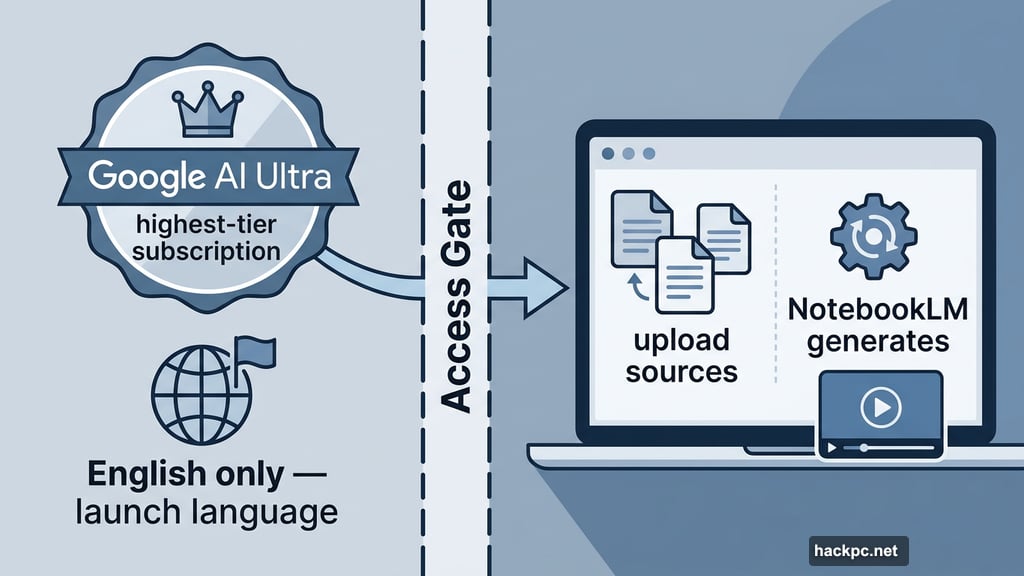
There’s a catch. Cinematic Video Overviews are launching for Google AI Ultra subscribers only, and they’re available in English to start.
AI Ultra is Google’s highest-tier AI subscription, so this feature is aimed squarely at power users and professionals who need polished output fast. Whether Google plans to roll it out more broadly over time remains to be seen, but given the pattern with earlier Video Overview upgrades, that seems likely.
Still, if you’re already an AI Ultra subscriber, this is a meaningful addition. You’re getting three state-of-the-art models working together automatically, with no extra prompting or setup required on your end.
Why This Matters for NotebookLM Fans
NotebookLM has quietly become one of the most practical AI tools around. It’s genuinely good at turning messy collections of documents, notes, and research into something digestible. Video Overviews extended that idea beyond text, giving users a way to share insights in a more visual format.
But “visual” and “cinematic” are two very different things. A narrated slideshow gets the job done. An animated, well-structured video actually holds attention.
That shift matters more than it might seem. Plenty of people use NotebookLM to process research, prep for meetings, or summarize dense material for colleagues who won’t read a 40-page report. A video that looks professionally produced and tells a coherent story is far more likely to land than a static presentation.
Google clearly sees Video Overviews as a flagship feature worth serious investment. Three model integrations in less than a year of development says a lot about where this is heading.
For now, Cinematic Video Overviews are the most polished version of the feature yet. And if history is any guide, they probably won’t be the last upgrade.




Comments (0)