
What if your AI assistant didn’t just answer questions but actually handled your to-do list? Scheduled your meetings, sorted your inbox, messaged you first thing in the morning with your top priorities — all without you lifting a finger?
That’s exactly what OpenClaw promises. And the story of how it got here is almost as impressive as the technology itself.
From Clawdbot to Moltbot to OpenClaw in Two Wild Weeks
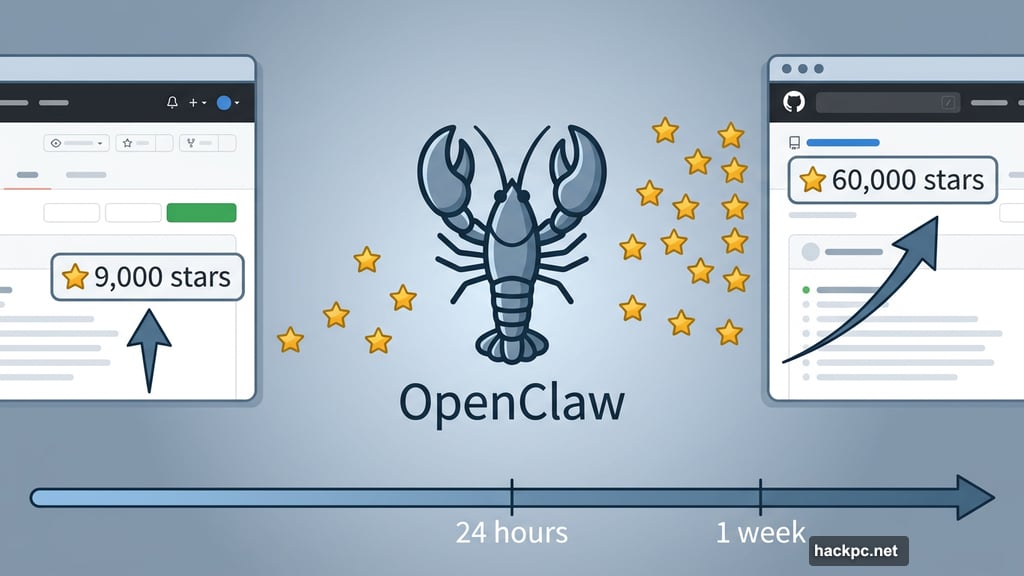
OpenClaw didn’t arrive quietly. The open-source AI agent project launched in January and hit 9,000 GitHub stars within 24 hours. Within a week, it had rocketed past 60,000 stars.
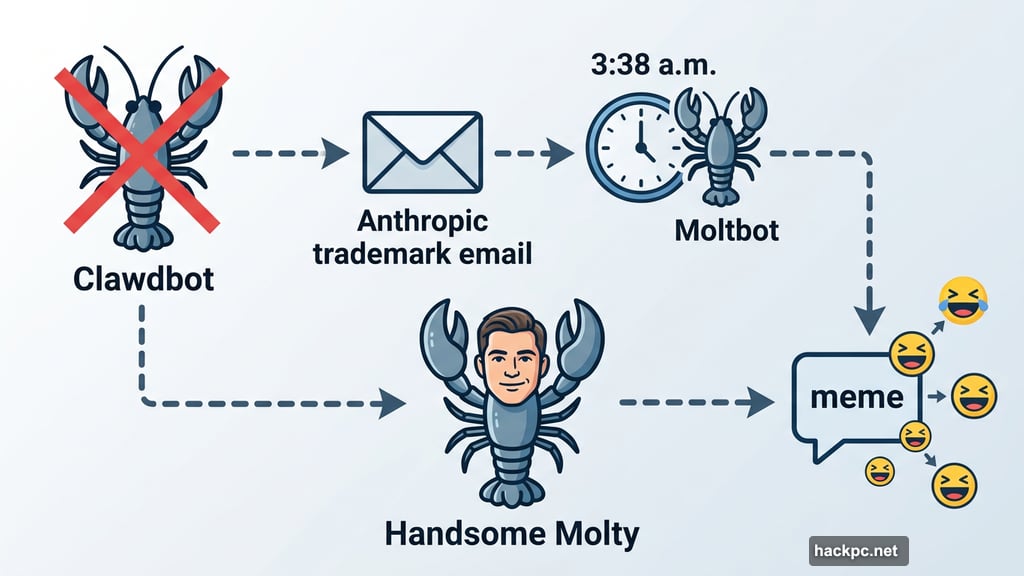
But here’s where things got weird. Shortly after launch, Anthropic — the company behind the AI model Claude — sent developer Peter Steinberger a polite but firm email. The project name “Clawdbot” and its assistant named “Clawd” were a little too close to Claude for trademark comfort.
Steinberger’s fix? Rename everything to Moltbot at 3:38 a.m. ET on January 27.
What followed was pure internet chaos. Within seconds of the announcement, automated bots sniped the @clawdbot social handle. A crypto wallet address appeared on the hijacked account almost immediately. Meanwhile, a sleep-deprived Steinberger accidentally renamed his personal GitHub account instead of the project’s organization account — and bots grabbed that handle too. He had to call in contacts at both X and GitHub to sort out the mess.
Then came what creators dubbed “the Handsome Molty incident.” Steinberger asked the AI to redesign its lobster mascot to look “5 years older.” The AI generated a human man’s face grafted onto a lobster body. The internet turned it into a meme within minutes, Handsome Squidward-style.
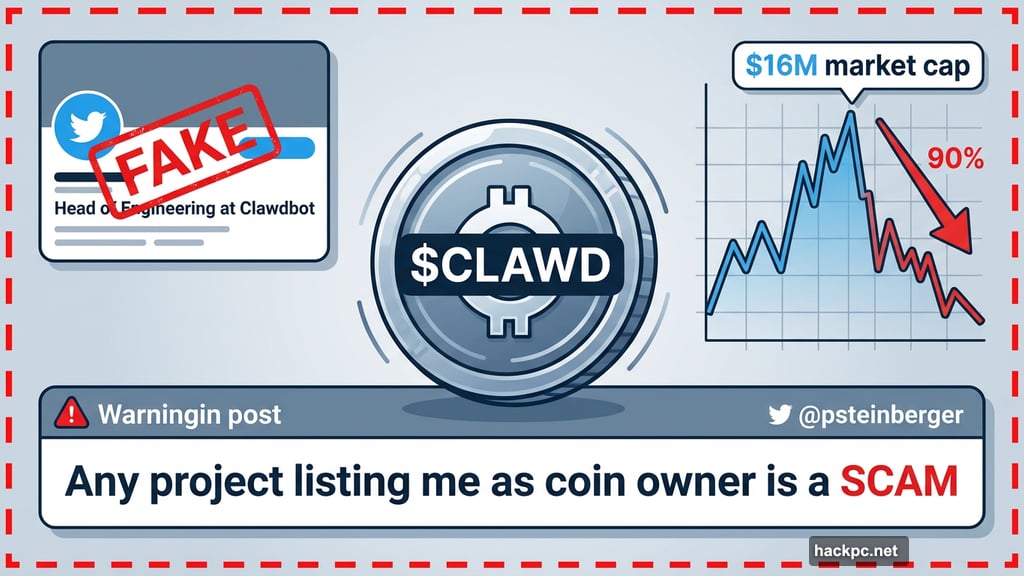
Fake profiles claiming to be “Head of Engineering at Clawdbot” popped up pushing crypto schemes. A fake $CLAWD cryptocurrency briefly hit a $16 million market cap before crashing more than 90%. “Any project that lists me as coin owner is a SCAM,” Steinberger posted to his increasingly baffled followers.
By January 30, the project settled on its final name: OpenClaw. “Open” for open-source, “Claw” for its lobster roots. Though honestly, Steinberger admitted the simpler reason: he just didn’t like the name Moltbot.
So What Does OpenClaw Actually Do?
Strip away the drama, and you’re left with something genuinely impressive.
Most AI tools follow the same tired loop. You open a browser tab, type a question, wait, copy the answer, paste it somewhere else. Over and over. OpenClaw breaks that cycle entirely by living inside the apps you’re already using.
![Screenshot showing OpenClaw integrated within a WhatsApp conversation, displaying an automated morning briefing with task priorities]
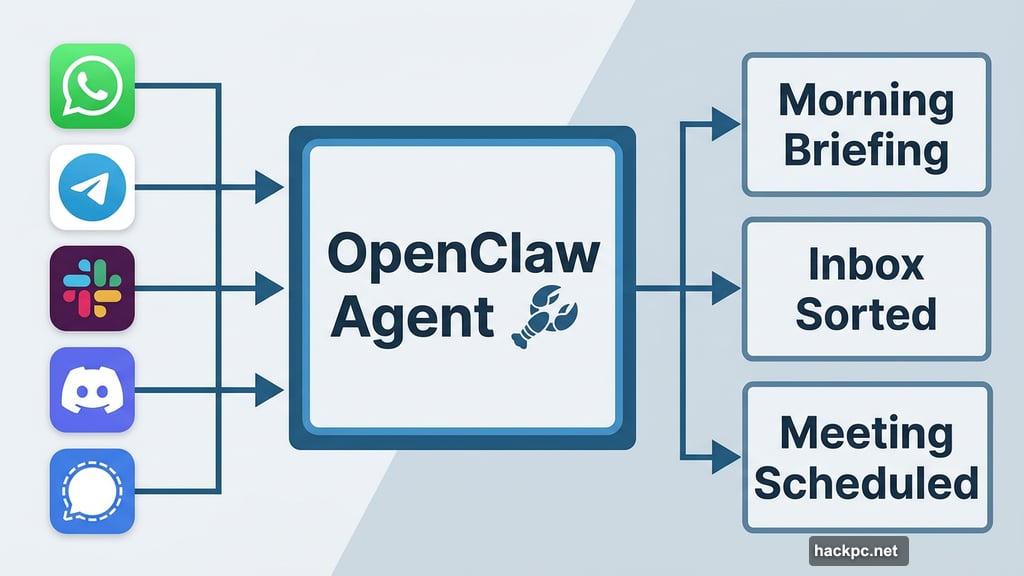
It works inside WhatsApp, Telegram, iMessage, Slack, Discord, Signal and more. You text it like you’d text a friend. It texts back. Simple as that.
But what sets OpenClaw apart goes well beyond chatting. Three core capabilities drive all the excitement.
Persistent memory means OpenClaw doesn’t wipe the slate clean every time you close the app. It remembers your preferences, tracks ongoing projects and recalls that conversation you had last Tuesday about the quarterly report.
Proactive notifications flip the usual dynamic on its head. Instead of you always asking the AI something, OpenClaw can message you first. Wake up to a morning briefing with your top three priorities — without ever having to ask for it.
Real automation is where things get seriously useful. Depending on your setup, OpenClaw can schedule tasks, fill out forms, organize files, search your email, generate reports and even control smart home devices. Users have reported using it for everything from inbox cleanup to multi-day research projects to automated weekly shipping recaps.
Peter Steinberger — an Austrian developer who previously sold his company PSPDFKit for around $119 million — built OpenClaw around a simple idea: what Siri should have always been. Not a voice-activated party trick, but an assistant that actually learns, remembers and gets things done.
Choosing Your Hardware and AI Brain
OpenClaw doesn’t require special hardware to run. The Mac Mini has become a popular community choice, but it’s not mandatory.
The way OpenClaw works is pretty elegant. The project itself mostly routes your messages and calls APIs. The heavy lifting happens on whichever large language model (LLM) you choose: Claude, ChatGPT or Gemini. So the AI brains live on those companies’ servers, not necessarily on your machine.
Hardware only becomes a real conversation if you want to run large local models or push serious automation tasks. For most people, a standard setup works fine.
AI researcher Andrej Karpathy praised the project. So did David Sacks, the White House’s AI and crypto policy adviser. MacStories called it “the future of personal AI assistants.”
Critical Security Risks You Need to Understand
Here’s where the conversation gets serious — and you should read this part carefully before installing anything.
Because OpenClaw runs locally and connects to your emails, files and credentials, even small setup mistakes carry real consequences. Security researchers spotted this early.
In OpenClaw’s first days as Clawdbot, researchers found numerous publicly accessible deployments with little or no authentication. API keys, chat logs and system access were exposed to anyone who stumbled across them. More recently, security firm Censys identified 21,639 exposed instances, primarily in the US, China and Singapore.
Beyond technical vulnerabilities, social threats have been just as visible. Fake downloads and hijacked accounts spread malware and scams throughout the chaos. Security firm Koi Security identified 341 malicious “skills” among the roughly 3,000 programs available on the ClawHub software directory — the app store for OpenClaw capabilities.
Roy Akerman, head of cloud and identity security at Silverfort, put the core risk clearly. “When an AI agent continues to operate using a human’s credentials, after the human has logged off, it becomes a hybrid identity that most security controls aren’t designed to recognize or govern,” he told CNET. His advice: treat autonomous agents as identities, limit their privileges and monitor their behavior continuously — not just when they log in.
So should you try OpenClaw? That depends entirely on your comfort with security complexity. Steinberger himself admits this isn’t an enterprise-ready product with polished vendor support and compliance documentation. This is a fast-moving open-source project that just survived trademark lawyers, crypto scammers and exposed databases.
If you need something that “just works” without configuration headaches, OpenClaw probably isn’t your tool yet. If you don’t have a solid handle on cybersecurity basics, the risks are real and worth taking seriously.
OpenAI Gets Involved, and the Lobster Keeps Growing
As GitHub stars climbed and global attention grew, investors started circling OpenClaw. Steinberger turned them down. He’s committed to keeping the project open-source.
But he was open to something different: partnering with an AI lab that has the resources to scale responsibly. In mid-February, that partner turned out to be OpenAI. Steinberger joined the ChatGPT maker, framing the deal in direct terms.
“What I want is to change the world, not build a large company,” he wrote in his announcement blog post. “Teaming up with OpenAI is the fastest way to bring this to everyone.”
The OpenClaw community keeps building. New platforms like Moltbook are launching on top of it. Stars keep accumulating on GitHub. And the project that survived a naming crisis, crypto scammers, an accidental identity giveaway and a meme-worthy lobster-man mutation is still very much running.
Steinberger described the whole journey through a neat metaphor. Molting is what lobsters do to grow — they shed their old shell and emerge bigger. From Clawdbot to Moltbot to OpenClaw, the software kept shedding and kept growing.
Whether OpenClaw becomes the personal AI assistant layer that powers everyday life, or gets folded into something bigger through the OpenAI partnership, it’s clearly onto something real. The chaos was just the price of going viral overnight.
If you want to try it yourself, head to openclaw.ai for documentation, installation guides and — importantly — a security checklist. And maybe use a spare laptop for your first run. Just don’t name anything after someone else’s trademarked AI model. Turns out that matters quite a bit.




Comments (0)