
Microsoft’s new Outlook app keeps crashing on launch. Users report clicking the icon, watching nothing happen, then clicking again in frustration. The app simply refuses to open.
Sound familiar? You’re not alone. Forum threads overflow with complaints about this exact problem. Plus, it’s one of many Outlook issues plaguing Windows 11 users over the past year.
But there’s good news. A simple fix exists that takes about 30 seconds.
The Two-Folder Solution That Actually Works
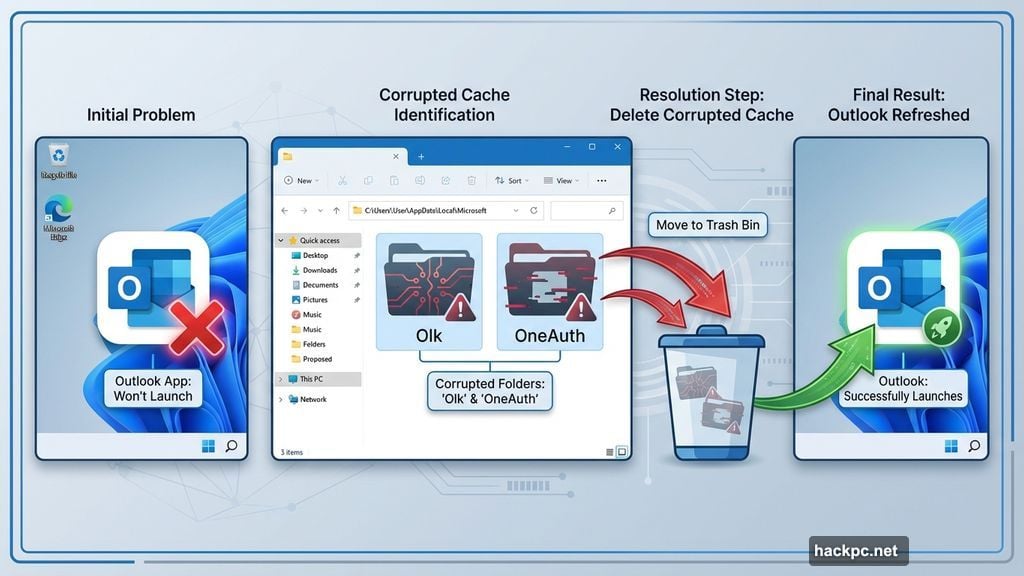
Here’s what’s causing the problem. Outlook stores cached data in two specific folders. Sometimes that data gets corrupted. When it does, the app can’t launch properly.
The fix? Delete those folders and let Outlook rebuild them from scratch.
First, open the Run command. Press Windows key and R simultaneously. A small dialog box appears.
Next, type this exact path: %localappdata%\Microsoft and hit Enter. Windows Explorer opens to your local Microsoft folder.
Now find two folders: Look for ones named “Olk” and “OneAuth.” Both contain Outlook’s cached authentication and profile data.
Delete them both. Right-click each folder and select Delete. Don’t worry about losing important data. Outlook recreates these automatically.
Finally, restart Outlook. Launch the app normally. It rebuilds those folders with fresh data. Most users report the app opens immediately after this process.
The entire fix takes less than a minute. No system restart required. No complicated troubleshooting steps.
Why This Problem Keeps Happening
Microsoft rebuilt Outlook from the ground up for Windows 11. The new version uses different architecture than the classic desktop app. That means new bugs.
Authentication systems particularly cause issues. The OneAuth folder handles Microsoft account logins. When something corrupts that data, Outlook can’t verify your credentials. So it refuses to launch rather than risk security problems.
The Olk folder stores profile settings and cache data. Corruption here causes similar launch failures. Together, these two folders account for most “won’t open” problems.
Unfortunately, Microsoft hasn’t addressed the root cause. Users continue reporting this issue months after the new Outlook launched. So the folder deletion method remains the most reliable fix.
Skip the App Entirely
Can’t get the desktop app working? There’s an alternative that requires zero troubleshooting.
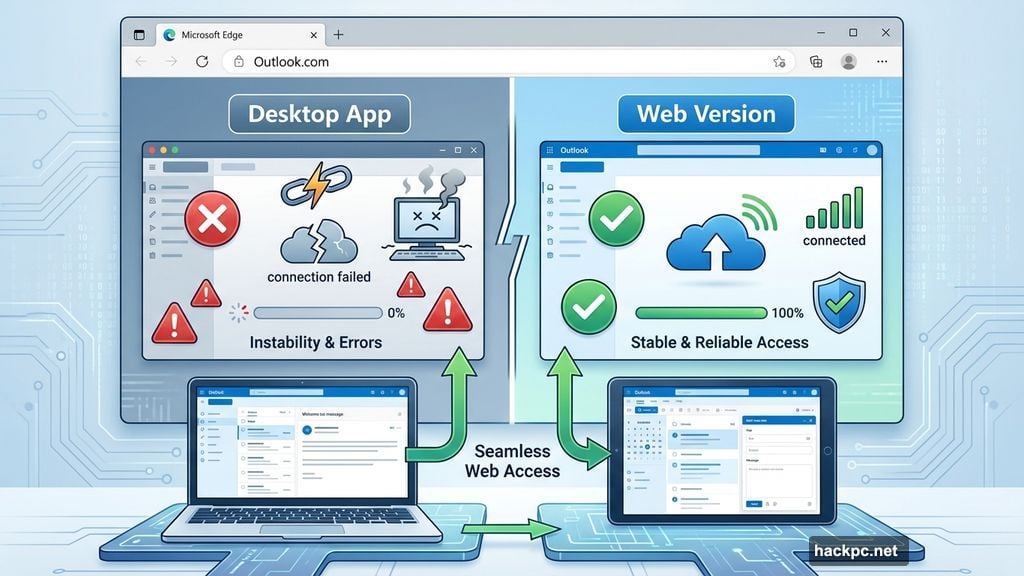
Just use the web version instead. Navigate to Outlook.com in Microsoft Edge. Sign in with your Microsoft account. You get nearly identical functionality without the desktop app headaches.
The web version offers several advantages. It never needs updates. No cached data gets corrupted. Login problems happen far less frequently. Plus, it works on any device with a browser.
However, offline access disappears. The web version requires an internet connection. If you travel frequently or work in areas with spotty connectivity, the desktop app makes more sense despite occasional issues.
Desktop integration suffers too. The web version can’t handle mailto links as smoothly. System notifications work differently. File attachments require extra clicks to access.
For most users though? The web version provides a hassle-free experience. Especially if the desktop app keeps breaking.
Microsoft’s Outlook Problem Runs Deep
This launch issue represents just one problem in a long list. Over the past year, Outlook users have reported dozens of bugs and frustrations.
Calendar syncing fails randomly. Meeting invites don’t send properly. Search functionality returns incomplete results. Email formatting breaks when switching between devices. The list goes on.
Microsoft pushed users toward the new Outlook hard. They even made it the default in Windows 11. But the execution hasn’t matched the marketing promises. Many users now question whether switching was worth the headache.
Classic Outlook still works on Windows 11. In fact, some IT departments block the new version entirely because of reliability concerns. That should tell you something about the state of Microsoft’s email strategy.
The company continues releasing updates. Each one supposedly fixes problems. Yet new issues keep emerging almost as fast as old ones get resolved. It’s a frustrating cycle for users who just want reliable email.
When Simple Fixes Beat Complex Software
Here’s what bothers me about this situation. Microsoft built an entirely new Outlook app. They invested significant development resources. Yet a common launch problem requires users to manually delete folders.
That’s not a modern user experience. It’s a workaround that shouldn’t be necessary. The app should handle corrupted cache data gracefully. It should rebuild automatically when problems occur. Instead, users need to know arcane folder paths and troubleshooting tricks.
The folder deletion method works reliably. I’m glad that solution exists. But it highlights how Microsoft’s quality control continues to slip. Users deserve better from software this fundamental to productivity.
If your Outlook won’t open, try the fix above. It probably solves the problem. If issues persist, seriously consider switching to the web version. Sometimes the simpler solution is the smarter choice.




Comments (0)