
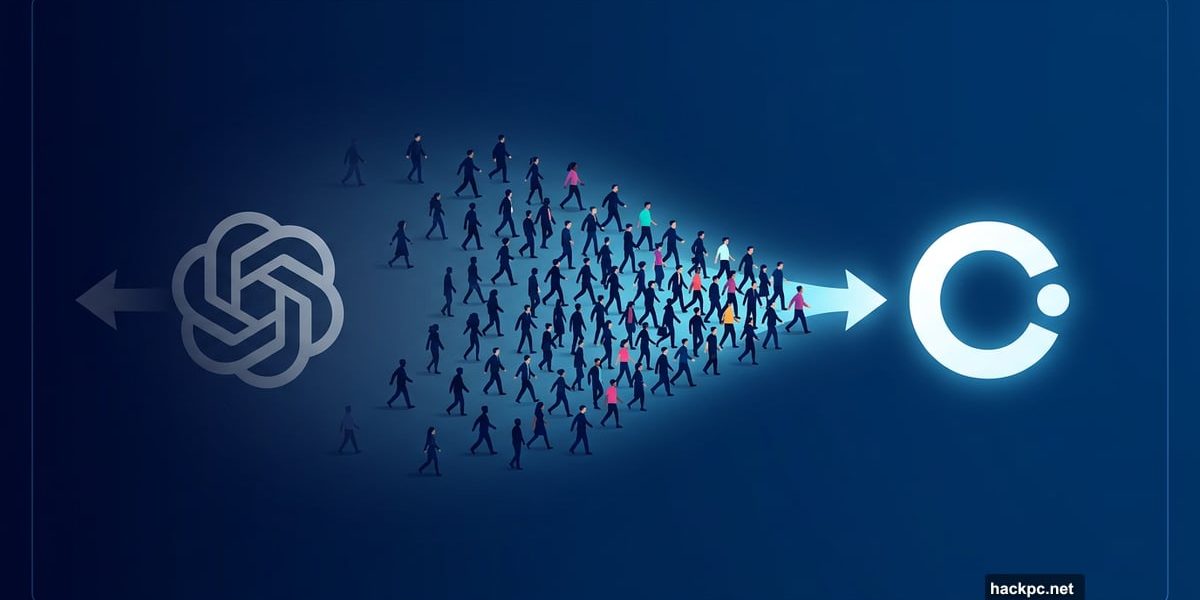
Something big just shifted in the AI world. Claude, the chatbot from Anthropic, shot to the top of Apple’s U.S. App Store free app rankings — beating out ChatGPT for the first time.
So what sparked the exodus? A clash over ethics, surveillance, and weapons. And for a lot of users, it was the last straw.
The Controversy That Flipped the Switch
Anthropic made headlines when it refused to let the Department of Defense use Claude for mass domestic surveillance or fully autonomous weapons systems. The company drew a clear line.
The backlash was swift. President Trump ordered all federal agencies to stop using Anthropic’s products. Defense Secretary Pete Hegseth then announced plans to designate the company a supply-chain threat.
Hours later, OpenAI announced its own deal with the Pentagon. The company claims safeguards are included, but the agreement has sparked fierce debate about privacy and the ethical use of AI.
For many users, that contrast was enough. Claude’s daily sign-ups hit record highs. Free users jumped more than 60% since January. Paid subscribers more than doubled this year, according to Anthropic.
If you’re ready to make the switch yourself, the process is simpler than you might think.
Export Your ChatGPT Data First
Breaking up with ChatGPT doesn’t have to mean losing years of conversations and personalized context. You can bring that history with you.
Start with your memory settings. Open ChatGPT, go to Settings, then Personalization, and find the Memory section. Hit “Manage” to review everything stored there. Update anything outdated, then copy the content you want to keep.
Rather export everything at once? Go to Settings, select Data Controls, and choose “Export Data.” ChatGPT will package your entire chat history into text or JSON files and email them to you. Just note — if you have a lot of history, this might take a little while.
There’s also a manual option. You can copy key conversations directly, or simply ask ChatGPT to summarize your main preferences, frequently discussed topics, and any custom instructions you rely on. That summary often works better than raw chat logs anyway.
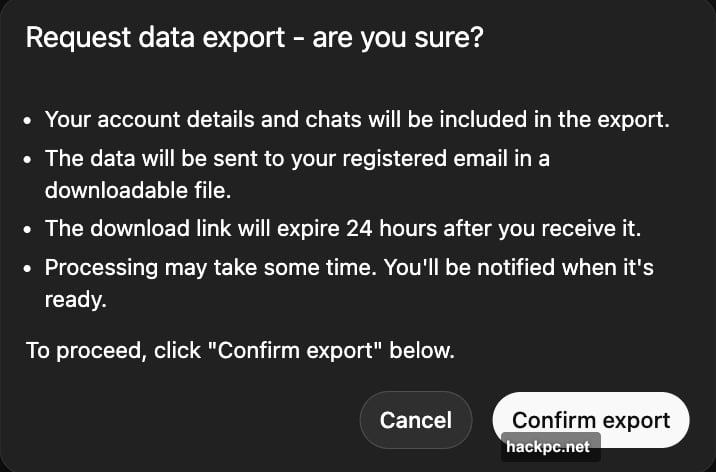
![Screenshot showing ChatGPT’s Settings panel with Data Controls and Export Data options highlighted]
Bring Your Data Into Claude
Once you have your data ready, importing it into Claude is pretty painless.
Open Claude and head to Settings, then Capabilities. Make sure Memory is switched on — this feature is available to both free and paid users. Then start a fresh conversation and paste your information with a prompt like:
“Here’s some important context I’d like you to remember. Update your memory about me with this.”
If you exported a full chat file, don’t just dump the raw logs into the chat. Instead, guide Claude with something like: “Review this and summarize my key preferences.” That gives Claude a cleaner starting point and avoids information overload.
Before moving on, take a moment to verify that everything saved correctly. Ask Claude to recap what it now knows about you. You can always add or update details as your needs change.
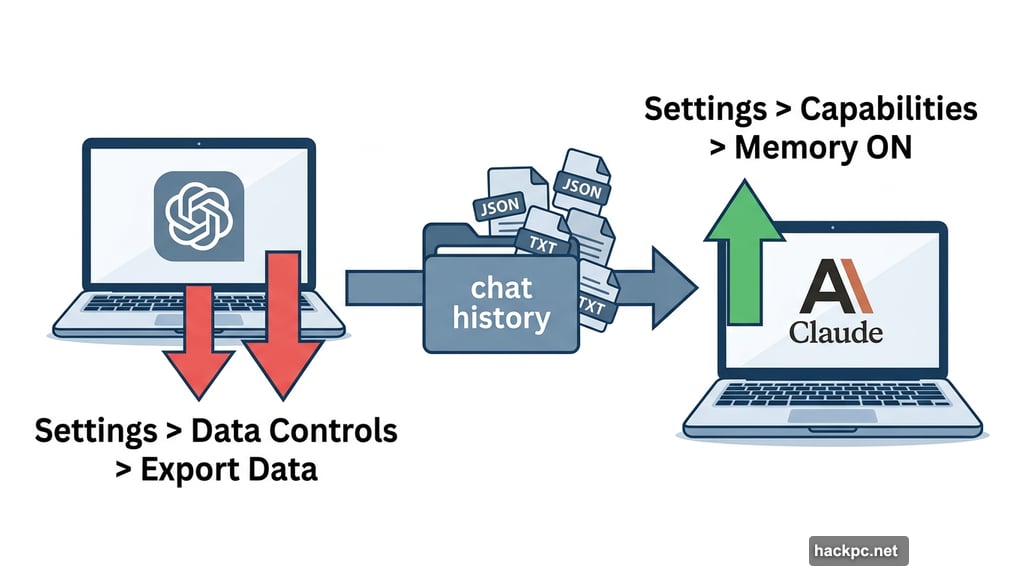
Anthropic’s Memory Feature: Who Gets Access?
Worth noting: Claude’s memory feature isn’t locked behind a paid subscription. Free users have access too. So you don’t need to upgrade just to carry your personalized context across sessions.
That’s a meaningful detail, especially if you’re switching precisely because you’re wary of paying for a service surrounded by controversy.
Permanently Delete Your ChatGPT Account
If you want a clean break, canceling your ChatGPT subscription alone isn’t enough. Your data sticks around unless you actively remove it.
Here’s the full process:
- Go to Settings, then Personalization, and open the Memory section
- Delete all stored memory and personalization settings
- For extra peace of mind, type “Delete all my memory and personalized data” as a final chat message
- Then navigate to account management and delete your account entirely
It takes a few extra steps, but it’s the only way to make sure your data doesn’t linger on OpenAI’s servers after you’ve moved on.
Is Claude Worth the Switch?
Honestly, that depends on what matters most to you. If you’ve been happy with ChatGPT purely as a productivity tool, the switch is low-risk — Claude handles writing, coding, research, and analysis just as well.
But if the recent controversy has made you uncomfortable about where your data goes and what it’s used for, the move makes a lot of sense. Anthropic’s public stance on surveillance and autonomous weapons signals something about the company’s values, even if those values come with their own trade-offs and political complications.
The good news is that switching costs are low. You can export your history, carry your preferences over, and be productive in Claude within an hour. There’s very little reason not to try it and see how it fits.




Comments (0)