
Your exact home address is sitting on dozens of websites right now. Strangers can find where you live with a quick Google search.
That’s not paranoia. It’s reality. Banks, government agencies, and marketing companies have traded your address for years. Now it’s scattered across the internet like confetti. Plus, every online account you’ve created probably stored it somewhere.
Worse still, that public address creates real dangers. Identity thieves use it to open credit cards. Burglars check addresses against social media vacation photos. Stalkers exploit it for harassment.
But you can fight back. Here are eight proven methods to erase your home address from the internet and keep it hidden.
Blur Your House on Street View Maps
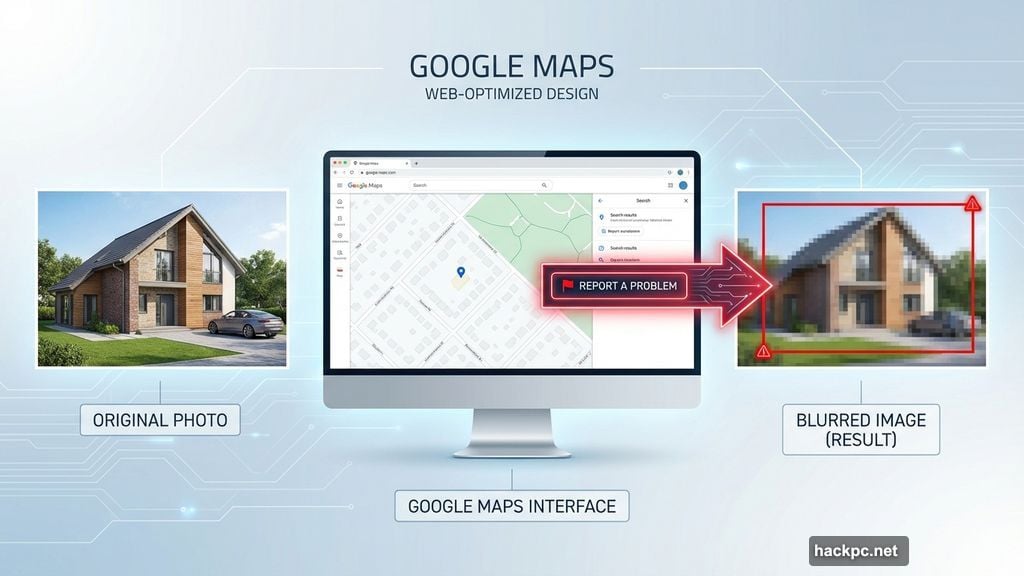
Google Maps and Apple Maps let anyone peek at your front door. Their street view cameras captured your home years ago and display it to anyone who searches your address.
Google makes fixing this surprisingly easy. Visit Google Maps on your desktop computer and enter your address. Switch to Street View, then click “Report a Problem” in the bottom right corner. Drag the red box over your house and any identifying features. Submit the request.
Google typically processes these requests within a few days. Then your home appears blurred in all street views. This won’t remove your address from search results, but it prevents visual snooping.
Apple Maps requires a different approach. Their Look Around feature works similarly to Street View. However, you can’t blur it yourself. Instead, email [email protected] with your address and a description of your home in Look Around. Apple’s team will blur it manually.
Both services keep these blurs permanent. You won’t need to repeat the process every year.
Delete Your Address From Google Search Results
Google actively scans for your personal information in search results. Most people don’t know this feature exists, yet it’s one of your strongest privacy tools.
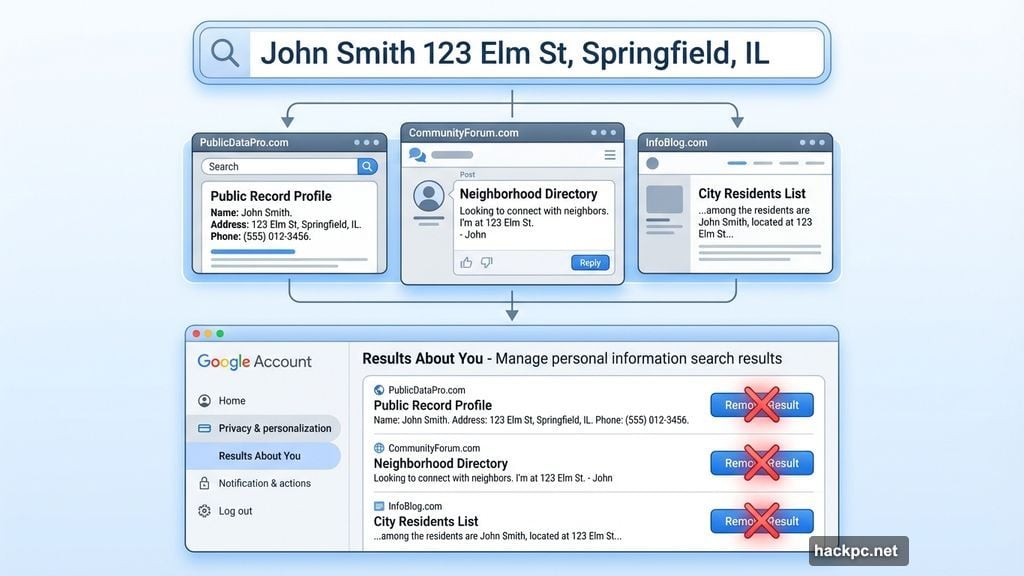
Start by searching your name and address together. See what pops up. Chances are good you’ll find your address on random websites, old forum posts, or data broker sites.
Now remove it. Navigate to your Google Account settings and select “Data & Privacy.” Scroll to “Results About You” and click “Get Started.” This tool lets you monitor when Google finds your home address in search results.
When Google alerts you to a new result containing your address, request removal. Click “Remove Result” next to the offending link. Google won’t always comply—government sites, news articles, and some business listings stay up. But most casual mentions get scrubbed within 48 hours.
Set up ongoing alerts too. Google will email you whenever your address appears in new search results. That way you can catch and remove it quickly before it spreads.
Clean Up Your Social Media Profiles
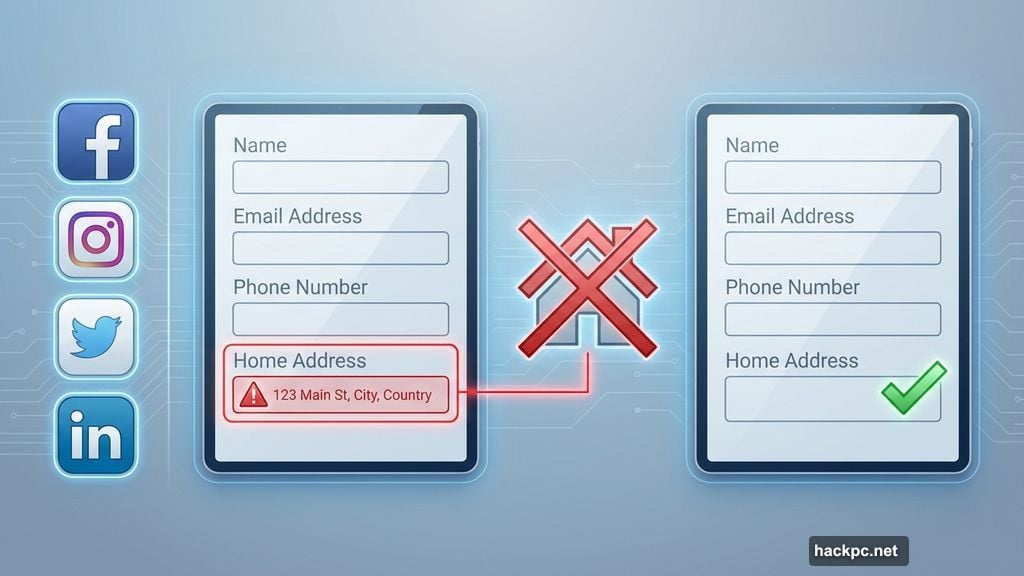
Facebook, Instagram, Twitter, and LinkedIn don’t need your home address. Yet millions of people include it in their profiles without thinking twice.
Check your “About” sections right now. Look at your profile information, contact details, and any bio sections. Remove your address from every field you find it in.
Also scan your photos. Did you post pictures of your house with the street number visible? Delete those too. Same goes for posts that mention your specific street or neighborhood.
Social media profiles rank high in Google searches. Cleaning them up prevents your address from appearing in the top results when someone searches your name.
Wipe Your Whitepages Listing in 30 Seconds
Whitepages holds one of the internet’s largest collections of home addresses. It’s often the first place people check when trying to find where you live.
The site aggregates data from public records, phone directories, and other sources. Your address is probably there. But removing it takes less than a minute.
First, search for yourself on Whitepages.com. Find your listing and copy the URL. Then visit the Whitepages Suppression Request page. Paste your profile URL into the form and submit.
Whitepages processes most removal requests within 24-72 hours. Your listing disappears from their database completely. However, sister sites like 411.com and Addresses.com may still have your info. You’ll need to submit separate requests to each one.
Check back in a few months. Sometimes data brokers re-add information from new sources. If your listing reappears, submit another removal request.
Delete Old Accounts That Store Your Address
You probably created dozens of online accounts over the years. Shopping sites, subscription services, contest entries, political organizations. Each one stored your address in its database.
Most of those accounts sit unused. They’re security risks waiting to happen. Plus, they keep your address circulating in commercial databases.
Start cleaning house. Check your email for account confirmations and shipping notifications. Make a list of services you no longer use. Then delete those accounts completely.
Common targets include:
- Old shopping sites from one-time purchases
- Expired subscription services
- Political campaign donations
- Nonprofit sign-ups
- Contest and sweepstakes entries
- Sports league registrations
- Outdated forum accounts
If you can’t find the delete option, contact customer service directly. Request full account deletion, not just deactivation. Specify that you want your address removed from their records.
For accounts you still use, see if you can substitute a P.O. box or remove the address field entirely. Many services don’t actually need your home address but store it anyway.
Get a P.O. Box for Future Deliveries
Post office boxes cost around $15-30 per month depending on size. That small investment prevents your home address from spreading across dozens of commercial databases.
Apply online at USPS.com. Pick a box size—the medium boxes handle most packages. Choose your local post office location. Complete the application and pay the annual fee.
Now you have an alternative address for everything. Use it when shopping online, signing up for services, or giving contact info to businesses. Your home address stays completely private.
P.O. boxes come with other perks too. You can authorize signature deliveries without being home. The post office holds packages securely if you travel. Plus, you’re not stuck dealing with porch pirates stealing deliveries.
Some people prefer third-party shipping stores instead. These work similarly but may charge per package. Always call ahead and confirm they accept personal packages before using their address.
Consider a Virtual Mailbox Service
Virtual mailboxes take P.O. boxes one step further. These services receive your physical mail, scan it, and upload digital copies to your account. You view everything online from anywhere in the world.
Services like Anytime Mailbox, PostScan Mail, and iPostal1 typically cost $10-20 monthly. You get a real street address (not a P.O. box) that works for more registration purposes. Plus, the service forwards physical packages when needed.
Setting up a virtual mailbox requires identity verification. You’ll need to submit government ID and authorize the service to handle your mail. It’s similar to opening a bank account in terms of legal requirements.
Virtual mailboxes work well for frequent travelers, remote workers, and anyone wanting maximum privacy. However, some government agencies and banks won’t accept them as valid addresses for certain purposes. Check the requirements before switching completely.
Skip Smart Home Location Requests
Many smart home devices demand your exact address. Security cameras, video doorbells, thermostats, and smart speakers all request location data during setup.
They use this information for weather reports, local maps, and advanced features. But it’s also another place your address gets stored in a company database.
Choose devices that don’t require location services when possible. Look for cameras with local storage only. Pick thermostats that use ZIP codes instead of full addresses. Avoid systems that mandate cloud accounts with complete location data.
You’ll sacrifice some convenience. Weather-based automation won’t work. Mapping features in apps get disabled. But your address stays off more servers and out of more databases.
Professional monitoring services are different. Security systems with 24/7 monitoring legitimately need your real address for emergency response. You can’t fake that part.
Use a VPN to Hide Your Digital Location
Your internet service provider knows your home address. Every website you visit can see your approximate location through your IP address. That’s just how the internet works.
VPNs (virtual private networks) encrypt your connection and mask your real location. You appear to browse from wherever the VPN server sits—maybe a different city or even another country.
Quality VPNs cost $3-10 monthly. Free options exist but often sell your data, defeating the privacy purpose. Look at trusted services like NordVPN, ExpressVPN, or Surfshark.
VPNs don’t hide your address from everyone. Sites where you log in (like Amazon or your bank) still know your real location from your account information. But they prevent random websites and trackers from collecting location data linked to your browsing habits.
Stop Handing Out Your Address Freely
Prevention beats cleanup every time. Most people give out their home address far too casually.
Think before sharing it. Does that gym membership really need your home address? What about that loyalty card at the coffee shop? Or the free whitepaper download?
Use your P.O. box or virtual mailbox for everything except legal requirements. Save your real address for:
- Bank accounts
- Voter registration
- Government documents
- Employer records
- Medical records
Everything else can use an alternative. Subscription boxes, online shopping, loyalty programs, newsletters, sweepstakes—route it all through your P.O. box instead.
This single habit prevents your address from spreading to dozens of new databases every year. Plus, it makes the cleanup work you did actually stick long-term.
The Address Protection Reality
Complete privacy doesn’t exist anymore. Your address will appear somewhere online no matter how hard you scrub. Property records are public. Voter registrations are searchable. Government databases leak.
But you can make finding your address difficult. Instead of appearing in the top five Google results, it requires serious digging. That alone stops 95% of casual searches and protects you from random strangers, aggressive marketers, and opportunistic criminals.
The effort is worth it. Spend two hours this weekend implementing these steps. Then spend five minutes monthly monitoring Google alerts and checking for new leaks. That small time investment dramatically improves your privacy and safety.
Your home address shouldn’t be public knowledge. Make it hard to find.




Comments (0)