
Streaming services quietly drain $109 monthly from the average household. That’s cable-TV money for stuff you barely watch.
Time to fix that. Let’s walk through canceling the subscriptions eating your budget. No guilt trips. No complicated processes. Just practical steps to reclaim your money.
Find Your Hidden Subscriptions First
You can’t cancel what you can’t remember subscribing to. So start with a full audit.
Check your bank statements from the past three months. Look for recurring charges. You might be surprised what pops up. That free trial you forgot about? Still charging you.
Gmail offers subscription tracking through its settings menu. Amazon, Apple, and Roku all bury subscription lists in their account pages. Dig them out. Write down every single streaming service charging you.
Now comes the honest part. When did you last watch each one? If it’s been over a month, that’s a clear candidate for cancellation.
Netflix Makes It Easy
Netflix actually wants you to stay. But they won’t fight you on leaving.
Sign into your account on the website. Navigate to account settings and find “Manage Your Membership.” Click cancel. Confirm your choice.
That’s it. You’ll keep access until your billing cycle ends. No refunds for partial months, but at least the process is straightforward.
Prime Video Gets Complicated
Amazon bundles Prime Video with regular Prime memberships. So canceling requires some thought.
Do you use Prime shipping regularly? Then you might want to keep Prime but drop Video. That’s actually possible, though Amazon doesn’t advertise it loudly.
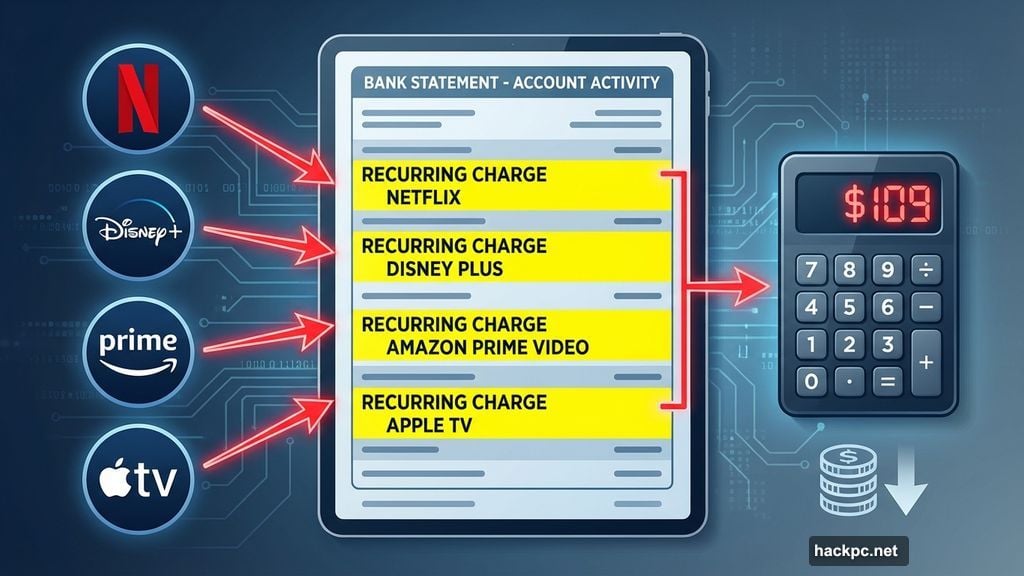
Open your Amazon account. Navigate to “Account & Settings,” then find “Your Account.” Look for your Prime Video subscription specifically. Click “End Subscription” if you want Video gone but Prime shipping intact.
Or cancel the whole Prime membership if you’re done with both. Just remember Prime shipping disappears too.
Disney Plus Bundles Create Headaches
Disney loves bundles. Plus with Hulu. Plus with ESPN. Plus with Hulu and HBO Max. Canceling one means potentially losing all of them.
Log into Disney Plus on the website. Click your profile, then “Account.” Find your subscription type under the billing section. Select “Cancel Subscription.”
Here’s the catch. If you have a bundle, canceling Disney Plus cancels everything. No partial cancellations allowed. So decide whether you’re ready to lose Hulu access too.
Disney doesn’t refund partial months either. You’ll keep access until your billing period ends, then everything shuts off.
Apple TV Hides in Settings
Apple TV Plus (now just “Apple TV”) lives inside Apple’s ecosystem. Canceling works through the same account system that handles your iCloud and App Store.
Navigate to the Apple TV website or open settings on your Apple device. Sign in, then click the account icon. Select “Settings,” scroll down to “Subscriptions,” and choose “Manage.”
Find Apple TV in your subscription list. Click “Cancel Subscription.” Confirm your choice.
Apple follows the same rule as everyone else. You keep access until your billing cycle ends. No prorated refunds.
HBO Max Plays It Straight
HBO Max (soon merging with Discovery Plus) keeps cancellation simple. No tricks. No hidden menus.
Open the HBO Max app or website. Click your profile icon, then “Subscription.” Scroll to the bottom of the page. Click “Cancel Subscription” twice to confirm.
You’ll keep watching until your billing period expires. If you bought an Extra Member Add-On subscription, you actually get a prorated refund for unused days. That’s rare in streaming.
Paramount Plus Follows the Pattern
Paramount Plus works like most services. Account page, cancel button, confirmation screen. Done.
Log into the Paramount Plus website. Navigate to your account page. Click “Cancel Subscription.” Follow the prompts.
Access continues until your billing cycle ends. If you’re on a free trial, cancellation stops access immediately at trial expiration.
Peacock Offers a Free Tier
Peacock does something different. Canceling Premium or Premium Plus doesn’t lock you out entirely. You drop down to the free tier instead.
Visit the Peacock website and log in. Select “Plans & Payments.” Click “Cancel Plan.” Confirm your cancellation.
You’ll get an email confirmation. Then your account reverts to free tier access. Limited shows, more ads, but zero cost. That’s actually useful if you occasionally watch Peacock originals.
The Real Cost of Streaming Addiction
Park Associates research shows average subscribers juggle six services at $109 monthly. That’s $1,308 yearly. For comparison, a decent cable package costs $80-100 monthly in many markets.
Plus, streaming services keep raising prices. Disney Plus and Hulu jumped rates in October. HBO Max increased all plan costs. This pattern repeats every few months across different platforms.
The “cut the cord and save money” promise died years ago. Now streaming costs rival or exceed cable. Except you lose live sports, news, and the convenience of flipping channels without app-switching.
Rotate Your Subscriptions Instead
Here’s a smarter strategy than keeping everything. Subscribe to one or two services monthly. Watch everything you want. Cancel. Rotate to different services next month.
Most streaming libraries don’t change fast enough to justify constant subscriptions. New seasons drop quarterly at best. So why pay during the months nothing new arrives?
Subscribe to Netflix in January. Binge Stranger Things, Bridgerton, and your other favorites. Cancel in February. Switch to HBO Max for House of the Dragon. Cancel in March. Rotate through Disney Plus for Star Wars or Marvel content.
You’ll cut your annual streaming costs by 60-70% while still accessing everything worth watching. Just requires a tiny bit of planning.
Consider Plex or Jellyfin
Tech-savvy users might ditch subscriptions entirely. Self-hosted media servers like Plex or Jellyfin let you legally stream content you own. Buy digital movies and shows once. Stream them forever without monthly fees.
Setting up requires some technical knowledge. You’ll need a computer or NAS to run the server. Storage space for your media files. Time to organize everything properly.
But once configured, you control your content completely. No price hikes. No removed shows. No cancellation headaches. Just your library, accessible anywhere.
Obviously, this only works with content you legally own. Piracy remains illegal and unethical. But if you’ve bought dozens of movies on iTunes or Google Play, a Plex server makes more sense than renting them repeatedly through streaming services.
Stop Autopay Before You Forget
The biggest streaming subscription trap isn’t the initial signup. It’s forgetting you signed up six months later.
Cancel autopay for services you’re trying out. Set calendar reminders before free trials expire. Review your bank statements monthly for unexpected charges.
Streaming companies count on subscription fatigue. They know most people won’t bother canceling services they barely use. Don’t be that person. Your budget will thank you.
Cutting streaming subscriptions isn’t about deprivation. It’s about spending intentionally on entertainment you actually enjoy. Everything else? Just cancel it.




Comments (0)