

Chromebooks have come a long way. What started as simple web browsing machines are now capable computers running Android apps, Linux programs, and handling everything from school assignments to 4K streaming. And because they’re doing so much more, protecting your privacy on one matters more than ever.
A good VPN hides your public IP address from your internet service provider, keeping your browsing habits and app activity private. Plus, if you enjoy streaming, a VPN lets you unlock foreign Netflix libraries, BBC iPlayer, and other region-locked content that you’d otherwise never see. I regularly use a VPN on my Chromebook for exactly that reason.
So which VPN is worth your money? Here are the top picks for 2026.
NordVPN: Fastest Speeds, Best Overall Performance
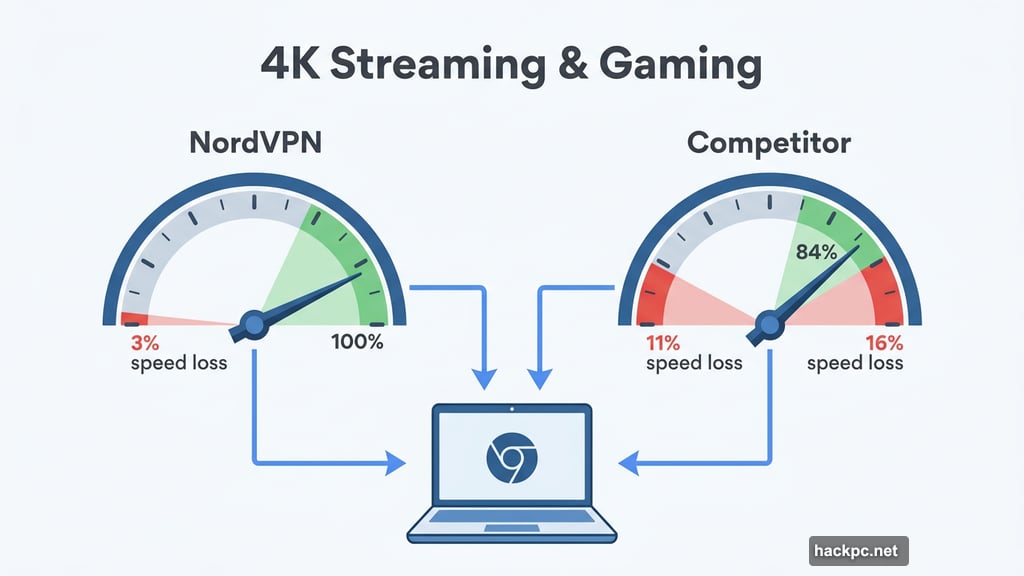
NordVPN earns the top spot for one simple reason: it’s the fastest VPN tested by a significant margin. In 2025 testing, NordVPN averaged just 3% internet download speed loss. Its closest competitor came in at 16%. That kind of speed difference is massive when you’re streaming 4K video or jumping into a competitive online game.
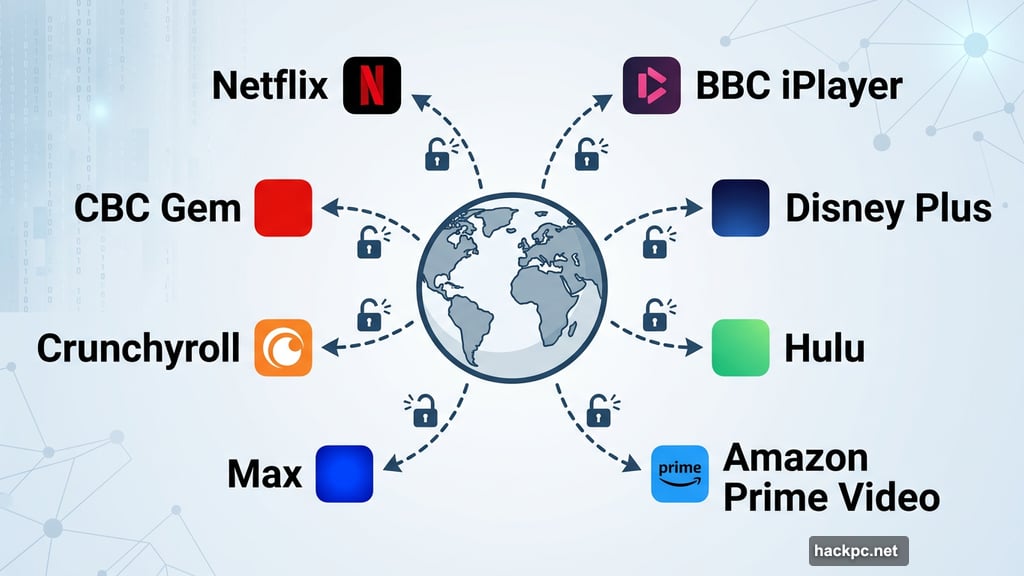
Beyond speed, NordVPN unblocked foreign Netflix, Amazon Prime Video, Disney Plus, Max, BBC iPlayer, Hulu, Crunchyroll, and CBC Gem without any fuss. Its server network spans 9,000-plus servers across 130 countries, giving you plenty of options whether you’re traveling abroad or just want to browse from a virtual location.
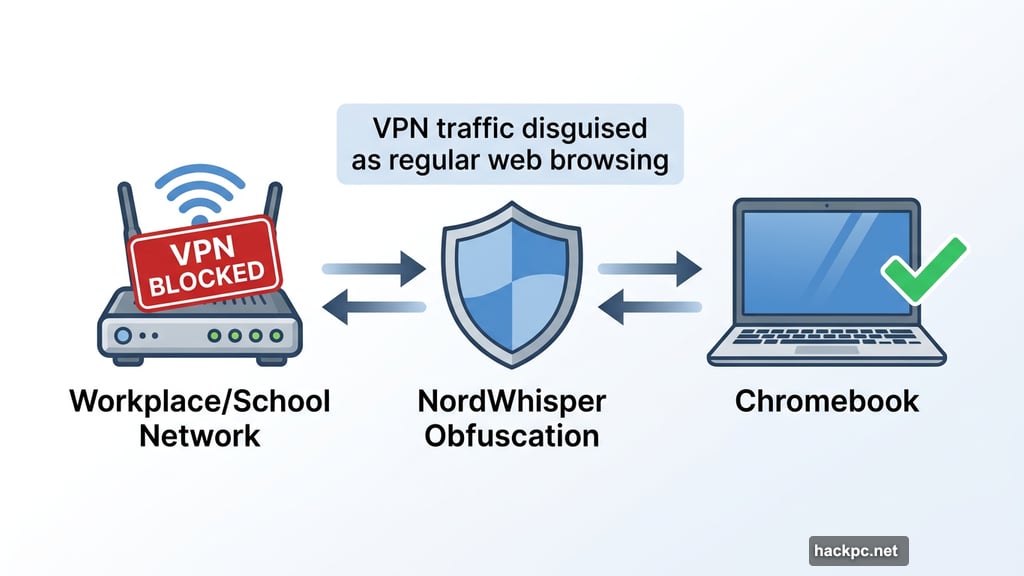
Privacy-wise, NordVPN goes beyond the basics. It supports WireGuard-based NordLynx and OpenVPN protocols. It also offers NordWhisper, a proprietary obfuscation tool that disguises your VPN traffic as regular web browsing. That’s useful on school or workplace Wi-Fi networks that actively block VPN connections. You also get double VPN and Onion over VPN servers for extra layers of protection.
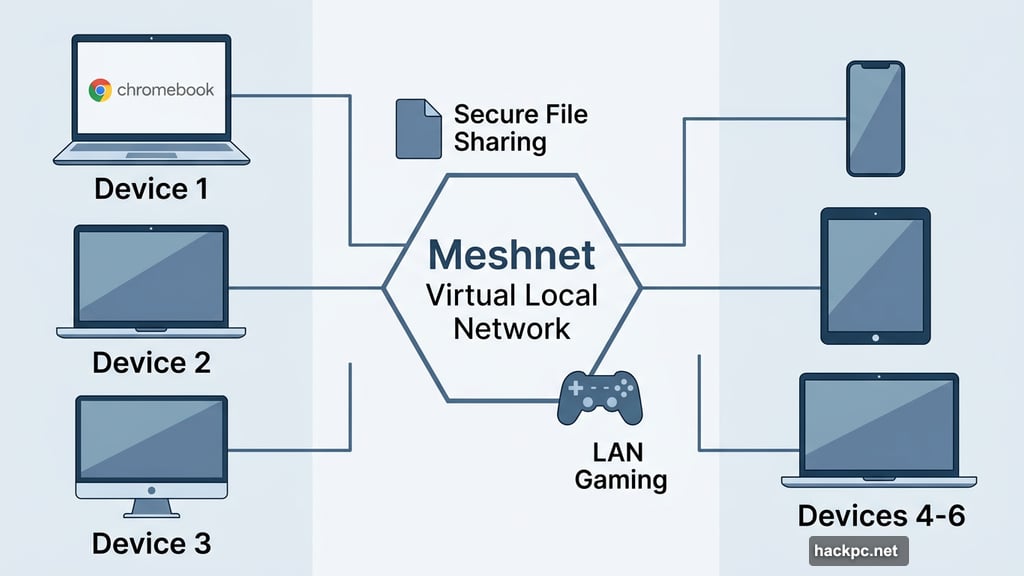
NordVPN’s Meshnet feature lets you create a virtual local network across multiple devices, which works well for secure file sharing or hosting LAN gaming sessions. The app supports 10 simultaneous connections, which covers most households comfortably.
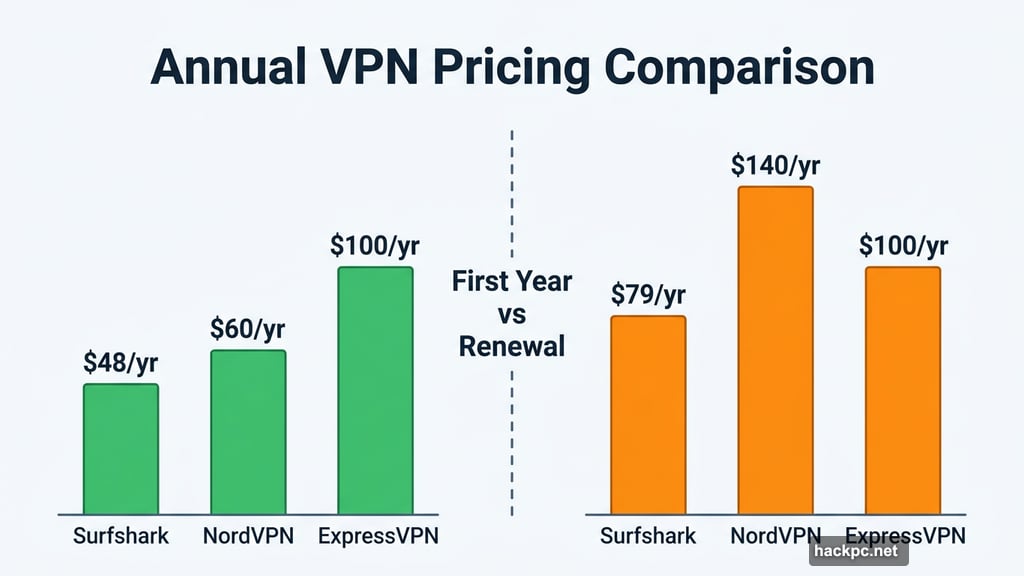
The one real downside is pricing. Starting at $13 per month or $60 for the first year sounds reasonable. But one- and two-year plans renew at $140 annually, which is considerably higher than what Surfshark ($79) or even ExpressVPN ($100) charge at renewal. If you plan to stick with NordVPN long-term, factor that in before committing.
Still, for pure performance across streaming, gaming, and privacy, NordVPN is the clear frontrunner.
Surfshark: Best Budget VPN Without Cutting Corners
![VPN comparison chart showing Surfshark, NordVPN, and Proton VPN speed and pricing data on ChromeOS]
Surfshark sits in a sweet spot that’s hard to beat: premium features at a price that won’t make you wince. At $48 for the first year or $60 for the first two years combined, it costs significantly less than ExpressVPN and even NordVPN upfront. Renewal prices land at $79 annually, which is fair for what you get.
Speed-wise, Surfshark posted a 21% average download speed loss in 2025 testing. That’s a touch slower than previous years, but in practice, you won’t notice the difference on a solid internet connection. It handles 4K streaming without buffering, and it unblocked content on most major streaming services we tested.
The app experience across platforms is polished and consistent. Whether you’re on Windows, Android, iOS, MacOS, or ChromeOS, Surfshark feels the same. Setup is quick, navigation is intuitive, and switching servers takes seconds.
Surfshark also allows unlimited simultaneous connections. Most VPNs cap you at five or ten devices. Surfshark lets your entire household connect at once, which is a genuinely useful perk.
A few standout privacy features set Surfshark apart from the crowd. Dynamic Multihop lets you chain two server locations together for added anonymity. Rotating IP switches your IP address every few minutes, making tracking even harder. Alternative ID creates a fake online persona with a name, address, and email you can use on sites without revealing your real identity. Surfshark also added post-quantum encryption this year to guard against future computing threats.
One consideration: Surfshark is based in the Netherlands, which falls under the 14 Eyes intelligence-sharing alliance. That’s not a dealbreaker for most users, but it’s worth knowing if you have serious privacy concerns.
For most Chromebook users, Surfshark delivers everything you need at a price that makes sense.
Proton VPN: Best Free Option, With a Strong Paid Plan Too
Proton VPN is the only free VPN worth recommending without hesitation. Most zero-cost VPNs earn money by showing you ads, selling your data, or throttling your speeds into the ground. Proton does none of that.
The free tier has limitations. You can only use one device at a time, connect to servers in five countries, and can’t manually pick your server. But your data stays private, speeds remain usable, and there are no monthly bandwidth caps. That’s genuinely rare in the free VPN world.
If you need more, Proton’s paid plan is excellent. It offers 18,000-plus servers across 129 countries, 16% average speed loss (second only to NordVPN), and outstanding streaming support. In testing, Proton unblocked nearly every streaming service thrown at it, including Netflix Egypt, which only a handful of VPNs can access. Pricing sits at $10 per month, $60 for the first year, or $108 for the first two years, with renewals at $80 annually.
Proton’s privacy credentials are serious. The company is based in Switzerland, outside the Five, Nine, and 14 Eyes alliances. Its apps are open-source, meaning anyone can inspect the code for security issues. Multi-hop routing and split tunneling come standard on paid plans.
One clever feature worth mentioning: on Android, Proton lets you disguise its app icon as a calculator, notes app, or weather app. That’s a thoughtful touch for users who travel to countries where VPN use is discouraged or monitored.
The main weaknesses are a design flaw in the MacOS kill switch that can expose your public IP address when switching servers (a fix is promised), and the absence of 24/7 live chat support, which Proton says it plans to add by the end of the year.
For anyone on a tight budget, Proton VPN free is an honest, trustworthy option. The paid plan competes directly with Surfshark for overall value.
Other VPNs Worth Knowing About
ExpressVPN is a rock-solid choice for Chromebooks, with a clean Android app, strong privacy practices, and a wide international server network. The app ran flawlessly on an Acer Flip 713 during testing. The catch is price. At $75 for the first year or $98 for two years (renewing at $100 annually), it costs more than Surfshark and offers less flexibility. If budget matters, Surfshark gives you more for less money.
Private Internet Access (PIA) undercuts nearly every VPN in price, at $40 for the first year or $79 for three years. Its privacy policy is one of the most readable in the industry, and its apps are open-source. However, PIA’s 48% average speed loss in 2025 testing makes it a weak choice for streaming or gaming. It works fine for casual browsing on fast connections, but Surfshark is a better pick for just a few dollars more.
Native App vs. Chrome Extension: What Should You Use?
Most Chromebooks support Android apps, so the better choice is almost always the native VPN app from the Google Play Store. A native app encrypts all traffic on your device, including your browser, streaming apps, games, and everything else. That’s full-device protection.
A Chrome browser extension only protects traffic inside the Chrome browser. If you’re watching Netflix through the Android app on your Chromebook, a browser extension won’t cover that traffic. You’d need to watch via Chrome’s website instead.
The exception is ExpressVPN’s Chrome extension, which acts more like a remote control for the device app. It requires the full Android app to be installed and running, making it a hybrid solution rather than a true browser-only tool.
For most Chromebook users, the Android app is the right call. If you only need VPN protection while browsing and want something lightweight, a browser extension can work. But the native app gives you more control and broader protection.
What to Look for in a Chromebook VPN
Speed: Every VPN slows down your connection because your traffic takes a longer, encrypted path. The fastest VPNs average under 25% speed loss. For 4K streaming or cloud gaming, aim for under 20%. NordVPN (3%), Proton (16%), and Surfshark (21%) all clear that bar comfortably.
Server network: Most top VPNs offer thousands of servers across 100-plus countries. A wider network means more options for international streaming and fewer congested servers. NordVPN leads with 130 countries, followed by Proton at 129 and Surfshark at 100.
Streaming support: Check that your VPN can unblock the specific services you care about. Netflix, Amazon Prime Video, Disney Plus, and BBC iPlayer are the big ones. All three top picks handle these well.
Privacy and encryption: Look for AES-256-bit or ChaCha20 encryption, an audited no-logs policy, and a kill switch that cuts your internet if the VPN drops. For stronger privacy, consider a VPN based outside the Five, Nine, or 14 Eyes alliances. That points you toward Proton VPN (Switzerland) and NordVPN (Panama).
Price: Monthly plans typically run $5 to $15. Annual plans offer better value at $40 to $100 per year. Stick with a one-year plan your first time around. The VPN space changes quickly, and locking into two or three years carries real risk if speeds degrade or something goes wrong.
Does Chrome Have a Built-In VPN?
No. Google Chrome does not include a built-in VPN. While ChromeOS lets you manually enter VPN server details in network settings, you still need a third-party VPN provider. The easiest and most functional approach is installing a VPN’s Android app from the Google Play Store.
Picking the right VPN for your Chromebook doesn’t have to be complicated. NordVPN wins on raw speed and streaming support. Surfshark delivers excellent value with unlimited connections and a solid privacy feature set. Proton VPN stands alone as the only free option worth trusting.
If you stream a lot and want the best performance, go with NordVPN. If you’re watching the budget but don’t want to compromise much, Surfshark is hard to beat. And if you’re not ready to pay anything, Proton VPN free is a genuinely good starting point.



Comments (0)