
Picture this: you’re settled in for movie night, you open Netflix, and the show everyone’s been talking about simply isn’t there. Region-locked content is genuinely frustrating, and it happens more than most people realize. The good news? A solid VPN fixes that problem fast.
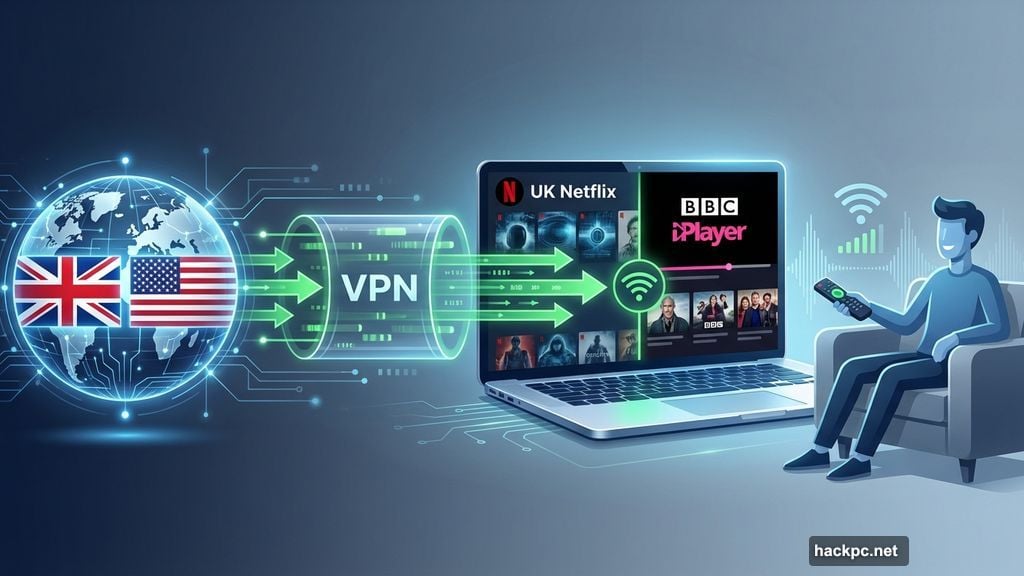
A virtual private network tricks streaming apps into thinking you’re somewhere else entirely. Want to browse the UK Netflix catalog from New York? Done. Catch BBC iPlayer content from anywhere on the planet? Easy. Stream regional sports like NFL or WNBA games that aren’t available in your area? Absolutely. The right VPN makes all of that possible right from your smart TV.
We tested dozens of options to find the best ones. Here’s what you need to know.
Smart TV VPN Compatibility: Android TV, Fire TV, and Beyond
Before getting into specific picks, it helps to know how VPNs actually work with different televisions. Not every smart TV supports VPN apps natively, and that changes your setup quite a bit.
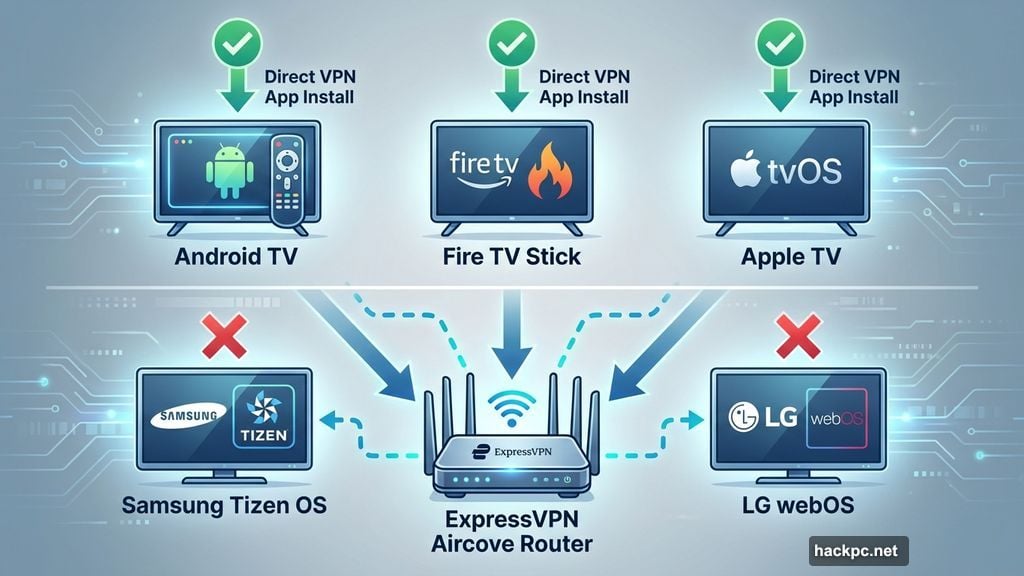
Android TV and Google TV devices support direct VPN app installs. So do Amazon Fire TV devices and Apple TV streamers. If your television runs one of those operating systems, you’re in great shape. Just download the app and connect.
Samsung TVs running Tizen OS and LG TVs running webOS are a different story. Those systems don’t support VPN apps directly. So you’ll need to run the VPN through your router instead. ExpressVPN actually sells routers with VPN software preloaded, which makes this easier than it sounds. Alternatively, if you’d rather skip the router hassle, picking up a dedicated streaming stick like a Fire TV Stick or Apple TV gives you native app support.
ExpressVPN: Best Overall Smart TV VPN
ExpressVPN earns the top spot for most people because it balances everything well. Setup is simple, streaming performance is reliable, and its privacy credentials are genuinely impressive.
The app works across Android TV, Fire TV, and Apple TV. For devices that don’t support VPN apps directly, like Roku, PlayStation, or Xbox, ExpressVPN’s Aircove router handles the job cleanly. You basically connect your devices to the router and the VPN covers everything automatically, without eating into your simultaneous device limit.
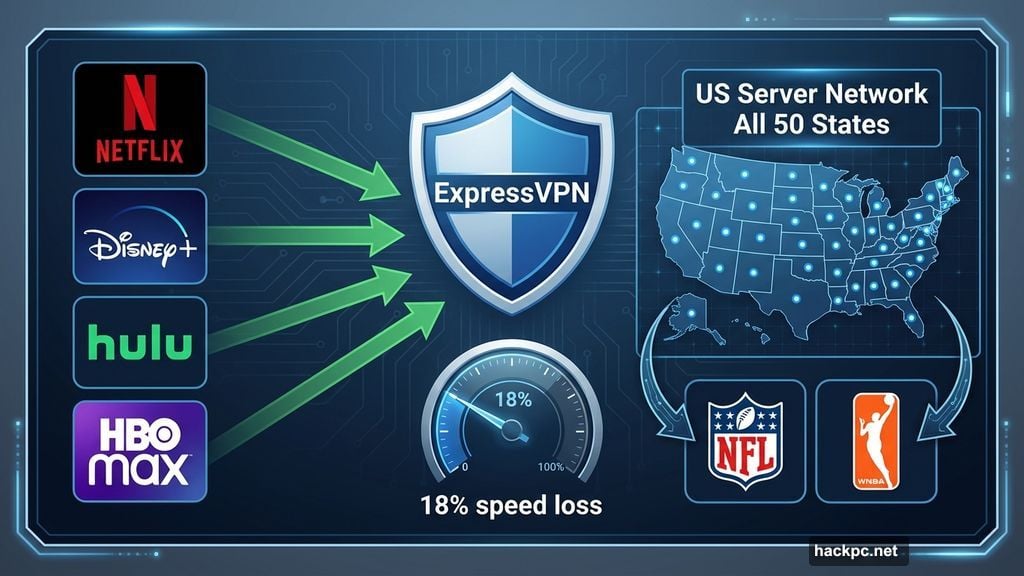
Speed-wise, ExpressVPN recorded an 18% average speed loss in 2025 testing. That’s fast enough for smooth 4K streaming without buffering. And in July 2025, ExpressVPN expanded its US server network to cover all 50 states, which is a big deal if you want to watch regional sports. Think NFL, WNBA, or NWSL games that might be blacked out in your area.
Streaming unblocking is excellent. Netflix, Disney Plus, Hulu, HBO Max, and Amazon Prime Video all worked smoothly across every device tested. That’s a strong result across the board.
Privacy is where ExpressVPN really stands apart. The company has completed 23 independent audits since 2018, more than any competitor. Its Lightway protocol now includes ML-KEM post-quantum encryption, which protects against potential future threats from quantum computers. The IP Shuffle feature quietly rotates your IP address every time you load a website, adding another layer of protection. No DNS leaks were detected in current testing, and the kill switch works exactly as it should.
The main downside is price. ExpressVPN costs $13 per month. Long-term plans run $75 for the first 15 months or $98 total for the first 28 months, then renew at $100 per year. That’s not cheap. But a seven-day free trial and 30-day money-back guarantee give you room to test it before committing.
CNET Score: 9/10
NordVPN: Fastest VPN for Buffer-Free 4K Streaming
If speed is your top priority, NordVPN wins by a clear margin. Its average internet download speed loss in 2025 tests was just 3%. For comparison, its nearest competitor clocked in at 16% speed loss. That gap is enormous in real-world streaming, especially when you’re watching 4K video.
NordVPN’s server network is massive: over 9,000 servers across 130 countries. That global reach makes it easier to find fast, stable connections almost anywhere. And the content unblocking is excellent. Foreign Netflix libraries, Amazon Prime Video, Disney Plus, Max, BBC iPlayer, CBC Gem, Hulu, and Crunchyroll all worked in testing.
NordVPN also allows 10 simultaneous device connections, which suits households with multiple screens. Apps are available for Android TV, Fire TV, Apple TV, and most other platforms.
Beyond the basics, NordVPN includes some interesting extras. NordWhisper is a proprietary obfuscation protocol that disguises VPN traffic as regular web traffic. That’s useful on networks that block VPNs, like school or office Wi-Fi. Double VPN routes your traffic through two servers instead of one. Onion over VPN adds Tor routing on top of that. And Meshnet lets you create a virtual local network between devices, handy for file sharing or accessing streaming services without triggering multi-factor authentication prompts.
Pricing starts competitive: $13 per month, $60 for the first year, or $81 for the first two years. The catch is the renewal rate, which jumps to $140 per year. That’s a steep increase and considerably higher than what Surfshark or Proton VPN charge at renewal. Worth planning for if you’re thinking long-term.
CNET Score: 8.8/10
Surfshark: Best Value Smart TV VPN
Surfshark consistently punches above its weight. It’s faster than most VPNs, it unblocks a wide range of streaming services, and it costs significantly less than NordVPN or ExpressVPN over time.
Speed loss averaged 21% in 2025 testing. That’s slightly slower than previous years technically, but not in any way you’d notice while watching TV. The apps are clean and intuitive on Android TV, Fire TV, and Apple TV, and they deliver a consistent experience across platforms.
The biggest practical advantage is unlimited simultaneous connections. Most VPNs cap you at 10 devices or fewer. Surfshark lets you connect every device in your household at once. If you’re sharing with roommates or have a family with multiple TVs, phones, and laptops, that’s genuinely valuable.
Surfshark also includes some privacy features that go beyond the standard set. Dynamic Multihop lets you route your traffic through two servers simultaneously for extra anonymity. Rotating IP switches your IP address every few minutes automatically. Alternative ID lets you create a fictional persona with a fake name, address, and email for use on websites, so you don’t have to share your real details. And Surfshark has joined the post-quantum encryption club, adding protection against future quantum computing threats.
The server network covers 4,500-plus servers across 100 countries. That’s slightly smaller than NordVPN or ExpressVPN, but it’s still large enough for most purposes.
Pricing is genuinely reasonable for long-term plans. The yearly plan runs $48 for the first year, or $60 total for the first two years, then renews at $79 annually. That’s cheaper than both NordVPN and ExpressVPN at renewal. The monthly rate of $15.45 is on the higher side, though, so the long-term plans are where the value lives. A 30-day money-back guarantee lets you try it without risk.
One note worth mentioning: Surfshark is based in the Netherlands, which falls within the 14-Eyes intelligence sharing alliance. That doesn’t necessarily make it less safe, but it’s a factor some privacy-focused users weigh carefully.
CNET Score: 8.6/10
Other VPNs We Tested
Proton VPN is a strong runner-up for privacy-conscious streamers. Its server network is massive, with over 18,100 servers across 129 countries. Proton’s Secure Core feature routes your connection through a hardened server in a privacy-friendly country before reaching its destination, which is a solid additional layer of protection. It also unblocks Netflix, Amazon Prime Video, Disney Plus, BBC iPlayer, and even tricky international catalogs like Netflix Egypt. Pricing runs $10 per month, $60 for the first year, or $108 for the first two years, then renews at $80 annually. Proton also offers a free plan that doesn’t cap your usage, though it limits server selection and works less reliably with streaming services.
IPVanish is a straightforward VPN for casual streaming, but its 44% average speed loss is a significant drawback. Netflix recommends at least 15 Mbps for a single 4K stream, so if your base connection isn’t fast to begin with, IPVanish could cause buffering. It works fine for basic unblocking and is easy to use, but faster options exist at similar prices. (Note: IPVanish shares a parent company with CNET.)
PIA (Private Internet Access) offers unlimited simultaneous connections and servers in all 50 US states, which is great for watching regional sports. But its 48% average speed loss and frequent CAPTCHA encounters in testing drag down the experience. Surfshark delivers considerably better performance for a little more money, making it the smarter choice for most people.
CyberGhost has streaming-optimized servers and decent unblocking across many services, but questionable privacy practices and buggy apps make it hard to recommend strongly. For similar pricing, other options on this list serve you better.
WireGuard Protocol Speeds Up Streaming Performance
The VPN protocol you use matters more than most people realize. A protocol is basically the method your VPN uses to create a secure connection, and different protocols have different tradeoffs between speed and security.
For streaming on a smart TV, WireGuard is generally the best choice. It’s faster and more efficient than older protocols like OpenVPN or IKEv2. ExpressVPN’s Lightway protocol is built on similar principles to WireGuard. NordVPN’s NordLynx is WireGuard-based. Both deliver faster connections than traditional alternatives.
The exception is when you need obfuscation. Some networks, particularly at schools or workplaces, block VPN traffic. In those situations, a specialized obfuscation protocol like NordVPN’s NordWhisper or Proton VPN’s Stealth protocol can help your traffic blend in with regular web browsing.
Geoblocking, DNS Leak Protection, and What Your ISP Actually Sees
One question that comes up often: what does your internet service provider actually see when you stream with a VPN? The answer is fairly simple. Your ISP sees traffic flowing to and from the VPN server’s IP address. It can’t identify which streaming services you’re using or what you’re watching. That applies to your viewing history as well. As far as your ISP is concerned, you’re just sending and receiving data from a server somewhere.
For bypassing geoblocking, the mechanism works the same way. Streaming services like Netflix use your IP address to determine your location. When you connect through a VPN server in the UK, Netflix sees a UK IP address and serves you the UK catalog. Your actual location stays hidden.
For proper DNS leak protection, make sure your VPN routes DNS queries through its own servers. A DNS leak means some requests bypass the VPN tunnel and reveal your real location to outside observers. All three of our top picks showed no DNS leaks in testing.
Kill switch support is also worth checking. A kill switch cuts your internet connection if the VPN drops unexpectedly, preventing your real IP address from briefly becoming visible. ExpressVPN, NordVPN, and Surfshark all offer this.
How to Choose the Right Smart TV VPN for You
There’s no single right answer here. It depends on what you actually need.
Speed is the priority? NordVPN’s 3% speed loss is unmatched. Value is the priority? Surfshark’s pricing and unlimited connections make it the clear choice for households. Privacy and transparency matter most? ExpressVPN’s 23 completed audits and post-quantum security improvements put it at the top.
Check which streaming services you care about before buying anything. Most top VPNs work with Netflix, Disney Plus, and Amazon Prime Video, but performance varies with smaller regional services like BBC iPlayer, Hulu, or local sports platforms. Use the money-back guarantee period to test your specific use cases before committing.
Also worth remembering: a good VPN should have a 25% average speed loss or lower for smooth 4K streaming. Netflix recommends a minimum of 15 Mbps for a single 4K stream, so make sure your base internet speed gives you enough headroom to absorb any slowdown.
Whatever option you choose, a reliable VPN opens up a much larger world of content from your couch. That’s the whole point, and the three top picks here all deliver on that promise.



Comments (0)