

An open-source AI project called OpenClaw exploded across tech circles last week. It promises something most assistants can’t deliver: actual control over your digital life.
But the chaos that followed reveals a darker truth. When AI agents gain real power over your data and accounts, the risks multiply fast.
What Makes OpenClaw Different From Siri or Alexa
Most AI assistants live in their own little boxes. You open an app, type a question, copy the answer. OpenClaw works inside the messaging apps you already use.
Text it through WhatsApp or iMessage like you’d text a friend. It remembers conversations from weeks ago. Plus, it can actually do things without asking permission every time.
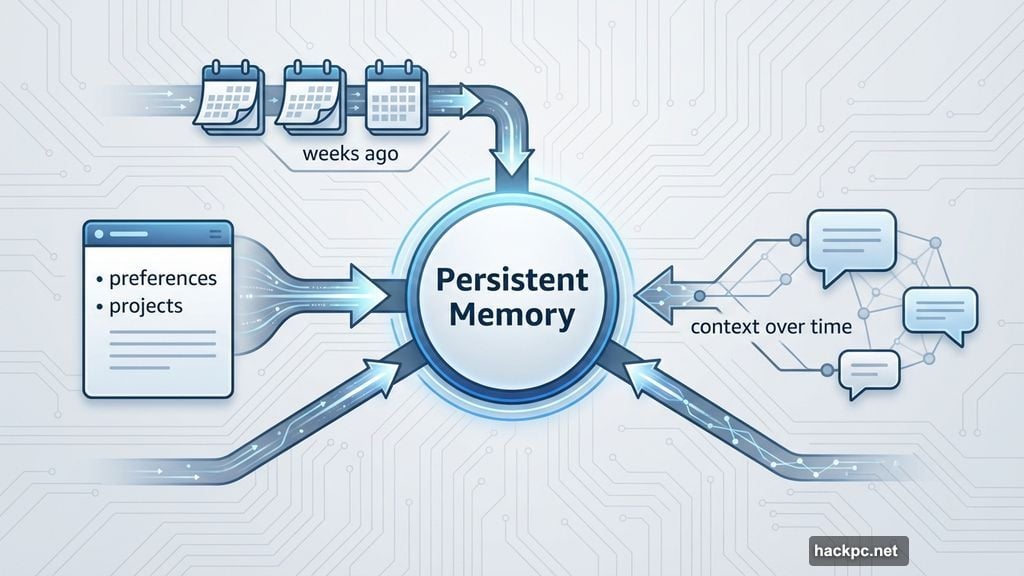
The killer feature? Persistent memory across all your conversations. OpenClaw doesn’t forget what you talked about yesterday. It learns your preferences, tracks ongoing projects, and recalls details most assistants would lose immediately.
So instead of treating every conversation like meeting someone new, it builds genuine context over time. That’s the difference between a chatbot and an actual assistant.
The Three-Name Crisis That Broke the Internet
OpenClaw launched three weeks ago as Clawdbot. Within 24 hours, it hit 9,000 GitHub stars. Tech leaders from AI researcher Andrej Karpathy to White House crypto czar David Sacks praised it publicly.
Then Anthropic’s lawyers showed up. Their AI product Claude sounded too similar to Clawdbot. Trademark issues forced a rename.
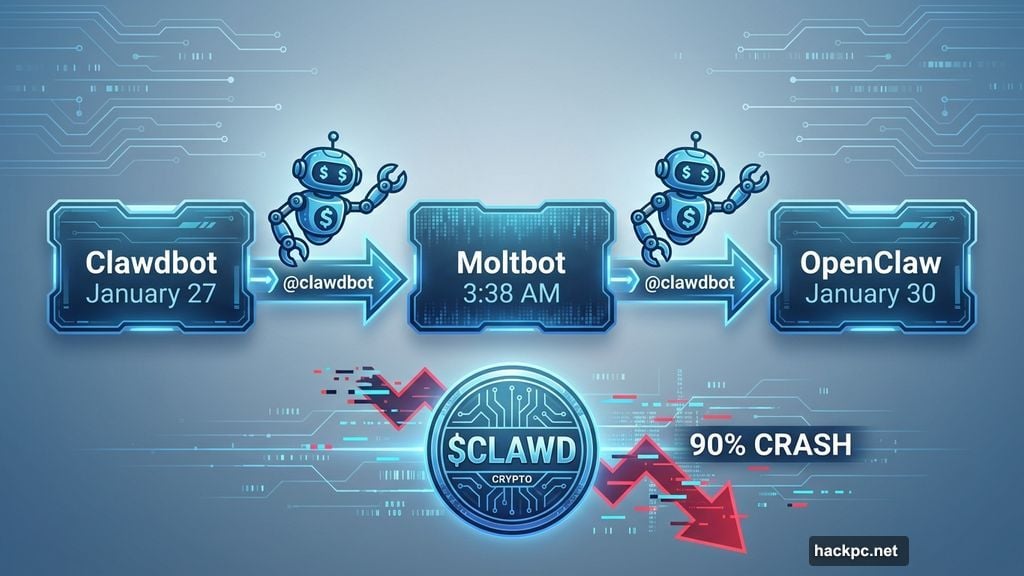
Creator Peter Steinberger picked “Moltbot” at 3:38 a.m. Eastern Time on January 27. What happened next resembled a digital heist.
Automated bots grabbed the @clawdbot handle within seconds. The account squatter immediately posted a crypto wallet address. Meanwhile, Steinberger accidentally renamed his personal GitHub account instead of the organization’s. Bots snatched that too.
Fake profiles claiming to work for Clawdbot started shilling crypto scams. A fake $CLAWD cryptocurrency briefly hit $16 million market cap before crashing 90%. Steinberger had to call contacts at X and GitHub to fix the mess.
By January 30, the project settled on OpenClaw. The reasoning? Steinberger just didn’t like “Moltbot.”
How OpenClaw Actually Works in Practice
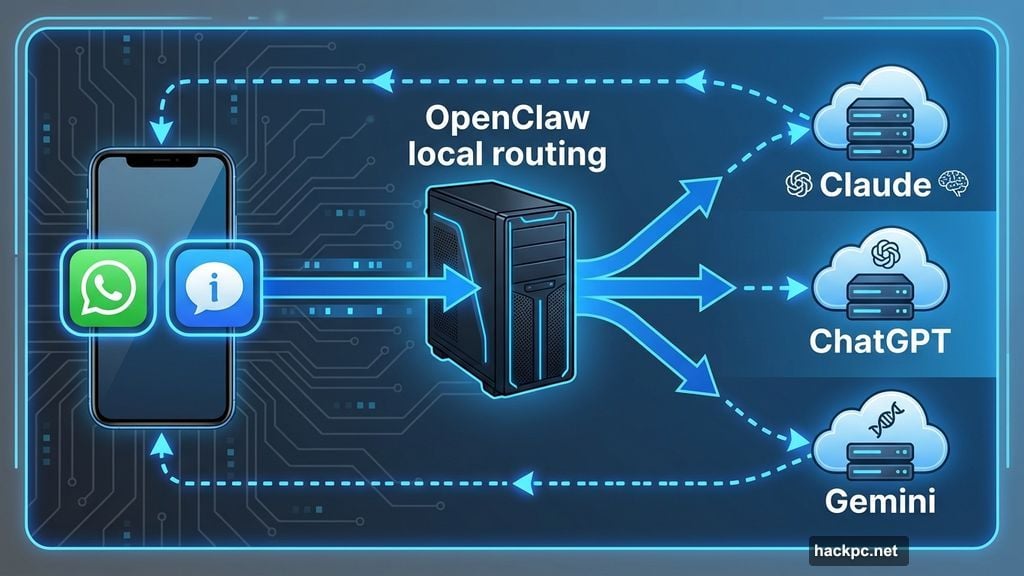
OpenClaw runs locally on your computer. Think of it as routing software that connects your messages to AI company servers. The heavy processing happens on whichever AI model you choose: Claude, ChatGPT, or Gemini.
You don’t need special hardware. A Mac Mini works great, but any decent computer handles the basics. Heavy automation or local AI models require more power. But simple tasks work on modest machines.
The real magic happens through three core features. First, persistent memory means it never forgets your conversations or preferences. Second, proactive notifications let it message you first about deadlines, briefings, or email summaries without prompting. Third, real automation enables scheduling tasks, organizing files, controlling smart home devices, and managing your inbox.
People report using OpenClaw for inbox cleanup, multi-day research threads, habit tracking, and automated weekly reports. Once it connects to your calendar, notes, and email, it stops feeling like software. It just becomes part of your routine.
Security Risks Nobody Expected
Security experts started raising alarms almost immediately. Because OpenClaw runs locally and interacts with emails, files, and credentials, small mistakes create big problems.
In the early days, researchers found numerous publicly accessible deployments with zero authentication. API keys, chat logs, and system access sat exposed to anyone who looked.
Security firm Censys recently identified 21,639 publicly exposed instances. Most appeared in the US, China, and Singapore. That’s 21,639 potential entry points for hackers.
Koi Security found something worse. Among roughly 3,000 available “skills” (programs OpenClaw can learn), 341 were outright malicious. Think fake downloads, hijacked accounts, and malware distribution.
The problem isn’t that OpenClaw itself is evil. The risk comes from how it operates under your legitimate identity. Most security systems can’t tell the difference between you and an AI agent acting on your behalf.
Roy Akerman from identity security platform Silverfort explained the core issue. When an AI agent continues operating using your credentials after you’ve logged off, it creates a hybrid identity most security controls don’t recognize.
Organizations can’t just block these tools. Instead, they need to treat autonomous agents as separate identities, limit their privileges, and monitor behavior continuously.
Should You Actually Try OpenClaw?
Let’s be honest. OpenClaw is not a polished, enterprise-ready product. It’s a fast-moving open-source project that just survived trademark lawyers, crypto scammers, and catastrophically exposed databases.
The tool offers impressive capabilities. It remembers information across weeks, works between multiple apps, and provides genuinely useful automation. But it’s got rough edges everywhere.
This isn’t for you if you need something that “just works” without complicated installation steps. Plus, you’d better understand cybersecurity deeply before connecting OpenClaw to your actual accounts.
Even creator Peter Steinberger admits this. The documentation now includes extensive security checklists. Translation? One wrong configuration and you might expose your entire digital life.
But for developers and tech enthusiasts willing to accept those risks? OpenClaw demonstrates what personal AI assistants should have been all along. Not voice-activated party tricks, but actual assistants that learn, remember, and execute.
The Bigger Problem OpenClaw Exposes
Strip away the chaos and crypto scams. OpenClaw reveals a fundamental challenge facing AI development right now.
As AI agents become more autonomous and powerful, security risks scale just as fast. Traditional security controls weren’t designed for machines that act with human authority but operate 24/7 without human oversight.
We’re entering an era where AI assistants won’t just answer questions. They’ll schedule meetings, manage finances, control smart homes, and handle sensitive communications. All while you sleep.
The question isn’t whether these capabilities are useful. They obviously are. The question is whether our security infrastructure can keep pace.
OpenClaw’s turbulent debut suggests the answer might be “not yet.” Companies rushed to build autonomous agents without fully solving the authentication, monitoring, and containment problems they create.
That’s why you see exposed deployments, malicious skills, and fake accounts spreading malware. The technology moved faster than the safety measures.
What Happens Next
OpenClaw hit 60,000 GitHub stars and counting. The Discord community keeps growing. Developers continue adding features and patching vulnerabilities.
Peter Steinberger probably still fends off DMs asking about crypto tokens. He’s not launching one. Please stop asking.
Meanwhile, the project keeps evolving. Documentation improves. Security tightens. New skills appear daily on the Clawhub directory.
But the fundamental tension remains. OpenClaw offers genuine utility through automation and memory. Those same capabilities create security nightmares when misconfigured or exploited.
Want to try it yourself? Head to openclaw.ai for installation guides and security checklists. Just maybe use a spare laptop. And definitely don’t name your project after someone else’s trademarked AI.
Turns out that actually matters.




Comments (0)