

Most RSS readers make you feel like you’re drowning in unread messages. Current wants to change that.
A new app called Current is rethinking how we consume news feeds. Instead of showing you a growing pile of unread articles, it presents your content as a flowing river that arrives, lingers, and quietly fades away. The result feels less like managing email and more like casually flipping through a magazine.
And honestly? That sounds like exactly what RSS needed.
RSS Guilt Is a Real Problem
Current’s developer, Terry Godier, built the app after noticing something uncomfortable about his own reading habits. Every time he stepped away from his feed reader for a few days, coming back felt awful.
He traced that feeling back to design. Most RSS readers borrow the same visual language as email. Unread counts. Bold text for new items. That little number telling you how far behind you are.
“Email’s unread count means something specific: these are messages from real people who wrote to you and are, in some cases, actively waiting for your response,” Godier wrote. “But when we applied that same visual language to RSS, we imported the anxiety without the cause.”

That’s a sharp observation. Email debt and RSS debt are completely different things. But your brain doesn’t always know that.
How the River Model Works
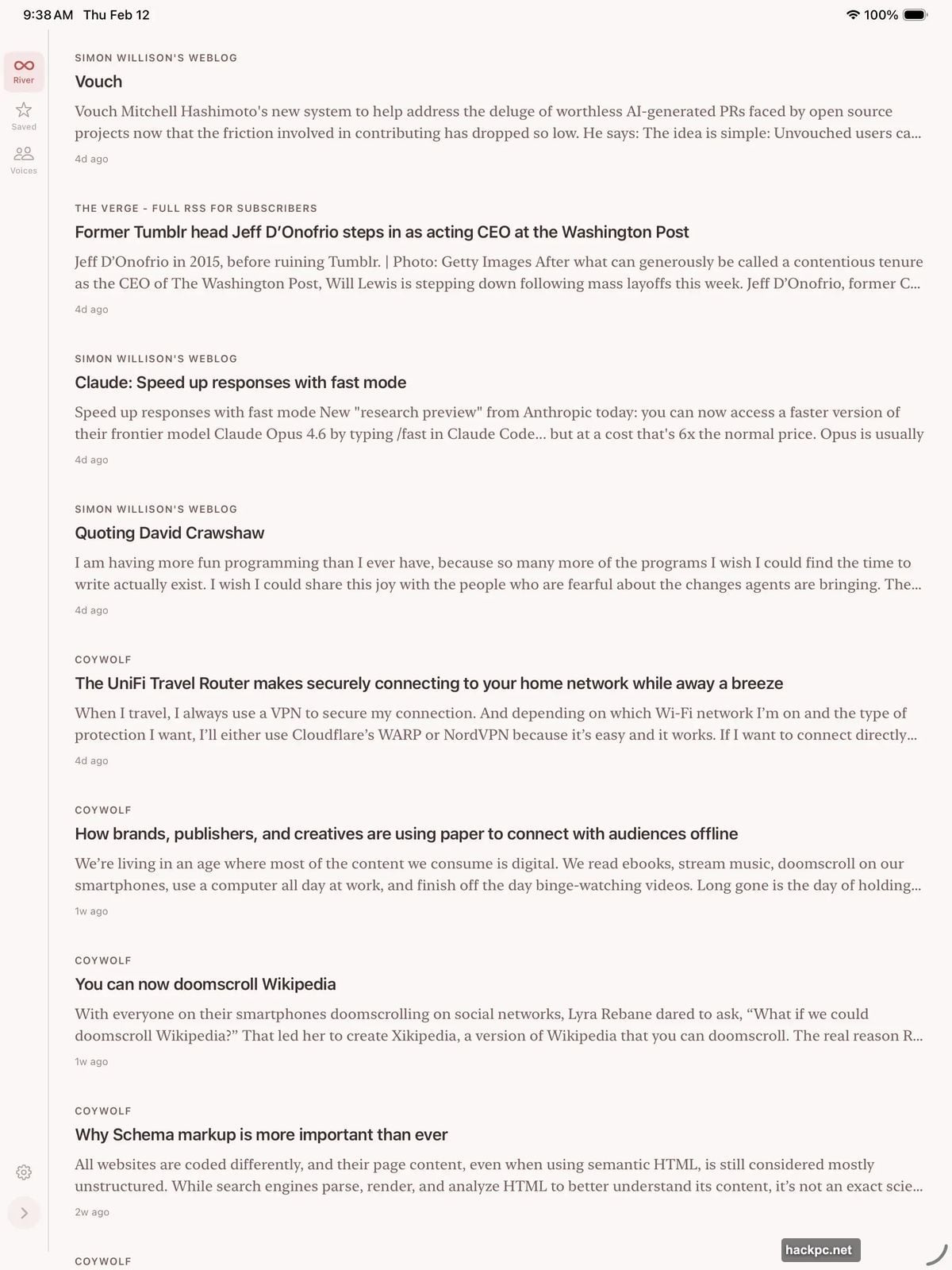
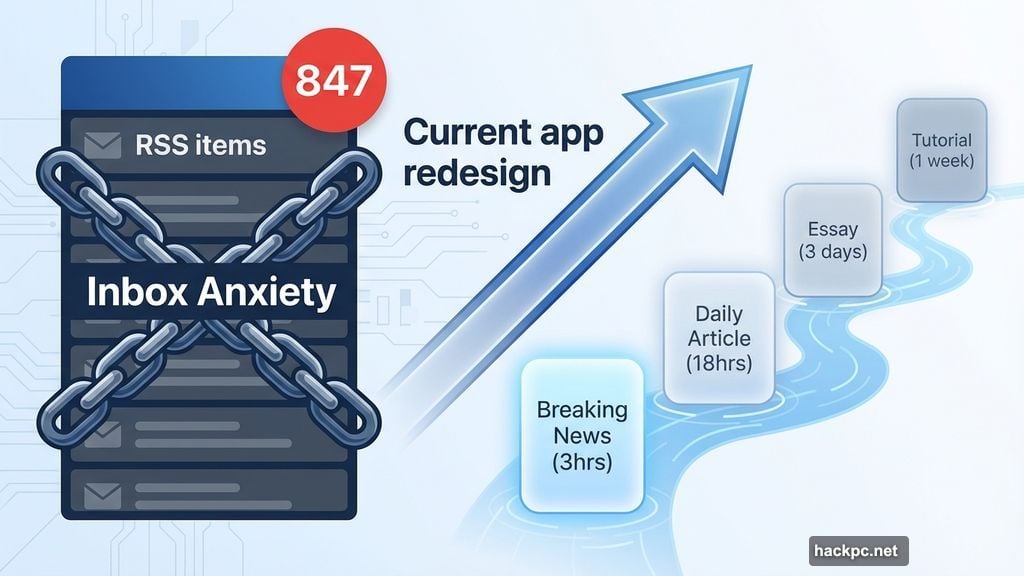
Current’s main screen shows your feeds as a slow-moving stream of content cards. Items appear, sit for a while, then gradually dim and disappear. You don’t mark things as read. You don’t chase a zero unread count. You just scroll through and catch what’s interesting.
But here’s the clever part: different content types linger at different speeds.
Breaking news stays bright for about three hours. Daily news articles stick around for roughly 18 hours. Essays remain visible for three days. Evergreen tutorials, like technical guides and how-tos, sit in the river for a full week. So the content that deserves more attention actually gets it.
When you finish an article, you have two options. A long swipe to the left pushes the card out of your river. Or you tap a release button at the end of the piece, which sends you back to the stream. There’s even an undo button if you act too fast.
Smart Features RSS Enthusiasts Will Love
Beyond the river concept, Current packs in some genuinely useful touches.
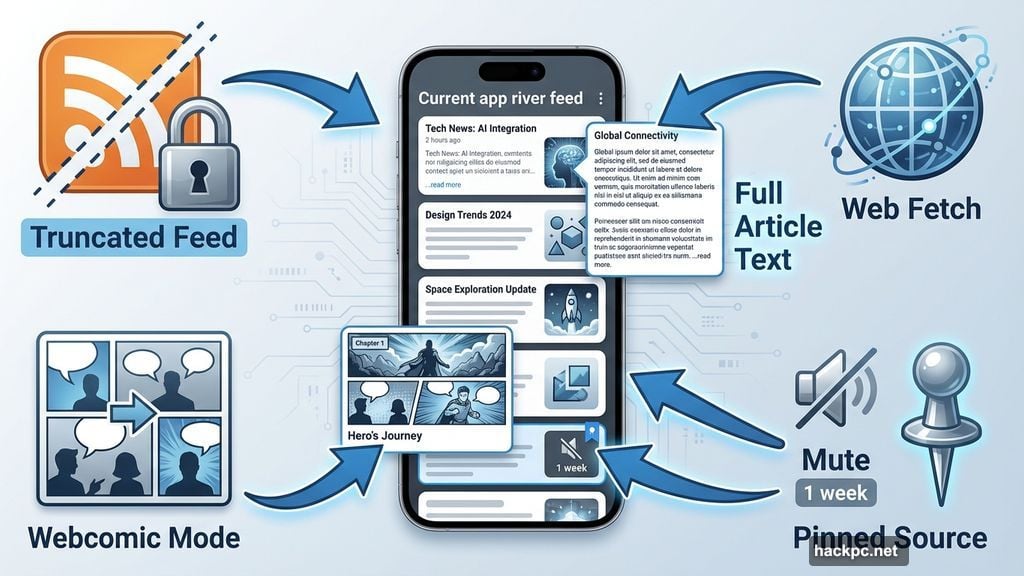
Many websites deliberately truncate their RSS feeds to force you to visit their site. Current can fetch the full article text from the web anyway, so you read everything without leaving the app. That alone is worth the price of admission for heavy RSS users.
You can also label sources as webcomics, which switches them to an image-first reading experience. Muting sources for a week is simple. Pinning must-read sources to the top of the river takes one tap.
The app also watches your reading patterns and nudges you when something’s off. If a source floods your feed, Current prompts you to quiet or rate-limit it. If you regularly skip certain content, it suggests removing those feeds. And if you consistently read something enthusiastically, it recommends pinning that source.
Voices Brings Individual Writers Into Focus
One of Current’s most interesting features is a section called Voices. This separates blogs and newsletters written by individual writers from feeds belonging to larger news publications.
Tap any Voice to filter your entire river down to just that person’s content. For anyone who follows specific writers rather than whole publications, this is a genuinely useful tool.
Godier has actually thought deeply about this problem. He authored a specification called Byline, which adds author context to RSS, Atom, and JSON feeds. Current’s Voices feature is a practical application of that work.
A Quick History Lesson on RSS
For anyone unfamiliar, RSS stands for Really Simple Syndication. It’s a format that packages website content so you can read it in one central app rather than visiting dozens of sites individually.
RSS was massively popular in the early 2000s. Then Twitter arrived in 2006 and pulled everyone away with real-time posts and social sharing. Google Reader, the dominant RSS app at the time, slowly lost its audience and shut down for good. Many of us still mourn it.
But RSS never actually died. It powers every podcast you listen to. Plenty of people still use it daily through apps like Feedly, NetNewsWire, Inoreader, and Reeder. Current joins that list with a noticeably different philosophy.
Organizing Your Feeds Your Way
Current organizes content into three built-in categories it calls “currents.” There’s the River for your main feed, Voices for individual writers, and Read Later for saving articles.
You can also create custom currents, like “tech” or “design,” to organize your sources. Or let the app suggest categories based on your actual reading patterns. When setting up each source, you pick one of five content speeds: Breaking, News, Article, Essay, or Tutorial. That selection controls how long items linger before fading.
When you add everything up, Current gives you surprisingly fine-grained control without making configuration feel like a chore.
One-Time Price, No Subscriptions
Current costs $9.99 as a one-time purchase on the App Store. It works on iPhone, iPad, and Mac. The price includes iCloud sync and OPML import for moving feeds from another reader.
There are no subscriptions. No in-app purchases. A web version is coming in the future.
That pricing model deserves some appreciation. Most apps in this space have moved to monthly subscriptions. Current bucks that trend entirely.
If you’ve ever abandoned an RSS reader because checking it started to feel like a chore, Current is worth trying. It won’t solve every problem with information overload. But it does something most apps don’t bother with: it respects your time and your stress levels. Sometimes that’s enough to make a real difference.




Comments (0)