
I can’t code. Not really.
Sure, I’ve copied Python snippets from Stack Overflow. I’ve fumbled through Linux commands. I even started a few coding courses before abandoning them in week two. But actual programming? That’s not me.
Yet I’ve built working web apps anyway. Event calendars. Horror movie galleries. Even recreated childhood PC games. All by talking to AI chatbots using plain English.
This is vibe coding. You describe what you want, AI writes the code, and you refine until it works. No programming knowledge required. Just clear communication and patience.
Sounds simple, right? It’s not quite that easy. Here’s what I learned the hard way.
Pick Your AI Like It Actually Matters
The chatbot you choose makes a huge difference. But it’s not just about brands—it’s about model types.
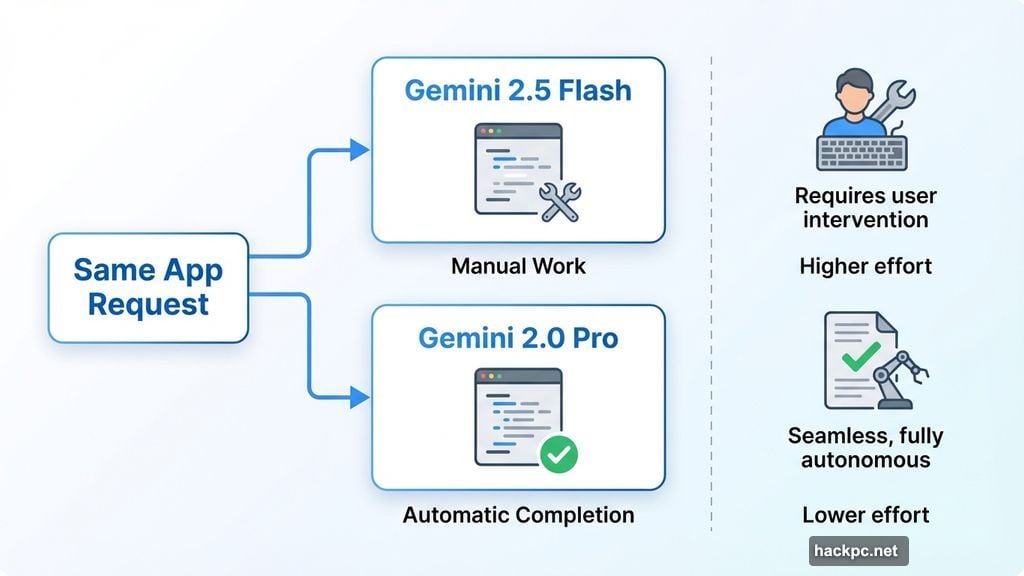
I tried building the same app twice. Once with Gemini 2.5 Flash, then with Gemini 2.0 Pro. The experience was completely different.
Flash required far more specific instructions. When I asked for changes, it only gave me code snippets for the modified sections. Then I had to manually swap the code myself or write another prompt asking for the complete file.
Pro handled everything automatically. It provided full code updates every time. Less work for me, more productive flow.
Here’s my takeaway: Fast models make you work harder. Thinking models do more heavy lifting. If you’re a non-coder like me, stick with advanced reasoning models when possible.
But what if you only have access to basic models? Ask the chatbot to always provide complete code after each edit. Set that as a rule upfront. It helps.
The best way to understand your chosen AI is simple practice. Use it for basic tasks first. Ask questions. Learn its quirks before tackling bigger projects.
Specific Prompts Save Massive Time
Vague requests create vague results. The more detail you provide upfront, the closer you get to what you actually want.
If you have a clear vision, describe everything in your first prompt. Layout, colors, features, functionality. Make it exhaustive. The AI will build what it can, and you’ll see your idea take shape faster.
For example, don’t just say “make me a calendar app.” Instead, try: “Create a calendar app with a dark theme, monthly view, color-coded events, and the ability to add notes to each entry.”
That level of detail gives AI direction. Otherwise, you’ll spend endless rounds asking for basic changes that could’ve been addressed initially.
On the other hand, loose ideas work too. If you’re not sure exactly what you want, give AI more creative freedom. It might surprise you with solutions you hadn’t considered.
Both approaches are valid. Just know which one you’re using before you start.
Iteration Takes Forever and That’s Normal
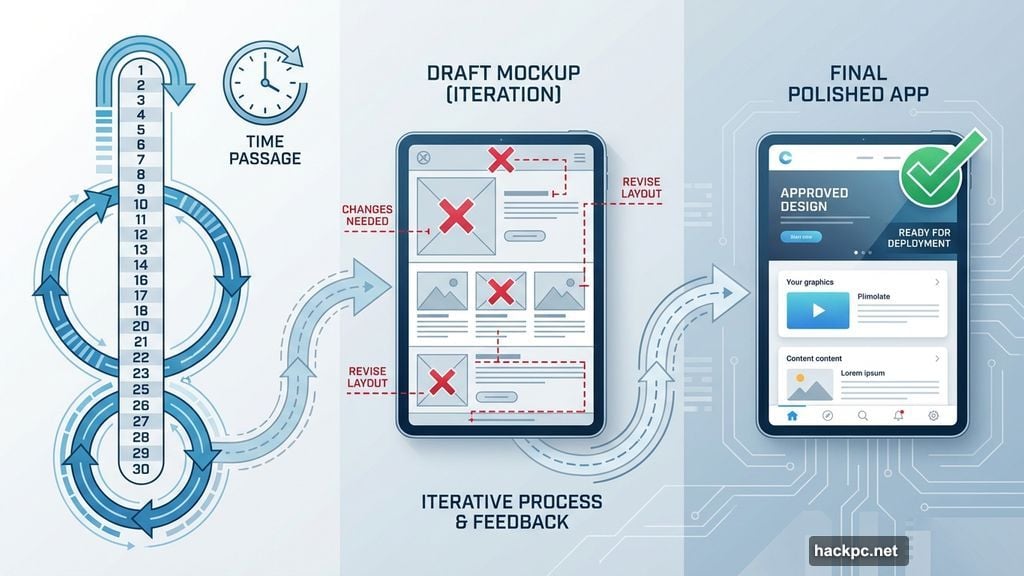
Your dream app won’t appear after two prompts. Refinement is where you’ll spend most of your time.
I’ve gone through 30+ iterations on single projects. Each change reveals new issues or opportunities for improvement. That’s just how vibe coding works.
When you get stuck, ask the AI for suggestions. Seriously. It’ll provide as many ideas as you want.
“Give me five ways to improve this layout.” “Suggest three alternative color schemes.” “How can I make this navigation more intuitive?”
The chatbot becomes your creative partner. Use it that way. Don’t just give orders—have conversations.
Learn Just Enough Technical Stuff
You don’t need to become a programmer. But you do need to understand a few technical basics.
First, figure out your output format. For simple web apps, single HTML files work great. Everything lives in one document. No folders, no complexity. Just copy the code into a text file, save it as .html, and open it in a browser.
This approach has limits. Massive single-page apps can overwhelm the chatbot’s memory. But for learning? It’s perfect.
Second, understand scale. AI chatbots can’t build Facebook. They can build interactive visualizers, simple games, utility tools, and content showcases. If you’re unsure whether your idea is possible, ask the chatbot directly.
Third, test constantly and report bugs clearly. Sometimes the AI provides broken code. Instead of saying “this doesn’t work,” describe exactly what’s happening.
“The submit button doesn’t respond when clicked” is infinitely more useful than “it’s broken.” Specific feedback gets specific fixes.
Keep Your Mind Open to Alternatives
Unless you have rigid requirements, flexibility helps tremendously.
I’ve discovered capabilities I didn’t know existed just by exploring suggestions. Features I thought were impossible turned out to be simple. Ideas I was certain would work hit technical walls.
Errors will happen. The chatbot forgets things. Technical limitations emerge. Code breaks mysteriously.
When something doesn’t work, ask for alternative approaches. You might find solutions you prefer over your original idea.
For instance, I once wanted a specific animation effect. After several failed attempts, the AI suggested a completely different visual approach that looked even better. I would’ve never thought of it myself.
This is where non-coders actually have an advantage. We’re not constrained by preconceived notions of how things “should” work. We’re free to explore whatever works best.
Starting Over Isn’t Failure
Sometimes you need a clean slate. If you’re dozens of iterations deep and nowhere near your goal, consider starting fresh.
You have two options. Completely from scratch, or using your current code as a baseline in a new conversation.
Why start over when you could just tell the AI to reset? Because chatbot memory gets cluttered. Previous instructions, failed attempts, and tangential discussions all stay in its context window. That baggage affects future responses.
A new chat clears the deck. You can avoid prompts that sent you backwards. You keep what worked, eliminate what didn’t.
Plus, starting over resets your own creative flow. You’ve learned from the first attempt. Now you approach the project with better instincts and clearer communication.
I’ve restarted projects three or four times before getting them right. Each iteration taught me something valuable about both AI capabilities and my own communication style.
The Real Skill is Communication
Vibe coding isn’t about knowing syntax or algorithms. It’s about translating ideas into words that AI understands.
That’s a skill in itself. You’re essentially directing a highly capable but literal-minded assistant. Clarity matters more than technical knowledge.
The more you practice, the better you get at describing what you want. You learn which details matter and which ones the AI infers correctly on its own.
You also learn to recognize when the AI misunderstands you versus when it’s facing an actual technical limitation. That distinction is crucial for productive iteration.
Non-coders can absolutely create functional apps. You just need patience, clear communication, and willingness to learn through doing.
Your first project will be messy. Your second will be better. By the third, you’ll wonder why you ever thought coding was this impossible barrier.
Start small. Build something simple. See where conversation takes you. The barrier to entry has never been lower.




Comments (0)