

Your antivirus software from 2023 might already be obsolete. Attacks evolved faster this year than most security tools could keep up.
AI changed everything about malware. Instead of clumsy phishing emails with obvious typos, criminals now craft convincing messages that fool even tech-savvy users. Plus, traditional signature-based detection struggles against threats that morph and adapt in real-time.
So if you’re still relying on Windows Security alone—or worse, nothing at all—you’re playing defense with outdated equipment. Let’s fix that.
Why Windows Built-In Protection Isn’t Enough Anymore
Windows Security does a decent job with basic threats. It catches known malware. It monitors suspicious activity. But that’s where its capabilities end.
Modern attacks bypass signature-based detection entirely. They use AI to study your behavior, craft personalized lures, and strike when you’re most vulnerable. Windows Security wasn’t designed to combat these adaptive threats.
Moreover, you’re on your own for additional protections. No VPN. No password manager. No dark web monitoring. So you’ll need to juggle multiple services to achieve comprehensive security—which most people simply won’t do.
That fragmentation creates gaps. And criminals exploit gaps mercilessly.
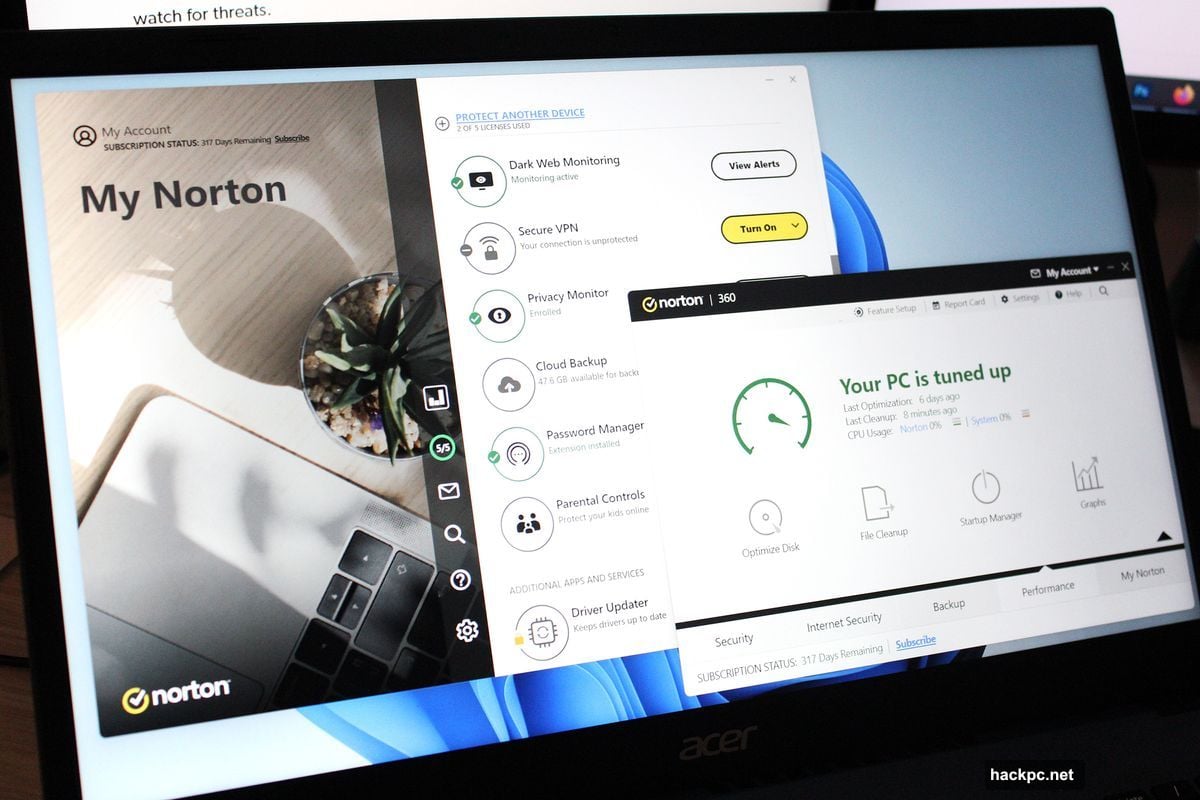
Norton 360 Deluxe Consolidates Everything That Matters
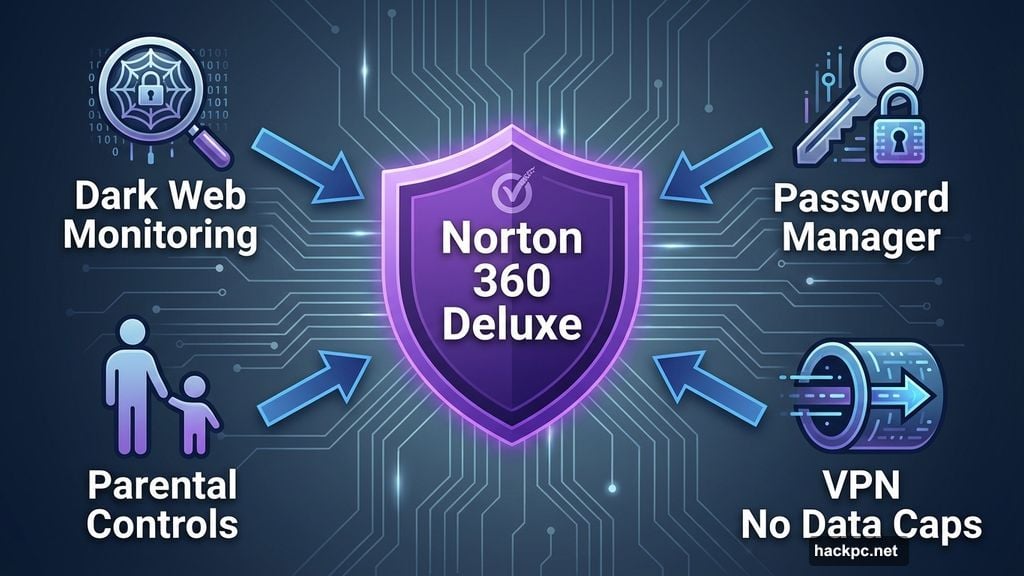
Strong antivirus protection forms the foundation. Yet Norton goes further by bundling the critical extras most people forget to set up separately.
You get a password manager that actually works. No clunky interface. No confusing features. Just straightforward password storage and generation that integrates seamlessly with your browser.
The VPN delivers solid performance without data caps. Many security suites include VPNs with severe bandwidth limits that make them essentially useless. Norton doesn’t play that game.
Plus, parental controls let you manage content filtering and screen time from one central dashboard. If you have kids, this feature alone justifies the subscription cost.
Dark web monitoring scans constantly for your exposed credentials. When breaches happen—and they happen constantly—you’ll know immediately instead of discovering it months later when your bank account gets drained.
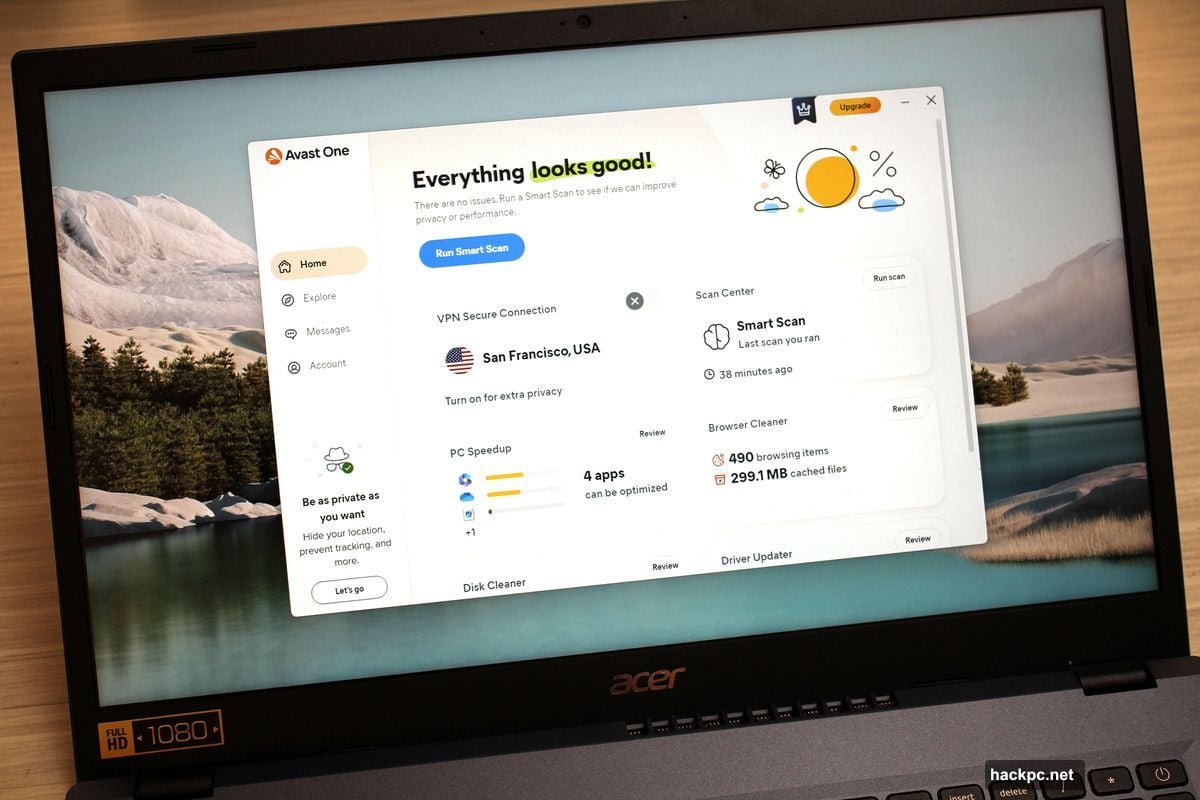
Avast One Makes Security Dead Simple
Sometimes you just want protection that works without requiring a computer science degree. Avast One delivers exactly that.
The interface looks clean and approachable. Everything sits one or two clicks away. No hunting through nested menus to find basic features.
Avast earned top marks in independent lab testing for malware detection. It catches threats before they execute. It blocks malicious websites before they load. It stops trackers from following you around the internet.
However, you’re paying more for this simplicity. The subscription costs $180 annually after the first year for five devices. That’s substantially higher than Norton’s $120 renewal price.
The trade-off? You sacrifice a password manager and parental controls. If those features matter to you, look elsewhere. But if you prioritize ease of use above all else, Avast One delivers.
AVG Internet Security Offers Budget-Friendly Protection
Not everyone needs every feature under the sun. Sometimes you just want solid core protection without breaking the bank.
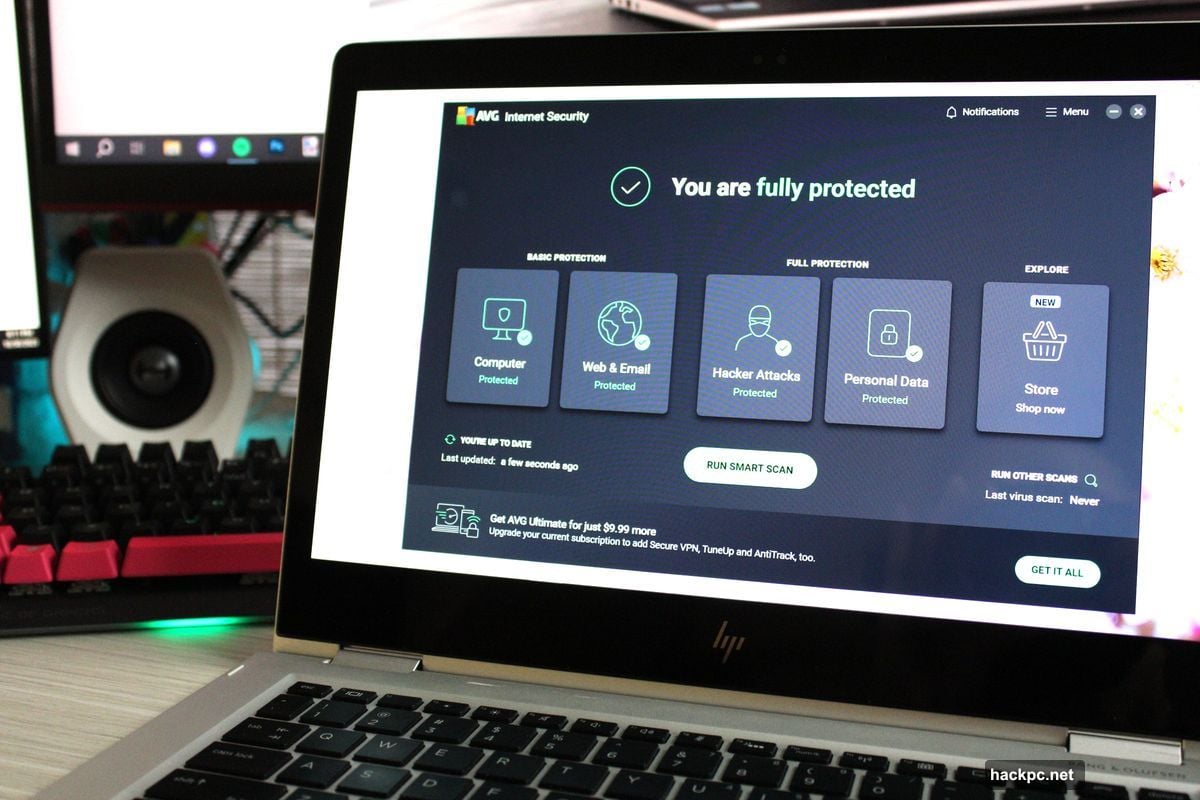
AVG Internet Security focuses on the essentials. Top-tier malware scanning. Web threat blocking. Email protection. Ransomware shields. Network attack prevention.
It guards against DNS hijacking—when criminals redirect your web traffic to fake sites. It protects your webcam from remote takeovers. It monitors files with sensitive data for unauthorized access.
The interface feels clean and uncluttered. You won’t get overwhelmed by options you don’t understand. Everything makes sense at first glance.
At $60 for the first year covering ten devices, it’s remarkably affordable. The renewal jumps to $100, but that’s still cheaper than most competitors.
Just don’t expect extras like a VPN or password manager. AVG assumes you’ll handle those separately—or don’t need them at all.
Avira Prime Helps Beginners Take Control
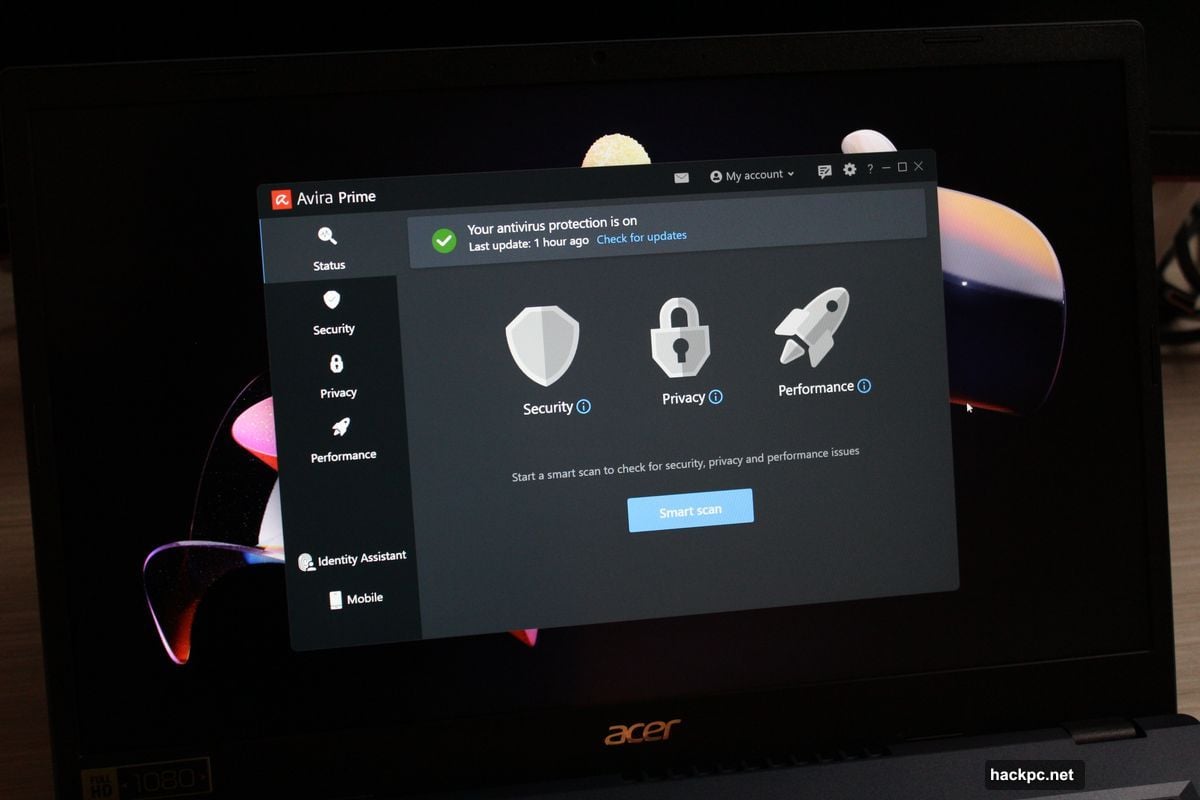
Security software can feel intimidating. Avira Prime recognizes this and holds your hand through the process.
The app design emphasizes clarity over complexity. Each feature explains what it does in plain language. No technical jargon. No assuming prior knowledge.
Beyond antivirus scanning, you get an impressive array of PC utilities. Software updater. Secure file deletion. System optimizer. These tools help you understand and maintain your computer better.
The password manager works smoothly. The VPN doesn’t throttle your connection. Both integrate naturally into the overall experience.
Performance impact stays minimal during background monitoring. Full scans can hit older systems harder, but you can schedule those for overnight.
At $60 for the first year, it costs slightly more than Norton 360 Deluxe. But if you value hand-holding and clear explanations, that extra $10 makes sense.
The one gap? No parental controls. If you need to monitor kids’ device usage, choose a different suite.
McAfee Total Protection Hunts Down Your Stolen Data
Data breaches happen constantly. Your information sits on the dark web right now—you just don’t know it yet.
McAfee Total Protection includes identity monitoring that scans for your personal details. Email addresses. Phone numbers. Social security numbers. Credit card info. When it finds your data exposed, it alerts you immediately.
The app can help you change compromised passwords across multiple accounts. This automation saves enormous time compared to manually updating dozens of sites.
Antivirus protection performs solidly, catching most threats reliably. You also get a VPN, file shredder for permanent deletion, and network security analysis.
But scans can impact performance noticeably on mid-range machines. If you’re running budget hardware, you might see slowdowns during active scanning periods.
The pricing through third-party retailers remains extremely competitive. You can find one-year licenses for as low as $19 covering ten devices—significantly cheaper than buying directly from McAfee.
Panda Dome Complete Packs Maximum Features
If you want every possible tool in one package, Panda Dome Complete delivers.
The interface stands out immediately. Instead of boring menus, you get a beautiful photo background with clean icons overlaid. It looks modern and inviting.
Features include everything from standard malware protection to specialized utilities most competitors skip. Virtual keyboard for secure password entry. Advanced malware removal. App update manager. Disk defragmentation. Drive cleaner. Startup optimizer.
You get Wi-Fi protection that shows connected devices on your network. Password manager. Parental controls. VPN with 150MB daily bandwidth.
Notably, Panda showed virtually zero performance impact during testing. Most apps slow your system at least slightly—Panda basically disappeared.
However, it’s expensive. A single device costs $54 for the first year. You can upgrade to three devices for $55 or five devices for $54—the pricing gets better with more devices.
That first-year discount expires quickly, too. Renewals jump to $90-$110 annually depending on device count.
Windows Security Works If You Configure It Properly
Don’t pay for antivirus if you’re truly comfortable managing security yourself. Windows Security provides solid free protection—if you know how to use it.
The suite bundles Defender malware scanning, firewall protection, ransomware defenses, app restrictions, and basic parental controls. Everything runs automatically once enabled.
But that’s the catch. Many crucial features stay disabled by default. You must manually activate ransomware folder controls, file recovery integration with OneDrive, and several other protections.
Plus, you’ll need separate services for comprehensive online security. Choose your own password manager. Subscribe to a VPN. Set up encrypted cloud backups. Monitor for data breaches independently.
This piecemeal approach requires significant effort and technical knowledge. Most people simply won’t do it—which is exactly why third-party security suites exist.
If you’re disciplined and tech-savvy, Windows Security can absolutely work. But casual users should pay for convenience and peace of mind.
Intego X9 Protects Your Mac-Using Friends
Windows security matters, but so does protecting the Apple users in your life.
Intego Mac Internet Security X9 offers strong antivirus protection specifically designed for macOS. It includes VirusBarrier for malware detection and NetBarrier, a two-way firewall that monitors suspicious network traffic.
The app scans internal drives, connected disks, and even attached iOS devices. Suspicious files get quarantined automatically—you can then decide whether to trust, delete, or attempt repair.
Best of all, Intego looks like native Mac software. It doesn’t feel like a Windows app awkwardly ported to macOS. Everything follows Apple’s design language naturally.
At $25 for the first year through special links, it’s extremely affordable. You can upgrade to Mac Premium Bundle X9 for $40 if you need backup utilities, performance optimization, and parental controls.
What Actually Matters When Choosing Security Software
Detection rates come first. If the software misses threats, nothing else matters.
Then consider system performance impact. Great protection that makes your computer unusable isn’t really protection—you’ll just disable it.
Interface design matters more than most people realize. If you can’t figure out how to run a scan or adjust settings, the software might as well not exist.
Feature set depends entirely on your situation. Single person? Skip parental controls. Multiple devices? Make sure your license covers them all. Already using a password manager? Don’t pay for another one.
Price matters, but not as much as you’d think. Cheap software that fails to protect you costs far more in the long run than premium software that actually works.
Your Old Antivirus Stopped Working Months Ago
AI-powered attacks changed the game completely. Traditional antivirus software detects threats by comparing files against known malware signatures. That approach fails against adaptive threats.
Modern malware studies your behavior. It waits for the perfect moment to strike. It modifies itself constantly to avoid signature-based detection.
So if your security software hasn’t updated its core detection methodology recently, it’s essentially blind to the newest threats. You might think you’re protected when you’re actually completely exposed.
The suites we’ve highlighted all employ behavior-based detection alongside traditional signature matching. They watch for suspicious activity patterns rather than just comparing files against databases.
That multilayered approach catches threats that signature-only software misses completely.
Free Antivirus Comes With Hidden Costs
Companies don’t offer free software out of generosity. They’re collecting data about you and monetizing it somehow.
Free antivirus typically means constant upselling. Annoying popups. Features locked behind paywalls. Limited functionality that frustrates more than it helps.
You’re also on your own for support. Something breaks? Good luck finding help. Premium services include customer support that can actually solve problems.
The feature limitations hurt most. No VPN. No password manager. Basic scanning only. You’ll piece together multiple free services to achieve what one paid suite handles seamlessly.
Then there’s the opportunity cost. How much is your time worth? Juggling multiple free tools, dealing with popups, and researching each security decision individually adds up to hours every month.
A comprehensive paid suite saves that time while providing stronger protection. The math favors paying for quality.
Choose Based On Your Actual Needs
Don’t let marketing convince you that you need every possible feature. Buy what actually makes sense for your situation.
Single device? One-device licenses cost less. Multiple computers and phones? Make sure your plan covers everything.
Kids at home? Parental controls become essential. Living alone? Skip them entirely.
Already using a password manager you love? Don’t pay for another one you won’t use.
Comfortable with technology? Maybe Windows Security plus a few additional services works fine. Less confident? Comprehensive paid suites make sense.
The best antivirus software is the one you’ll actually use consistently. Figure out what that looks like for you specifically.




Comments (0)